ferraus
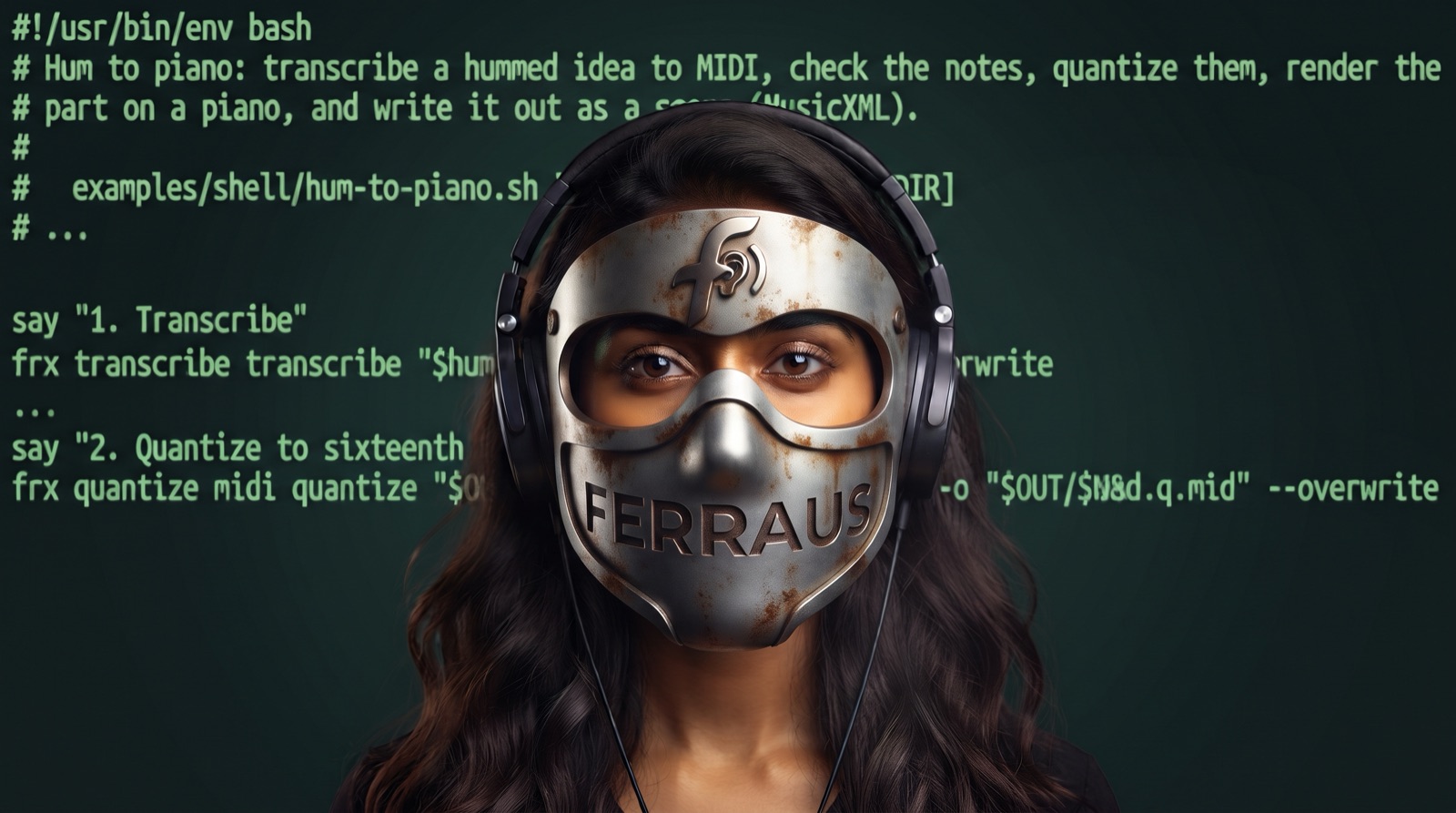
A command-line audio workstation for scripts and AI agents. One cross-platform binary covers conversion and editing, effects, restoration, noise reduction, stem separation, pitch correction, MIDI, notation in both directions, CLAP/VST3 instrument hosting, and mastering.
- New here? Start with Getting started, then pick a tutorial: clean a podcast, tune a vocal, split a song into stems, turn a hum into an instrument part, make a score, perform a sheet-music file, master a track, or host a plugin. Each one says what to listen for at every step.
- Building an agent? Read the agent guide, MCP setup, and the cookbook: clean, tune, and master a vocal, stems for a remix, hum to an instrument, sheet music to a performance, batch podcast cleanup, pipeline files. Runnable versions of these recipes (shell scripts, pipeline files, an MCP client, and a Claude agent loop) are in the repository's examples folder.
- Coming from FFmpeg? The FFmpeg equivalents table translates common commands.
- Looking up a command? Every command has a reference page under Command reference, and
ferraus docs <command>prints the same page offline. Background on units, loudness, pan laws, stems, notation, sound folders, and sidecars is under Concepts. - Something wrong? See Troubleshooting and the error catalog.
Command pages are generated from the same definitions as the binary, and every command-line example on them is checked against the CLI in CI. The tutorials and cookbook were written by running every command shown against ferraus 0.1.0; their outputs are trimmed copies of what it printed.

Getting started
Install
From source (any platform with Rust). Install a Rust toolchain from https://rustup.rs, then:
cargo install ferraus
The Cargo package that builds the ferraus binary is named ferraus (its directory in the
repository is crates/ferraus-cli; see docs/decisions/0005-binary-package-name.md). From a
clone of the repository, cargo install --path crates/ferraus-cli does the same. Either way
the binary goes to ~/.cargo/bin, which rustup puts on your PATH.
Release installers. Releases are built and attested by the repository's GitHub Actions workflows and published on the releases page. Release builds exist for:
- macOS 13.4 or newer, on Apple silicon and on Intel.
- Linux on x86-64 and ARM64, in two flavors. The glibc build needs glibc 2.38 or newer (Ubuntu 24.04+, Debian 13+, Fedora 39+). The musl build is fully static: it runs on Alpine and other musl systems and on Linux distributions too old for the glibc build, with nothing to install. The shell installer chooses it by itself on those systems. The static build cannot load audio plugins (CLAP, VST3); use the glibc build for plugin hosting.
- Windows 10 and 11 on x86-64 and ARM64, with the Microsoft Visual C++ Redistributable, which most Windows machines already have (https://aka.ms/vs/17/release/vc_redist.x64.exe, or https://aka.ms/vs/17/release/vc_redist.arm64.exe on ARM).
macOS and Linux:
curl -fsSL https://github.com/djynnius/ferraus/releases/latest/download/ferraus-installer.sh | sh
Windows (PowerShell):
powershell -ExecutionPolicy ByPass -c "irm https://github.com/djynnius/ferraus/releases/latest/download/ferraus-installer.ps1 | iex"
The installers put ferraus in ~/.ferraus/bin (set FERRAUS_INSTALL_DIR to change it) and
never ask for administrator rights. Open a new terminal afterwards.
Package managers, which also keep ferraus up to date:
-
Homebrew (macOS, Linux):
brew install djynnius/tap/ferraus -
Debian 13+ and Ubuntu 24.04+ (signed apt repository):
sudo mkdir -p /etc/apt/keyrings sudo curl -fsSLo /etc/apt/keyrings/ferraus-archive-keyring.asc https://djynnius.github.io/packages/ferraus-archive-keyring.asc sudo curl -fsSLo /etc/apt/sources.list.d/ferraus.sources https://djynnius.github.io/packages/apt/ferraus.sources sudo apt update && sudo apt install ferraus -
Fedora 39+ and RHEL (signed dnf repository):
sudo curl -fsSLo /etc/yum.repos.d/ferraus.repo https://djynnius.github.io/packages/rpm/ferraus.repo sudo dnf install ferraus -
Windows (scoop):
scoop bucket add djynnius https://github.com/djynnius/scoop-bucket, thenscoop install djynnius/ferraus. winget follows once Microsoft has reviewed the package. -
The
.deb,.rpm, and Windows MSI files are also on the releases page.
Docker (Linux x86-64 and ARM64; the current folder is /work, models persist in the
ferraus-data volume):
docker run --rm -v "$PWD:/work" -v ferraus-data:/data ghcr.io/djynnius/ferraus separate song.wav -y
The ghcr.io/djynnius/ferraus:latest-cuda image (x86-64) runs models on an NVIDIA GPU with
docker run --gpus all ....
Check the installation
ferraus doctor
{
  "ferraus_version": "0.1.0",
  "platform": {"os": "macos", "arch": "aarch64"},
  "paths": {
    "config": "/Users/me/Library/Application Support/ferraus/config.toml",
    "cache": "/Users/me/Library/Caches/ferraus",
    "data": "/Users/me/Library/Application Support/ferraus/data",
    "models": "/Users/me/Library/Caches/ferraus/models",
    "sounds": "/Users/me/Library/Application Support/ferraus/data/sounds"
  },
  "ffmpeg": {"found": true, "path": "/opt/homebrew/bin/ffmpeg", "source": "path", ...},
  "models": {"cache_bytes": 0},
  "compute": {"providers": ["coreml", "cpu"], "active": "coreml", ...},
  "plughost": {"clap_host": ".../ferraus-plughost"},
  "engraver": {"helper": null, "lilypond": null},
  "suggestions": []
}
doctor reports the version, where config, models, and sounds live, whether FFmpeg was found
(needed only for a few formats, see Troubleshooting), the compute
devices for neural models, the plugin host, and the score engraver. suggestions lists
runnable fixes for anything missing.
Your first five commands
ferraus info song.mp3                          # what is in this file?
ferraus convert song.mp3 -o song.flac          # lossless copy
ferraus normalize song.flac --lufs -14 -o song.loud.flac
ferraus trim song.flac --range 0:30..1:00 -o chorus.flac
ferraus fx chorus.flac -o chorus.fx.wav --fx "fade:in=1s,out=2s" --fx "reverb:mix=20%"
What the first two print:
{"path": "song.mp3", "container": "mp3", "codec": "mp3", "duration_s": 84.8, "duration": "1:24.800",
 "sample_rate": 48000, "channels": 2, "channel_layout": "stereo", "bit_depth": null,
 "bitrate_kbps": 129.0, "lossless": false, "tags": {}, "art": {"present": false, "pictures": []}}
song.flac
{"input": "song.mp3", "output": "song.flac", "format": "flac", "bit_depth": 16, "sample_rate": 48000,
 "channels": 2, "duration_s": 84.8, "frames": 4070400, ...}
Each command prints the output path, then its result. Each output also gets a
<output>.ferraus.json file beside it, recording exactly what was done
(provenance sidecars). Without -o the output goes beside the
input as <input>.<command>.<ext> (song.normalize.flac). Existing files are never
overwritten unless you pass --overwrite.
Useful on every command:
--json: one machine-readable result object on stdout, nothing else.--dry-run: resolve everything and show the plan without processing.ferraus docs <command>: the full reference page, offline.ferraus <command> --helpis the short version.
Where to go next: a tutorial for your task, or the agent guide if you are building with an AI model.
Commands that use models
Stem separation, speech denoising, the neural pitch trackers, chord transcription, and sheet
music recognition use neural-network models that are not in the package. ferraus never
downloads one unless you allow it, once, with -y:
ferraus separate song.mp3 --tier fast -y
or pull models ahead of time (ferraus models pull separate/htdemucs) and work offline with
--offline. ferraus models list
shows every model with its size, license, and which tiers use it. Some models are not yet
downloadable in this release; see Stems and separation tiers.
Where files live
| What | macOS | Linux | Windows |
|---|---|---|---|
| Config | ~/Library/Application Support/ferraus/config.toml | ~/.config/ferraus/config.toml | %APPDATA%\ferraus\config.toml |
| Models (cache) | ~/Library/Caches/ferraus/models | ~/.cache/ferraus/models | %LOCALAPPDATA%\ferraus\cache\models |
| Sounds, jobs (data) | ~/Library/Application Support/ferraus/data | ~/.local/share/ferraus | %LOCALAPPDATA%\ferraus\data |
On Linux the XDG_CONFIG_HOME, XDG_CACHE_HOME, and XDG_DATA_HOME variables are honoured.
FERRAUS_HOME=<dir> moves all three (to <dir>/config, <dir>/cache, and <dir>/data),
which is handy for a sandbox or a test; FERRAUS_CONFIG points at another config file.
Uninstall
- Release installer:
ferraus self-uninstall -y(--purgealso removes models, sounds, and config). cargo install:cargo uninstall ferraus.- Package managers:
brew uninstall ferraus,sudo apt remove ferraus,sudo dnf remove ferraus,scoop uninstall ferraus,winget uninstall djynnius.ferraus.
Models, sounds, and config stay in the folders above until you delete them (or use --purge).
Glossary
| Term | Meaning |
|---|---|
| ADSR | Attack, decay, sustain, release: the four stages of a note's volume envelope. |
| Agent | A program, often driven by an AI model, that calls ferraus commands or MCP tools on its own. See MCP. |
| Attack / release | How fast a compressor, gate, or limiter reacts when the level rises (attack) and recovers when it falls (release). |
| Bit depth | Bits per sample in integer audio (16, 24); ferraus processes in 32-bit float internally. |
| Bleed | Sound from one instrument that leaks into another's stem after separation (cymbals in the vocal stem). See Stems. |
| Chroma | Energy per pitch class (C, C#, ... B), used for key and chord detection. |
| CLAP, VST3, AU, LV2 | Audio plugin formats; CLAP and VST3 are hosted in v1. |
| Crest factor | Peak level minus RMS level in dB; high means punchy, low means dense or heavily limited. |
| dBFS | Decibels relative to digital full scale; 0 dBFS is the loudest sample value. |
| dBTP | Decibels true peak, measured after oversampling so peaks between samples are caught. |
| De-esser | A compressor that reacts only to sibilance ("s", "sh") around 5–9 kHz. |
| Dither | Low-level noise added when reducing bit depth so quantization error becomes benign hiss. |
| Envelope | A value (gain, pan, pitch) that changes over time, set by keyframes. |
| Execution provider | An ONNX Runtime backend (CPU, CUDA, CoreML, DirectML). |
| Formant | A resonance of the vocal tract; keeping formants fixed keeps a voice sounding like itself when its pitch changes. |
| fx stage | One effect inside an fx chain or pipeline, written name:key=value. |
| Gate | Silences a signal while it is below a threshold. |
| Groove | A template of timing and velocity offsets per grid position, extracted from a performance. |
| Hum | A low buzz at the mains frequency (50 or 60 Hz) and its harmonics, picked up from power lines. Removed by dehum. |
| Integrated loudness | The loudness of a whole program, gated to ignore silence, in LUFS. |
| Key | The tonal center and mode of a piece (G major, E minor). |
| Lead sheet | Melody on a treble staff with chord symbols above and lyrics below. |
| Leveler | A slow automatic gain that raises quiet passages and lowers loud ones, like riding a fader. See Clean a podcast. |
| Limiter | A compressor with a very high ratio that keeps peaks under a ceiling. |
| LUFS, LU | Loudness units per EBU R128; LUFS is absolute, LU is a difference. |
| Mastering | Final processing of a mix for delivery: tonal balance, dynamics, stereo image, loudness, and format. |
| MCP | Model Context Protocol: the interface through which agents call ferraus as tools. |
| Mid/side | Stereo expressed as center (mid) and difference (side); the basis of widening and center extraction. |
| MIDI | A file of note and control events rather than audio. |
| Musical noise | Chirping, watery artefacts left by aggressive noise reduction. denoise --artifact-control reduces it. |
| MusicXML | The open interchange format for notation; ferraus's hub format between audio, MIDI, and engraved scores. |
| Noise profile | Per-frequency statistics of a noise-only region, used by spectral gating. |
| Null test | Subtracting two signals to check they are identical; a processed file at 0% mix must null against its input. |
| OMR | Optical music recognition: reading printed or scanned sheet music into a machine-readable score. |
| Onset | The moment a note starts. Transcription splits notes at onsets; --onset-sensitivity sets how readily. |
| Pan law | How gains are split between speakers as a source moves, so loudness stays even. See pan laws. |
| Pipeline | A YAML or JSON file describing a graph of stages, run with ferraus pipeline run. |
| PPQ | Pulses (ticks) per quarter note: the time resolution of a MIDI file. |
| Quantize | Moving MIDI note timings onto a rhythmic grid. |
| Relative minor | The minor key that shares a major key's notes (A minor for C major); key detection often confuses the two. |
| Retune speed | How fast pitch correction pulls toward the target note; 0 ms is the robotic effect. |
| RMS | Root mean square: an average level that tracks perceived loudness better than peaks. |
| SDR | Signal-to-distortion ratio in dB; the standard separation quality metric (higher is better). |
| SF2, SFZ | Sample-based instrument formats (SoundFont 2 and the SFZ text format). |
| SI-SDR | Scale-invariant SDR, used to evaluate denoising and in ferraus compare. |
| Sidecar | The <output>.ferraus.json provenance file written beside each output. |
| Solfa | Tonic sol-fa notation (do re mi, written d r m f s l t) relative to the key; readable without a staff. |
| Sound folder | A folder of SoundFonts, SFZ libraries, impulse responses, or plugins passed with --sound-path. See Sound folders. |
| Spectral gating | Attenuating time-frequency bins that fall below a noise threshold. |
| Stem | One instrument group separated from a mix (vocals, drums, bass, other, ...). |
| STFT | Short-time Fourier transform: the spectrum of short overlapping windows of audio. |
| TD-PSOLA | Time-domain pitch-synchronous overlap-add: pitch shifting that preserves formants. |
| Tempo map | The tempo (and changes) of a piece, used to convert beats to seconds. |
| Tier | A named set of separation models trading speed for quality (fast, balanced, quality, max). See Stems. |
| Transient | The sharp start of a sound (a drum hit, a pluck). |
| True peak | See dBTP. |
| TTA | Test-time augmentation: running a model on shifted copies and averaging, for better separation. |
| Varispeed | Changing speed and pitch together, like a tape played faster (speed); stretch and pitch change one without the other. |
Troubleshooting and FAQ
Each entry says what you see, why it happens, and the exact command that fixes it. Add
--json to any command to get the same information as structured data, including an
error.hint that is a runnable command.
Installation
ferraus: command not found after the URL installer. The installer puts the binary in
~/.ferraus/bin and adds it to your shell profile. Open a new terminal, or run
export PATH="$HOME/.ferraus/bin:$PATH". On Windows, open a new PowerShell window; the
installer adds the folder to your user PATH.
ferraus: command not found after cargo install ferraus. Cargo installs to
~/.cargo/bin (%USERPROFILE%\.cargo\bin on Windows). rustup adds it to PATH; if you
installed Rust another way, add it yourself. Note the package name: cargo install ferraus,
not ferraus-cli.
Windows says the publisher is unknown. Release binaries and the MSI are Authenticode
signed by the GitHub Actions release workflow. Builds made with cargo install are not
signed; that warning is expected for them.
Check what is installed. ferraus doctor prints the version, config/cache/data paths,
FFmpeg status, cached models, and the active compute device.
Models and offline use
Exit code 5: model not cached. ferraus downloads a model only when you allow it: add
-y to the command (or set models.auto_download = true in the config), or run the command in
the hint, for example ferraus models pull separate/htdemucs, then re-run. ferraus models list
shows every model, its size and license, and which tiers use it.
Exit code 6 with model_unverified. The model's registry entry has no recorded SHA-256
(or, for some entries, no download at all), so ferraus refuses to fetch it. In this release that
affects the balanced, quality, and max separation tiers, 6-stem separation, the full-size
CREPE model, and the homr sheet-music transformer (the builtin score read engine does not
need it); see
Stems and separation tiers. separate with the default --tier auto uses the
best verified tier (fast today). You can override
the check for an entry that does have a download with the variable shown in the hint
(FERRAUS_ALLOW_UNVERIFIED=1), at your own risk.
Exit code 6: download or verification failed. Downloads resume; run the command again. A second checksum mismatch means a mirror is serving a corrupted file; report it.
Working with no network. Pull the models you need while online, then pass --offline
(or set FERRAUS_OFFLINE=1): any attempt to use the network becomes an error instead of a
download.
GPU setup
Inference runs on the CPU. The base package is CPU-only. ferraus accelerate install
downloads the execution-provider libraries for your platform (CUDA on Linux/Windows with an
NVIDIA GPU; CoreML is built in on macOS; DirectML on Windows). ferraus doctor shows the
active provider; --device cpu|cuda|coreml|directml forces one per run. GPU results match
CPU results within 1e-3 RMS.
Formats and FFmpeg
Exit code 4: unsupported format. Native decoding covers WAV, AIFF, FLAC, MP3, AAC/M4A,
ALAC, Vorbis, Opus, and the audio track of MP4/MKV/WebM/MOV. Encoding AAC/ALAC (.m4a),
exotic containers, and writing video need the FFmpeg bridge: ferraus doctor --install-ffmpeg
installs a pinned static build into the ferraus cache, or set ffmpeg.path in the config.
MP3 encoding is unavailable. MP3 encoding loads the system LAME library at run time.
Install it (brew install lame, apt install libmp3lame0) or install the FFmpeg bridge.
Plugins and sounds
plugin not found (exit code 7). Run ferraus plugin scan (add --paths <dir> for
non-standard locations) and check ferraus plugin list. Folders passed with --sound-path
or FERRAUS_SOUND_PATH are scanned too.
A plugin crashed. Plugins run in a separate ferraus-plughost process, so ferraus keeps
running; the error names the plugin and its path. Try another preset or report it to the
plugin vendor.
An instrument name is ambiguous. The error lists the candidates with a runnable hint for
each. Pin one with ferraus sounds alias piano=<id>.
Output files
output_exists (exit code 2). ferraus never overwrites a file unless you pass
--overwrite (or --in-place, which keeps <input>.bak).
The command returned instantly with reused_output. An identical output from the same
command, parameters, inputs, and ferraus version already exists, so the existing file was
returned. Pass --force --overwrite to recompute (--force alone stops at the existing file).
A batch fails with unsupported_format on .ferraus.json files. A glob such as
"takes/*" also matches the sidecars ferraus wrote. Name the extension: "takes/*.wav".
Clipping after a chain of separate commands. Each command writes an integer file (the
input's bit depth), so a stage that adds gain (leveler, enhance-voice, eq boosts) can push
peaks past 0 dBFS and clip in the file it writes. analyze stats shows full_scale_samples.
Run the stages in one ferraus fx pass (floating point inside) with normalize or limit last,
or write intermediates as 32-bit float with --bit-depth 32.
engraver_missing when writing PDF, PNG, or SVG scores. Engraving needs the
ferraus-engrave helper (in the release packages; from source
cargo build -p ferraus-engrave --release, then put it beside ferraus or set
FERRAUS_ENGRAVE) or LilyPond. MusicXML, ABC, LilyPond, MEI, and sol-fa outputs need nothing.
Sheet music recognition
pdf_renderer_missing (exit code 4). PDFs are rasterized with pdftoppm (poppler) or
mutool (MuPDF); install one (brew install poppler, apt install poppler-utils), or export
the pages as PNG and pass those. On macOS without either, sips reads only the first page.
no staves were recognized. The page needs staff lines at least about 8 px apart after
scanning; scan at 300 dpi, crop away dark borders, and straighten the page. Photos taken at an
angle, handwritten music, and very faint copies are best-effort.
Wrong notes or durations. Run score read page.png -o out.musicxml --review: measures
whose durations do not add up are in failing_measures, uncertain ones in
review.low_confidence with the reason. Fix them with --fix edits.json or score from-json.
To see what the recognizer saw, set FERRAUS_OMR_DEBUG=<dir>: it writes the network's maps
and the boxes of every symbol it read as PNGs (FERRAUS_OMR_TRACE=1 prints its decisions).
Slow. Recognition takes roughly 15–60 s per page on a laptop CPU (two networks over
overlapping tiles); blank areas are skipped. --device cuda uses a GPU when one is set up.
Slow runs
- Separation is the slowest command: the
fasttier runs at about half real time on a laptop CPU. Run it with--asyncandferraus jobs wait, or install a GPU provider. --threads Ncaps CPU use;--deterministicfixes the thread count and may be slower.ferraus benchreports real-time factors on your machine.
Quality expectations per feature
| Feature | Expectation |
|---|---|
| Editing, effects, loudness | Studio quality; deterministic and bit-exact on CPU |
| Profile denoise | Excellent on steady noise (fans, hiss, hum); use --mode ml for speech without a noise sample |
| Stems: vocals, drums, bass, other | fast (Demucs v4) is good for practice and remix sketches, with some bleed; balanced (the default in this release) uses four fine-tuned Demucs models; --tier quality adds a RoFormer vocal model, about 3 dB cleaner vocals; see measured quality |
| Stems: piano, guitar, strings | Best-effort; each output carries a quality flag |
| Pitch correction | Natural on clean monophonic vocals; --tracker crepe or swiftf0 can help on breathy or noisy takes |
| Hum-to-MIDI | Accurate on clean, separated notes; raise --onset-sensitivity for repeated notes |
Polyphonic transcription (--mode poly) | Best-effort; check the per-note confidence |
| Score from MIDI | Reliable; from audio, as good as the transcription |
Sheet music reading (score read) | Clean printed scores: all 975 notes of the engraved test set read right (PNG and PDF); scans are best-effort; one voice per staff; lyrics, tuplets, ties, slurs, dynamics, and repeats are not read; check --review before trusting a page |
Reporting a bug
Attach the output's sidecar (<output>.ferraus.json) and the output of ferraus doctor: the sidecar records the exact command,
resolved parameters, model hashes, ferraus version, and host. ferraus verify <sidecar>
checks that the files still match. Open an issue at
https://github.com/djynnius/ferraus/issues.
Agent guide
The whole command surface, one line per command. The same text is printed by ferraus describe --agent.
analyze chords: Chord sequence with times and confidence (best-effort)
analyze clipping: Count and locate clipped runs [--threshold --min-run]
analyze key: Key and scale with confidence [--method]
analyze loudness: EBU R128 loudness: integrated, short-term, momentary, range, true peak [--timeline]
analyze pitch: Pitch curve as JSON or CSV [--tracker --hop --range]
analyze problems: Diagnose clipping, DC, clicks, hum, hiss, phase, silence, and more [--min-severity]
analyze silence: List silent regions with start, end, and floor level [--threshold --min]
analyze similarity <audio>x2: Spectral, cepstral, and loudness similarity between two files
analyze spectrum: Long-term average spectrum in fractional-octave bands or FFT bins [--resolution]
analyze stats: Per-channel peak, true peak, RMS, DC, crest factor, dynamic range [--histogram]
analyze stereo: Stereo image: correlation, width per band, mono compatibility
analyze tempo: Tempo, beat times, downbeats, and time signature [--range]
compare <audio>x2: Null test: align b to a and report RMS and peak difference and SI-SDR [--max-offset --no-align]
info <file>: Probe a file: container, codec, duration, rate, channels, bit depth, bitrate, tags, art [--loudness --spectrum]
spectrogram: Export a spectrogram as a PNG image or JSON matrix [--fft --hop --mel]
tags <file>: Read and write metadata tags and cover art [--set --remove --art]
waveform: Export a waveform image (PNG, SVG) or JSON peaks [--width --height --peaks-per-second]
channels: Mix down, up-mix, extract, swap, or mid/side-convert channels [--to --extract --swap]
concat <audio...>: Join files end to end, optionally with crossfades or gaps [--crossfade --crossfade-curve --gap]
convert: Decode and re-encode between formats [--vbr --dither]
cut: Remove one or more time ranges and join the rest [--range --crossfade]
envelope: Keyframed automation of gain, pan, or pitch [--points --curve --target]
fade: Fade in and/or out [--in --out --curve]
gain: Apply a fixed gain, overall or per channel [--by]
generate noise: Generate white, pink, or brown noise [--color --dur --amplitude]
generate silence: Generate digital silence [--dur]
generate tone: Generate a test tone or sweep [--freq --dur --shape]
invert-phase: Invert polarity [--channel]
mix <audio...>: Sum several files with per-input gain, pan, and offset [--gains --pans --offsets]
normalize: Set loudness (LUFS), peak, or RMS level to a target [--lufs --peak --rms]
resample: Change the sample rate with a high-quality sinc resampler [--to --quality]
reverse: Play the audio backwards
silence detect: Find silent regions and report their start, end, and level [--threshold --min --markers]
silence pad: Add silence to the start and/or end [--start --end]
silence trim: Remove leading and trailing silence, optionally long pauses too [--edges --all --threshold]
speed: Change speed and pitch together (varispeed) [--factor]
split: Split a file into parts at times, at silences, or into equal chunks [--at --every --on-silence]
trim: Keep one time range of the input [--range --pad --pad-start]
clip: Soft or hard clipper [--ceiling --mode --knee]
compress: Compress dynamic range (feed-forward, soft knee) [--threshold --ratio --attack]
deess: Reduce sibilance [--center --bandwidth --threshold]
dynamics: Transfer-curve dynamics: compressor, expander, and gate from one curve [--curve --spline --attack]
expand: Downward expander [--threshold --ratio --attack]
gate: Noise gate with hysteresis and hold [--threshold --attack --hold]
limit: True-peak brickwall limiter [--ceiling --release --lookahead]
multiband: Multiband compressor [--crossovers --bands --threshold]
transient: Shape attack and sustain [--attack --sustain]
band-split: Split audio into frequency bands that sum back to the input [--crossovers]
bitcrush: Bit-depth and sample-rate reduction [--bits --rate]
chorus: Chorus (or chorus/flanger blend) [--rate --depth --voices]
distort: Distortion from drawn transfer curves [--curve-pos --curve-neg --smooth]
eq: Parametric EQ (cascaded biquads or linear phase) [--band --linear-phase]
fft-filter: Filter by a drawn magnitude curve [--curve --fft]
filter: Scientific filters: Butterworth, Chebyshev, Bessel, elliptic [--design --type --freq]
flanger: Flanger [--rate --depth --feedback]
graphic-eq: Linear-phase graphic equalizer (10, 20, or 30 bands) [--bands --gains --accuracy]
guitar: Guitar amp chain: compressor, tone filter, distortion, cabinet [--amp --cab --filter]
highpass: High-pass filter [--freq --order --q]
lowpass: Low-pass filter [--freq --order --q]
match-eq: Match the long-term spectrum of a reference [--reference --amount --smoothing]
notch: Narrow notch filter, optionally with harmonics [--freq --q --depth]
phaser: Phaser [--stages --rate --depth]
saturate: Saturation (tape, tube, soft, hard) [--drive --type --tone]
tilt: Tilt EQ: one-knob brighter or darker [--pivot --gain]
tremolo: Tremolo (amplitude modulation) [--rate --depth --shape]
vibrato: Vibrato (pitch modulation) [--rate --depth]
vocoder: Vocoder: make a carrier speak or sing with the input's voice [--carrier --note --follow]
delay: Feedback delay (echo), tempo-synced [--time --feedback --mix]
doppler: Doppler pitch and level trajectory of a moving source [--path --velocity --distance]
echo: Multi-tap echo with per-repeat filtering [--taps --time --feedback]
reverb: Add reverb (plate, room, hall, chamber, or an impulse response) [--type --size --decay]
center: Extract or remove centre-panned material (vocals, dialogue) [--mode --pan --phase-tolerance]
dc-remove: Remove DC offset [--freq]
declick: Remove clicks, pops, and crackle [--sensitivity --complexity --max-width]
declip: Repair clipped peaks by autoregressive interpolation [--threshold --max-gap --headroom]
dehiss: Reduce broadband hiss [--floor --reduction --range]
dehum: Remove mains hum (50/60 Hz) and its harmonics [--freq --harmonics --q]
dereverb: Reduce room reverberation [--rt60 --amount --late]
enhance: Essential-Sound-style one-knob chain for dialogue, music, SFX, or ambience [--loudness --repair --clarity]
enhance-voice: Vocal enhancer: rumble filter, de-plosive, de-ess, compression, presence [--mode]
leveler: Slow speech volume leveler [--target --amount --range]
phase-align: Align the timing of channels (azimuth and mic-placement correction) [--mode --shift --window]
remove-sound: Learn an unwanted sound and subtract it everywhere [--learn --model --save-model]
repair: Spectral repair of a time-frequency region from its neighbours [--range --freq --method]
autopan: Cyclic automatic panning [--rate --depth --shape]
channels mix: Channel mixer: per-output weights and phase invert [--out --invert]
pan: Place a source in the stereo field (static or keyframed) [--position --law --mode]
widen: Stereo widener (mid/side) with mono bass [--amount --mono-below --center-pan]
denoise: Remove steady background noise (hiss, hum, fan, room tone) or run a speech denoiser [--profile --noise-range --auto]
denoise profile: Learn a noise profile (.noiseprof) from a noise-only region [--range --auto --from]
denoise profile merge <file...>: Combine noise profiles from several takes into one [--method]
separate: Split a mix into stems (vocals, drums, bass, other, ...) [--stems --tier --only]
pitch: Shift pitch, keep duration [--semitones --cents --formant]
pitch-bend: Pitch envelope: tape-style varispeed or duration-preserving bend [--points --curve --preserve-duration]
stretch: Change duration, keep pitch [--factor --to --bpm]
tune: Pitch correction (auto-tune) to a key, scale or written melody [--key --scale --strength]
hum: Turn a hummed idea into an instrument part [--to --grid --strength]
midi from-json <file>: Write a MIDI file from JSON [--ppq]
midi groove extract <midi>: Capture a groove from a reference part [--grid]
midi info <midi>: Summarize a MIDI file
midi legato <midi>: Extend notes to the next onset [--gap]
midi merge <midi...>: Combine MIDI files [--mode]
midi quantize <midi>: Snap notes to a grid [--grid --strength --swing]
midi split-tracks <midi>: One file per track or channel [--by]
midi tempo <midi>: Set or scale the tempo [--set --scale]
midi to-json <midi>: Convert MIDI to editable JSON [--compact]
midi transpose <midi>: Shift note pitches [--semitones --include-drums]
midi trim <midi>: Keep a time range [--range --shift]
midi velocity <midi>: Scale, compress, or set velocities [--scale --compress --set]
render <midi>: Render MIDI to audio with an instrument [--instrument --map --swap]
transcribe: Turn singing, humming, or an instrument into MIDI [--mode --tracker --min-note]
score <file>: Notation from a recording or a MIDI file [--layout --chords --solfa]
score check <file>: Validate a score: measure durations, voices, unsupported constructs [--strict]
score convert <file...>: Convert between notation formats [--pretty --solfa]
score from-json <file>: Score JSON back to notation [--pretty]
score perform <file>: One shot: read, play, render [--tempo --repeats --dynamics]
score play <file>: Notation to a MIDI performance [--tempo --repeats --dynamics]
score read <file>: Optical music recognition: sheet music to MusicXML [--pages --dpi --engine]
score to-json <file>: Score as the agent-facing JSON model [--pretty]
fx: Apply a chain of effects in order in one pass [--fx]
pipeline explain <file>: Print the resolved plan with every default filled in [--set]
pipeline run <file>: Run a pipeline file (YAML or JSON) with stage caching [--set --no-cache]
pipeline validate <file>: Check a pipeline file without running it [--set]
presets list [effect]: List built-in and user presets
presets save [name]: Save parameter values as a user preset [--set]
presets show [name]: Show a preset's values, e.g. compress/tighten
plugin info [name]: Show a plugin's parameters, presets, ports, latency, and MIDI support
plugin list: List cached plugins [--instruments --effects --format]
plugin presets list [name]: List a plugin's presets
plugin run: Run an effect plugin over audio [--plugin --param --preset]
plugin scan: Find CLAP and VST3 plugins and cache their metadata [--paths --format --rescan]
plugin state load [name]: Load a saved state into a plugin and show the resulting parameters [--state]
plugin state save [name]: Save a plugin's native state as base64 JSON [--param --preset --state]
sounds alias [assignment]: Set what an instrument name resolves to [--remove]
sounds info [id]: Show a registry entry's license, size, and downloads
sounds install [id]: Download, verify, and install a sound [--from --name]
sounds list: List installed sounds, or what a folder contains [--path --category]
sounds remove [id]: Remove an installed sound
sounds scan [dir]: Index a folder of sounds [--watch --interval]
sounds search [query]: Search the sounds registry [--type --license]
sounds update: Fetch the latest signed sounds registry
master: Automatic master of a finished mix to a delivery target [--target --lufs --true-peak]
master analyze: The measurement report an agent decides from [--target --lufs --true-peak]
master deliver: Write the deliverable set [--formats --tags --isrc]
master plan: The exact chain master would apply, every parameter resolved, editable [--target --lufs --true-peak]
master verify: Pass or fail against a delivery spec [--target --lufs --true-peak]
ffmpeg [args]: Run the managed FFmpeg with any arguments (pass-through)
ffprobe [args]: Run the managed ffprobe with any arguments (pass-through)
media extract-audio <file>: Pull an audio track out of a video or multi-track file [--track --copy]
media info <file>: Container and stream details as JSON (ffprobe -show_format -show_streams)
media remux <file>: Change the container without re-encoding (ffmpeg -c copy)
media replace-audio <file>x2: Write a copy of a video with a new audio track [--codec --keep-original --shortest]
media streams <file>: List every stream in a container: video, audio, subtitle, data
accelerate install: Install GPU execution-provider libraries for ONNX Runtime [--provider --accept-eula]
accelerate status: Show available execution providers and installed GPU libraries
models info [name]: Spec, license, source, benchmarks, and cache state of a model
models list: List registry models: version, task, size, license, cached, and which tiers use them [--task --cached]
models path [name]: Print the cached file path of a model
models prune: Remove cached models no tier uses, stale partial downloads, and enforce the cache budget
models pull [name]: Download models with resume and SHA-256 verification [--all-for --tier --accept-license]
models registry update: Refresh the signed registry manifest, or pin a snapshot [--pin --unpin --url]
models rm [name]: Remove a cached model
models verify [name]: Re-hash the model cache
describe: Compact catalog of every command for agents [--agent --format]
jobs cancel [id]: Cancel a running background job
jobs list: List background jobs started with --async
jobs logs [id]: Progress and log output of a background job
jobs result [id]: The JSON result envelope of a finished job
jobs status [id]: Status of a background job
jobs wait [id]: Block until a background job finishes, then return its result [--poll]
mcp serve: Run an MCP server exposing every command as a tool [--http --allow]
replay <file>: Re-run the command recorded in a sidecar
schema [command]: List commands, or print the JSON Schema of one command's arguments and result
verify <file>: Check that a sidecar's inputs and outputs still match their hashes
bench: Measure real-time factors of every effect on this machine [--only --duration --save]
completions [shell]: Print a shell completion script
doctor: Report what is installed: version, paths, FFmpeg, models, devices, plugins [--install-ffmpeg --install-audiveris]
licenses: Print every third-party license and attribution
self-uninstall: Remove everything the URL installer placed [--purge]
self-update: Update ferraus to the latest release (opt-in, never automatic) [--version]
docs [command]: Full reference page for a command, offline
docs build-site: Generate the mdBook docs site source from the command definitions [--out --guides --check]
man: Print a man page (roff) for ferraus
Error catalog
Every error carries a stable code, a message, an exit_code, and when a fix exists, a hint that is a runnable command.
| Exit code | Meaning | Typical codes | What to do |
|---|---|---|---|
| 1 | Processing failed | processing_failed, io_error | Read the message; re-run with -v; report with the sidecar if it persists. |
| 2 | Usage or parameter error | invalid_argument, output_exists, path_not_allowed | Fix the flag named in the message; ferraus docs <command> lists every option. |
| 3 | Input missing or unreadable | input_not_found, not_found, permission_denied | Check the path and permissions. |
| 4 | Unsupported format or codec | unsupported_format | Convert first, or install FFmpeg: ferraus doctor --install-ffmpeg. |
| 5 | Model not cached and downloads disabled | model_not_cached | Run the ferraus models pull ... command in the hint, or allow downloads with -y. |
| 6 | Model download or verification failed | download_failed, checksum_mismatch | Retry; the download resumes. A repeated mismatch means a corrupted mirror. |
| 7 | Plugin crashed, timed out, or was not found | plugin_crashed, plugin_timeout, plugin_not_found | Run ferraus plugin scan; try another preset; the main process is unaffected. |
| 8 | Cancelled | cancelled, timeout | Raise --timeout/--max-memory or re-run. |
| 9 | Output verification failed (checksum, clipping guard, duration mismatch) | verification_failed | The output failed a check (hash, clipping, duration). See the message. |
| 10 | Network error | network_error | Check connectivity, or use --offline with cached models. |
| 70 | Internal error (bug) | internal_error | A bug: report it at https://github.com/djynnius/ferraus/issues with the command and sidecar. |
Clean a podcast
This walkthrough takes a raw spoken-word recording with mains hum and background hiss to a clean episode at podcast loudness. Every command was run against ferraus 0.1.0 on a test recording; the outputs shown are trimmed copies of what it printed.
You need: ferraus, a recording (episode.wav here; any format ferraus reads works), and
headphones. No models or downloads are needed for steps 1 to 6.
Making a test file. If you want to follow along without your own recording, this builds one: speech (macOS
say; any voice recording works), pink hiss, and 60 Hz hum.say -o speech.aiff "Welcome back to the show. Today we are talking about home recording." ferraus convert speech.aiff -o voice.wav --sample-rate 48000 ferraus silence pad voice.wav --start 1.5s -o voice-pad.wav # room tone before the first word ferraus generate noise --color pink --dur 13.5s --amplitude -48dB --sample-rate 48000 -o hiss.wav ferraus generate tone --freq 60Hz --dur 13.5s --amplitude -36dB --sample-rate 48000 -o hum.wav ferraus mix voice-pad.wav hiss.wav hum.wav -o episode.wav
1. Listen, then ask ferraus what is wrong
Play the first ten seconds. Listen for: a low buzz under everything (hum), a steady "shhh" in the pauses (hiss), and level jumps between sentences.
ferraus analyze problems episode.wav
{
  "clean": false,
  "counts": {"high": 0, "medium": 2, "low": 1},
  "problems": [
    {"problem": "hum", "severity": "medium",
     "details": "60 Hz hum (harmonics [1]) at -23.1 dB relative to the signal",
     "suggested_fix": "dehum:freq=60Hz"},
    {"problem": "hiss", "severity": "medium",
     "details": "high-frequency noise floor of -57.7 dBFS (6–16 kHz) in quiet passages",
     "suggested_fix": "dehiss"},
    {"problem": "sibilance", "severity": "low",
     "details": "6% of loud frames are dominated by 5-10 kHz energy (peak -16.5 dBFS)",
     "suggested_fix": "deess"}
  ]
}
Every suggested_fix is an fx stage you can paste into a chain. Also note the starting
loudness so you can compare later:
ferraus analyze loudness episode.wav
{"integrated_lufs": -16.4262, "loudness_range_lu": 1.7741, "true_peak_dbtp": -1.8811, ...}
2. Remove the hum
ferraus dehum episode.wav -o 1-dehum.wav --json
{"ok": true, "command": "dehum", "params": {"freq": "60.001Hz", "harmonics": "8", "depth": "-40dB", ...},
 "metrics": {"freq_hz": 60.001, "hum_reduction_db": 16.7}, ...}
ferraus found the mains frequency itself (60.001 Hz; in Europe and most of Africa and Asia it
will find 50 Hz). Listen for: the buzz is gone in the pauses, and the voice has not lost
its body. If a deep voice sounds thin, reduce the number of notched harmonics:
--harmonics 4. To hear exactly what was removed, add --residual hum-only.wav.
3. Remove the hiss
Noise reduction works best when ferraus learns what the noise sounds like from a stretch
that contains only noise. Most recordings have a second or two of room tone before the
first word; --auto finds the quietest steady second for you.
ferraus denoise profile 1-dehum.wav --auto -o room.noiseprof --json
{"ok": true, "command": "denoise profile",
 "params": {"noise_region": {"range": "0.331s..1.323s", "level_db": -73.1, "method": "auto"}, ...},
 "result": {"profile": "room.noiseprof", "fft_size": 2048, "mean_level_db": -81.2, ...}}
Check that noise_region really is a pause (play that range). If it landed on a word, give
the region yourself: --range 0s..1.2s. Then apply the profile and keep what was removed:
ferraus denoise 1-dehum.wav --profile room.noiseprof -o 2-denoised.wav --residual 2-removed.wav --json
{"ok": true, "command": "denoise",
 "metrics": {"mean_gain_db": -7.1, "input_rms_dbfs": -17.4, "output_rms_dbfs": -17.4, "removed_rms_dbfs": -53.3}, ...}
Listen for: the pauses are quiet, and there is no "underwater" or chirping sound on the
voice (that sound is called musical noise). Then play 2-removed.wav: it should be hiss
only. If you can hear words in it, the reduction is too strong; lower it with
--reduction 8dB or raise --artifact-control 70%. If hiss remains, raise --reduction 18dB.
For a recording with no clean pause, or a changing background (traffic, a fan that speeds up), use a speech model instead of a profile:
ferraus denoise episode.wav --mode ml --model rnnoise -o clean.wav    # built in, no download
ferraus denoise episode.wav --mode ml -y -o clean.wav                  # DeepFilterNet 3, 8 MB download once
4. Polish the voice
enhance-voice is a preset chain for speech: a rumble filter, a de-plosive for p and b pops,
a de-esser, gentle compression, and a presence lift. Pick male, female, or music.
ferraus enhance-voice 2-denoised.wav --mode female -o 3-voice.wav --json
{"metrics": {"stages": [
  {"op": "highpass", "args": {"freq_hz": 100.0, "order": 4}},
  {"op": "de-plosive", "args": {"below_hz": 150, "ducked_ms": 0.0}},
  {"op": "deess", "args": {"center": "7kHz", "threshold": "-24dB"}},
  {"op": "compress", "args": {"threshold": "-20dB", "ratio": "3:1", "attack": "5ms", "release": "80ms"}},
  {"op": "eq", "args": {"band": ["peak:250Hz:-1dB:q=1", "peak:4kHz:+2dB:q=1", "highshelf:12kHz:+2dB"]}}]}}
Listen for: clearer consonants, softer "s" sounds, and no boom on plosives. If it sounds
too processed, blend it back: --mix 60%.
5. Even out the level, then set the loudness
Process the last steps in one fx pass. Each separate command writes an integer WAV file,
and a stage that adds gain (the leveler does) can push peaks past full scale and clip in the
file it writes. Inside one fx run the audio stays in floating point until the final
normalize, whose limiter catches the peaks.
ferraus fx 3-voice.wav -o episode.clean.wav --fx leveler --fx "normalize:lufs=-16" --json
leveler raises quiet sentences and lowers loud ones slowly, like a careful engineer riding
a fader. normalize --lufs -16 sets the integrated loudness to -16 LUFS (the usual target for
stereo podcasts; the podcast spec for mono is -19 LUFS, see
Loudness standards) and limits true peaks to -1 dBTP.
Listen for: every sentence at a similar level, with no pumping (the background swelling
in the pauses). If the pauses get noisy, the leveler is boosting room tone: raise its noise
gate, --fx "leveler:gate=-50dB".
6. Check the result
ferraus analyze problems episode.clean.wav
ferraus analyze loudness episode.clean.wav
{"clean": true, "counts": {"high": 0, "medium": 0, "low": 2}, ...}
{"integrated_lufs": -16.0249, "loudness_range_lu": 1.1295, "true_peak_dbtp": -1.0191, ...}
The whole thing in one command
Once you know the settings that suit your room, run every stage in one pass (the fx stage
names and keys are the command names and flags):
ferraus fx episode.wav -o episode.clean.wav \
  --fx dehum --fx "denoise:auto" --fx leveler --fx "enhance-voice:mode=female" --fx "normalize:lufs=-16"
To trim long pauses as well, add ferraus silence trim episode.clean.wav --all --threshold -50dB --max-gap 700ms -o tight.wav. Choose the threshold from ferraus silence detect: it should sit
a few dB above the floor level that command reports for the pauses.
For a whole folder of episodes, see the batch podcast cleanup recipe.
Reference
analyze problems · dehum · denoise profile · denoise · enhance-voice · leveler · normalize · fx · silence trim
Host a plugin
ferraus runs CLAP and VST3 plugins (effects and instruments) offline, so you can use the
plugins you already own in scripts and agent workflows. Each plugin runs in a separate
ferraus-plughost process: a plugin that crashes or hangs cannot take ferraus down with it.
This walkthrough uses CLAP. Outputs are trimmed copies of what ferraus 0.1.0 printed with the
small test plugins from the ferraus repository (crates/ferraus-test-plugin: a gain, a
delay, and a sine instrument); with your own plugins only the names change.
You need: a CLAP plugin (free ones include Surge XT, Dexed, Vital, and the Airwindows
Consolidated set) installed in a standard folder, or a .clap bundle in any folder.
1. Find your plugins
ferraus plugin scan
The scan looks in the standard folders for your system (on macOS ~/Library/Audio/Plug-Ins/CLAP,
/Library/Audio/Plug-Ins/CLAP, and the same for VST3; on Linux ~/.clap and /usr/lib/clap;
on Windows %COMMONPROGRAMFILES%\CLAP and %LOCALAPPDATA%\Programs\Common\CLAP; plus every
folder in CLAP_PATH), probes each bundle in a separate process, and caches
the result, so later scans only look at new or changed bundles. Plugins somewhere else:
ferraus plugin scan --paths ~/plugins --json
{"ok": true, "command": "plugin scan", "metrics": {"plugins": 5, "bundles": 1, "probed": 1},
 "result": {"plugins": [
   {"name": "Ferraus Test Gain", "id": "ferraus.test.gain", "vendor": "ferraus", "format": "clap", "kind": "audio-effect", ...},
   {"name": "Ferraus Test Sine", "id": "ferraus.test.sine", "format": "clap", "kind": "instrument", "category": "synth", ...},
   ...], "errors": []}}
A plugin that fails to load is listed under errors with its path; the scan goes on.
ferraus plugin list                 # everything cached
ferraus plugin list --instruments   # only instruments
2. Look inside one
ferraus plugin info "Ferraus Test Gain"
{"plugin": {"name": "Ferraus Test Gain", "id": "ferraus.test.gain", "format": "clap", ...},
 "params": [{"id": 0, "name": "gain", "min": -60.0, "max": 24.0, "default": 0.0, "default_text": "0.00 dB", "unit": "dB", ...}],
 "presets": [{"name": "Quiet", "load_key": "quiet"}, {"name": "Loud", "load_key": "loud"}],
 "audio_inputs": [{"name": "in", "channels": 2, "main": true}], ...}
params are the names you set with --param; presets are the names --preset loads.
3. Process audio through an effect
ferraus plugin run voice.wav --plugin "Ferraus Test Gain" --param "gain=-6dB" -o voice.gain.wav --json
{"ok": true, "command": "plugin run",
 "outputs": [{"path": "voice.gain.wav", "duration_s": 11.298, "sample_rate": 48000, "channels": 2}],
 "metrics": {"latency_samples": 0, "tail_s": 0.0},
 "result": {"params": [{"id": 0, "name": "gain", "value": -6.0, "text": "-6.00 dB"}], "preset": null, ...}}
--paramtakes the display units the plugin shows (-6dB,2.5kHz,30%), or a normalized value (norm:0.3). Repeat it for more parameters.--preset Quietloads a preset first, then applies any--paramvalues.--tail 3skeeps processing after the input ends so reverbs and delays ring out.--mix 30%blends the processed signal with the dry input.- The plugin's latency is compensated, so the output lines up with the input sample for
sample. The output has the plugin's channel count: this stereo test plugin turned a mono
file into a stereo one (add
--channels 1to get mono back).
Listen for: the effect you asked for and nothing else: no clicks at the start (latency
compensation) and no cut-off tails (raise --tail).
The sidecar (voice.gain.wav.ferraus.json) stores the plugin, its parameters, and its state,
so ferraus replay voice.gain.wav.ferraus.json --overwrite repeats the run. To save a configured state
yourself:
ferraus plugin state save "Ferraus Test Gain" --param "gain=-3dB" -o gain.state.json
ferraus plugin run voice.wav --plugin "Ferraus Test Gain" --state gain.state.json -o voice.state.wav
4. Play MIDI through an instrument plugin
ferraus render melody.mid --instrument 'plugin:"Ferraus Test Sine"' -o melody.plugin.wav --json
{"ok": true, "command": "render",
 "params": {"instrument": {"given": "plugin:\"Ferraus Test Sine\"", "source": {"type": "plugin", "name": "Ferraus Test Sine"}, "via": "explicit"}},
 "metrics": {"duration_s": 11.57, "notes": 16, "peak_dbfs": -8.08}}
Use the plugin:"Name" form for plugin instruments (the quotes go inside the argument, so
wrap the whole thing in single quotes in your shell). hum --to and score perform --instrument take the same form.
5. Plugins and sounds outside the standard folders: --sound-path
Point ferraus at a folder of plugins, SoundFonts (.sf2), SFZ libraries, and impulse
responses for one run with --sound-path (repeatable), for every run with the
FERRAUS_SOUND_PATH environment variable, or permanently with [sounds] paths in the config:
ferraus sounds list --path ~/my-sounds       # what ferraus finds in the folder
ferraus sounds scan ~/my-sounds              # index it (fast lookups later)
ferraus plugin run in.wav --sound-path ~/my-sounds --plugin "My Reverb" -o out.wav
ferraus render song.mid --sound-path ~/my-sounds --instrument strings -o song.wav
6. Install free instruments: sounds install
The sounds registry lists free instruments with their licenses and pinned checksums:
ferraus sounds search piano
ferraus sounds info gm-basic
ferraus sounds install gm-basic -y
{"ok": true, "command": "sounds install",
 "result": {"id": "gm-basic", "license": {"spdx": "LicenseRef-GeneralUser-GS-2.0", ...},
            "installed": {"name": "GM Basic (GeneralUser GS)", "type": "sf2", "paths": [".../data/sounds/gm-basic"]}}}
The license is printed before anything is installed; downloads need -y. After installing
gm-basic, every General MIDI name plays from it instead of the built-in synth:
ferraus render melody.mid --instrument Flute -o melody.flute.wav
{"params": {"instrument": {"given": "Flute", "source": {"type": "sf2", "path": ".../GeneralUser-GS.sf2", "preset": {"bank": 0, "program": 73}},
                           "via": "gm", "program": 73, "program_name": "Flute"}}}
Vendors that require their own installer (Vital, for example) cannot be downloaded by
ferraus; download them yourself and register the file:
ferraus sounds install vital --from ~/Downloads/VitalInstaller.zip. ferraus never runs
installers or asks for administrator rights.
Short names for instruments you use often: ferraus sounds alias piano=salamander-grand-piano.
When something goes wrong
{"ok": false, "error": {"code": "plugin_not_found",
  "message": "no plugin named 'Nonexistent Synth' was found (searched the scan cache and --sound-path folders)",
  "hint": "ferraus plugin scan --paths <folder-with-plugins>", "exit_code": 7}}
Exit code 7 covers a plugin that was not found, crashed, or stopped responding (the host is
stopped after --watchdog, 60 s by default). See Troubleshooting.
Reference
plugin scan · plugin list · plugin info · plugin run · plugin state save · render · sounds install · Sound folders
Turn a hum into an instrument part
Hum, sing, or whistle a melody into your phone, and ferraus turns it into a MIDI part played by a real instrument sound. This walkthrough shows the one-step command, then the steps underneath it so you can fix wrong notes. Outputs are trimmed copies of what ferraus 0.1.0 printed.
You need: a recording of one melody line (idea.wav): humming, "la la la", whistling, or
a single instrument. Record somewhere quiet, close to the microphone, one note at a time. No
downloads are needed.
Making a test file. Without a recording, render a melody with a soft lead sound and roll off its brightness so it behaves roughly like a hum (
melody.midis any one-line MIDI melody; see Make a score for how to write one from JSON):ferraus render melody.mid --instrument builtin:lead --tail 0.5s -o lead.wav ferraus fx lead.wav -o idea.wav --fx "lowpass:freq=900Hz" --fx "tremolo:rate=5.5,depth=15%" --channels 1
1. One step: hum to piano
ferraus hum idea.wav --to piano -o idea-piano.wav --json
{"ok": true, "command": "hum",
 "outputs": [{"path": "idea-piano.mid", "role": "midi"}, {"path": "idea-piano.wav", "duration_s": 11.77}],
 "params": {"bpm": "99.84 (audio)", "grid": "1/16", "strength": "80%", "key": "A minor (confidence 0.91; snapped)", "to": "piano", ...},
 "metrics": {"notes": 11, "tempo_confidence": 1.0, "mean_note_confidence": 0.995},
 "result": {"mode": "mono", "engine": "pyin", "bpm": 99.84, "key": "A minor", "pitch_range": ["A4", "E5"],
            "midi": "idea-piano.mid", "audio": "idea-piano.wav", "instrument": "piano", ...}}
ferraus tracked the pitch, found the tempo (99.84 BPM; the melody was played at 100) and the
key, split the line into notes, nudged them 80% of the way onto a sixteenth-note grid, and
played them with a piano. It also wrote the MIDI part, idea-piano.mid, so you can edit or
re-voice it.
Listen for: the right notes in the right order, and the rhythm of your hum (not a machine-straight version of it, unless you asked for that).
2. Missing notes? Split repeated notes
Our test melody has 16 notes but ferraus found 11. The missing ones are repeated notes:
when you hum the same pitch twice without a clear break, it sounds like one long note.
--onset-sensitivity controls how readily a note is split on a small dip in level or pitch:
ferraus transcribe idea.wav -o idea.mid                            # 11 notes (default 50%)
ferraus transcribe idea.wav --onset-sensitivity 90% -o idea90.mid  # 13 notes
ferraus transcribe idea.wav --onset-sensitivity 100% -o idea100.mid
The note lists, from each .notes.json file:
50%:  E5 D5 C5 D5 E5 C5 B4 A4 B4 C5 A4
90%:  E5 D5 C5 D5 E5 E5 C5 B4 A4 B4 C5 A4 A4
100%: E5 D5 C5 D5 E5 E5 E5 C5 C5 B4 A4 B4 C5 C5 A4 A4    (all 16)
hum takes the same flag: ferraus hum idea.wav --to piano --onset-sensitivity 100% -o idea-piano.wav.
Going the other way, if a wobbly hum is split into extra short notes, lower the sensitivity
or raise --min-note 120ms. Humming each note on "da" or "ta" instead of "mm" gives the
clearest onsets of all.
3. Check every note
transcribe writes a JSON list beside the MIDI file with a confidence for every note:
ferraus transcribe idea.wav -o idea.mid --json
{"ok": true, "command": "transcribe",
 "outputs": [{"path": "idea.mid"}, {"path": "idea.notes.json", "role": "notes"}],
 "result": {"mode": "mono", "notes": 11, "bpm": 99.84, "key": "A minor", "key_confidence": 0.91,
            "key_snapped": true, "notes_snapped": 0, "pitch_range": ["A4", "E5"], "mean_confidence": 0.995, ...}}
{"start_s": 0.01, "end_s": 0.6197, "pitch": 76, "name": "E5", "velocity": 92, "confidence": 0.993, ...}
Notes with low confidence are the ones to listen to. Out-of-key notes are moved to the
nearest note of the key when the key confidence is above 0.6 (--key-snap off keeps them).
4. Choose the instrument, tempo, and feel
ferraus hum idea.wav --to strings --grid 1/8 --strength 100% --bpm 100 -o idea-strings.wav
ferraus hum bass-idea.wav --to "Acoustic Bass" --bpm 92 -o bass.wav
--totakes any instrument namerenderunderstands:piano,strings, a General MIDI name such as"Acoustic Bass"or"Flute",gm:48, an installed sound, or a plugin (plugin:"Surge XT"). With no sounds installed, a built-in synth plays it; install the free General MIDI sound bank for much better instruments:ferraus sounds install gm-basic -y(31 MB).--grid 1/8 --strength 100%snaps fully to eighth notes (tight and mechanical);--grid offkeeps your timing exactly.--bpmfixes the tempo instead of detecting it, so the part lines up with a song at that tempo.--octave auto(the default) moves the part into the instrument's comfortable range, so a hummed bass line plays in the bass register.
5. Re-voice the MIDI without re-humming
ferraus render idea-piano.mid --instrument "Acoustic Bass" -o idea-bass.wav
ferraus midi transpose idea-piano.mid --semitones -12 -o idea-low.mid
ferraus midi quantize idea-piano.mid --grid 1/8 --strength 100% -o idea-tight.mid
Any DAW can open the .mid files too.
Reference
hum · transcribe · render · midi quantize · midi transpose · sounds install
Make a score from a song or a MIDI file
ferraus score writes readable sheet music: a lead sheet with chord symbols, a grand staff
for piano, a drum score, or tonic sol-fa. MusicXML is the main output; MuseScore, Finale,
Sibelius, Dorico, and most notation apps open it. This walkthrough starts from MIDI (the
reliable path), then goes from a recording. Outputs are trimmed copies of what ferraus 0.1.0
printed.
You need: a MIDI file, or a recording plus the separation model (see Split a song into stems). PDF, SVG, and PNG pages also need an engraver (step 4).
1. A melody to a lead sheet
Making a test file. A MIDI file can be written from a few lines of JSON:
cat > melody.json <<'EOF'
{"tempo_map": [{"beat": 0, "bpm": 100}],
 "tracks": [{"notes": [
   {"beat": 0, "duration_beats": 1, "name": "E5", "velocity": 100},
   {"beat": 1, "duration_beats": 1, "name": "D5", "velocity": 100},
   {"beat": 2, "duration_beats": 1, "name": "C5", "velocity": 100},
   {"beat": 3, "duration_beats": 1, "name": "D5", "velocity": 100}]}]}
EOF
ferraus midi from-json melody.json -o melody.mid
The examples below used a 16-note version of this melody.
ferraus score melody.mid -o melody.musicxml --title "Little Tune" --svg melody.svg --abc melody.abc --solfa-txt melody.solfa.txt --json
{"ok": true, "command": "score",
 "outputs": [{"path": "melody.musicxml", "role": "musicxml"}, {"path": "melody.abc", "role": "abc"},
             {"path": "melody.solfa.txt", "role": "solfa"}, {"path": "melody.svg", "role": "svg"}],
 "params": {"engraver": "native", "key": "A minor", "time": "4/4", "quantize": "1/16", ...},
 "result": {"measures": 4, "check": {"ok": true, "errors": 0, "warnings": 0}, "low_confidence": [],
            "notation": {"key": "A minor", "key_source": "estimated", "key_confidence": 1.0, "tempo_bpm": 100.0,
                         "parts": [{"id": "P1", "name": "Piano", "layout": "lead-sheet", "notes": 16}]}}}
The ABC and sol-fa outputs are plain text:
X:1
T:Little Tune
M:4/4
L:1/8
Q:1/4=100
K:Am
e2 d2 c2 d2 | e2 e2 e2 c2 | c2 B2 A2 B2 | c2 c2 A2 A2 |]
Little Tune
Key: Doh is C (A minor, lah is A)
Time: 4/4
Tempo: 100 bpm

|m :r :d :r |m :m :m :d |d :t, :l, :t, |d :d :l, :l, ||
Check: open melody.musicxml in a notation app (or melody.svg in a browser) and play
it back. The key was estimated from the notes (key_source); this melody sits equally well
in C major and its relative minor, A minor, and ferraus chose A minor. If you know the key,
give it: --key C. Notes are snapped to --quantize 1/16 (use 1/8 for simpler rhythms,
1/32 for fast passages).
Sol-fa only, with no staff (--solfa only), or fixed do (--solfa fixed):
ferraus score melody.mid --solfa only -o melody-solfa.txt
Transpose for another instrument or singer, with guitar chord diagrams:
ferraus score melody.mid --chords diagrams --transpose 3 -o lead.musicxml
2. A full arrangement
A multi-track MIDI file becomes one part per track: the drum channel (10) gets a drum score, wide-range parts get a grand staff, and the rest get lead sheets (in the bass clef when low).
ferraus score song.mid -o song.musicxml --midi song.score.mid --json
{"result": {"parts": [{"id": "P1", "name": "lead", "staves": 1}, {"id": "P2", "name": "piano", "staves": 2},
                      {"id": "P3", "name": "bass", "staves": 1}, {"id": "P4", "name": "drums", "staves": 1, "percussion": true}],
            "measures": 8, "check": {"ok": true, "errors": 0, "warnings": 0},
            "notation": {"key": "C major", "key_confidence": 0.9, "time": "4/4", "tempo_bpm": 100.0,
                         "chords": ["C", "Am", "F", "G", "Gadd9", "C", "Am", "F", "G"]}}}
--midi song.score.mid also writes the MIDI performance of the notation, so you can hear
exactly what was notated. Validate any score file with:
ferraus score check song.musicxml
{"ok": true, "errors": 0, "warnings": 0, "parts": 4, "measures": 8, "notes": 184, "issues": [], "failing_measures": []}
Force a layout when the automatic choice is wrong: --layout grand --split C4 for piano
with a fixed hand split, --layout drums, --layout bass, --layout lead-sheet.
3. From a recording
The one-command route
ferraus score take.wav --parts vocals,bass,drums -o take.musicxml --midi take.mid -y
This runs analyze tempo, analyze key, analyze chords, separate, transcribe per
stem, and a native drum transcription, then notates. --dry-run shows that plan. It separates
with the default tier (balanced in this release: four fine-tuned Demucs models, about 660 MB
on the first run; see Stems and separation tiers). Measured with the
quality tier (the Mel-Band RoFormer for the vocals) on a 7-second excerpt of a MUSDB18 test
song, it took 52 s on a laptop CPU and peaked at 3.2 GB of memory:
{"parts": [{"id": "P1", "name": "Vocals"}, {"id": "P2", "name": "Bass"}, {"id": "P3", "name": "Drums", "percussion": true}],
 "measures": 6, "check": {"ok": true, "errors": 0, "warnings": 0},
 "audio": {"stems": [{"role": "vocals", "notes": 20, "mode": "mono"}, {"role": "bass", "notes": 16, "mode": "mono"},
                     {"role": "drums", "notes": 67, "method": "native onset drum transcription"}]}}
A stem with nothing pitched in it (a part the song does not have) is reported with a
no_notes warning and left out of the score.
The step-by-step route (faster, pitched parts)
Do the same steps yourself with the fast tier, which needs one 166 MB model.
Measure the tempo first and pass it to every transcription, so all the parts share one tempo
map:
ferraus analyze tempo song.wav                       # "bpm": 100.0, "confidence": 1.0
ferraus separate song.wav --tier fast -y
ferraus transcribe song.bass.wav --mode mono --program 33 --bpm 100 -o bass.mid
ferraus transcribe song.other.wav --mode poly --bpm 100 -y -o other.mid      # chords: Basic Pitch model, 230 kB
ferraus midi merge other.mid bass.mid -o parts.mid
ferraus score parts.mid --title "From audio" -o parts.musicxml
{"notation": {"key": "C major", "time": "4/4", "tempo_bpm": 100.0, "measures": 9,
              "parts": [{"id": "P1", "layout": "grand", "notes": 159}, {"id": "P2", "layout": "lead-sheet", "notes": 33}],
              "chords": ["C", "Am", "F", "G", "C", "Am", "F", "Bm7b5/F", "G"]}}
Check: the bass line (one note at a time) transcribes very accurately (33 notes for 32
played). Polyphonic parts (--mode poly, chords) are best-effort: the mean note confidence
was 0.52, and the chord list has one wrong chord (Bm7b5/F where the song plays F). Open the
score, play it back against the recording, and fix what you hear. Drum audio is not
transcribed on this route; analyze chords song.wav gives chord symbols with times if you
only need a chord chart.
4. PDF, SVG, and PNG pages
MusicXML, ABC, LilyPond (--ly), MEI (--mei), and sol-fa are written natively. --svg falls
back to a minimal built-in renderer. Proper engraving (--pdf, --png, and good SVG) needs
the ferraus-engrave helper (shipped in the release packages; from source:
cargo build -p ferraus-engrave --release) or LilyPond. Without either, ferraus says so:
{"ok": false, "error": {"code": "engraver_missing",
  "message": "no engraver found: neither the ferraus-engrave helper (Verovio) nor LilyPond is available; SVG, PDF, and PNG output need one", ...}}
ferraus doctor reports which engraver it found ("engraver": {"helper": ..., "lilypond": ...}).
Reference
score · score check · score convert · transcribe · midi merge · analyze chords · Notation and solfa
Master a track
Mastering takes a finished stereo mix and prepares it for release: balanced tone, controlled
dynamics, a safe stereo image, and the right loudness for where it will be played, without
clipping. ferraus master does all of it in one command, and every stage is an ordinary
ferraus command you can inspect, edit, and re-run. Outputs are trimmed copies of what
ferraus 0.1.0 printed for a 21-second test mix.
You need: a stereo mix (mix.wav) with some headroom (peaks below about -3 dBFS, no
limiter on the mix bus). No downloads are needed.
1. Measure the mix
ferraus master analyze mix.wav --json
{"ok": true, "command": "master analyze",
 "metrics": {"integrated_lufs": -19.61, "true_peak_dbtp": -4.94, "looks_mastered": false},
 "result": {"loudness": {"integrated_lufs": -19.61, "loudness_range_lu": 0.84, "true_peak_dbtp": -4.94, "crest_factor_db": 17.02, "plr_db": 14.67},
            "tonal_balance": {"against": "genre curve: acoustic", "rms_deviation_db": 3.23,
                              "largest_deviations": [{"center_hz": 10000.0, "delta_db": 8.2, "direction": "too much"},
                                                     {"center_hz": 800.0, "delta_db": -7.0, "direction": "too little"}, ...]}, ...}}
This is the report the automatic master decides from: how loud the mix is, how much peak
room it has, and how its tone compares with a typical curve for the genre (guessed here as
"acoustic"; set it with --genre pop|hiphop|edm|rock|acoustic|classical|jazz|podcast).
Listen for the same things before you start: harsh or dull top end, boomy or thin bass, and whether the loud parts already sound squashed.
2. Master it
ferraus master mix.wav -o master.wav --report report.json --ab --json
{"ok": true, "command": "master",
 "outputs": [{"path": "master.wav"}, {"path": "master.ab-before.wav", "role": "ab-before"},
             {"path": "master.ab-after.wav", "role": "ab-after"}, {"path": "report.json", "role": "report"}],
 "params": {"target": "streaming", "genre": "acoustic", "intensity": "medium", "warmth": "15%", "width": "100%", ...},
 "metrics": {"integrated_lufs": -14.0, "true_peak_dbtp": -1.02, "limiter_gain_reduction_db": 0.3,
             "target_reached": true, "verify_pass": true, "ab_loudness_difference_lu": 0.0}}
The default target is streaming: -14 LUFS integrated, true peak at or below -1 dBTP, which
is where Spotify, YouTube, Tidal, and Amazon normalize playback. The master also trimmed the
2-second silent tail of the test mix (--trim-silence -70dB; off keeps it).
Listen to the A/B pair, not the master against the mix. master.ab-before.wav and
master.ab-after.wav are matched in loudness (here within 0.0 LU), so you hear what mastering
changed rather than "louder sounds better". Listen for: a clearer, more even tone; bass that
is solid but not boomy; no pumping (the level dipping on every kick); no harshness on loud
cymbals or vocals.
3. Check it against the delivery spec
ferraus master verify master.wav --target streaming
{"pass": true, "target": {"name": "streaming", "lufs": -14.0, "true_peak_dbtp": -1.0}, "tolerance_lu": 0.5,
 "checks": [
   {"check": "loudness", "status": "pass", "value": -14.0, "limit": "-14 LUFS ± 0.5 LU"},
   {"check": "true_peak", "status": "pass", "value": -1.02, "limit": "<= -1 dBTP (4x oversampled)"},
   {"check": "clipping", "status": "pass", "value": 0},
   {"check": "dc_offset", "status": "pass", "value": 0.00011},
   {"check": "out_of_phase_bass", "status": "pass", "value": 1.0},
   {"check": "correlation", "status": "pass", "value": 1.0}, ...]}
A failing file exits with code 9 and a runnable fix for each failed check. The unmastered mix, for example:
ferraus master verify mix.wav --target streaming --json
{"ok": false, "metrics": {"pass": false, "failed_checks": ["loudness"],
  "checks": [{"check": "loudness", "status": "fail", "value": -19.61,
              "details": "integrated loudness -19.61 LUFS is -5.61 LU from the -14 LUFS target",
              "fix": "normalize:lufs=-14LUFS"}, ...]},
 "error": {"code": "verification_failed", "exit_code": 9, ...}}
4. Change what the master does
Plan without writing audio, edit the plan, then run the edited plan:
ferraus master plan mix.wav --target apple --intensity light -o plan-apple.json
{"version": 1,
 "target": {"name": "apple", "lufs": -16.0, "true_peak_dbtp": -1.0},
 "intensity": {"name": "light", "limiter_max_gain_reduction_db": 2.0},
 "stages": [
   {"stage": "preflight", "op": "dc-remove", "args": {"freq": "5Hz"}, "why": "remove DC offset (5 Hz high-pass)"},
   {"stage": "preflight", "op": "silence trim", "args": {"threshold": "-70dB", "keep": "10ms"}, ...},
   {"stage": "corrective_eq", "op": "eq", "args": {"band": ["peak:25Hz:+3dB:q=4.32", ...], "linear_phase": "true"},
    "why": "match-eq toward the acoustic genre curve at 50% (1/3-octave bands, at most 4 dB per band; ...)"},
   {"stage": "corrective_eq", "op": "highpass", "args": {"freq": "20Hz", "order": "4"}, ...},
   {"stage": "dynamics", "op": "multiband", "args": {"crossovers": "120Hz,2kHz,10kHz", "ratio": "1.5:1", ...}, ...},
   {"stage": "dynamics", "op": "compress", "args": {"threshold": "-22dB", "ratio": "1.5:1", ...}, ...},
   ...]}
Every stage is a ferraus command with its arguments, and why explains the choice. Change a
value (say, the compressor threshold), delete a stage you do not want, then:
ferraus master mix.wav --plan plan-apple.json -o master-apple.wav
ferraus master verify master-apple.wav --target apple
Common adjustments without editing a plan:
| You hear | Try |
|---|---|
| Too bright or too dull compared with a record you like | --reference ref.wav --match-amount 75% |
| Squashed, lifeless | --intensity light |
| Needs to be louder (club, DJ) | --target club --intensity heavy |
| Too wide, weak in mono | --width 90% or --no-widen |
| Muddy low end in stereo | --bass-mono 150Hz |
| Added grit you do not want | --warmth 0% |
Targets: streaming (-14 LUFS), apple (-16), youtube (-14), club (-8, -0.3 dBTP), cd
(-10, 16-bit 44.1 kHz), broadcast (-23, EBU R128; --standard atsc for -24 LKFS),
podcast (-16 stereo, -19 mono), or custom with --lufs and --true-peak. See
Loudness standards.
5. Write the release files
ferraus master deliver master.wav --tags title=Demo,artist=Ferraus --loudness-sheet -o release/demo.wav
release/demo.wav24.wav   release/demo.wav16.wav   release/demo.mp3
release/demo.loudness.json   release/demo.loudness.csv
format,path,sample_rate,channels,bit_depth,bitrate,duration_s,integrated_lufs,loudness_range_lu,short_term_max_lufs,true_peak_dbtp,sample_peak_dbfs,plr_db,measured
wav24,release/demo.wav24.wav,48000,2,24,,19.597,-14.0,0.25,-13.74,-1.02,-1.11,12.98,decoded deliverable
wav16,release/demo.wav16.wav,44100,2,16,,19.597,-14.02,0.26,-13.76,-1.05,-1.32,12.97,decoded deliverable
mp3,release/demo.mp3,44100,2,,320000,19.597,-14.04,0.26,-13.78,-0.85,-0.85,13.2,decoded deliverable
Every deliverable is decoded and measured again. Note the MP3's true peak (-0.85 dBTP): lossy
encoding adds small overshoots, so check the sheet before you upload. Add flac and aac
with --formats wav24,flac,aac (AAC needs FFmpeg), and an ISRC with --isrc.
Reference
master · master analyze · master plan · master verify · master deliver · normalize
Perform a sheet-music file
ferraus score perform reads written music and plays it: it turns the notation into a MIDI
performance (repeats unrolled, dynamics and articulations applied) and renders that with an
instrument. This walkthrough uses ABC and MusicXML files. Outputs are trimmed copies of what
ferraus 0.1.0 printed.
You need: a notation file: MusicXML (.musicxml, .xml, .mxl), ABC (.abc), MEI,
LilyPond (.ly), MIDI, or ferraus score JSON. Most notation apps export MusicXML, and
thousands of folk tunes are published as ABC.
Printed sheet music (a PDF or a page image) works too: score perform reads it with
optical music recognition first. Section 5 shows that path and what to check.
1. Write or get a score
Save this as tune.abc (the first lines of Beethoven's Ode to Joy):
X:1
T:Ode to Joy (excerpt)
C:Beethoven
M:4/4
L:1/4
Q:1/4=96
K:D
!mf! F F G A | A G F E | D D E F | F3/2 E/ E2 |
F F G A | A G F E | D D E F | !p! E3/2 D/ D2 |]
Check that ferraus reads it the way you meant:
ferraus score check tune.abc
{"ok": true, "errors": 0, "warnings": 0, "parts": 1, "measures": 8, "notes": 30, "issues": [], "failing_measures": []}
check finds measures whose durations do not add up, voices that overlap, and constructs
ferraus cannot play, with the measure number for each.
2. Perform it
ferraus score perform tune.abc --instrument piano -o tune.wav --json
{"ok": true, "command": "score perform",
 "outputs": [{"path": "tune.musicxml", "role": "musicxml"}, {"path": "tune.mid", "role": "midi"},
             {"path": "tune.wav", "role": "audio", "duration_s": 22.0}],
 "params": {"tempo": "auto", "repeats": "on", "dynamics": "on", "articulation": "on", "humanize": "0%", ...},
 "result": {"engine": "none (abc input)",
            "performance": {"duration_s": 20.0, "notes": 30, "measures_played": 8, "order": [1, 2, 3, 4, 5, 6, 7, 8], "tempo_bpm": 96.0},
            "render": {"instrument": "builtin:piano", ...}}}
Beside the audio you get the MusicXML and the MIDI performance, so you can open either in
another program. order lists the measures in the order they were played, which is where
you check that repeats and first/second endings were followed.
Listen for: the tempo marking (96 here; --tempo 120 overrides it), the !mf! to !p!
dynamic change in the last line, and the dotted rhythm in bars 4 and 8.
3. Shape the performance
ferraus score perform tune.abc --tempo 120 --swing 50% --humanize 30% --seed 7 --instrument strings -o tune-strings.wav
--humanize 30%adds small random timing and velocity changes (seeded, so the same seed gives the same performance).--swing 50%delays the off-beat eighths halfway to a triplet feel.--instrument-map "P1=piano,P2=strings"chooses an instrument per part in a multi-part score.--repeats off,--dynamics off, and--articulation offswitch each interpretation step off.--click onadds a metronome track.
For better instruments than the built-in synth, install the General MIDI sound bank once (31 MB) and use General MIDI names:
ferraus sounds install gm-basic -y
ferraus score perform melody.musicxml --instrument "Acoustic Grand Piano" -o melody.wav
4. Just the MIDI, or another format
ferraus score play tune.abc -o tune-perf.mid --click on      # the performance as MIDI, no audio
ferraus score convert tune.abc -o tune.musicxml              # ABC to MusicXML
ferraus score to-json tune.abc -o tune.score.json            # the editable JSON model
The JSON model is what an agent edits: change a note's pitch or duration, then
ferraus score from-json tune.score.json -o fixed.musicxml and perform it again. Small
corrections can also be applied as an edit list with
ferraus score read tune.musicxml --fix edits.json -o fixed.musicxml.
5. From printed sheet music
score read and score perform accept a PDF or a page image (PNG, JPEG, TIFF, ...) and read
it with the built-in recognizer: oemer's two segmentation networks (MIT license, about
110 MB, downloaded once) find staff lines, noteheads, stems, rests, clefs, and accidentals,
and ferraus rebuilds the measures from them. Allow the download with -y the first time (or
run ferraus models pull omr/oemer omr/oemer-seg):
ferraus score perform minuet.pdf --instrument piano -o minuet.wav -y --json
{"ok": true, "command": "score perform",
 "outputs": [{"path": "minuet.musicxml", "role": "musicxml"}, {"path": "minuet.mid", "role": "midi"},
             {"path": "minuet.wav", "role": "audio", "duration_s": 26.0}],
 "models": [{"name": "omr/oemer", ...}, {"name": "omr/oemer-seg", ...}],
 "result": {"engine": "builtin",
            "performance": {"duration_s": 24.0, "notes": 73, "measures_played": 16, ...}}}
Reading takes 15–60 seconds per page on a laptop CPU. PDFs are turned into images with
pdftoppm (poppler) or mutool when one is installed; on macOS without them, sips reads
the first page only. --pages 2-3 picks pages and --dpi the resolution.
Check before you listen. Recognition is not perfect, so read first and look at the review:
ferraus score read minuet.pdf -o minuet.musicxml --review
The result says whether the score passes score check (check_ok), lists measures whose
durations do not add up (failing_measures), and gives every measure a confidence with the
reason when it is low (for example dot added to fill the measure or uncertain notehead).
Fix what is wrong with an edit list (--fix edits.json, see the
cookbook) or in a notation app, then perform the
corrected MusicXML.
What it reads: clean printed (engraved) music: treble, bass, and C clefs; key and time signatures; notes from whole to 32nd with beams, flags, and dots; chords; rests; sharps, flats, and naturals; one or more staves per system, including piano grand staves. On the project's engraved test set (23 pieces, 975 notes, read both as PNG and as PDF) every pitch and duration came out right; scans and other engravers' fonts will do worse, which is why the review matters.
What it does not read: lyrics and other text, tuplets, grace notes, ties, slurs,
dynamics, articulations, repeats and endings, and two voices on one staff (they come out as
chords). Handwritten music and phone photos of pages are best-effort. For those, the
optional Audiveris bridge (ferraus doctor --install-audiveris, then --engine audiveris)
is often better.
Reference
score perform · score play · score check · score read · score convert · score to-json · render
Split a song into stems
Stem separation splits a finished mix into its parts: vocals, drums, bass, and everything else ("other"). Use it to make a karaoke or instrumental version, pull a vocal for a remix, practise along with the drums muted, or clean up one part. Outputs below are trimmed copies of what ferraus 0.1.0 printed for a 21-second test song.
You need: a song (song.wav; MP3, FLAC, and M4A work too), about 170 MB of disk space for
the model, and a network connection the first time.
Which tier to use
Separation uses neural-network models from the ferraus model registry, and every tier has a
verified download. The default tier, auto, picks quality (a Mel-Band RoFormer for the
vocals plus fine-tuned Demucs for drums, bass, and other: about 960 MB of models, about 7
minutes for a 4-minute song on a laptop CPU), which gives the cleanest vocals. --tier balanced
(four fine-tuned Demucs models, about 660 MB, about 3 minutes) is the middle ground. The commands below use --tier fast (Demucs v4
htdemucs, 166 MB, MIT license, under a minute for a 4-minute song) to keep the first run
quick. See
Stems and separation tiers for all tiers and their measured quality.
1. See what would happen
ferraus separate song.wav --tier fast --dry-run --json
{"ok": true, "command": "separate", "dry_run": true,
 "result": {"plan": [{"model": "separate/htdemucs@v4-onnx.2026-05-21", "weight": 1.0, "cached": false}],
            "outputs": [{"stem": "vocals", "path": "song.vocals.wav"}, {"stem": "drums", "path": "song.drums.wav"},
                        {"stem": "bass", "path": "song.bass.wav"}, {"stem": "other", "path": "song.other.wav"}]}}
Without -y ferraus never downloads anything; it stops with exit code 5 and prints the exact
command that fetches the model:
{"ok": false, "error": {"code": "model_not_cached",
  "message": "model is not cached and downloads are disabled: separate/htdemucs@v4-onnx.2026-05-21",
  "hint": "ferraus models pull separate/htdemucs@v4-onnx.2026-05-21", "exit_code": 5}}
2. Separate
ferraus separate song.wav --tier fast -y --json
warning: downloading separate/htdemucs@v4-onnx.2026-05-21 (165.6 MB, license MIT)
{"ok": true, "command": "separate",
 "outputs": [{"path": "song.vocals.wav", "role": "vocals"}, {"path": "song.drums.wav", "role": "drums"},
             {"path": "song.bass.wav", "role": "bass"}, {"path": "song.other.wav", "role": "other"}],
 "models": [{"name": "separate/htdemucs", "version": "v4-onnx.2026-05-21", "sha256": "d05c269d..."}],
 "metrics": {"quality_vocals": 0.018, "quality_drums": 0.901, "quality_bass": 0.516, "quality_other": 0.869},
 "result": {"sum_to_mix": {"applied": true, "target": "other", "residual_peak_db": -15.3, "clipped": 0}, ...}}
The model is cached after the first run (ferraus models list --cached), and later runs work
offline. On an Apple-silicon laptop a 21-second song takes about 5 seconds on the CPU.
Listen to each stem:
- vocals: the voice alone. Expect some cymbal "wash" and reverb tails from other parts (bleed); a little is normal.
- drums: kick, snare, and cymbals. Listen for vocal "s" sounds leaking in.
- bass: should be solid in the low end; very low synth parts sometimes land in other.
- other: everything else (guitars, keys, pads, synth leads).
The quality_* numbers are the model's own confidence per stem (0 to 1). Our test song is a
synthesized instrumental, so quality_vocals is 0.018: there is no voice, and the lead synth
went to other. A low score on a stem you know is present means that stem needs a careful
listen.
3. The stems add back to the song
With --sum-to-mix on (the default) whatever the model missed goes into other, so the four
files add back to the original exactly. You can check that:
ferraus mix song.vocals.wav song.drums.wav song.bass.wav song.other.wav -o sum.wav
ferraus compare song.wav sum.wav
{"rms_diff_db": -240.0, "si_sdr_db": 200.0, "identical": true, "verdict": "identical"}
4. Common variations
ferraus separate song.wav --tier fast --stems 2 --outdir two         # vocals + instrumental
ferraus separate song.wav --tier fast --instrumental --outdir karaoke # one file with the vocals removed
ferraus separate song.wav --tier fast --only drums,bass --outdir rhythm
ferraus separate song.wav --tier fast --stems 6 --outdir six         # adds guitar and piano
ferraus separate song.wav --tier fast --drum-split --outdir kit      # drums → kick, snare, toms, cymbals
two/song.vocals.wav  two/song.instrumental.wav
karaoke/song.instrumental.wav
rhythm/song.drums.wav  rhythm/song.bass.wav
six/song.vocals.wav  six/song.drums.wav  six/song.bass.wav  six/song.guitar.wav  six/song.piano.wav  six/song.other.wav
kit/song.vocals.wav ... kit/song.kick.wav  kit/song.snare.wav  kit/song.cymbals.wav  kit/song.toms.wav
--stems 2 --tier quality runs only the RoFormer vocal model, so a clean karaoke track costs
about two thirds of a full quality run. --drum-split downloads the DrumSep model (335 MB) on
first use; it has no separate hi-hat output (hi-hats land in cymbals), and --dry-run lists
the extra outputs before anything runs.
--outdir keeps each run's files apart; without it, a second run stops with
output_exists instead of overwriting (pass --overwrite to replace).
5. Long songs, agents, and batches
Separation is the slowest command in ferraus. Memory does not grow with the song: models run
one at a time over the song window by window, the song is decoded and the stems are written
block by block, and an hour-long input spills its intermediate signals to temporary files
(removed afterwards) so it stays under 4 GB (measured on a laptop: 1.5 GB for fast, 2.8 GB for quality). A larger --max-memory keeps
everything in memory, which on a laptop CPU is no faster. Run long jobs in the background and
collect the result later:
ferraus separate song.wav --tier fast --outdir stems --async --json
{"ok": true, "job_id": "1792400395782-593d"}
ferraus jobs status 1792400395782-593d   # state, percent
ferraus jobs wait 1792400395782-593d     # blocks, then prints the separate result
What next
- Make a remix from the stems: Stems for a remix.
- Transcribe a stem to MIDI (
ferraus transcribe song.bass.wav -o bass.mid), or notate it: Make a score. - Tune the vocal stem: Tune a vocal.
Reference
separate · models list · models pull · compare · jobs wait
Tune a vocal
Pitch correction moves each sung note toward the nearest note of a key (or toward a written melody) while keeping the singer's tone. This walkthrough goes from "find out what key it is" to a natural correction, then the deliberate robotic effect. Outputs are trimmed copies of what ferraus 0.1.0 printed on a test take.
You need: a dry, solo vocal (vocal.wav): one voice, no backing track, little reverb.
Pitch tracking follows one note at a time, so a vocal with music underneath gives poor
results; split it out first with Split a song into stems.
Making a test take. macOS can sing:
say -v Cellos -o sung.aiff "la la la la la la". Convert it and push it out of tune by 35 cents so there is something to correct:ferraus convert sung.aiff -o sung48.wav --sample-rate 48000 ferraus pitch sung48.wav --cents 35 -o vocal.wav
1. Listen and look at the pitch
Listen for: notes that sound sour against where the song sits, especially long held notes and the ends of phrases. Then look at what the pitch tracker hears:
ferraus analyze pitch vocal.wav -o curve.csv --json
{"ok": true, "command": "analyze pitch",
 "metrics": {"voiced_fraction": 0.9908, "notes": 12},
 "result": {"summary": {"tracker": "pyin", "voiced_fraction": 0.9908, "median_hz": 104.8854, "median_note": "G#2", ...},
            "notes": [{"start_s": 0.01, "end_s": 0.35, "midi": 39.2647, "note": "D#2", ...}, ...]}}
curve.csv has one row per 10 ms (time_s,freq_hz,midi,confidence,voiced,rms) and opens in
any spreadsheet. A midi value of 39.26 means the note is 26 cents sharp of D#2.
2. Find the key
ferraus analyze key vocal.wav --method notes
warning: key confidence 0.32 is below 0.6; 'Bb minor' is only a best guess
{"key": "Bb minor", "confidence": 0.315, "alternatives": [{"key": "Bb major", ...}, {"key": "A major", ...}],
 "method": "notes", "reliable": false}
--method notes works from the sung notes, which suits a solo vocal; the default (chroma)
suits a full mix. A short phrase rarely contains enough notes to pin down a key, which is what
this warning says. If you know the song's key, always pass it; if you have the full mix, run
ferraus analyze key song.wav on the mix instead.
3. Correct it
With no options, tune detects the key and corrects every note fully. When the key
confidence is below 0.6 it falls back to the chromatic scale (every semitone is a valid
target) and tells you, so nothing is pulled to a wrong key:
ferraus tune vocal.wav --notes-out notes.json -o vocal.tuned.wav --json
warning: key detection confidence 0.32 is below 0.6 (best guess Bb minor); correcting to the chromatic scale. Pass --key to choose the key
{"ok": true, "command": "tune",
 "params": {"key": "Bb minor (detected, confidence 0.32; not used)", "scale": "chromatic", "strength": "100%", "retune_speed": "25ms", ...},
 "metrics": {"notes": 12, "corrected_notes": 12, "mean_abs_deviation_cents": 21.49, "max_abs_deviation_cents": 27.02, "resynthesis": "td_psola"}}
notes.json lists every note with what was heard and where it was moved:
{"start_s": 0.01, "end_s": 0.35, "note": "D#2", "detected_hz": 78.98, "target_note": "D#2", "deviation_cents": -26.47, "confidence": 0.67}
Listen for: held notes now sit in tune, and the voice still sounds like the same person. Listen hard at note changes: a "warble" or a step in the middle of a slide means the correction is too fast for this singer.
When you know the key, give it, and back the correction off so the performance keeps some life:
ferraus tune vocal.wav --key C --scale major --strength 80% --retune-speed 60ms -o vocal.gentle.wav
--strength 80%moves each note 80% of the way to its target.--retune-speed 60msglides into the correction instead of snapping (0 ms snaps).- Vibrato is left alone by default (
--vibrato-preserve on), so a wobble on a long note is not flattened. --humanize 20%adds a few cents of slow random drift if a fully corrected take sounds sterile; it is seeded by--seed, so the result is reproducible.
4. Tune to a written melody
If you have the melody as MIDI (from a songwriter's demo, or from ferraus transcribe of a
guide vocal), tune each note to the written note rather than the nearest note of a scale:
ferraus tune vocal.wav --target melody.mid --tolerance 100cents --notes-out notes.json -o vocal.tuned.wav
Notes more than --tolerance away from the written note are left alone and reported, so an
intentional blue note or ad-lib is not dragged somewhere it was never meant to go.
5. The hard-tune effect
ferraus tune vocal.wav --effect hard --key C -o vocal.robot.wav
--effect hard sets an instant retune, full strength, and no humanize: the stepped,
"robotic" sound used as a deliberate effect in pop and hip-hop. Listen for: clean jumps
between notes with no glide.
Noisy or breathy takes
The built-in tracker (pYIN) is good on clean takes. On breathy, quiet, or noisy takes a
neural tracker can follow the pitch better. They download once with -y:
ferraus tune vocal.wav --tracker crepe -y --key C -o vocal.crepe.wav      # CREPE tiny, 2 MB
ferraus tune vocal.wav --tracker swiftf0 -y --key C -o vocal.swift.wav    # SwiftF0, 135 kB
Compare metrics.notes and the notes.json reports between trackers: on our synthetic test
take CREPE split the line into 24 notes where pYIN found 12, so more notes is not always
better. Pick the one whose notes match what you hear.
Reference
tune · analyze pitch · analyze key · pitch · transcribe
Batch podcast cleanup
Clean and level a whole folder of episodes in one call. Every command takes several inputs or a glob, processes each file the same way, and returns one envelope with a result per file. Run with ferraus 0.1.0; JSON is trimmed.
episodes/ep01.wav episodes/ep02.wav episodes/ep03.flac
1. Measure them all
ferraus analyze loudness "episodes/*.wav" "episodes/*.flac" --json
{"ok": true, "command": "analyze loudness",
 "inputs": [{"path": "episodes/ep01.wav", ...}, {"path": "episodes/ep02.wav", ...}, {"path": "episodes/ep03.flac", ...}],
 "result": [
   {"input": "episodes/ep01.wav", "metrics": {"integrated_lufs": -16.4262, "loudness_range_lu": 1.7741, "true_peak_dbtp": -1.8811, ...}, "result": {...}},
   {"input": "episodes/ep02.wav", "metrics": {"integrated_lufs": -22.4262, ...}, "result": {...}},
   {"input": "episodes/ep03.flac", ...}]}
Quote globs so ferraus expands them (the same on every shell, including PowerShell). Name
the extensions: a bare "episodes/*" also matches the .ferraus.json sidecars that ferraus
writes beside its outputs. Each of those becomes a failed item with unsupported_format, and
because one item failed, the envelope's top-level ok is false and the exit code is 4, even
though every audio file succeeded. In a batch, result[] has one entry per input; failed
entries carry "ok": false and an error object, so check each entry.
2. Clean, level, and normalize in one pass per file
ferraus fx "episodes/*.wav" "episodes/*.flac" --fx dehum --fx "denoise:auto" --fx leveler \
  --fx "enhance-voice:mode=female" --fx "normalize:lufs=-16" --outdir clean --json
{"ok": true, "command": "fx",
 "outputs": [{"path": "clean/ep01.fx.wav"}, {"path": "clean/ep02.fx.wav"}, {"path": "clean/ep03.fx.flac"}],
 "result": [{"input": "episodes/ep01.wav", "metrics": {"freq_hz": 60.001, "hum_reduction_db": 16.7, "noise_floor_db": -81.2, ...}}, ...]}
--outdir cleanis required for a batch unless-ois a template. Outputs keep the input name plus the command (ep01.fx.wav) and the input's format.- Use an
-otemplate for other names:-o 'clean/{name}.wav'({name}is the input file's stem,{index}its position in the batch,{ext}its extension). denoise:autolearns the noise of each file separately, andparams.noise_regionper item says where. Check that each landed on a pause.
If you only need the loudness step (the "normalize every episode to -16 LUFS" job):
ferraus normalize "episodes/*.wav" --lufs -16 --outdir loud --json
--dry-run shows the output names first:
{"ok": true, "command": "normalize", "dry_run": true,
 "outputs": [{"path": "loud/ep01.normalize.wav"}, {"path": "loud/ep02.normalize.wav"}],
 "params": {"lufs": "-16", "ceiling": "-1dBTP", "true_peak_limit": "on", ...}}
3. Verify against the podcast spec
ferraus master verify "clean/*.wav" "clean/*.flac" --target podcast --json
{"ok": false, "result": [
  {"input": "clean/ep01.fx.wav", "ok": false, "error": {"code": "verification_failed",
   "message": "clean/ep01.fx.wav fails the podcast spec: loudness: integrated loudness -16.00 LUFS is +3.00 LU from the -19 LUFS target",
   "hint": "ferraus master clean/ep01.fx.wav --target podcast -o fixed.wav", "exit_code": 9}}, ...]}
These episodes are mono, and the podcast spec is -16 LUFS for stereo but -19 LUFS for mono
(a mono file plays from both speakers, which sounds about 3 dB louder). Either normalize mono
episodes to -19 (--fx "normalize:lufs=-19") or make them stereo (--channels 2 on the fx
run) and keep -16.
4. Encode for publishing
ferraus convert "clean/*.wav" --format mp3 --bitrate 128k --outdir mp3 --json
mp3/ep01.fx.convert.mp3 mp3/ep02.fx.convert.mp3
5. Long batches
Run the batch in the background and collect it later:
ferraus fx "episodes/*.wav" --fx dehum --fx "normalize:lufs=-16" --outdir clean --async --json   # {"ok": true, "job_id": "..."}
ferraus jobs wait <job_id> --json
Re-running the same command skips files whose output already exists with a matching sidecar
(warning reused_output, "result": {"reused": true}), so an interrupted batch can simply be
started again. To recompute anyway, pass --force --overwrite (--force alone stops at the
existing file with output_exists).
Clean, tune, and master a vocal
An agent recipe: take a raw vocal take and a backing track to a mastered song, deciding each
step from the JSON the previous step returned. Every command below was run with ferraus 0.1.0;
JSON is trimmed to the fields an agent reads. Add --json to every call and read ok,
error.hint, warnings, and metrics.
Inputs: take.wav (dry mono vocal), beat.wav (instrumental).
1. Diagnose
ferraus analyze problems take.wav --json
{"ok": true, "command": "analyze problems",
 "metrics": {"high": 0, "medium": 0, "low": 0, "clean": true},
 "result": {"clean": true, "counts": {"high": 0, "medium": 0, "low": 0},
            "problems": [{"problem": "hum", "severity": "medium", "details": "...", "suggested_fix": "dehum:freq=60Hz"}]}}
Decide: build the cleanup chain from result.problems[].suggested_fix (each is an fx
stage string). If clean is true and problems is empty, skip cleanup: do not denoise a
take that has no noise. On a clean, digitally silent take denoise --auto learns "noise" from
silence and still turned the level down by about 6 dB in our test (output_rms_dbfs -26.3 vs
input_rms_dbfs -20.1), so only run it when the report names hiss or noise.
ferraus fx take.wav -o take.clean.wav --fx "dehum:freq=60Hz" --fx "denoise:auto" --fx "highpass:freq=80Hz" --json
Read back params.noise_region (where the noise was learned; it must be a pause) and
metrics.removed_rms_dbfs (should be far below input_rms_dbfs).
2. Find the key and tune
Prefer the key of the full song, measured on the beat (polyphonic material gives a reliable chroma estimate):
ferraus analyze key beat.wav --json
{"ok": true, "command": "analyze key",
 "metrics": {"confidence": 0.595},
 "warnings": [{"code": "low_key_confidence", "message": "key confidence 0.59 is below 0.6; 'C major' is only a best guess"}],
 "result": {"key": "C major", "tonic": "C", "mode": "major", "confidence": 0.595, "correlation": 0.823,
            "alternatives": [{"key": "G major", "correlation": 0.774}, {"key": "A minor", ...}]}}
Decide: if result.confidence is at least 0.6, pass result.tonic and result.mode.
Here it is 0.595 with a low_key_confidence warning, and the runners-up are the neighbouring
key (G major) and the relative minor (A minor), which share most notes with C major. An agent
should ask the user, or check with ferraus analyze chords beat.wav (this song's chords are C,
Am, F, G: C major). Without --key, tune falls back to the chromatic scale by itself and
warns with the same code.
ferraus tune take.clean.wav --key C --scale major --strength 85% --retune-speed 30ms --notes-out notes.json -o take.tuned.wav --json
{"ok": true, "command": "tune",
 "params": {"key": "C", "scale": "major", "strength": "85%", "retune_speed": "30ms", ...},
 "metrics": {"notes": 14, "corrected_notes": 14, "mean_abs_deviation_cents": 49.44, "max_abs_deviation_cents": 83.77, "resynthesis": "td_psola"}}
Check: a mean_abs_deviation_cents near 50 means notes sit between two scale notes and
may be pulled to the wrong one; open notes.json and look at deviation_cents and
confidence per note. Notes with large deviation and low confidence are tracking errors: lower
--strength, try --tracker crepe -y, or tune to a written melody with --target melody.mid.
3. Vocal effects
ferraus presets list compress --json        # vocal, drums, bus, master, tighten
ferraus fx take.tuned.wav -o take.fx.wav --fx "compress:preset=vocal" --fx deess --fx "reverb:type=plate,mix=18%" --json
4. Mix with the beat
ferraus mix take.fx.wav beat.wav --gains 0dB,-6dB -o song.mix.wav --json
{"ok": true, "command": "mix",
 "result": {"duration_s": 21.2, "channels": 2, "sample_rate": 48000,
            "inputs": [{"path": "take.fx.wav", "gain_db": 0.0, "pan": null, "offset_s": 0.0},
                       {"path": "beat.wav", "gain_db": -6.0, "pan": null, "offset_s": 0.0}]}}
Use --offsets 0s,2b (with --bpm) to start the vocal later, and --pans to place parts.
5. Master and verify
ferraus master song.mix.wav --target streaming -o song.master.wav --report report.json --json
{"ok": true, "command": "master",
 "metrics": {"integrated_lufs": -14.01, "true_peak_dbtp": -1.05, "limiter_gain_reduction_db": 1.68,
             "target_reached": true, "verify_pass": true}}
stderr may show warning: the result peaks at +0.55 dBFS and will clip in fixed-point formats
from inner stages; those stages run in floating point, and the final file is what
true_peak_dbtp and verify_pass describe.
Decide: if target_reached is false, the warnings array says why (for example, the
limiter bound of --intensity), with the flag that fixes it. Confirm independently:
ferraus master verify song.master.wav --target streaming --json
Exit code 0 and "ok": true mean every check passed; exit code 9 lists failed_checks, each
with a fix string.
The same job as one file
The whole recipe is also a pipeline file, which caches every stage so
re-running after a change recomputes only what changed. Over MCP, the server's
clean-and-tune-vocal prompt walks a model through these steps (MCP setup).
FFmpeg equivalents
Every ferraus command on this page was run against ferraus 0.1.0.
ferraus does common audio jobs natively, so an agent or person who already knows FFmpeg can
translate directly. Anything not listed here still works through the pass-through:
ferraus ffmpeg -- <the same ffmpeg arguments> (the exact command line is recorded in the
JSON envelope and sidecar). ferraus ffmpeg -- -h prints FFmpeg's own help.
Global flags map the same way everywhere: -ar → --sample-rate, -ac → --channels,
-b:a → --bitrate, -sample_fmt s16 → --bit-depth 16, -y → --overwrite,
-f wav - (stdout) → -o -.
Conversion and encoding
| ffmpeg | ferraus |
|---|---|
ffmpeg -i in.wav out.flac | ferraus convert in.wav -o out.flac |
ffmpeg -i in.flac -c:a libmp3lame -b:a 256k out.mp3 | ferraus convert in.flac -o out.mp3 --bitrate 256k |
ffmpeg -i in.flac -c:a libmp3lame -q:a 2 out.mp3 | ferraus convert in.flac -o out.mp3 --bitrate 190k (VBR is the default; --vbr off for CBR) |
ffmpeg -i in.wav -c:a libopus -b:a 64k out.opus | ferraus convert in.wav -o out.opus --bitrate 64k |
ffmpeg -i in.wav -c:a libvorbis -q:a 5 out.ogg | ferraus convert in.wav -o out.ogg --bitrate 160k |
ffmpeg -i in.wav -c:a aac -b:a 192k out.m4a | ferraus convert in.wav -o out.m4a (uses the FFmpeg bridge for AAC) |
ffmpeg -i in.wav -c:a alac out.m4a | ferraus convert in.wav -o out.m4a --format alac (bridge) |
ffmpeg -i in.wav -sample_fmt s16 out.wav | ferraus convert in.wav -o out.wav --bit-depth 16 (TPDF dither; --dither none to truncate) |
ffmpeg -i in.wav -c:a pcm_f32le out.wav | ferraus convert in.wav -o out.wav --bit-depth 32 |
ffmpeg -i in.wav -ar 44100 out.wav | ferraus resample in.wav --to 44100 -o out.wav or ferraus convert in.wav -o out.wav --sample-rate 44100 |
ffmpeg -i in.wav -af aresample=resampler=soxr:precision=28 -ar 48000 out.wav | ferraus resample in.wav --to 48000 --quality high -o out.wav |
ffmpeg -i in.wav -f wav - | other | ferraus convert in.wav -o - | other |
cat in.wav | ffmpeg -f wav -i - out.flac | cat in.wav | ferraus convert - --input-format wav -o out.flac |
Inspecting
| ffmpeg | ferraus |
|---|---|
ffprobe in.mp3 | ferraus info in.mp3 |
ffprobe -v error -show_format -show_streams -of json in.mkv | ferraus media info in.mkv --json |
ffprobe -v error -show_entries stream=index,codec_type,codec_name:stream_tags=language in.mkv | ferraus media streams in.mkv |
ffmpeg -i in.wav -af ebur128=peak=true -f null - | ferraus analyze loudness in.wav (or ferraus info in.wav --loudness) |
ffmpeg -i in.wav -af volumedetect -f null - | ferraus analyze stats in.wav (peak, true peak, RMS per channel) |
ffmpeg -i in.wav -af astats -f null - | ferraus analyze stats in.wav (add --histogram for the level histogram) |
ffmpeg -i in.wav -lavfi showspectrumpic out.png | ferraus spectrogram in.wav -o out.png |
ffmpeg -i in.wav -lavfi showwavespic out.png | ferraus waveform in.wav -o out.png |
ffmpeg -i in.wav -af silencedetect=n=-40dB:d=0.3 -f null - | ferraus silence detect in.wav --threshold -40dB --min 300ms |
Editing
| ffmpeg | ferraus |
|---|---|
ffmpeg -ss 10 -to 40 -i in.wav out.wav | ferraus trim in.wav --range 10s..40s -o out.wav |
ffmpeg -ss 1:00 -i in.wav out.wav | ferraus trim in.wav --range 1:00..end -o out.wav |
ffmpeg -f concat -safe 0 -i list.txt -c copy out.wav | ferraus concat a.wav b.wav c.wav -o out.wav |
ffmpeg -i a.wav -i b.wav -filter_complex acrossfade=d=2 out.wav | ferraus concat a.wav b.wav --crossfade 2s -o out.wav |
ffmpeg -i in.wav -f segment -segment_time 30 out%03d.wav | ferraus split in.wav --every 30s -o 'out{stem}.wav' (writes out001.wav, out002.wav, ...; {stem} is the part number) |
ffmpeg -i in.wav -af "afade=t=in:d=1,afade=t=out:st=58:d=2" out.wav | ferraus fade in.wav --in 1s --out 2s -o out.wav |
ffmpeg -i in.wav -af volume=-6dB out.wav | ferraus gain in.wav --by -6dB -o out.wav |
ffmpeg -i in.wav -af loudnorm=I=-14:TP=-1 out.wav | ferraus normalize in.wav --lufs -14 --ceiling -1dBTP -o out.wav (--peak is a separate peak-normalize mode and cannot be combined with --lufs) |
ffmpeg -i in.wav -af dynaudnorm out.wav | ferraus leveler in.wav -o out.wav (slow level riding; normalize --rms -20dB for one static gain) |
ffmpeg -i in.wav -af silenceremove=start_periods=1:stop_periods=1 out.wav | ferraus silence trim in.wav -o out.wav (leading and trailing; --all also shortens inner pauses) |
ffmpeg -i in.wav -af areverse out.wav | ferraus reverse in.wav -o out.wav |
ffmpeg -i in.wav -af atempo=1.25 out.wav | ferraus stretch in.wav --factor 0.8 -o out.wav (--factor multiplies the duration: 1.25x faster is 0.8; or --to-bpm with --bpm) |
ffmpeg -i in.wav -af asetrate=48000*1.059463,aresample=48000 out.wav | ferraus speed in.wav --factor 1.059463 -o out.wav (varispeed: pitch and tempo together, like the ffmpeg line) or ferraus pitch in.wav --semitones 1 -o out.wav (pitch only, duration kept) |
Channels
| ffmpeg | ferraus |
|---|---|
ffmpeg -i in.wav -ac 1 out.wav | ferraus channels in.wav --to mono -o out.wav (or --channels 1 on any command) |
ffmpeg -i in.wav -ac 2 out.wav | ferraus channels in.wav --to stereo -o out.wav |
ffmpeg -i in.wav -af "pan=mono|c0=FL" left.wav | ferraus channels in.wav --extract L -o left.wav |
ffmpeg -i in.wav -af channelmap=1|0 out.wav | ferraus channels in.wav --swap -o out.wav |
ffmpeg -i in.wav -filter_complex channelsplit out_L.wav out_R.wav | ferraus channels in.wav --extract L -o L.wav and --extract R -o R.wav |
ffmpeg -i a.wav -i b.wav -filter_complex amix=inputs=2 out.wav | ferraus mix a.wav b.wav -o out.wav |
Filters
| ffmpeg | ferraus |
|---|---|
ffmpeg -i in.wav -af highpass=f=80 out.wav | ferraus highpass in.wav --freq 80Hz -o out.wav (or ferraus eq in.wav --band highpass:80Hz -o out.wav) |
ffmpeg -i in.wav -af "equalizer=f=1000:t=q:w=1:g=3" out.wav | ferraus eq in.wav --band peak:1kHz:+3dB -o out.wav |
ffmpeg -i in.wav -af acompressor=threshold=-18dB:ratio=4 out.wav | ferraus compress in.wav --threshold -18dB --ratio 4:1 -o out.wav |
ffmpeg -i in.wav -af alimiter=limit=0.89 out.wav | ferraus limit in.wav --ceiling -1dBTP -o out.wav |
ffmpeg -i in.wav -af afftdn out.wav | ferraus denoise in.wav -o out.wav |
ffmpeg -i in.wav -af "aecho=0.8:0.9:60:0.4" out.wav | ferraus echo in.wav --taps 1 --time 60ms --feedback 40% -o out.wav |
ffmpeg -i in.wav -af "highpass=f=80,loudnorm=I=-16" out.wav | ferraus fx in.wav --fx "eq:band=highpass:80Hz" --fx "normalize:lufs=-16" -o out.wav |
Video containers
| ffmpeg | ferraus |
|---|---|
ffmpeg -i video.mp4 -vn audio.wav | ferraus media extract-audio video.mp4 -o audio.wav (decoded natively) |
ffmpeg -i video.mp4 -vn -c:a copy audio.m4a | ferraus media extract-audio video.mp4 --copy |
ffmpeg -i movie.mkv -map 0:a:1 commentary.flac | ferraus media extract-audio movie.mkv --track 1 -o commentary.flac |
ffmpeg -i video.mp4 -i new.wav -map 0:v -map 1:a -c:v copy -c:a aac out.mp4 | ferraus media replace-audio video.mp4 new.wav -o out.mp4 |
ffmpeg -i video.mp4 -i new.wav -map 0:v -map 1:a -map 0:a -c:v copy out.mkv | ferraus media replace-audio video.mp4 new.wav --keep-original -o out.mkv |
ffmpeg -i in.mkv -map 0 -c copy out.mp4 | ferraus media remux in.mkv -o out.mp4 |
ffmpeg -i video.mp4 -af loudnorm=I=-16 -c:v copy out.mp4 | ferraus media extract-audio video.mp4 -o a.wav && ferraus normalize a.wav --lufs -16 -o b.wav && ferraus media replace-audio video.mp4 b.wav -o out.mp4 |
| anything else (scaling, subtitles, thumbnails, overlays) | ferraus ffmpeg -- <ffmpeg arguments> (a native ferraus video namespace is reserved for v2) |
Getting FFmpeg
The bridge looks for FERRAUS_FFMPEG (or ffmpeg.path in the config), then the managed
build in the ferraus cache, then ffmpeg on PATH. ferraus doctor --install-ffmpeg
downloads a pinned, SHA-256-verified static build (LGPL builds on Linux and Windows; the
macOS build is GPL) and shows its license; ferraus doctor reports which binary is in use.
Hum to an instrument
An agent recipe: turn a hummed idea into a rendered instrument part, check the notes, and fix them without asking the user to hum again. Run with ferraus 0.1.0; JSON is trimmed. The plain-language version is the tutorial.
1. Transcribe and inspect
Transcribe first instead of calling hum directly: the note list is what you check.
ferraus transcribe idea.wav -o idea.mid --json
{"ok": true, "command": "transcribe",
 "outputs": [{"path": "idea.mid"}, {"path": "idea.notes.json", "role": "notes"}],
 "params": {"bpm": "99.84 (audio)", "key": "A minor (confidence 0.91; snapped)", "mode": "mono", ...},
 "metrics": {"notes": 11, "tempo_confidence": 1.0, "mean_note_confidence": 0.995, "polyphonic_fraction": 0.022},
 "result": {"mode": "mono", "engine": "pyin", "notes": 11, "bpm": 99.84, "key": "A minor", "key_confidence": 0.91,
            "key_snapped": true, "notes_snapped": 0, "pitch_range": ["A4", "E5"],
            "polyphony": {"monophonic": true, ...}, "output": "idea.mid", "notes_output": "idea.notes.json"}}
idea.notes.json:
{"ferraus_notes": 1, "source": "idea.wav", "mode": "mono", "bpm": 99.84, "key": "A minor",
 "notes": [{"start_s": 0.01, "end_s": 0.6197, "duration_s": 0.6097, "start_beats": 0.0167,
            "pitch": 76, "name": "E5", "velocity": 92, "confidence": 0.993, ...}, ...]}
Checks an agent can make:
result.polyphony.monophonicfalse: the recording has chords or background music; use--mode polyor separate the voice first.- Fewer notes than the user expects, with long
duration_s: repeated notes merged. Re-run with--onset-sensitivity 100%(in our test: 11 notes at 50%, 13 at 90%, all 16 at 100%). - Many very short notes: a wobbly hum split into fragments. Lower
--onset-sensitivityor raise--min-note 120ms. - Low
confidenceon a note: ask the user about that note, or drop it.
2. Render
ferraus hum idea.wav --to piano --onset-sensitivity 100% -o idea-piano.wav --json
{"ok": true, "command": "hum",
 "outputs": [{"path": "idea-piano.mid", "role": "midi"}, {"path": "idea-piano.wav", "duration_s": 11.77}],
 "result": {"notes": 16, "bpm": 99.84, "key": "A minor", "quantize_grid": "1/16", "quantize_strength": 0.8,
            "render": {"instrument": "builtin:piano", "plan": [{"source": {"type": "built_in", "name": "piano"}, "notes": 16}]}}}
result.render.instrument says what actually played the part. builtin:* means no sound bank
is installed; ferraus sounds install gm-basic -y (31 MB, free license) makes every General
MIDI name play a sampled instrument.
3. Edit the MIDI, not the audio
To fix notes, convert the MIDI to JSON, edit it, and convert it back:
ferraus midi to-json idea-piano.mid -o idea.json
# edit tracks[0].notes[i].pitch / name / beat / duration_beats
ferraus midi from-json idea.json -o idea-fixed.mid
ferraus render idea-fixed.mid --instrument strings -o idea-strings.wav
Minimal JSON is enough for from-json; positions can be beat (wins), tick, or time_s:
{"tempo_map": [{"beat": 0, "bpm": 100}],
 "tracks": [{"notes": [{"beat": 0, "duration_beats": 1, "name": "C4", "velocity": 100}]}]}
Other one-step edits: midi transpose --semitones -12, midi quantize --grid 1/8 --strength 100%,
midi velocity --set 90, midi legato, midi tempo --set 92.
Over MCP, the hum-to-instrument prompt guides a model through the same steps.
MCP setup and a tool call
ferraus mcp serve exposes every command as a Model Context Protocol tool, so an AI client
(Claude Code, Claude Desktop, Cursor, or any MCP client) can edit audio without a shell. This
page sets it up and shows a complete session as it ran against ferraus 0.1.0. Background:
MCP concepts.
Set it up
Claude Code:
claude mcp add ferraus -- ferraus mcp serve --allow ~/music
Any client that reads an mcpServers config (Claude Desktop's
claude_desktop_config.json, Cursor's mcp.json, ...):
{"mcpServers": {"ferraus": {"command": "ferraus", "args": ["mcp", "serve", "--allow", "/Users/me/music"]}}}
--allow is the sandbox: every input and output must be inside an allowed directory (repeat
the flag for more; the default is the current directory). Use an absolute path in JSON
configs, since ~ is not expanded there.
A session
The server speaks JSON-RPC 2.0 over stdio, one message per line. This is the exchange a client performs, trimmed:
{"jsonrpc":"2.0","id":1,"method":"initialize","params":{"protocolVersion":"2025-06-18","capabilities":{},"clientInfo":{"name":"docs-test","version":"0"}}}
{"jsonrpc":"2.0","id":1,"result":{"protocolVersion":"2025-06-18",
 "capabilities":{"tools":{"listChanged":false},"resources":{"subscribe":false,"listChanged":false},"prompts":{"listChanged":false},"logging":{}},
 "serverInfo":{"name":"ferraus","title":"ferraus audio toolkit","version":"0.1.0"},
 "instructions":"ferraus edits, repairs, separates, tunes, transcribes, and masters audio. Every tool returns the ferraus JSON envelope ..."}}
tools/list returns 175 tools: one per command (ferraus_<command>, spaces become
underscores) plus ferraus_job_start, ferraus_job_status, ferraus_job_result, and
ferraus_job_cancel. Each tool's inputSchema is the command's argument schema
(ferraus schema <command>):
{"name": "ferraus_fx", "title": "ferraus fx",
 "description": "Apply a chain of effects in order in one pass\n\n...\n\nCLI equivalent: ferraus fx take.wav -o clean.wav --fx \"denoise:auto\" ...",
 "inputSchema": {"type": "object", "required": ["inputs"], "additionalProperties": false,
                 "properties": {"inputs": {"type": "array", "items": {"type": "string"}, "minItems": 1, ...},
                                "output": {"type": "string", ...}, "fx": {...}, ...}}}
A tool call: arguments use the flag names with _ for -, inputs go in inputs, the output
path in output.
{"jsonrpc":"2.0","id":4,"method":"tools/call","params":{"name":"ferraus_normalize",
 "arguments":{"inputs":["episodes/ep02.wav"],"lufs":"-16","output":"ep02.mcp.wav"}}}
{"jsonrpc":"2.0","id":4,"result":{
 "content":[{"type":"text","text":"{\"ok\":true,\"command\":\"normalize\", ...}"}],
 "structuredContent":{"ok":true,"command":"normalize",
   "inputs":[{"path":"/Users/me/music/episodes/ep02.wav","duration_s":13.5,"sample_rate":48000,"channels":1}],
   "outputs":[{"path":"/Users/me/music/ep02.mcp.wav","duration_s":13.5}],
   "params":{"lufs":"-16","ceiling":"-1dBTP","true_peak_limit":"on","mode":"lufs","target_lufs":-16.0, ...},
   "metrics":{"before":{"integrated_lufs":-22.43,"true_peak_dbtp":-7.88},"gain_db":6.43,
              "after":{"integrated_lufs":-16.0,"true_peak_dbtp":-1.45}}}}}
structuredContent is the same envelope --json prints on the command line; content[0].text
carries it as text for clients that do not read structured content. Relative paths resolve
against the first --allow directory. When a call names no output, results go to
ferraus-out/ inside it.
List values can be JSON arrays: {"inputs": ["vox.wav", "beat.wav"], "gains": ["0dB", "-6dB"]}
is the same as --gains 0dB,-6dB.
A path outside the sandbox is refused, and the error is a normal envelope with
"isError": true:
{"jsonrpc":"2.0","id":5,"result":{"isError":true,"structuredContent":{"ok":false,"command":"gain",
 "error":{"code":"path_not_allowed","message":"/etc/hosts is outside the allowed directories",
          "hint":"allowed: /Users/me/music","exit_code":2}}, ...}}
Long jobs
Separation, mastering, and batches can take minutes. Start them as jobs:
{"jsonrpc":"2.0","id":8,"method":"tools/call","params":{"name":"ferraus_job_start",
 "arguments":{"tool":"ferraus_separate","arguments":{"inputs":["song.wav"],"tier":"fast"}}}}
The result's structuredContent is {"job_id": "job-1", "state": "running"}; poll
ferraus_job_status with {"job_id": "job-1"}, then fetch ferraus_job_result, or stop it
with ferraus_job_cancel. Jobs live as long as the server process. Calls that carry an MCP progress token also receive
notifications/progress.
Resources and prompts
resources/list returns ferraus://catalog, ferraus://presets, ferraus://models,
ferraus://plugins, and ferraus://sounds; the templates ferraus://docs/{command},
ferraus://schema/{command}, ferraus://presets/{effect}, and ferraus://jobs/{id} read one
item. prompts/list returns clean-and-tune-vocal, extract-stems-for-remix,
hum-to-instrument, and master-song, which walk a model through the recipes in this
cookbook.
HTTP instead of stdio
ferraus mcp serve --http 127.0.0.1:8765 --allow ~/music
Clients POST JSON-RPC to http://127.0.0.1:8765/mcp. Requests with a browser Origin other
than localhost are refused.
Pipeline files
A pipeline file describes a whole job (inputs, stages, outputs) in one YAML or JSON document.
ferraus pipeline run executes it, caches every stage by content hash, and on a re-run
recomputes only the stages whose inputs or arguments changed. It is the reproducible form of a
multi-step recipe, and the easiest way for an agent to hand a person a job they can re-run.
Run with ferraus 0.1.0; JSON is trimmed.
The file
# job.yaml: clean a vocal take, tune it, put it over a beat, and master the bounce
version: 1
inputs:
  vocal: vocal.wav
  beat: beat.wav
stages:
  - id: clean
    op: denoise
    in: vocal
    args: { auto: true, reduction: 12dB }
  - id: tuned
    op: tune
    in: clean
    args: { key: C, scale: major, strength: 85%, retune_speed: 30ms }
  - id: vox_fx
    op: fx
    in: tuned
    args:
      chain:
        - { op: compress, preset: vocal }
        - { op: deess }
        - { op: reverb, type: plate, mix: 18% }
  - id: mix
    op: mix
    in: [vox_fx, beat]
    args: { gains: [0dB, -6dB] }
  - id: master
    op: fx
    in: mix
    args:
      chain:
        - { op: normalize, lufs: -14 }
        - { op: limit, ceiling: -1dBTP }
outputs:
  - { from: master, path: out/song.wav, bit_depth: 24 }
  - { from: tuned, path: out/vocal_tuned.wav }
Rules:
opis any command name (denoise,tune,separate,midi quantize, ...) andargskeys are its flags with_instead of-(retune_speedfor--retune-speed). A flag without a value istrue(auto: true).innames an input or an earlier stage'sid. A stage with several outputs (separate) is addressed asid.role, for examplestems.vocals.- A list value (
gains: [0dB, -6dB]) is the same as the comma list on the command line (--gains 0dB,-6dB). fxstages takechain, a list of{op, ...args}.outputs[]choose which stage results are written. The format follows the extension, and each output can setbit_depth,sample_rate, andbitrate(other keys are ignored in this release; convert channels in a stage, for example{op: channels, to: mono}).
Validate and explain
ferraus pipeline validate job.yaml
{"valid": true, "order": ["clean", "tuned", "vox_fx", "mix", "master"],
 "stages": [{"id": "clean", "op": "denoise", "in": ["vocal"],
             "args": {"auto": "true", "reduction": "12dB", "mode": "profile", "sensitivity": "6", ...}}, ...],
 "outputs": [{"from": "master", "path": "out/song.wav", "bit_depth": 24}, {"from": "tuned", "path": "out/vocal_tuned.wav"}]}
pipeline explain job.yaml prints the same plan with every default filled in. Both catch
unknown ops, unknown or invalid arguments, unknown references, and cycles before anything
runs. pipeline run job.yaml --dry-run --json returns the same plan plus the output paths it
would write, and refuses outputs that already exist unless --overwrite is given.
Run
ferraus pipeline run job.yaml --json
{"ok": true, "command": "pipeline run",
 "outputs": [{"path": "out/song.wav", "role": "master", "duration_s": 21.2}, {"path": "out/vocal_tuned.wav", "role": "tuned"}],
 "result": {"pipeline": "job.yaml", "plan": [
   {"id": "clean", "op": "denoise", "cached": false, "timing_ms": 99, "key": "21a95ab8...",
    "result": {"mode": "profile", "noise_region": {"range": "0.085s..1.077s", "method": "auto"}}},
   {"id": "tuned", "op": "tune", "cached": false, "result": {"key": "C major", "scale": "C major"}},
   {"id": "mix", "op": "mix", "args": {"gains": "0dB,-6dB", ...},
    "result": {"inputs": [{"gain_db": 0.0}, {"path": "beat.wav", "gain_db": -6.0}]}}, ...]}}
out/job.ferraus.json records the resolved plan and timings, and each output gets its own
sidecar.
Change one thing and re-run
--set overrides any field without editing the file (stages are addressed by id):
ferraus pipeline run job.yaml --set stages.tuned.args.strength=100% --overwrite --json
Only tuned and the stages after it run again; clean reports "cached": true (and a stage
whose arguments match an earlier run, even an interrupted one, is reused too). Other
overrides: --set inputs.vocal=take2.wav, --set outputs.0.path=out/song_v2.wav, or a whole
replacement chain as JSON (--set 'stages.master.args.chain=[{"op":"normalize","lufs":-16}]').
--no-cache recomputes everything.
Outputs are never overwritten without --overwrite, so the second run above needs it. Give
it, or change every output path: outputs are written in order, and a run that stops at an
existing file has already written the outputs listed before it.
Sheet music to a performance
An agent recipe: take a notation file, validate it, fix problems in the score model, and render a performance. Run with ferraus 0.1.0; JSON is trimmed. The plain-language version is the tutorial.
Printed scores (PDF or page images) go through score read first; the steps below then
apply to its MusicXML. Recognition needs the two oemer models (MIT, about 110 MB; pass -y
or run ferraus models pull omr/oemer omr/oemer-seg once), and PDFs need pdftoppm or
mutool on PATH (macOS sips reads the first page only).
0. Recognize a printed score
ferraus score read minuet.pdf -o minuet.musicxml --review --json -y
{"ok": true, "command": "score read",
 "models": [{"name": "omr/oemer", "version": "checkpoints-2021-11-25", "sha256": "37512e85..."},
            {"name": "omr/oemer-seg", "version": "checkpoints-2021-11-25", "sha256": "ed2e1a86..."}],
 "warnings": [],
 "result": {"engine": "builtin", "parts": 1, "measures": 16, "check_ok": true, "failing_measures": [],
            "recognition": {"pages": [1], "rasterizer": "pdftoppm", "staff_space_px": [13.8], "issues": []},
            "review": {"ok": true, "notes": 77,
                       "issues": [{"severity": "warning", "code": "unsupported", "message": "lyrics and text are not read"}, ...,
                                  {"severity": "info", "code": "low_confidence", "part": "P1", "measure": 10,
                                   "message": "confidence 0.50: duration doubled to fill the measure"}],
                       "low_confidence": [{"part": "P1", "measure": 10, "confidence": 0.5,
                                           "reasons": ["duration doubled to fill the measure"]}]}}}
Decide:
check_ok: falsewithfailing_measures: those measures' durations do not add up. Look at them withscore to-jsonand fix them (step 2).review.low_confidence: measures the reader was unsure about, with the reason.duration doubled / halved / dot added to fill the measuremeans a duration was corrected so the measure adds up; check that note against the page.uncertain noteheadmeans the network was unsure; check the pitch.recognition.issues(also inwarningsasomr_issue): page-level doubts, such as a time signature that was inferred from the measures instead of read.- The
unsupportedwarnings are always present for the builtin engine: lyrics, tuplets, grace notes, ties, slurs, dynamics, articulations, repeats, and a second voice on a staff are not read. A score that relies on them needs fixing by hand (or--engine audiveris).
1. Validate
ferraus score check tune.abc --json
{"ok": true, "command": "score check",
 "result": {"ok": true, "errors": 0, "warnings": 0, "parts": 1, "measures": 8, "notes": 30,
            "issues": [], "failing_measures": []}}
Decide: if failing_measures is not empty, each issue names the measure, voice, and what
is wrong (for example, a measure whose durations do not add up to the time signature). Fix
those before performing; --strict turns warnings into a failing exit code.
2. Read and edit the score model
ferraus score to-json tune.abc -o tune.score.json
{"version": 1, "title": "Ode to Joy (excerpt)", "composer": "Beethoven", "divisions": 2,
 "parts": [{"id": "P1", "name": "Voice 1", "program": 0,
   "staves": [{"number": 1, "measures": [{"number": 1, "key": {"fifths": 2, "mode": "major"},
     "time": {"beats": 4, "beat_type": 4}, "clef": {"sign": "G", "line": 2}, "tempo": [{"offset": 0, "bpm": 96.0}],
     "voices": [{"number": 1, "events": [
       {"duration": 2, "notes": [{"pitch": {"step": "F", "alter": 1, "octave": 4}, "midi": 66}], "dynamic": "mf"}, ...]}]}]}]}]}
duration is in divisions per quarter note (here 2, so 2 = a quarter note). Edit pitches,
durations, dynamics, or the tempo, then write it back:
ferraus score from-json tune.score.json -o tune.fixed.musicxml
For a few targeted corrections, an edit list is shorter than the whole model:
ferraus score read tune.musicxml --fix edits.json -o tune.fixed.musicxml --review
where edits.json is [{"measure": 4, "voice": 1, "note": 1, "set": {"pitch": "F#4"}}].
3. Perform
ferraus score perform tune.abc --instrument piano -o tune.wav --json
{"ok": true, "command": "score perform",
 "outputs": [{"path": "tune.musicxml", "role": "musicxml"}, {"path": "tune.mid", "role": "midi"},
             {"path": "tune.wav", "role": "audio", "duration_s": 22.0}],
 "result": {"engine": "none (abc input)",
            "performance": {"duration_s": 20.0, "notes": 30, "measures_played": 8, "order": [1, 2, 3, 4, 5, 6, 7, 8], "tempo_bpm": 96.0, "tracks": 1},
            "render": {"instrument": "builtin:piano", ...}}}
Checks: performance.order is the measure sequence after unrolling repeats and endings;
compare it with the form you expect. performance.tempo_bpm is the tempo used (--tempo
overrides the score). render.instrument shows what played it.
Variations: --instrument-map "P1=piano,P2=strings" per part, --humanize 30% --seed 7 for
a less mechanical but reproducible take, --swing 50%, --click on for a metronome track,
ferraus score play for the MIDI alone.
Stems for a remix
An agent recipe: split a song into stems, move them to a new tempo and key, process each stem, mix a remix, cut loops, and master it loud for a DJ set. Run with ferraus 0.1.0 on a 21-second, 100 BPM test song; JSON is trimmed.
1. Separate
ferraus separate song.wav --tier fast -y --json
{"ok": true, "command": "separate",
 "outputs": [{"path": "song.vocals.wav", "role": "vocals"}, {"path": "song.drums.wav", "role": "drums"},
             {"path": "song.bass.wav", "role": "bass"}, {"path": "song.other.wav", "role": "other"}],
 "metrics": {"quality_vocals": 0.018, "quality_drums": 0.901, "quality_bass": 0.516, "quality_other": 0.869},
 "result": {"stems": [{"stem": "vocals", "path": "song.vocals.wav", "quality": {"score": 0.018, "method": "mask_confidence", "calibrated": false}}, ...],
            "sum_to_mix": {"applied": true, "target": "other", "residual_peak_db": -15.3}}}
Decide: read result.stems[].quality.score; skip or flag stems that score low (this test
song has no vocals, hence 0.018). This recipe uses --tier fast for speed; the default
--tier auto picks quality (RoFormer vocals, about 9× slower; see
Stems and separation tiers), worth it when the vocal is the hook of the
remix, and --tier balanced sits in between (about 4× slower). For a long song, add --async and poll ferraus jobs wait <job_id> --json; memory
stays bounded however long the song is. Need the kit apart for a flip? Add --drum-split for
kick, snare, toms, and cymbals stems.
2. Measure tempo and key
ferraus analyze tempo song.drums.wav --json      # result.bpm: 100.0, result.confidence: 1.0
ferraus analyze key song.other.wav --json        # result.key: "C major", result.confidence: 0.623
Tempo is most reliable on the drum stem and key on the harmonic stem ("other" or "piano").
3. New tempo and key
ferraus stretch song.drums.wav --bpm 100 --to-bpm 110 -o remix/drums110.wav --json
ferraus stretch song.bass.wav --bpm 100 --to-bpm 110 -o remix/bass110.wav
ferraus stretch song.other.wav --bpm 100 --to-bpm 110 -o remix/other110.wav
ferraus pitch remix/bass110.wav --semitones 2 -o remix/bass110-up2.wav
ferraus pitch remix/other110.wav --semitones 2 -o remix/other110-up2.wav
{"ok": true, "command": "stretch", "metrics": {"factor": 0.9091, "engine": "hybrid", "transients": 64, "anchored_transients": 64}}
stretch keeps pitch and pitch keeps duration. Do not pitch-shift the drums: they have no
key, and shifting them changes their character. anchored_transients equal to transients
means every drum hit stayed sharp.
4. Process each stem
ferraus fx remix/drums110.wav --fx "saturate:type=tape,drive=6dB" --fx "highpass:freq=40Hz" -o remix/drums-fx.wav
ferraus fx remix/other110-up2.wav --fx chorus --fx "delay:time=1/8D,feedback=35%,mix=25%" --bpm 110 -o remix/other-fx.wav
Beat-based values (1/8D, a dotted eighth) need --bpm with the new tempo.
5. Mix
ferraus mix remix/drums-fx.wav remix/bass110-up2.wav remix/other-fx.wav --gains 0dB,-2dB,-4dB --pans 0,0,+20 -o remix/remix.wav --json
{"ok": true, "command": "mix", "metrics": {"peak_db": -9.27, "duration_s": 19.27}}
6. Cut loops
ferraus split remix/remix.wav --every 4b --bpm 110 -o 'remix/loops/loop{stem}.wav' --json
{"ok": true, "command": "split",
 "outputs": [{"path": "remix/loops/loop001.wav", "role": "001", "duration_s": 2.179},
             {"path": "remix/loops/loop002.wav", "role": "002", "duration_s": 2.183}, ...]}
In an output template, {stem} is each part's role (001, 002, ...) and {index} is the
position of the input in a batch, so use {stem} to number the parts of one file. Without
-o, --outdir loops names them remix.001.wav, remix.002.wav, .... Split points snap to
the nearest zero crossing within 5 ms (--snap off for exact samples), which is why the loops
are a few samples apart in length.
7. Master for a DJ set
ferraus master remix/remix.wav --target club --genre edm -o remix/remix.master.wav --json
{"ok": true, "command": "master",
 "metrics": {"integrated_lufs": -13.15, "true_peak_dbtp": -0.32, "limiter_gain_reduction_db": 4.0,
             "target_reached": false, "verify_pass": false},
 "warnings": [{"code": "target_not_reached", "message": "landed at -13.2 LUFS, 5.2 LU short of the -8.0 LUFS target: --intensity medium allows at most 4 dB of limiter gain reduction and reaching the target needs more. Use --intensity heavy, or accept the quieter master"},
              {"code": "verify_failed", "message": "master verify failed: loudness: integrated loudness -13.15 LUFS is -5.15 LU from the -8 LUFS target"}]}
Decide: target_reached: false with a target_not_reached warning that names the fix. Either re-run with
--intensity heavy (more limiting, less punch) or accept -13 LUFS. ferraus never limits harder
than the intensity allows on its own.
Global options
Every command accepts these. Command-specific options are listed on each command's page.
| Flag | Meaning | Default |
|---|---|---|
-o, --output <path> | Output path; - for stdout; templates {name} (input file stem), {stem} (output role, e.g. vocals), {index} (batch item), {ext}, {command} | <input>.<command>.<ext> beside the input |
--outdir <dir> | Output directory, required for batch runs without a template | — |
--format <fmt> | Output container when the extension is ambiguous or output is stdout | from the extension |
--input-format <fmt> | Format of stdin | — |
--json | Structured result on stdout, nothing else on stdout | off |
--progress auto|none|bar|json | Progress on stderr; json is one NDJSON event per line | auto |
-q, -v, -vv | Log verbosity on stderr | warnings |
--threads <n> | CPU threads | all cores |
--device auto|cpu|cuda|coreml|directml | Inference device | auto |
--deterministic | Bit-exact CPU results; fixes the thread count | off |
--seed <n> | Seed for stochastic steps (dither, humanize, test-time augmentation) | 0 |
--offline | Fail instead of using the network | off |
-y, --yes | Allow model downloads | off |
--overwrite | Replace an existing output | off |
--in-place | Write back to the input, keeping <input>.bak | off |
--no-sidecar | Skip the <output>.ferraus.json provenance file | sidecar on |
--dry-run | Resolve parameters and print the plan without processing | off |
--explain | One line per resolved parameter: what it does and why it was chosen | off |
--force | Recompute even if an identical output already exists | off |
--sample-rate, --bit-depth, --channels, --bitrate | Output encoding overrides | match input; lossy 192k |
--config <path> | Alternate config file | platform default |
--sound-path <dir> | Extra instrument/sound folder (repeatable; also FERRAUS_SOUND_PATH) | registry + standard plugin dirs |
--bpm <n> | Tempo for beat-based values | detected when needed |
--async | Run in the background and print a job id (see ferraus jobs list and ferraus jobs wait) | off |
--timeout <time> | Cancel after this long (exit code 8) | none |
--max-memory <size> | Memory budget before offline stages spill to disk | 2GB |
Exit codes
| Code | Meaning |
|---|---|
| 0 | Success |
| 1 | Processing failed |
| 2 | Usage or parameter error |
| 3 | Input missing or unreadable |
| 4 | Unsupported format or codec |
| 5 | Model not cached and downloads disabled |
| 6 | Model download or verification failed |
| 7 | Plugin crashed, timed out, or was not found |
| 8 | Cancelled (including --timeout) |
| 9 | Output verification failed |
| 10 | Network error |
| 70 | Internal error (a bug) |
JSON results and provenance sidecars
The result envelope
With --json, every command prints exactly one JSON object on stdout:
{
  "ok": true,
  "command": "separate",
  "ferraus_version": "0.1.0",
  "schema_version": 1,
  "inputs": [{"path": "song.wav", "duration_s": 21.2, "sample_rate": 48000, "channels": 2}],
  "outputs": [{"path": "song.vocals.wav", "role": "vocals", "duration_s": 21.2, "sample_rate": 48000, "channels": 2}],
  "params": {"stems": "4", "tier": "fast", "overlap": "25%", "sum_to_mix": "on", "execution_provider": "cpu"},
  "models": [{"name": "separate/htdemucs", "version": "v4-onnx.2026-05-21", "sha256": "d05c269d..."}],
  "metrics": {"quality_vocals": 0.018, "quality_drums": 0.901},
  "warnings": [],
  "result": {"stems": [...], "tier": "fast"},
  "timing_ms": 11065
}
params holds every parameter after defaults and presets, plus values resolved at run time
(a detected key, the noise region chosen by --auto). Errors use the same envelope with
"ok": false and an error object: code (stable snake_case), message, hint (a runnable
command when one exists), and exit_code.
With several inputs (a list or a glob), result is an array with one entry per input:
{"input": "...", "metrics": {...}, "result": {...}}, or {"input": "...", "ok": false, "error": {...}} for an input that failed. If any input failed, the top-level ok is false
and the exit code is that input's, so check every entry.
In examples throughout these docs, ... marks fields left out for brevity.
ferraus schema <command> prints the JSON Schema (draft 2020-12) of a command's arguments and
of its result. schema_version increments only on breaking changes.
Progress events
--progress json writes NDJSON to stderr:
{"event":"progress","stage":"separate","percent":0.0,"eta_s":null}
{"event":"stage_start","stage":"separate/htdemucs@v4-onnx.2026-05-21","index":1,"of":1}
{"event":"progress","stage":"separate","percent":45.0,"eta_s":9}
{"event":"output","path":"prog/song.vocals.wav","role":"vocals"}
{"event":"warning","code":"low_key_confidence","message":"..."}
Sidecars
Each output gets <output>.ferraus.json recording the command, argv, resolved parameters,
input and output SHA-256 hashes, models with hashes, plugins and their state, host, whether
the run was deterministic, and timing. The sidecar of ferraus transcribe idea.wav -o idea.mid:
{
  "ferraus_version": "0.1.0",
  "schema_version": 1,
  "command": "transcribe",
  "argv": ["transcribe", "idea.wav", "-o", "idea.mid", "--json"],
  "params": {"bpm": "99.84 (audio)", "mode": "mono", "tracker": "pyin", "key": "A minor (confidence 0.91; snapped)", "...": "..."},
  "inputs": [{"path": "idea.wav", "sha256": "932ac21f...", "duration_s": 10.07}],
  "outputs": [{"path": "idea.mid", "sha256": "1a746192..."},
              {"path": "idea.notes.json", "sha256": "0c5d9a3e...", "role": "notes"}],
  "models": [],
  "plugins": [],
  "host": {"os": "macos", "arch": "aarch64", "device": "auto", "threads": 10},
  "deterministic": true,
  "warnings": [],
  "timing_ms": 89
}
Values resolved at run time (the detected tempo and key above) are recorded, so a replay uses
the same values even if detection would change. --no-sidecar skips the file.
-
ferraus replay <sidecar>re-runs the recorded command with the recorded parameters. Deterministic commands reproduce the output bit-exactly on the same machine. -
ferraus verify <sidecar>checks that inputs and outputs still match their hashes:{"verified": true, "files": [ {"kind": "input", "path": "episodes/ep01.wav", "expected": "2cae956e...", "actual": "2cae956e...", "match": true}, {"kind": "output", "path": "clean/ep01.wav", "expected": "cd52fcf3...", "actual": "cd52fcf3...", "match": true}]} -
If an output exists and its sidecar matches the command, parameters, inputs, and version, ferraus returns the existing result instantly (warning
reused_output,"result": {"reused": true}). To recompute, pass--force --overwrite.replayalso needs--overwrite(or-oto a new path) when the recorded output still exists. -
Attach the sidecar when you report a bug: it is everything needed to reproduce the run.
Loudness standards
ferraus measures loudness with ITU-R BS.1770-4 / EBU R128: K-weighted, gated integrated loudness in LUFS (loudness units relative to full scale), short-term (3 s) and momentary (400 ms) loudness, loudness range (LRA, in LU), and true peak in dBTP (measured after 4x oversampling, so it catches peaks between samples).
| Target | Integrated | True-peak ceiling | Where it applies |
|---|---|---|---|
streaming | -14 LUFS | -1 dBTP | Spotify, YouTube, Tidal, Amazon normalize around this level |
apple | -16 LUFS | -1 dBTP | Apple Music and Apple Podcasts |
youtube | -14 LUFS | -1 dBTP | alias of streaming |
club | -8 LUFS | -0.3 dBTP | DJ and club playback, no normalization |
cd | -10 LUFS | -0.3 dBTP | 16-bit 44.1 kHz with dither |
broadcast | -23 LUFS | -1 dBTP | EBU R128 (--standard atsc: -24 LKFS, -2 dBTP) |
podcast | -16 LUFS stereo, -19 LUFS mono | -1 dBTP | speech |
ferraus analyze loudness song.wavreports every measure;--timelineadds curves.ferraus normalize song.wav --lufs -14reaches a target within 0.3 LU and never exceeds the true-peak ceiling (a lookahead limiter catches overshoot).ferraus master mix.wav --target streamingdoes tonal balance, dynamics, stereo, and loudness.
Louder is not better on streaming services: they turn loud masters down, so excessive limiting only costs dynamics.
Using ferraus from AI agents (MCP)
ferraus runs as a Model Context Protocol server. Every command is a tool named
ferraus_<command> (spaces and hyphens become underscores: ferraus_denoise_profile,
ferraus_enhance_voice), with the same argument schema as ferraus schema <command> and the
JSON envelope as its result (in structuredContent, and as text in content). ferraus 0.1.0
lists 175 tools. A complete session is in the
MCP setup and tool-call recipe.
Claude Code
claude mcp add ferraus -- ferraus mcp serve --allow ~/music
Other clients (stdio)
{"mcpServers": {"ferraus": {"command": "ferraus", "args": ["mcp", "serve", "--allow", "/Users/me/music"]}}}
HTTP
ferraus mcp serve --http 127.0.0.1:8765 --allow ~/music
Clients POST JSON-RPC to http://127.0.0.1:8765/mcp. Requests with a browser Origin other
than localhost are refused.
Sandbox
Every read and write must be inside an --allow directory (default: the current directory).
Relative paths are resolved against the first allowed directory, and when a tool call names no
output, results go to ferraus-out/ there.
Tool arguments
{"inputs": ["takes/vocal.wav"], "key": "auto", "strength": "85%", "output": "vocal.tuned.wav"}
Global options allowed inside arguments: overwrite, dry_run, force, bpm, sample_rate,
bit_depth, channels, bitrate, format, outdir, seed, deterministic.
Long jobs
ferraus_job_start {"tool": "ferraus_separate", "arguments": {...}} returns a job_id;
poll ferraus_job_status, fetch ferraus_job_result, or ferraus_job_cancel. Calls that
carry a progress token also receive notifications/progress.
Resources and prompts
Resources: ferraus://catalog, ferraus://presets, ferraus://models, ferraus://plugins,
ferraus://sounds, and templates ferraus://presets/{effect}, ferraus://jobs/{id},
ferraus://docs/{command}, ferraus://schema/{command}.
Prompts: clean-and-tune-vocal, extract-stems-for-remix, hum-to-instrument, master-song.
Notation and solfa
ferraus score turns audio or MIDI into notation and ferraus score read / score perform
go the other way. MusicXML is the hub format. Readable inputs: MusicXML (.musicxml, .xml,
.mxl), MEI, ABC, LilyPond, MIDI, and the ferraus score JSON; outputs add SVG, PDF, and PNG
pages (through the ferraus-engrave helper or LilyPond) and sol-fa text or Markdown.
Printed music (PDF, PNG, JPEG) goes through optical music recognition (score read): oemer's
segmentation networks (MIT, downloaded once) and ferraus's own reconstruction read clean
printed scores; see Perform a sheet-music file
for what is and is not read.
-
Lead sheet: melody on a treble staff, chord symbols above, lyrics below.
-
Grand staff: treble and bass clefs for piano, with a hand split (
--split autoor a note such asC4). -
Drum score: percussion clef with the standard drum map (kick in the bottom space, snare in the third space, hi-hat and cymbals as x noteheads above the staff).
-
Solfa: tonic sol-fa with movable do (
d r m f s l t), octave marks, and Curwen rhythm punctuation;--solfa onprints syllables under the staff,--solfa onlywrites sol-fa text and no staff,--solfa fixeduses fixed do (do = C). A minor key is written with its relative major's doh, so the tonic isl(lah). Fromferraus score melody.mid --solfa only:Key: Doh is C (A minor, lah is A) Time: 4/4 Tempo: 100 bpm |m :r :d :r |m :m :m :d |d :t, :l, :t, |d :d :l, :l, ||:separates beats,|bars, and a comma after a syllable (t,) puts it an octave below. -
Chord symbols:
C,Am7,G/B(slash chords carry the bass);--chords diagramsadds guitar fretboard diagrams.
Every note carries a confidence and every measure an aggregate; low-confidence measures are listed with the reason so you (or an agent) know which bars to check.
Walkthroughs: Make a score and Perform a sheet-music file.
Pan laws and stereo placement
When a mono source moves between speakers, its perceived loudness changes unless the gains follow a pan law. ferraus uses constant power by default.
--law | Center gain per side | Notes |
|---|---|---|
-3dB (default) | -3 dB | constant power: summed power is the same at every position |
-4.5dB | -4.5 dB | compromise used by some consoles |
-6dB | -6 dB | constant amplitude: mono-compatible sum at the center |
linear | -6 dB, linear ramp | simple crossfade |
Positions run from -100 (hard left) through 0 (center) to +100 (hard right); left,
center, right, L30, R60 also work.
pan --mode panplaces a mono (or mono-summed) source.--mode balancescales the channels of a stereo source instead, keeping its image.- Movement:
pan --points 0s=-100,4s=0,8s=100 --curve splineor--from -100 --to 100 --over 0s..end. - Cyclic movement:
autopan --rate 1/2(beats) or--rate 0.5Hz. - While mixing:
mix vox.wav gtr.wav keys.wav --gains 0dB,-3dB,-6dB --pans 0,-40,+40. widen --amount 130% --mono-below 120Hzwidens the image but keeps the bass mono.
Sound folders and instrument switching
Instruments come from four places:
- the sounds registry: free instruments ferraus downloads, verifies, and installs
(
ferraus sounds search piano,ferraus sounds install gm-basic -y); - folders you point at with
--sound-path <dir>(repeatable), theFERRAUS_SOUND_PATHenvironment variable, or[sounds] pathsin the config: SoundFonts (.sf2), SFZ libraries, impulse responses, and plugins; - the standard CLAP and VST3 plugin folders (
ferraus plugin scan); - the built-in preview synth, which needs no files, so rendering always works.
ferraus sounds list shows what is installed and found; ferraus sounds list --path <dir>
shows what one folder contains; ferraus sounds scan <dir> indexes a large folder once so
later lookups are fast.
How a name is resolved
render --instrument, render --map, hum --to, and score perform --instrument resolve a
name in this order:
- an alias (
ferraus sounds alias piano=salamander-grand-piano); - an installed or
--sound-pathSoundFont or SFZ library whose name or category matches (stringsfindsStrings.sf2); - a General MIDI program name or number (
"String Ensemble 1",Flute,gm:48, or a family such asensemble), played by thegm-basicSoundFont when it is installed, otherwise by the built-in synth; - an explicit source:
sf2:<path>[@bank:program],sfz:<path>,builtin:<timbre>(piano,strings,organ,lead,bass,pad,bell,brass,guitar), orplugin:"Name".
Plugin instruments are always named with plugin:"Name" (for example
--instrument 'plugin:"Surge XT"'): in this release a plugin's plain name is not matched in
step 2, even though sounds list shows scanned plugins.
An ambiguous name lists the candidates with a runnable hint for each; an unknown one fails
with exit code 2 and the hint ferraus sounds list.
ferraus render part.mid --instrument strings -o part.strings.wav
ferraus render song.mid --map "1=piano,2=strings,10=drums" -o song.wav
ferraus render song.mid --swap piano=strings -o song.wav
ferraus render part.mid --sound-path ~/my-sounds --instrument strings -o part.wav
ferraus hum idea.wav --to ensemble -o idea.wav
The resolved instrument (file, program, plugin id, preset) is recorded in the JSON result and the sidecar, so a render is reproducible even if aliases or folders change later:
{"instrument": {"given": "Flute", "via": "gm", "program": 73, "program_name": "Flute",
                "source": {"type": "sf2", "path": ".../sounds/gm-basic/GeneralUser-GS.sf2", "preset": {"bank": 0, "program": 73}}}}
See Host a plugin for plugins and sounds install.
Stems and separation tiers
ferraus separate splits a mix into stems: 2 (vocals, instrumental), 4 (vocals, drums, bass,
other), or 6 (adds guitar and piano). The models are neural networks from the ferraus model
registry, run through ONNX Runtime on the CPU or a GPU.
Tiers
A tier is a named recipe of registry models. This table is what ferraus separate --dry-run
plans and ferraus models list --task separate reports:
| Tier | Models (4 stems) | Download |
|---|---|---|
fast | Demucs v4 htdemucs (one model for all four stems) | 166 MB, MIT |
balanced | Demucs v4 fine-tuned specialists htdemucs-ft-drums, -bass, -other, -vocals (one per stem) | 4 × 166 MB, MIT |
quality | Mel-Band RoFormer mel-roformer-kj (Kimberley Jensen's vocal model) for vocals, plus the fine-tuned Demucs drums, bass, and other | 464 MB + 3 × 166 MB, MIT |
max | weighted ensemble: RoFormer 0.8 + htdemucs-ft-vocals 0.2 for vocals; fine-tuned Demucs 0.6 + htdemucs 0.4 for drums, bass, and other; 2 test-time-augmentation shifts, each also channel-swapped | all of the above, MIT |
Every model in every tier has a recorded SHA-256 and a pinned download URL, so all four tiers
work. The RoFormer's training data is not disclosed by its author (its weights are MIT);
ferraus models list shows each entry's license note.
--stems 6useshtdemucs-6sin every tier (136 MB, MIT). Guitar and piano are best-effort quality.--stems 2runs only the models that produce vocals; the instrumental is the mix minus the vocals (exactly, with--sum-to-mix on).--model <name or .onnx file>pins one model instead of a tier;--ensemble a,b --weights 0.6,0.4builds your own ensemble from registry models.- Several registry entries (
bs-roformer-viperx-1297,bs-roformer-sw,scnet-xl,mdx-kim-vocal-2,mdx-kara-2) are listed with the flagno_clear_licenseand belong to no tier;--modelwith--accept-licenseuses one explicitly.
The default tier is auto: the best tier whose models are all verified and that the
registry does not hold back (a tier's auto_skip field), tried in the order quality → balanced
→ fast. With this release's registry auto means quality, and the result records
"tier": "quality (auto)". A registry whose
better tiers lack verified models falls back to balanced or fast and says so in a
tier_fallback warning (ADR 0007).
Quality
Separation quality is measured as SDR (signal-to-distortion ratio, in dB; higher is better). Published Multisong results put fine-tuned Demucs v4 at about 8.4 dB on vocals and Kimberley Jensen's Mel-Band RoFormer at about 11 dB. On the first 12 MUSDB18 test excerpts (the 7-second CC BY 4.0 set; the RoFormer's training data is unknown, so it may have heard them) ferraus measured the median SI-SDR per stem, in dB:
| Tier | Vocals | Drums | Bass | Other |
|---|---|---|---|---|
fast | 8.6 | 7.9 | 7.8 | 3.3 |
balanced | 9.0 | 7.7 | 8.1 | 3.3 |
quality | 11.9 | 7.7 | 8.1 | 4.8 |
max | 12.1 | 8.1 | 8.2 | 4.8 |
SI-SDR is scale-invariant SDR against the true stems; MUSDB18's published SDR figures use a
different metric (BSSEval), so compare tiers with each other rather than with papers. The
quality tier beats balanced on vocals by 2.9 dB here; max adds about 0.2 dB on vocals and up
to 0.4 dB elsewhere for about 5 times the work.
The fast tier is good enough for practice tracks, karaoke, and remix sketches; expect some
bleed (cymbals in the vocal, reverb tails in the wrong stem). quality gives clearly cleaner
vocals; drums, bass, and other come from the same fine-tuned Demucs models as balanced.
Each stem's JSON result carries a quality estimate between 0 and 1 (mask confidence for a
single model, agreement between models for an ensemble). It is not calibrated to SDR, but a
low value flags a stem to check by ear. A stem that is absent from the mix (no vocals in an
instrumental) scores near 0.
Speed and memory
Measured on an M1 Pro laptop's CPU (10 cores) with a 4-minute song, at the default
--max-memory 2GB (details and method in docs/dev/PERFORMANCE.md):
| Tier | Time | Peak memory |
|---|---|---|
fast | 47 s | 1.9 GB |
--stems 6 | 43 s | 1.5 GB |
balanced | 3.0 min | 1.9 GB |
quality | 7.0 min | 3.0 GB |
max | 34 min (4 passes of 6 models) | 2.9 GB |
Separation runs the models one at a time and streams each over the song window by window;
the input is decoded straight into that stream and every stem is encoded block by block, so
memory does not grow with the song: a 60-minute input stays under 4 GB in every tier (measured: fast 1.5 GB, balanced 1.6 GB, quality 2.8 GB). Long inputs spill their intermediate
signals to temporary files (removed afterwards, also on error or cancel). When a model's own
working memory exceeds --max-memory, ferraus loads it in a leaner mode (on a laptop CPU it
is as fast as the full one); result.memory reports the plan (spilled, lean_sessions,
fits). The quality tier's RoFormer needs about 2.8 GB on its own, so that tier goes over a
2 GB budget and says so with "fits": false. A supported GPU (ferraus accelerate install,
see Troubleshooting) helps most for quality and max.
Options that matter
--sum-to-mix on(default) assigns whatever the models missed toother, so the stems add back to the original exactly:ferraus mixof the four stems against the input gives"verdict": "identical"inferraus compare.--only vocals,drumswrites only those stems;--instrumentalwrites one file without the vocals.--drum-splitsplits the drum stem into kick, snare, toms, and cymbals with DrumSep (a hybrid Demucs fine-tune, MIT; hi-hats land in cymbals).--extended guitar,pianotakes guitar and piano out ofotherwithhtdemucs-6s. Each cascade output carries a quality flag, and--dry-runlists the cascade stages with their models and outputs.--vocal-splitsplits the vocal stem intosong.lead.wavandsong.backing.wav. No lead/backing model has a clear license, so the default is built in (separate/melody-mask, nothing to download): it tracks the lead's pitch, keeps the energy on the lead's harmonics, sends other voices' harmonics to the backing, weights stereo input toward the centre, and makes backing = vocals − lead, so the two add back to the vocal stem. It is best effort ("method": "melody_mask"): it cannot pull apart a harmony in unison or at the octave, it takes a backing part that sings alone for the lead, and it warns when the pitch track is unreliable (vocal_split_pitch_unreliable) or the stem has little backing (vocal_split_little_backing). On synthetic test mixes it improved the lead by about 1 dB SI-SDR on mono input and 3–4 dB on stereo input with panned backing.--vocal-split-tracker crepe|swiftf0uses a model pitch tracker instead of pYIN.--cascade-models vocal-split=<model>runs a separation model instead: an ONNX file of your own, or the UVR karaoke modelseparate/mdx-kara-2(no license stated for its weights; never used by default; it needs--accept-licenseonce and warns on every use).--overlap 25%and--segment autocontrol the processing windows;--shifts 2adds test-time augmentation (slower, slightly cleaner).- Models download on first use with
-y, or pull them first:ferraus models pull --all-for separate --tier quality.ferraus models list --cachedshows what is on disk.
See the tutorial and the remix recipe.
Units and parsing
Every value on the command line, in fx strings, in pipeline files, and in MCP arguments is
parsed by the same unit parser, so 1.5s, -6dB, C4, and 1/8T mean the same thing
everywhere.
Time
| You write | Meaning |
|---|---|
1.5s, 1500ms, 2 | seconds (a bare number is seconds) |
01:23.5, 1:02:03.250 | mm:ss.fff and hh:mm:ss.fff |
44100smp | samples |
4b, 4b@120 | beats at the detected or --bpm tempo, or at an explicit tempo |
-10s | 10 seconds before the end |
start, end | the ends of the input |
Ranges use ..: --range 0s..2s, --range 1:00..end, --range ..30s (from the start),
--range -10s..end (the last ten seconds). In a beat range, give the tempo once with
--bpm 120 --range 0b..4b; an @120 suffix applies only to the end it is written on.
Gain
-6dB, +3dB, -6 (dB), 0.5x (a linear factor), -14LUFS (integrated loudness, for
normalize and mastering targets), -1dBTP (true peak, measured with 4x oversampling).
Frequency and pitch
120Hz, 2.5kHz, note names C4 (middle C, 261.63 Hz), A#3, Bb2, MIDI numbers
midi:60. Pitch offsets: 20cents, +200cents, 2st (semitones).
Ratios and percentages
4:1 or 4. 80% or the fraction 0.8; 130% is 1.3. A bare number is a fraction, so
80 means 8000%, not 80%: always write the %.
Musical grid
1/16, 1/8T (triplet: two thirds of an eighth), 1/8D (dotted: one and a half eighths).
Delay times also accept grids (--time 1/4), resolved against --bpm or the detected tempo.
Sizes and bitrates
2GB, 512MB; 192k, 320kbps.
When parsing fails
You get exit code 2 and a message naming the flag, the value, and what was expected:
error: --threshold: cannot parse gain 'loud': expected a number with dB, x, LUFS, or dBTP
ferraus info
Probe a file: container, codec, duration, rate, channels, bit depth, bitrate, tags, art
Synopsis
ferraus info <input> [options] [-o <output>]
What it does
Reads the container header (and, for video files, lists every stream) without decoding the audio. Add --loudness for an EBU R128 measurement (integrated loudness, loudness range, true peak) or --spectrum for 1/3-octave band averages; both decode the file in a streaming pass.
Examples
Container, codec, duration, sample rate, channels, bit depth, bitrate, tags
ferraus info song.flac
Integrated loudness, LRA, and true peak as JSON
ferraus info mix.wav --loudness --json
Audio track of a video file plus a 1/3-octave spectrum
ferraus info interview.mp4 --spectrum
Options
| Flag | Type | Default | Meaning |
|---|---|---|---|
--loudness | flag | — | Measure EBU R128 integrated loudness (LUFS), loudness range (LU), and true peak (dBTP) [default: off] |
--spectrum | flag | — | Average level per 1/3-octave band, 25 Hz to 20 kHz, in dB relative to a full-scale sine [default: off] |
Global options
Every command also accepts the global options (-o, --json, --dry-run, --overwrite, --progress, ...). See Global options.
Exit codes
| Code | Meaning |
|---|---|
| 0 | Success |
| 1 | Processing failed |
| 2 | Usage or parameter error |
| 3 | Input missing or unreadable |
| 4 | Unsupported format or codec |
| 8 | Cancelled |
| 70 | Internal error (bug) |
Common mistakes
- Forgetting that outputs are never overwritten: pass
--overwriteor a new-opath when re-running.
For models
- MCP tool:
ferraus_info - Schema:
ferraus schema info - Pipeline:
{ op: info, args: { ... } }(flag names with_instead of-) - fx stage: no
{"command": "info", "defaults": {}}
ferraus tags
Read and write metadata tags and cover art
Synopsis
ferraus tags <input> [options] [-o <output>]
What it does
With no options, prints the file's tags and embedded pictures. --set key=value (repeatable), --remove key, --art cover.jpg, and --clear modify tags; writing needs --in-place (keeps <file>.bak) or -o for a tagged copy. Keys: title, artist, album, album_artist, date, year, genre, track, track_total, disc, disc_total, comment, composer, bpm, copyright, encoder, lyrics, label, publisher, isrc, conductor, lyricist, language, key, mood.
Examples
Show title, artist, album and embedded art
ferraus tags song.mp3
Edit tags in place (song.flac.bak is kept)
ferraus tags song.flac --set title="Blue Hour" --set artist=Nadia --in-place
Write a copy with cover art
ferraus tags song.m4a --art cover.jpg -o tagged.m4a
Options
| Flag | Type | Default | Meaning |
|---|---|---|---|
--set | text | — | Set a tag: key=value (repeatable); an empty value removes the key Repeatable. |
--remove | text | — | Remove a tag key (repeatable) Repeatable. |
--art | path | — | Embed a JPEG/PNG image as the front cover |
--clear | flag | — | Remove all existing tags first [default: off] |
Global options
Every command also accepts the global options (-o, --json, --dry-run, --overwrite, --progress, ...). See Global options.
Exit codes
| Code | Meaning |
|---|---|
| 0 | Success |
| 1 | Processing failed |
| 2 | Usage or parameter error |
| 3 | Input missing or unreadable |
| 4 | Unsupported format or codec |
| 8 | Cancelled |
| 70 | Internal error (bug) |
Common mistakes
- Forgetting that outputs are never overwritten: pass
--overwriteor a new-opath when re-running.
For models
- MCP tool:
ferraus_tags - Schema:
ferraus schema tags - Pipeline:
{ op: tags, args: { ... } }(flag names with_instead of-) - fx stage: no
{"command": "tags", "defaults": {}}
ferraus waveform
Export a waveform image (PNG, SVG) or JSON peaks
Synopsis
ferraus waveform <input> [options] [-o <output>]
What it does
Draws the waveform as a PNG or SVG image, or writes min/max peaks per time bucket and channel as JSON for web players and agents. The format follows the output extension (.png by default, .svg, .json). Images show the peak envelope with the RMS level drawn darker inside it.
Examples
1200x200 PNG thumbnail
ferraus waveform song.wav -o song.png
Peaks for a web player, 20 buckets per second
ferraus waveform episode.mp3 -o peaks.json --peaks-per-second 20
SVG with one lane per channel
ferraus waveform stereo.wav --split --width 800 --height 300 -o wave.svg
Options
| Flag | Type | Default | Meaning |
|---|---|---|---|
--width | integer | 1200 | Image width in pixels |
--height | integer | 200 | Image height in pixels |
--peaks-per-second | number | 50 | JSON only: min/max buckets per second of audio |
--split | flag | — | Draw each channel in its own lane instead of one mixed waveform |
--color | text | #1f6feb | Waveform colour, #rrggbb |
--background | text | transparent | Background colour, #rrggbb or transparent |
Global options
Every command also accepts the global options (-o, --json, --dry-run, --overwrite, --progress, ...). See Global options.
Exit codes
| Code | Meaning |
|---|---|
| 0 | Success |
| 1 | Processing failed |
| 2 | Usage or parameter error |
| 3 | Input missing or unreadable |
| 4 | Unsupported format or codec |
| 8 | Cancelled |
| 70 | Internal error (bug) |
Common mistakes
- Forgetting that outputs are never overwritten: pass
--overwriteor a new-opath when re-running.
For models
- MCP tool:
ferraus_waveform - Schema:
ferraus schema waveform - Pipeline:
{ op: waveform, args: { ... } }(flag names with_instead of-) - fx stage: no
{"command": "waveform", "defaults": {"width": "1200", "height": "200", "peaks_per_second": "50", "color": "#1f6feb", "background": "transparent"}}
ferraus spectrogram
Export a spectrogram as a PNG image or JSON matrix
Synopsis
ferraus spectrogram <input> [options] [-o <output>]
What it does
Computes a short-time Fourier transform of the mono mix (Hann window) and writes it as a PNG (time left to right, low frequencies at the bottom) or as JSON (dB values per frame and bin, 0 dB = loudest point, floored at -db-range). --mel 128 groups the bins into 128 mel bands, which matches hearing and is what ML models expect; --mel 0 keeps linear FFT bins.
Examples
128-band mel spectrogram image
ferraus spectrogram song.wav -o song_spec.png
Linear-frequency matrix in JSON for analysis
ferraus spectrogram voice.wav --mel 0 --fft 4096 --hop 256 -o voice_spec.json
Fixed-size image with 60 dB range
ferraus spectrogram drums.wav --width 1200 --height 300 --db-range 60 -o drums.png
Options
| Flag | Type | Default | Meaning |
|---|---|---|---|
--fft | integer | 2048 | FFT size in samples (frequency resolution) |
--hop | integer | 512 | Hop between frames in samples (time resolution) |
--mel | integer | 128 | Number of mel bands; 0 for linear frequency bins |
--db-range | gain | 80dB | Dynamic range shown, in dB below the loudest point |
--fmin | frequency | 0Hz | Lowest mel band edge (Hz) |
--fmax | frequency | — | Highest mel band edge (Hz); defaults to half the sample rate |
--width | integer | 0 | PNG width in pixels; 0 = one column per frame |
--height | integer | 0 | PNG height in pixels; 0 = one row per band |
Global options
Every command also accepts the global options (-o, --json, --dry-run, --overwrite, --progress, ...). See Global options.
Exit codes
| Code | Meaning |
|---|---|
| 0 | Success |
| 1 | Processing failed |
| 2 | Usage or parameter error |
| 3 | Input missing or unreadable |
| 4 | Unsupported format or codec |
| 8 | Cancelled |
| 70 | Internal error (bug) |
Common mistakes
- Forgetting that outputs are never overwritten: pass
--overwriteor a new-opath when re-running. - Gains need a unit when not in dB:
0.5xis a factor,-6and-6dBare decibels.
For models
- MCP tool:
ferraus_spectrogram - Schema:
ferraus schema spectrogram - Pipeline:
{ op: spectrogram, args: { ... } }(flag names with_instead of-) - fx stage: no
{"command": "spectrogram", "defaults": {"fft": "2048", "hop": "512", "mel": "128", "db_range": "80dB", "fmin": "0Hz", "width": "0", "height": "0"}}
ferraus analyze tempo
Tempo, beat times, downbeats, and time signature
Synopsis
ferraus analyze tempo <input> [options] [-o <output>]
What it does
Onset strength (spectral flux on a log-mel spectrogram) is autocorrelated and scored on a comb of metrical levels with a perceptual prior around 120 BPM; beats are placed by dynamic programming (Ellis 2007) and the tempo is refined through the beat times. Downbeats are reported only when the bar accent pattern is clear.
Examples
BPM, confidence, and beat times
ferraus analyze tempo song.wav --json
Search only fast tempi
ferraus analyze tempo dnb.wav --range 140..190
Keep a slow ballad from being read at double time
ferraus analyze tempo ballad.wav --range 50..100 --json
Options
| Flag | Type | Default | Meaning |
|---|---|---|---|
--range | text | 60..200 | Tempo search range in BPM, low..high |
Global options
Every command also accepts the global options (-o, --json, --dry-run, --overwrite, --progress, ...). See Global options.
Exit codes
| Code | Meaning |
|---|---|
| 0 | Success |
| 1 | Processing failed |
| 2 | Usage or parameter error |
| 3 | Input missing or unreadable |
| 4 | Unsupported format or codec |
| 8 | Cancelled |
| 70 | Internal error (bug) |
Common mistakes
- Forgetting that outputs are never overwritten: pass
--overwriteor a new-opath when re-running.
For models
- MCP tool:
ferraus_analyze_tempo - Schema:
ferraus schema analyze tempo - Pipeline:
{ op: analyze tempo, args: { ... } }(flag names with_instead of-) - fx stage: no
{"command": "analyze tempo", "defaults": {"range": "60..200"}}
ferraus analyze loudness
EBU R128 loudness: integrated, short-term, momentary, range, true peak
Synopsis
ferraus analyze loudness <input> [options] [-o <output>]
What it does
Integrated loudness with absolute (-70 LUFS) and relative (-10 LU) gates, maximum short-term (3 s) and momentary (400 ms) loudness, loudness range (EBU Tech 3342), 4x-oversampled true peak, and sample peak. --timeline adds the momentary and short-term curves, like a loudness meter or radar.
Examples
Integrated LUFS, LRA, and true peak
ferraus analyze loudness master.wav --json
Loudness curve every second
ferraus analyze loudness mix.wav --timeline --step 1s
Save the loudness report of a podcast episode for a delivery check
ferraus analyze loudness episode.mp3 --json > loudness.json
Options
| Flag | Type | Default | Meaning |
|---|---|---|---|
--timeline | flag | — | Add momentary and short-term loudness curves |
--step | time | 100ms | Timeline resolution (multiples of 100 ms) |
Global options
Every command also accepts the global options (-o, --json, --dry-run, --overwrite, --progress, ...). See Global options.
Exit codes
| Code | Meaning |
|---|---|
| 0 | Success |
| 1 | Processing failed |
| 2 | Usage or parameter error |
| 3 | Input missing or unreadable |
| 4 | Unsupported format or codec |
| 8 | Cancelled |
| 70 | Internal error (bug) |
Common mistakes
- Forgetting that outputs are never overwritten: pass
--overwriteor a new-opath when re-running. - Beat-based times (
4b,1/4) need a tempo: pass--bpmor write4b@120.
For models
- MCP tool:
ferraus_analyze_loudness - Schema:
ferraus schema analyze loudness - Pipeline:
{ op: analyze loudness, args: { ... } }(flag names with_instead of-) - fx stage: no
{"command": "analyze loudness", "defaults": {"step": "100ms"}}
ferraus analyze silence
List silent regions with start, end, and floor level
Synopsis
ferraus analyze silence <input> [options] [-o <output>]
What it does
List silent regions with start, end, and floor level
Examples
Pauses longer than a second
ferraus analyze silence podcast.wav --threshold -50dB --min 1s
Silent regions with the defaults (-40 dB, at least 300 ms)
ferraus analyze silence take.wav --json
Short gaps in a quiet field recording
ferraus analyze silence field.wav --threshold -60dB --min 100ms --json
Options
| Flag | Type | Default | Meaning |
|---|---|---|---|
--threshold | gain | -40dB | Level below which audio counts as silence (RMS, loudest channel) |
--min | time | 300ms | Shortest region reported |
Global options
Every command also accepts the global options (-o, --json, --dry-run, --overwrite, --progress, ...). See Global options.
Exit codes
| Code | Meaning |
|---|---|
| 0 | Success |
| 1 | Processing failed |
| 2 | Usage or parameter error |
| 3 | Input missing or unreadable |
| 4 | Unsupported format or codec |
| 8 | Cancelled |
| 70 | Internal error (bug) |
Common mistakes
- Forgetting that outputs are never overwritten: pass
--overwriteor a new-opath when re-running. - Beat-based times (
4b,1/4) need a tempo: pass--bpmor write4b@120. - Gains need a unit when not in dB:
0.5xis a factor,-6and-6dBare decibels.
For models
- MCP tool:
ferraus_analyze_silence - Schema:
ferraus schema analyze silence - Pipeline:
{ op: analyze silence, args: { ... } }(flag names with_instead of-) - fx stage: no
{"command": "analyze silence", "defaults": {"threshold": "-40dB", "min": "300ms"}}
ferraus analyze spectrum
Long-term average spectrum in fractional-octave bands or FFT bins
Synopsis
ferraus analyze spectrum <input> [options] [-o <output>]
What it does
Welch-averaged spectrum of all channels. Band levels are in dB relative to a full-scale sine (a 0 dBFS sine in a band reads 0 dB). Also reports the spectral centroid, 85% rolloff, flatness, and strongest frequency.
Examples
Third-octave levels from 20 Hz to 20 kHz
ferraus analyze spectrum mix.wav --json
Finer sixth-octave bands to find a resonance
ferraus analyze spectrum vocal.wav --resolution 1/6oct --json
Raw FFT bins, for example to locate a hum line exactly
ferraus analyze spectrum hum.wav --resolution bins --json
Options
| Flag | Type | Default | Meaning |
|---|---|---|---|
--resolution | 1/3oct | 1/6oct | bins | 1/3oct | Band resolution |
Global options
Every command also accepts the global options (-o, --json, --dry-run, --overwrite, --progress, ...). See Global options.
Exit codes
| Code | Meaning |
|---|---|
| 0 | Success |
| 1 | Processing failed |
| 2 | Usage or parameter error |
| 3 | Input missing or unreadable |
| 4 | Unsupported format or codec |
| 8 | Cancelled |
| 70 | Internal error (bug) |
Common mistakes
- Forgetting that outputs are never overwritten: pass
--overwriteor a new-opath when re-running.
For models
- MCP tool:
ferraus_analyze_spectrum - Schema:
ferraus schema analyze spectrum - Pipeline:
{ op: analyze spectrum, args: { ... } }(flag names with_instead of-) - fx stage: no
{"command": "analyze spectrum", "defaults": {"resolution": "1/3oct"}}
ferraus analyze clipping
Count and locate clipped runs
Synopsis
ferraus analyze clipping <input> [options] [-o <output>]
What it does
A clipped run is at least --min-run consecutive samples at or above --threshold with the same polarity. Flat-topped runs below the threshold (audio clipped and then turned down) are reported with kind 'flat'.
Examples
Clipped runs with channel and time
ferraus analyze clipping take.wav --json
Count near-full-scale runs of two or more samples in a loud master
ferraus analyze clipping master.wav --threshold -0.1dB --min-run 2 --json
Report every sample at full scale, even single ones
ferraus analyze clipping old_transfer.wav --min-run 1
Options
| Flag | Type | Default | Meaning |
|---|---|---|---|
--threshold | gain | 0dBFS | Clip level |
--min-run | integer | 3 | Consecutive samples that count as a clipped run Range: 1..1000. |
Global options
Every command also accepts the global options (-o, --json, --dry-run, --overwrite, --progress, ...). See Global options.
Exit codes
| Code | Meaning |
|---|---|
| 0 | Success |
| 1 | Processing failed |
| 2 | Usage or parameter error |
| 3 | Input missing or unreadable |
| 4 | Unsupported format or codec |
| 8 | Cancelled |
| 70 | Internal error (bug) |
Common mistakes
- Forgetting that outputs are never overwritten: pass
--overwriteor a new-opath when re-running. - Gains need a unit when not in dB:
0.5xis a factor,-6and-6dBare decibels.
For models
- MCP tool:
ferraus_analyze_clipping - Schema:
ferraus schema analyze clipping - Pipeline:
{ op: analyze clipping, args: { ... } }(flag names with_instead of-) - fx stage: no
{"command": "analyze clipping", "defaults": {"threshold": "0dBFS", "min_run": "3"}}
ferraus analyze chords
Chord sequence with times and confidence (best-effort)
Quality tier: best-effort. Results are reported with a quality or confidence estimate.
Synopsis
ferraus analyze chords <input> [options] [-o <output>]
What it does
Peak-picked chroma matched against harmonic-aware templates for major, minor, 7, maj7, m7, dim, sus4, and sus2 chords, with a bass-note cue for slash chords and Viterbi smoothing. Best-effort: reliable on clear harmonic material, approximate on dense mixes.
Examples
Chord labels such as C, Am7, G/B with times
ferraus analyze chords song.wav --json
Fewer, steadier chord changes on a strummed part
ferraus analyze chords guitar.wav --change-penalty 1.5 --json
Drop chord segments shorter than half a second and save the result
ferraus analyze chords piano.wav --min-duration 500ms --json > chords.json
Options
| Flag | Type | Default | Meaning |
|---|---|---|---|
--change-penalty | number | 0.5 | Smoothing: higher values change chord less often |
--min-duration | time | 250ms | Shortest chord segment kept |
Global options
Every command also accepts the global options (-o, --json, --dry-run, --overwrite, --progress, ...). See Global options.
Exit codes
| Code | Meaning |
|---|---|
| 0 | Success |
| 1 | Processing failed |
| 2 | Usage or parameter error |
| 3 | Input missing or unreadable |
| 4 | Unsupported format or codec |
| 8 | Cancelled |
| 70 | Internal error (bug) |
Common mistakes
- Forgetting that outputs are never overwritten: pass
--overwriteor a new-opath when re-running. - Beat-based times (
4b,1/4) need a tempo: pass--bpmor write4b@120. - Treating best-effort output as final: check the reported quality/confidence in
--json.
For models
- MCP tool:
ferraus_analyze_chords - Schema:
ferraus schema analyze chords - Pipeline:
{ op: analyze chords, args: { ... } }(flag names with_instead of-) - fx stage: no
{"command": "analyze chords", "defaults": {"change_penalty": "0.5", "min_duration": "250ms"}}
ferraus analyze similarity
Spectral, cepstral, and loudness similarity between two files
Synopsis
ferraus analyze similarity <inputs...> [options] [-o <output>]
What it does
For agents checking whether a processed take drifted from the original: cosine similarity of the log third-octave spectra, MFCC distance, and loudness difference combined into a 0..1 score.
Examples
Score near 1 means the character is unchanged
ferraus analyze similarity original.wav processed.wav --json
Check that mastering kept the character of the mix
ferraus analyze similarity mix.wav master.wav --json
Compare two takes of the same part
ferraus analyze similarity take1.wav take2.wav
Global options
Every command also accepts the global options (-o, --json, --dry-run, --overwrite, --progress, ...). See Global options.
Exit codes
| Code | Meaning |
|---|---|
| 0 | Success |
| 1 | Processing failed |
| 2 | Usage or parameter error |
| 3 | Input missing or unreadable |
| 4 | Unsupported format or codec |
| 8 | Cancelled |
| 70 | Internal error (bug) |
Common mistakes
- Forgetting that outputs are never overwritten: pass
--overwriteor a new-opath when re-running.
For models
- MCP tool:
ferraus_analyze_similarity - Schema:
ferraus schema analyze similarity - Pipeline:
{ op: analyze similarity, args: { ... } }(flag names with_instead of-) - fx stage: no
{"command": "analyze similarity", "defaults": {}}
ferraus compare
Null test: align b to a and report RMS and peak difference and SI-SDR
Synopsis
ferraus compare <inputs...> [options] [-o <output>]
What it does
b is aligned to a by FFT cross-correlation (within --max-offset), resampled and channel-matched if needed, then compared sample by sample: RMS and peak of the difference, null depth, best-fit gain, SI-SDR of b against a, and loudness difference. The agent's regression test.
Examples
Confirm nothing was damaged
ferraus compare mix.wav master_v1.wav --json
Sample-for-sample null test of a format round trip
ferraus compare original.wav roundtrip.wav --no-align --json
Allow up to five seconds of offset when the files start at different times
ferraus compare stem_sum.wav mix.wav --max-offset 5s
Options
| Flag | Type | Default | Meaning |
|---|---|---|---|
--max-offset | time | 1s | Largest alignment offset searched |
--no-align | flag | — | Compare sample for sample without alignment |
Global options
Every command also accepts the global options (-o, --json, --dry-run, --overwrite, --progress, ...). See Global options.
Exit codes
| Code | Meaning |
|---|---|
| 0 | Success |
| 1 | Processing failed |
| 2 | Usage or parameter error |
| 3 | Input missing or unreadable |
| 4 | Unsupported format or codec |
| 8 | Cancelled |
| 70 | Internal error (bug) |
Common mistakes
- Forgetting that outputs are never overwritten: pass
--overwriteor a new-opath when re-running. - Beat-based times (
4b,1/4) need a tempo: pass--bpmor write4b@120.
For models
- MCP tool:
ferraus_compare - Schema:
ferraus schema compare - Pipeline:
{ op: compare, args: { ... } }(flag names with_instead of-) - fx stage: no
{"command": "compare", "defaults": {"max_offset": "1s"}}
ferraus analyze problems
Diagnose clipping, DC, clicks, hum, hiss, phase, silence, and more
Synopsis
ferraus analyze problems <input> [options] [-o <output>]
What it does
Each problem has a severity (low, medium, high), details, and a suggested fix that is a runnable command or fx stage, e.g. 'dc-remove', 'declip', 'highpass:freq=30Hz', or 'silence trim --edges'.
Examples
Diagnostics with suggested fixes
ferraus analyze problems take.wav --json
Apply two suggested fixes
ferraus fx take.wav -o fixed.wav --fx dc-remove --fx "highpass:freq=30Hz"
Only the medium and high severity problems
ferraus analyze problems interview.wav --min-severity medium --json
Options
| Flag | Type | Default | Meaning |
|---|---|---|---|
--min-severity | low | medium | high | low | Only list problems at or above this severity |
Global options
Every command also accepts the global options (-o, --json, --dry-run, --overwrite, --progress, ...). See Global options.
Exit codes
| Code | Meaning |
|---|---|
| 0 | Success |
| 1 | Processing failed |
| 2 | Usage or parameter error |
| 3 | Input missing or unreadable |
| 4 | Unsupported format or codec |
| 8 | Cancelled |
| 70 | Internal error (bug) |
Common mistakes
- Forgetting that outputs are never overwritten: pass
--overwriteor a new-opath when re-running.
For models
- MCP tool:
ferraus_analyze_problems - Schema:
ferraus schema analyze problems - Pipeline:
{ op: analyze problems, args: { ... } }(flag names with_instead of-) - fx stage: no
{"command": "analyze problems", "defaults": {"min_severity": "low"}}
ferraus analyze stats
Per-channel peak, true peak, RMS, DC, crest factor, dynamic range
Synopsis
ferraus analyze stats <input> [options] [-o <output>]
What it does
Per-channel peak, true peak, RMS, DC, crest factor, dynamic range
Examples
Amplitude statistics with histograms
ferraus analyze stats take.wav --histogram on --json
Peak, true peak, RMS, DC offset, and crest factor per channel
ferraus analyze stats mix.wav --json
Save the statistics of a master as JSON
ferraus analyze stats master.wav --json > stats.json
Options
| Flag | Type | Default | Meaning |
|---|---|---|---|
--histogram | on|off | off | Add a 61-bin dB histogram per channel (-60..0 dBFS) |
Global options
Every command also accepts the global options (-o, --json, --dry-run, --overwrite, --progress, ...). See Global options.
Exit codes
| Code | Meaning |
|---|---|
| 0 | Success |
| 1 | Processing failed |
| 2 | Usage or parameter error |
| 3 | Input missing or unreadable |
| 4 | Unsupported format or codec |
| 8 | Cancelled |
| 70 | Internal error (bug) |
Common mistakes
- Forgetting that outputs are never overwritten: pass
--overwriteor a new-opath when re-running.
For models
- MCP tool:
ferraus_analyze_stats - Schema:
ferraus schema analyze stats - Pipeline:
{ op: analyze stats, args: { ... } }(flag names with_instead of-) - fx stage: no
{"command": "analyze stats", "defaults": {"histogram": "off"}}
ferraus analyze stereo
Stereo image: correlation, width per band, mono compatibility
Synopsis
ferraus analyze stereo <input> [options] [-o <output>]
What it does
L/R correlation broadband and below 120 Hz, mid/side balance, width and correlation per band, and a 0..1 mono-compatibility score.
Examples
Check the mix folds to mono
ferraus analyze stereo mix.wav --json
Correlation and width per band printed for a person
ferraus analyze stereo master.wav
Save the stereo report after widening to check mono compatibility
ferraus analyze stereo widened.wav --json > stereo.json
Global options
Every command also accepts the global options (-o, --json, --dry-run, --overwrite, --progress, ...). See Global options.
Exit codes
| Code | Meaning |
|---|---|
| 0 | Success |
| 1 | Processing failed |
| 2 | Usage or parameter error |
| 3 | Input missing or unreadable |
| 4 | Unsupported format or codec |
| 8 | Cancelled |
| 70 | Internal error (bug) |
Common mistakes
- Forgetting that outputs are never overwritten: pass
--overwriteor a new-opath when re-running.
For models
- MCP tool:
ferraus_analyze_stereo - Schema:
ferraus schema analyze stereo - Pipeline:
{ op: analyze stereo, args: { ... } }(flag names with_instead of-) - fx stage: no
{"command": "analyze stereo", "defaults": {}}
ferraus analyze pitch
Pitch curve as JSON or CSV
Synopsis
ferraus analyze pitch <input> [options] [-o <output>]
What it does
Frame-by-frame fundamental frequency (Hz, 0 when unvoiced), voicing confidence, voiced flag and RMS, plus segmented notes and a summary. Prints JSON in the result by default; with -o file.csv writes CSV, with -o file.json writes the JSON there.
Examples
Pitch curve and notes as JSON
ferraus analyze pitch vocal.wav --json
Write a 5 ms pitch curve as CSV
ferraus analyze pitch hum.wav --hop 5ms --range 80Hz..800Hz -o curve.csv
Track a bass line with a low range and save the JSON
ferraus analyze pitch bass.wav --range E1..G3 -o bass_pitch.json
Options
| Flag | Type | Default | Meaning |
|---|---|---|---|
--tracker | pyin | crepe | rmvpe | swiftf0 | pyin | Pitch tracker |
--hop | time | 10ms | Time between frames |
--range | text | 60Hz..1.2kHz | Pitch range searched, low..high (Hz, kHz or note names) |
Global options
Every command also accepts the global options (-o, --json, --dry-run, --overwrite, --progress, ...). See Global options.
Exit codes
| Code | Meaning |
|---|---|
| 0 | Success |
| 1 | Processing failed |
| 2 | Usage or parameter error |
| 3 | Input missing or unreadable |
| 4 | Unsupported format or codec |
| 5 | Model not cached and downloads disabled |
| 6 | Model download or verification failed |
| 8 | Cancelled |
| 10 | Network error |
| 70 | Internal error (bug) |
Common mistakes
- Forgetting that outputs are never overwritten: pass
--overwriteor a new-opath when re-running. - Beat-based times (
4b,1/4) need a tempo: pass--bpmor write4b@120.
For models
- MCP tool:
ferraus_analyze_pitch - Schema:
ferraus schema analyze pitch - Pipeline:
{ op: analyze pitch, args: { ... } }(flag names with_instead of-) - fx stage: no
{"command": "analyze pitch", "defaults": {"tracker": "pyin", "hop": "10ms", "range": "60Hz..1.2kHz"}}
ferraus analyze key
Key and scale with confidence
Synopsis
ferraus analyze key <input> [options] [-o <output>]
What it does
Estimates the key and mode by correlating a chroma profile (from an STFT with tuning estimation) with Krumhansl-Schmuckler major and minor profiles. Reports the confidence (normalised margin over the best key with a different scale), the top-3 alternatives, the tuning offset and the chroma. --method notes uses a duration-weighted histogram of the tracked notes instead, which suits monophonic vocals.
Examples
Key, mode, confidence and alternatives
ferraus analyze key song.wav --json
Key of a solo vocal from its notes
ferraus analyze key vocal.wav --method notes
Key of a loop from its chroma, saved as JSON
ferraus analyze key loop.wav --method chroma -o key.json
Options
| Flag | Type | Default | Meaning |
|---|---|---|---|
--method | chroma | notes | chroma | chroma: STFT chroma (any material); notes: pitch-tracked notes (monophonic) |
Global options
Every command also accepts the global options (-o, --json, --dry-run, --overwrite, --progress, ...). See Global options.
Exit codes
| Code | Meaning |
|---|---|
| 0 | Success |
| 1 | Processing failed |
| 2 | Usage or parameter error |
| 3 | Input missing or unreadable |
| 4 | Unsupported format or codec |
| 8 | Cancelled |
| 70 | Internal error (bug) |
Common mistakes
- Forgetting that outputs are never overwritten: pass
--overwriteor a new-opath when re-running.
For models
- MCP tool:
ferraus_analyze_key - Schema:
ferraus schema analyze key - Pipeline:
{ op: analyze key, args: { ... } }(flag names with_instead of-) - fx stage: no
{"command": "analyze key", "defaults": {"method": "chroma"}}
ferraus convert
Decode and re-encode between formats
Synopsis
ferraus convert <input> [options] [-o <output>]
What it does
Converts between WAV, AIFF, FLAC, Ogg Vorbis, Opus, MP3, and (through the FFmpeg bridge) M4A/AAC/ALAC. The output format follows the -o extension or --format. Lossless WAV/FLAC round trips are bit-exact at the same bit depth. When no resampling is needed the conversion streams packet by packet, so multi-hour files convert in constant memory. Source tags are copied to the output.
Examples
Lossless WAV to FLAC (bit-exact)
ferraus convert song.wav -o song.flac
FLAC to MP3 at about 256 kbps VBR
ferraus convert take.flac -o take.mp3 --bitrate 256k
Downsample and dither a 24-bit master to CD format
ferraus convert master.wav -o master-16.wav --bit-depth 16 --sample-rate 44100
Mono Opus for speech
ferraus convert podcast.wav -o podcast.opus --bitrate 64k --channels 1
Options
| Flag | Type | Default | Meaning |
|---|---|---|---|
--vbr | on|off | on | Variable bitrate for Opus, Vorbis, and MP3; off uses constant/average bitrate at --bitrate |
--dither | triangular | shaped | none | triangular | Dither when reducing bit depth: triangular (TPDF), shaped (noise-shaped TPDF), or none; seeded by --seed. Never applied when samples are already exact at the target depth |
Global options
Every command also accepts the global options (-o, --json, --dry-run, --overwrite, --progress, ...). See Global options.
Exit codes
| Code | Meaning |
|---|---|
| 0 | Success |
| 1 | Processing failed |
| 2 | Usage or parameter error |
| 3 | Input missing or unreadable |
| 4 | Unsupported format or codec |
| 8 | Cancelled |
| 70 | Internal error (bug) |
Common mistakes
- Forgetting that outputs are never overwritten: pass
--overwriteor a new-opath when re-running.
For models
- MCP tool:
ferraus_convert - Schema:
ferraus schema convert - Pipeline:
{ op: convert, args: { ... } }(flag names with_instead of-) - fx stage: no
{"command": "convert", "defaults": {"vbr": "on", "dither": "triangular"}}
ferraus trim
Keep one time range of the input
Synopsis
ferraus trim <input> [options] [-o <output>]
What it does
Keeps the part of the input between the two ends of --range and drops the rest. By default each cut point moves to the nearest zero crossing (within 5 ms) so the new edges start and stop cleanly without a click; use --snap off for exact sample positions. --pad adds silence around the result. Times accept seconds, mm:ss, samples, beats (with --bpm), and negative values counted from the end.
This command is also an fx stage and a pipeline op: ferraus fx in.wav -o out.wav --fx "trim:key=value".
Examples
Keep 0:30 to 1:15, with click-free edges
ferraus trim song.wav --range 0:30..1:15 -o chorus.wav
Drop the first 2.5 seconds and add a quarter second of silence at each end
ferraus trim take.wav --range 2.5s..end --pad 250ms -o take_clean.wav
Keep exactly four bars at 128 BPM, sample-accurate
ferraus trim loop.wav --range 0b..16b --bpm 128 --snap off -o loop4bars.wav
Options
| Flag | Type | Default | Meaning |
|---|---|---|---|
--range | range | — | Range to keep as start..end, e.g. 0s..30s, 1:00..end, -10s..end, 8b..24b Required. |
--pad | time | — | Silence added to both ends of the result (duration, e.g. 500ms); --pad-start/--pad-end override one side |
--pad-start | time | — | Silence added before the result (duration, e.g. 1s) |
--pad-end | time | — | Silence added after the result (duration, e.g. 2s) |
--snap | zero | off | zero | zero: move cut points to the nearest zero crossing so the edges never click; off: cut at the exact sample |
--snap-window | time | 5ms | How far (duration) a cut point may move when snapping to a zero crossing |
Global options
Every command also accepts the global options (-o, --json, --dry-run, --overwrite, --progress, ...). See Global options.
Exit codes
| Code | Meaning |
|---|---|
| 0 | Success |
| 1 | Processing failed |
| 2 | Usage or parameter error |
| 3 | Input missing or unreadable |
| 4 | Unsupported format or codec |
| 8 | Cancelled |
| 70 | Internal error (bug) |
Common mistakes
- Forgetting that outputs are never overwritten: pass
--overwriteor a new-opath when re-running. - Beat-based times (
4b,1/4) need a tempo: pass--bpmor write4b@120.
For models
- MCP tool:
ferraus_trim - Schema:
ferraus schema trim - Pipeline:
{ op: trim, args: { ... } }(flag names with_instead of-) - fx stage: yes
{"command": "trim", "defaults": {"snap": "zero", "snap_window": "5ms"}}
ferraus cut
Remove one or more time ranges and join the rest
Synopsis
ferraus cut <input> [options] [-o <output>]
What it does
Deletes each --range and joins what is left with a short equal-power crossfade so the joins are seamless. The result is exactly as long as the input minus the removed time. Overlapping ranges are merged.
This command is also an fx stage and a pipeline op: ferraus fx in.wav -o out.wav --fx "cut:key=value".
Examples
Remove two stumbles and splice the rest seamlessly
ferraus cut interview.wav --range 1:02..1:09 --range 3:40..3:44 -o interview_edit.wav
Remove the first bar (four beats) of a 120 BPM song
ferraus cut song.wav --range 0s..4b --bpm 120 -o song_nointro.wav
Drop the pre-roll chatter and everything after 58:30 in one pass
ferraus cut lecture.wav --range 0s..12s --range 58:30..end -o lecture_core.wav
Hard splice with no crossfade, for an edit that lands exactly on a drum hit
ferraus cut drums.wav --range 2.5s..3s --crossfade 0ms -o drums_cut.wav
Options
| Flag | Type | Default | Meaning |
|---|---|---|---|
--range | range | — | Range to remove as start..end (repeatable), e.g. 12s..15.5s Repeatable. Required. |
--crossfade | time | 10ms | Crossfade length (duration) at each join; 0ms for a hard splice |
--crossfade-curve | equal-power | linear | equal-power | Crossfade shape: equal-power keeps loudness steady, linear keeps amplitude steady |
Global options
Every command also accepts the global options (-o, --json, --dry-run, --overwrite, --progress, ...). See Global options.
Exit codes
| Code | Meaning |
|---|---|
| 0 | Success |
| 1 | Processing failed |
| 2 | Usage or parameter error |
| 3 | Input missing or unreadable |
| 4 | Unsupported format or codec |
| 8 | Cancelled |
| 70 | Internal error (bug) |
Common mistakes
- Forgetting that outputs are never overwritten: pass
--overwriteor a new-opath when re-running. - Beat-based times (
4b,1/4) need a tempo: pass--bpmor write4b@120.
For models
- MCP tool:
ferraus_cut - Schema:
ferraus schema cut - Pipeline:
{ op: cut, args: { ... } }(flag names with_instead of-) - fx stage: yes
{"command": "cut", "defaults": {"crossfade": "10ms", "crossfade_curve": "equal-power"}}
ferraus split
Split a file into parts at times, at silences, or into equal chunks
Synopsis
ferraus split <input> [options] [-o <output>]
What it does
Writes one file per part, named <input>.001.<ext>, <input>.002.<ext>, ... (or from an -o template using {stem} for the part number). Split points come from --at (repeatable), --every (equal chunks), and/or --on-silence (the middle of each silent gap); several sources are combined. Points snap to zero crossings so no part starts or ends with a click. Nothing is lost: the parts join back into the input exactly.
Examples
Cut a long recording into 10-minute files
ferraus split podcast.wav --every 10:00 --outdir parts/
Split a vinyl side into tracks at the gaps (track001.flac, track002.flac, ...)
ferraus split side_a.flac --on-silence --min-silence 2s -o 'track{stem}.flac'
Split at two times and report the parts as JSON
ferraus split song.wav --at 0:45 --at 2:10 --json
Options
| Flag | Type | Default | Meaning |
|---|---|---|---|
--at | time | — | Split point (time, repeatable), e.g. 1:30 or 64b Repeatable. |
--every | time | — | Split into equal chunks of this duration, e.g. 30s |
--on-silence | flag | — | Split in the middle of each silent gap |
--silence-threshold | gain | -40dB | Level (dBFS) below which audio counts as silence for --on-silence |
--min-silence | time | 500ms | Shortest gap (duration) that counts as a split point for --on-silence |
--snap | zero | off | zero | zero: move split points to the nearest zero crossing (within 5 ms); off: exact samples |
Global options
Every command also accepts the global options (-o, --json, --dry-run, --overwrite, --progress, ...). See Global options.
Exit codes
| Code | Meaning |
|---|---|
| 0 | Success |
| 1 | Processing failed |
| 2 | Usage or parameter error |
| 3 | Input missing or unreadable |
| 4 | Unsupported format or codec |
| 8 | Cancelled |
| 70 | Internal error (bug) |
Common mistakes
- Forgetting that outputs are never overwritten: pass
--overwriteor a new-opath when re-running. - Beat-based times (
4b,1/4) need a tempo: pass--bpmor write4b@120. - Gains need a unit when not in dB:
0.5xis a factor,-6and-6dBare decibels.
For models
- MCP tool:
ferraus_split - Schema:
ferraus schema split - Pipeline:
{ op: split, args: { ... } }(flag names with_instead of-) - fx stage: no
{"command": "split", "defaults": {"silence_threshold": "-40dB", "min_silence": "500ms", "snap": "zero"}}
ferraus concat
Join files end to end, optionally with crossfades or gaps
Synopsis
ferraus concat <inputs...> [options] [-o <output>]
What it does
Joins the inputs in the order given. --crossfade overlaps the end of each file with the start of the next (each overlap shortens the result by the crossfade length); --gap inserts silence instead. With --match on (the default) every input is resampled and remixed to the first file's sample rate and channel count.
Examples
Join three files back to back
ferraus concat intro.wav body.wav outro.wav -o episode.wav
DJ-style 3-second equal-power crossfade; b.mp3 is converted to a.flac's format
ferraus concat a.flac b.mp3 --crossfade 3s -o mix.flac
Join every take with a second of silence between them
ferraus concat take*.wav --gap 1s -o all_takes.wav
Options
| Flag | Type | Default | Meaning |
|---|---|---|---|
--crossfade | time | 0ms | Overlap (duration) between consecutive files, e.g. 2s |
--crossfade-curve | equal-power | linear | equal-power | Crossfade shape: equal-power keeps perceived loudness constant through the overlap |
--gap | time | 0ms | Silence (duration) inserted between files |
--match | on|off | on | Resample and remix inputs to the first file's sample rate and channels; off fails on a mismatch |
Global options
Every command also accepts the global options (-o, --json, --dry-run, --overwrite, --progress, ...). See Global options.
Exit codes
| Code | Meaning |
|---|---|
| 0 | Success |
| 1 | Processing failed |
| 2 | Usage or parameter error |
| 3 | Input missing or unreadable |
| 4 | Unsupported format or codec |
| 8 | Cancelled |
| 70 | Internal error (bug) |
Common mistakes
- Forgetting that outputs are never overwritten: pass
--overwriteor a new-opath when re-running. - Beat-based times (
4b,1/4) need a tempo: pass--bpmor write4b@120.
For models
- MCP tool:
ferraus_concat - Schema:
ferraus schema concat - Pipeline:
{ op: concat, args: { ... } }(flag names with_instead of-) - fx stage: no
{"command": "concat", "defaults": {"crossfade": "0ms", "crossfade_curve": "equal-power", "gap": "0ms", "match": "on"}}
ferraus gain
Apply a fixed gain, overall or per channel
Synopsis
ferraus gain <input> [options] [-o <output>]
What it does
Makes the audio louder or quieter by a fixed amount, in decibels (-6dB) or as a factor (0.5x). Give per-channel values as L=-3dB,R=0dB (or 1=..,2=.. for any channel number; unlisted channels are unchanged), like Audition's Amplify. Warns when the result clips.
This command is also an fx stage and a pipeline op: ferraus fx in.wav -o out.wav --fx "gain:key=value".
Examples
Turn the vocal down 6 dB
ferraus gain vocal.wav --by -6dB -o vocal_quiet.wav
Pull the left channel down 1.5 dB
ferraus gain mix.wav --by L=-1.5dB,R=0dB -o mix_balanced.wav
Double the amplitude inside an effects chain
ferraus fx in.wav -o out.wav --fx gain:by=2x --fx fade:out=3s
Options
| Flag | Type | Default | Meaning |
|---|---|---|---|
--by | text | 0dB | Gain in dB (-6dB, +3dB) or as a factor (0.5x); per channel as L=-3dB,R=0dB |
--mix | percent | 100% | Dry/wet balance: 0% returns the input unchanged, 100% is fully processed |
Global options
Every command also accepts the global options (-o, --json, --dry-run, --overwrite, --progress, ...). See Global options.
Exit codes
| Code | Meaning |
|---|---|
| 0 | Success |
| 1 | Processing failed |
| 2 | Usage or parameter error |
| 3 | Input missing or unreadable |
| 4 | Unsupported format or codec |
| 8 | Cancelled |
| 70 | Internal error (bug) |
Common mistakes
- Forgetting that outputs are never overwritten: pass
--overwriteor a new-opath when re-running.
For models
- MCP tool:
ferraus_gain - Schema:
ferraus schema gain - Pipeline:
{ op: gain, args: { ... } }(flag names with_instead of-) - fx stage: yes
{"command": "gain", "defaults": {"by": "0dB", "mix": "100%"}}
ferraus normalize
Set loudness (LUFS), peak, or RMS level to a target
Synopsis
ferraus normalize <input> [options] [-o <output>]
What it does
Measures the input and applies the gain that lands it on the target. The default mode is integrated loudness per EBU R128 (--lufs -14, the usual streaming level). --peak -1dBTP normalizes the true (inter-sample, 4x oversampled) peak and --peak -1dB the sample peak; --rms -20dB the average level. Give one mode only. For --lufs and --rms, if the gain pushes the true peak over --ceiling a transparent lookahead true-peak limiter holds it under the ceiling (--true-peak-limit off disables that). Several inputs are normalized one by one to the same target (Match Loudness). Before and after measurements are reported as metrics.
This command is also an fx stage and a pipeline op: ferraus fx in.wav -o out.wav --fx "normalize:key=value".
Examples
Integrated loudness to -14 LUFS, true peak at most -1 dBTP
ferraus normalize song.wav -o song_streaming.wav
Match a batch of tracks to -16 LUFS
ferraus normalize ep/*.wav --lufs -16 --outdir matched/
Sample peak to -0.1 dBFS
ferraus normalize sample.wav --peak -0.1dB -o sample_max.wav
Broadcast loudness with a -2 dBTP ceiling and a JSON report
ferraus normalize vo.wav --lufs -23 --ceiling -2dBTP --json
Options
| Flag | Type | Default | Meaning |
|---|---|---|---|
--lufs | gain | -14 | Integrated loudness target in LUFS (default mode), e.g. -14, -16, -23 |
--peak | gain | — | Peak target: -1dBTP for true peak, -1dB for sample peak |
--rms | gain | — | RMS level target in dBFS, e.g. -20dB |
--true-peak-limit | on|off | on | With --lufs/--rms: limit inter-sample peaks to --ceiling after the gain |
--ceiling | gain | -1dBTP | True-peak ceiling in dBTP for the limiter |
--lookahead | time | 3ms | Limiter lookahead (attack) duration |
--release | time | 80ms | Limiter release time constant (duration) |
--mix | percent | 100% | Dry/wet balance: 0% returns the input unchanged, 100% is fully processed |
Global options
Every command also accepts the global options (-o, --json, --dry-run, --overwrite, --progress, ...). See Global options.
Exit codes
| Code | Meaning |
|---|---|
| 0 | Success |
| 1 | Processing failed |
| 2 | Usage or parameter error |
| 3 | Input missing or unreadable |
| 4 | Unsupported format or codec |
| 8 | Cancelled |
| 9 | Output verification failed (checksum, clipping guard, duration mismatch) |
| 70 | Internal error (bug) |
Common mistakes
- Forgetting that outputs are never overwritten: pass
--overwriteor a new-opath when re-running. - Beat-based times (
4b,1/4) need a tempo: pass--bpmor write4b@120. - Gains need a unit when not in dB:
0.5xis a factor,-6and-6dBare decibels.
For models
- MCP tool:
ferraus_normalize - Schema:
ferraus schema normalize - Pipeline:
{ op: normalize, args: { ... } }(flag names with_instead of-) - fx stage: yes
{"command": "normalize", "defaults": {"lufs": "-14", "true_peak_limit": "on", "ceiling": "-1dBTP", "lookahead": "3ms", "release": "80ms", "mix": "100%"}}
ferraus resample
Change the sample rate with a high-quality sinc resampler
Synopsis
ferraus resample <input> [options] [-o <output>]
What it does
Converts to a new sample rate with a windowed-sinc (Kaiser) resampler that keeps the audible band intact and removes everything above the new Nyquist frequency. Rates accept 48000, 48k, or 44.1kHz.
This command is also an fx stage and a pipeline op: ferraus fx in.wav -o out.wav --fx "resample:key=value".
Examples
Convert to 48 kHz for video
ferraus resample voice.wav --to 48k -o voice48.wav
Down-convert a 96 kHz master for CD
ferraus resample master96.flac --to 44.1kHz -o master44.flac
Quickly convert a folder of takes to 44.1 kHz for a rough mix
ferraus resample takes/*.wav --to 44.1k --quality fast --outdir takes44/
Bring a 22.05 kHz file into a 48 kHz, 24-bit session (no new high frequencies are created)
ferraus resample old22k.wav --to 48000 --bit-depth 24 -o old48.wav
Options
| Flag | Type | Default | Meaning |
|---|---|---|---|
--to | frequency | 48000 | Target sample rate in Hz: 48000, 48k, 44.1kHz |
--quality | high | medium | fast | high | Filter length: high (best, slowest), medium, fast |
Global options
Every command also accepts the global options (-o, --json, --dry-run, --overwrite, --progress, ...). See Global options.
Exit codes
| Code | Meaning |
|---|---|
| 0 | Success |
| 1 | Processing failed |
| 2 | Usage or parameter error |
| 3 | Input missing or unreadable |
| 4 | Unsupported format or codec |
| 8 | Cancelled |
| 70 | Internal error (bug) |
Common mistakes
- Forgetting that outputs are never overwritten: pass
--overwriteor a new-opath when re-running.
For models
- MCP tool:
ferraus_resample - Schema:
ferraus schema resample - Pipeline:
{ op: resample, args: { ... } }(flag names with_instead of-) - fx stage: yes
{"command": "resample", "defaults": {"to": "48000", "quality": "high"}}
ferraus channels
Mix down, up-mix, extract, swap, or mid/side-convert channels
Synopsis
ferraus channels <input> [options] [-o <output>]
What it does
Does one channel operation per run. --to mono averages the channels; --to stereo copies a mono signal to both sides (and folds 5.1 down with the ITU coefficients). --extract keeps one channel as a mono file. --swap exchanges left and right. --mid-side encode turns L/R into mid (L+R)/2 and side (L-R)/2; decode reverses it exactly.
This command is also an fx stage and a pipeline op: ferraus fx in.wav -o out.wav --fx "channels:key=value".
Examples
Average left and right into one channel
ferraus channels stereo.wav --to mono -o mono.wav
Keep only the right channel (the guest's mic)
ferraus channels interview.wav --extract R -o guest.wav
Get mid in channel 1 and side in channel 2 for M/S processing
ferraus channels mix.wav --mid-side encode -o ms.wav
Options
| Flag | Type | Default | Meaning |
|---|---|---|---|
--to | mono | stereo | — | Convert to mono or stereo |
--extract | text | — | Keep one channel: L, R, C, or a channel number from 1 |
--swap | flag | — | Swap the left and right channels |
--mid-side | encode | decode | — | encode: L/R to mid/side; decode: mid/side back to L/R |
Global options
Every command also accepts the global options (-o, --json, --dry-run, --overwrite, --progress, ...). See Global options.
Exit codes
| Code | Meaning |
|---|---|
| 0 | Success |
| 1 | Processing failed |
| 2 | Usage or parameter error |
| 3 | Input missing or unreadable |
| 4 | Unsupported format or codec |
| 8 | Cancelled |
| 70 | Internal error (bug) |
Common mistakes
- Forgetting that outputs are never overwritten: pass
--overwriteor a new-opath when re-running.
For models
- MCP tool:
ferraus_channels - Schema:
ferraus schema channels - Pipeline:
{ op: channels, args: { ... } }(flag names with_instead of-) - fx stage: yes
{"command": "channels", "defaults": {}}
ferraus silence detect
Find silent regions and report their start, end, and level
Synopsis
ferraus silence detect <input> [options] [-o <output>]
What it does
Lists every stretch quieter than --threshold that lasts at least --min, with its start, end, duration, and average level. Nothing is changed. --markers also writes the regions as a marker file (CSV for editors and spreadsheets, or JSON) named <input>.silence-detect.csv unless -o says otherwise.
Examples
List pauses of 300 ms or more below -40 dBFS
ferraus silence detect interview.wav --json
Write long pauses to a CSV marker file
ferraus silence detect lecture.mp3 --threshold -50dB --min 2s --markers -o pauses.csv
Write pauses of a second or more to a JSON marker file next to the input
ferraus silence detect podcast.wav --min 1s --markers --markers-format json
Find even short, very quiet gaps, such as the breaths between words of a clean studio take
ferraus silence detect take.wav --threshold -60dB --min 100ms --json
Options
| Flag | Type | Default | Meaning |
|---|---|---|---|
--threshold | gain | -40dB | Level (dBFS, RMS over 10 ms) below which audio counts as silence |
--min | time | 300ms | Shortest silence (duration) to report |
--markers | flag | — | Also write the regions to a marker file |
--markers-format | csv | json | csv | Marker file format when -o has no .csv/.json extension |
Global options
Every command also accepts the global options (-o, --json, --dry-run, --overwrite, --progress, ...). See Global options.
Exit codes
| Code | Meaning |
|---|---|
| 0 | Success |
| 1 | Processing failed |
| 2 | Usage or parameter error |
| 3 | Input missing or unreadable |
| 4 | Unsupported format or codec |
| 8 | Cancelled |
| 70 | Internal error (bug) |
Common mistakes
- Forgetting that outputs are never overwritten: pass
--overwriteor a new-opath when re-running. - Beat-based times (
4b,1/4) need a tempo: pass--bpmor write4b@120. - Gains need a unit when not in dB:
0.5xis a factor,-6and-6dBare decibels.
For models
- MCP tool:
ferraus_silence_detect - Schema:
ferraus schema silence detect - Pipeline:
{ op: silence detect, args: { ... } }(flag names with_instead of-) - fx stage: no
{"command": "silence detect", "defaults": {"threshold": "-40dB", "min": "300ms", "markers_format": "csv"}}
ferraus silence trim
Remove leading and trailing silence, optionally long pauses too
Synopsis
ferraus silence trim <input> [options] [-o <output>]
What it does
Removes silence below --threshold from the start and end, leaving --keep of it so the sound does not start abruptly (--edges, the default). With --all, pauses inside the audio longer than --min are also shortened to --max-gap, joined with a short crossfade (Audition's Delete Silence).
This command is also an fx stage and a pipeline op: ferraus fx in.wav -o out.wav --fx "silence trim:key=value".
Examples
Strip dead air from both ends, keeping 10 ms
ferraus silence trim take.wav -o take_trimmed.wav
Also shorten every pause longer than 1 s to 700 ms
ferraus silence trim podcast.wav --all --threshold -50dB --max-gap 700ms -o tight.wav
Cut a one-shot sample right at its first and last sound so it plays instantly
ferraus silence trim sample.wav --threshold -50dB --keep 0ms -o sample_tight.wav
Keep natural pauses but shorten any silence over 3 s down to 1 s
ferraus silence trim lecture.wav --all --min 3s --max-gap 1s -o lecture_tight.wav
Options
| Flag | Type | Default | Meaning |
|---|---|---|---|
--edges | flag | — | Trim leading and trailing silence (the default behaviour) |
--all | flag | — | Also shorten long silences inside the audio |
--threshold | gain | -60dB | Level (dBFS) below which audio counts as silence |
--keep | time | 10ms | Silence (duration) kept before the first and after the last sound |
--min | time | 1s | With --all: inner silences longer than this (duration) are shortened |
--max-gap | time | 500ms | With --all: length (duration) inner silences are shortened to |
Global options
Every command also accepts the global options (-o, --json, --dry-run, --overwrite, --progress, ...). See Global options.
Exit codes
| Code | Meaning |
|---|---|
| 0 | Success |
| 1 | Processing failed |
| 2 | Usage or parameter error |
| 3 | Input missing or unreadable |
| 4 | Unsupported format or codec |
| 8 | Cancelled |
| 70 | Internal error (bug) |
Common mistakes
- Forgetting that outputs are never overwritten: pass
--overwriteor a new-opath when re-running. - Beat-based times (
4b,1/4) need a tempo: pass--bpmor write4b@120. - Gains need a unit when not in dB:
0.5xis a factor,-6and-6dBare decibels.
For models
- MCP tool:
ferraus_silence_trim - Schema:
ferraus schema silence trim - Pipeline:
{ op: silence trim, args: { ... } }(flag names with_instead of-) - fx stage: yes
{"command": "silence trim", "defaults": {"threshold": "-60dB", "keep": "10ms", "min": "1s", "max_gap": "500ms"}}
ferraus silence pad
Add silence to the start and/or end
Synopsis
ferraus silence pad <input> [options] [-o <output>]
What it does
Inserts digital silence before and after the audio, e.g. to give a track lead-in time or meet a platform's spacing rules.
This command is also an fx stage and a pipeline op: ferraus fx in.wav -o out.wav --fx "silence pad:key=value".
Examples
One second of lead-in, two of tail
ferraus silence pad song.wav --start 1s --end 2s -o song_padded.wav
Add one bar of silence at 90 BPM for a reverb tail
ferraus silence pad loop.wav --end 4b --bpm 90 -o loop_tail.wav
Half a second of lead-in so players do not swallow the first word
ferraus silence pad episode.wav --start 500ms -o episode_lead.wav
Add two seconds of tail to every track of an album
ferraus silence pad tracks/*.wav --end 2s --outdir spaced/
Options
| Flag | Type | Default | Meaning |
|---|---|---|---|
--start | time | 0s | Silence (duration) added before the audio, e.g. 1s or 2b |
--end | time | 0s | Silence (duration) added after the audio, e.g. 2s |
Global options
Every command also accepts the global options (-o, --json, --dry-run, --overwrite, --progress, ...). See Global options.
Exit codes
| Code | Meaning |
|---|---|
| 0 | Success |
| 1 | Processing failed |
| 2 | Usage or parameter error |
| 3 | Input missing or unreadable |
| 4 | Unsupported format or codec |
| 8 | Cancelled |
| 70 | Internal error (bug) |
Common mistakes
- Forgetting that outputs are never overwritten: pass
--overwriteor a new-opath when re-running. - Beat-based times (
4b,1/4) need a tempo: pass--bpmor write4b@120.
For models
- MCP tool:
ferraus_silence_pad - Schema:
ferraus schema silence pad - Pipeline:
{ op: silence pad, args: { ... } }(flag names with_instead of-) - fx stage: yes
{"command": "silence pad", "defaults": {"start": "0s", "end": "0s"}}
ferraus mix
Sum several files with per-input gain, pan, and offset
Synopsis
ferraus mix <inputs...> [options] [-o <output>]
What it does
Adds the inputs together. --gains, --pans, and --offsets are comma lists with one value per input, in input order (missing values mean 0 dB, unpanned, and no offset). Pans run from -100 (hard left) to +100 (hard right) on a constant-power -3 dB law: a mono source panned to the centre sits 3 dB down on each side; a stereo source is balanced (its far side is turned down). Inputs are resampled to the first file's rate. The result lasts as long as the longest input including its offset. The sum is not normalized unless --normalize peak; a warning is raised if it clips.
Examples
Lay a vocal over a beat, beat 4 dB down
ferraus mix vocal.wav beat.wav --gains 0dB,-4dB -o demo.wav
Rough mix: vocal centred, guitar left, keys right
ferraus mix vox.wav gtr.wav keys.wav --gains 0dB,-3dB,-6dB --pans 0,-40,+40 -o rough.wav
Drop a sting in at 12.5 s and peak-normalize the sum
ferraus mix music.wav sting.wav --offsets 0s,12.5s --normalize peak -o promo.wav
Options
| Flag | Type | Default | Meaning |
|---|---|---|---|
--gains | list | — | Gain per input in dB or as a factor, e.g. 0dB,-3dB,0.5x |
--pans | list | — | Pan per input from -100 (left) to +100 (right), e.g. 0,-40,+40 |
--offsets | list | — | Start time per input (duration), e.g. 0s,1.5s,4b |
--normalize | off | peak | off | peak: scale the sum so its sample peak sits at --ceiling |
--ceiling | gain | -1dB | Peak level (dBFS) used by --normalize peak |
Global options
Every command also accepts the global options (-o, --json, --dry-run, --overwrite, --progress, ...). See Global options.
Exit codes
| Code | Meaning |
|---|---|
| 0 | Success |
| 1 | Processing failed |
| 2 | Usage or parameter error |
| 3 | Input missing or unreadable |
| 4 | Unsupported format or codec |
| 8 | Cancelled |
| 70 | Internal error (bug) |
Common mistakes
- Forgetting that outputs are never overwritten: pass
--overwriteor a new-opath when re-running. - Gains need a unit when not in dB:
0.5xis a factor,-6and-6dBare decibels.
For models
- MCP tool:
ferraus_mix - Schema:
ferraus schema mix - Pipeline:
{ op: mix, args: { ... } }(flag names with_instead of-) - fx stage: no
{"command": "mix", "defaults": {"normalize": "off", "ceiling": "-1dB"}}
ferraus fade
Fade in and/or out
Synopsis
ferraus fade <input> [options] [-o <output>]
What it does
Fades are computed in gain, not dB, so 'linear' is a straight amplitude ramp. 'log' changes the level evenly in dB (60 dB range), which matches the ear's loudness curve and is the recommended choice for musical fades; 'exp' is its mirror (fast start), 'scurve' eases in and out, and 'equal-power' (sine) suits crossfades. With --in 0s and --out 0s the input is returned unchanged.
This command is also an fx stage and a pipeline op: ferraus fx in.wav -o out.wav --fx "fade:key=value".
Examples
Musical fade in and out
ferraus fade song.wav --in 2s --out 4s --curve log -o faded.wav
Fade to silence one second before the end
ferraus fade take.wav --out 500ms --out-end -1s -o cut.wav
One-beat fade-in at 120 BPM
ferraus fade loop.wav --in 1b --bpm 120 -o loop_in.wav
Options
| Flag | Type | Default | Meaning |
|---|---|---|---|
--in | time | 0s | Fade-in length (seconds, ms, beats, or mm:ss) |
--out | time | 0s | Fade-out length |
--curve | linear | log | exp | scurve | equal-power | linear | Fade shape (gain curve) |
--in-start | time | start | Where the fade-in begins; audio before it is silenced |
--out-end | time | end | Where the fade-out reaches silence (e.g. -2s = two seconds before the end); audio after it is silenced |
--mix | percent | 100% | Dry/wet balance: 0% returns the input unchanged, 100% is fully processed |
Global options
Every command also accepts the global options (-o, --json, --dry-run, --overwrite, --progress, ...). See Global options.
Exit codes
| Code | Meaning |
|---|---|
| 0 | Success |
| 1 | Processing failed |
| 2 | Usage or parameter error |
| 3 | Input missing or unreadable |
| 4 | Unsupported format or codec |
| 8 | Cancelled |
| 70 | Internal error (bug) |
Common mistakes
- Forgetting that outputs are never overwritten: pass
--overwriteor a new-opath when re-running. - Beat-based times (
4b,1/4) need a tempo: pass--bpmor write4b@120.
For models
- MCP tool:
ferraus_fade - Schema:
ferraus schema fade - Pipeline:
{ op: fade, args: { ... } }(flag names with_instead of-) - fx stage: yes
{"command": "fade", "defaults": {"in": "0s", "out": "0s", "curve": "linear", "in_start": "start", "out_end": "end", "mix": "100%"}}
ferraus reverse
Play the audio backwards
Synopsis
ferraus reverse <input> [options] [-o <output>]
What it does
Reverses every channel. Combine with reverb for the classic reverse-reverb swell: reverse, reverb with --tail, reverse again.
This command is also an fx stage and a pipeline op: ferraus fx in.wav -o out.wav --fx "reverse:key=value".
Examples
Reverse a cymbal
ferraus reverse cymbal.wav -o swell.wav
Reverse-reverb pre-swell
ferraus fx vox.wav -o pre.wav --fx reverse --fx "reverb:mix=100%,tail=2s" --fx reverse
Blend the forward and backward signal for a ghostly texture
ferraus reverse speech.wav --mix 50% -o ghost.wav
Reverse every one-shot in a folder for a reversed sample pack
ferraus reverse samples/*.wav --outdir reversed/
Options
| Flag | Type | Default | Meaning |
|---|---|---|---|
--mix | percent | 100% | Dry/wet balance: 0% returns the input unchanged, 100% is fully processed |
Global options
Every command also accepts the global options (-o, --json, --dry-run, --overwrite, --progress, ...). See Global options.
Exit codes
| Code | Meaning |
|---|---|
| 0 | Success |
| 1 | Processing failed |
| 2 | Usage or parameter error |
| 3 | Input missing or unreadable |
| 4 | Unsupported format or codec |
| 8 | Cancelled |
| 70 | Internal error (bug) |
Common mistakes
- Forgetting that outputs are never overwritten: pass
--overwriteor a new-opath when re-running.
For models
- MCP tool:
ferraus_reverse - Schema:
ferraus schema reverse - Pipeline:
{ op: reverse, args: { ... } }(flag names with_instead of-) - fx stage: yes
{"command": "reverse", "defaults": {"mix": "100%"}}
ferraus speed
Change speed and pitch together (varispeed)
Synopsis
ferraus speed <input> [options] [-o <output>]
What it does
Tape-style speed change: --factor 2.0 plays twice as fast, an octave higher, in half the time. Uses windowed-sinc resampling with automatic anti-aliasing. To change only duration or only pitch, use stretch or pitch.
This command is also an fx stage and a pipeline op: ferraus fx in.wav -o out.wav --fx "speed:key=value".
Examples
Faster and higher
ferraus speed loop.wav --factor 1.5 -o fast.wav
Half speed, an octave down
ferraus speed vox.wav --factor 0.5 -o slow.wav
One semitone up and about 6% faster, like tape running fast
ferraus speed song.wav --factor 1.0595 -o song_up.wav
Fix a 45 rpm record that was digitised at 33 1/3 rpm
ferraus speed vinyl_rip.wav --factor 1.35 -o fixed.wav
Options
| Flag | Type | Default | Meaning |
|---|---|---|---|
--factor | number | 1.0 | Playback speed multiplier (0.5 = half speed, an octave down) Range: 0.05..20. |
Global options
Every command also accepts the global options (-o, --json, --dry-run, --overwrite, --progress, ...). See Global options.
Exit codes
| Code | Meaning |
|---|---|
| 0 | Success |
| 1 | Processing failed |
| 2 | Usage or parameter error |
| 3 | Input missing or unreadable |
| 4 | Unsupported format or codec |
| 8 | Cancelled |
| 70 | Internal error (bug) |
Common mistakes
- Forgetting that outputs are never overwritten: pass
--overwriteor a new-opath when re-running.
For models
- MCP tool:
ferraus_speed - Schema:
ferraus schema speed - Pipeline:
{ op: speed, args: { ... } }(flag names with_instead of-) - fx stage: yes
{"command": "speed", "defaults": {"factor": "1.0"}}
ferraus invert-phase
Invert polarity
Synopsis
ferraus invert-phase <input> [options] [-o <output>]
What it does
Multiplies the signal by -1 (all channels, or only --channel left/right). Fixes a mic wired out of polarity or tests phase cancellation.
This command is also an fx stage and a pipeline op: ferraus fx in.wav -o out.wav --fx "invert-phase:key=value".
Examples
Flip the polarity of a bottom-snare mic
ferraus invert-phase snare_bottom.wav -o flipped.wav
Invert only the right channel
ferraus invert-phase stereo.wav --channel right -o r_flipped.wav
Flip a second microphone that cancels the first, and print the JSON result
ferraus invert-phase mic2.wav --json -o mic2_flipped.wav
Invert one side of a stereo ambience for an out-of-phase, extra-wide effect (it cancels in mono)
ferraus invert-phase ambience.wav --channel left -o ambience_wide.wav
Options
| Flag | Type | Default | Meaning |
|---|---|---|---|
--channel | all | left | right | all | Which channel(s) to invert |
--mix | percent | 100% | Dry/wet balance: 0% returns the input unchanged, 100% is fully processed |
Global options
Every command also accepts the global options (-o, --json, --dry-run, --overwrite, --progress, ...). See Global options.
Exit codes
| Code | Meaning |
|---|---|
| 0 | Success |
| 1 | Processing failed |
| 2 | Usage or parameter error |
| 3 | Input missing or unreadable |
| 4 | Unsupported format or codec |
| 8 | Cancelled |
| 70 | Internal error (bug) |
Common mistakes
- Forgetting that outputs are never overwritten: pass
--overwriteor a new-opath when re-running.
For models
- MCP tool:
ferraus_invert_phase - Schema:
ferraus schema invert-phase - Pipeline:
{ op: invert-phase, args: { ... } }(flag names with_instead of-) - fx stage: yes
{"command": "invert-phase", "defaults": {"channel": "all", "mix": "100%"}}
ferraus envelope
Keyframed automation of gain, pan, or pitch
Synopsis
ferraus envelope <input> [options] [-o <output>]
What it does
Draws an automation curve through 'time=value' keyframes (times as 2s, 1:30, 4b, end, or -5s from the end) and applies it: gain in dB (interpolated in dB), pan from -100 (left) to 100 (right) or L30/R60/center (a mono input becomes stereo with a constant-power -3 dB law; a stereo input is balanced), or pitch in cents (duration-preserving granular shift; good for speech and monophonic lines, rougher on dense mixes). Values hold before the first and after the last keyframe; keyframes are hit sample-accurately.
This command is also an fx stage and a pipeline op: ferraus fx in.wav -o out.wav --fx "envelope:key=value".
Examples
A one-second fade in, then unity gain
ferraus envelope in.wav --points 0s=-60dB,1s=0dB,end=0dB -o faded-in.wav
Sweep a mono source from left to right
ferraus envelope mono.wav --target pan --points 0s=-100,4s=100 --curve spline -o sweep.wav
Bend up a semitone and back
ferraus envelope vox.wav --target pitch --points 0s=0,2s=+100cents,4s=0 -o bend.wav
Options
| Flag | Type | Default | Meaning |
|---|---|---|---|
--points | list | 0s=0dB,2s=-6dB,end=-60dB | Keyframes as time=value, e.g. 0s=0dB,2s=-6dB,end=-60dB (pan: 0s=-100,4s=100; pitch: 0s=0,2s=+100cents) |
--curve | linear | spline | linear | Straight segments, or a smooth curve through the keyframes |
--target | gain | pan | pitch | gain | What the keyframes control |
--mix | percent | 100% | Dry/wet balance: 0% returns the input unchanged, 100% is fully processed |
Global options
Every command also accepts the global options (-o, --json, --dry-run, --overwrite, --progress, ...). See Global options.
Exit codes
| Code | Meaning |
|---|---|
| 0 | Success |
| 1 | Processing failed |
| 2 | Usage or parameter error |
| 3 | Input missing or unreadable |
| 4 | Unsupported format or codec |
| 8 | Cancelled |
| 70 | Internal error (bug) |
Common mistakes
- Forgetting that outputs are never overwritten: pass
--overwriteor a new-opath when re-running.
For models
- MCP tool:
ferraus_envelope - Schema:
ferraus schema envelope - Pipeline:
{ op: envelope, args: { ... } }(flag names with_instead of-) - fx stage: yes
{"command": "envelope", "defaults": {"points": "0s=0dB,2s=-6dB,end=-60dB", "curve": "linear", "target": "gain", "mix": "100%"}}
ferraus generate tone
Generate a test tone or sweep
Synopsis
ferraus generate tone [options]
What it does
Writes a sine, square, saw, or triangle tone (band-limited with polyBLEP, so square, saw, and triangle have no aliasing to speak of), optionally sweeping between two frequencies. The phase is accumulated in double precision, so the frequency is exact. The sample rate and channel count come from the global --sample-rate (default 48000) and --channels (default 1). Without -o the file is tone.wav in the current directory.
Examples
Five seconds of A440 at -3 dBFS
ferraus generate tone -o a440.wav
A ten-second logarithmic sweep at 96 kHz
ferraus generate tone --sweep 20Hz..20kHz --dur 10s --sample-rate 96000 -o sweep.wav
A band-limited saw at C3
ferraus generate tone --shape saw --freq C3 --dur 2s -o saw.wav
Options
| Flag | Type | Default | Meaning |
|---|---|---|---|
--freq | frequency | 440Hz | Frequency (Hz, kHz, or a note such as A4) |
--dur | time | 5s | Duration |
--shape | sine | square | saw | triangle | sine | Waveform |
--sweep | text | — | Sweep from low to high over the duration, e.g. 20Hz..20kHz (overrides --freq) |
--sweep-curve | log | linear | log | Sweep spacing: logarithmic (equal time per octave) or linear |
--amplitude | gain | -3dB | Peak level in dBFS |
Global options
Every command also accepts the global options (-o, --json, --dry-run, --overwrite, --progress, ...). See Global options.
Exit codes
| Code | Meaning |
|---|---|
| 0 | Success |
| 1 | Processing failed |
| 2 | Usage or parameter error |
| 3 | Input missing or unreadable |
| 8 | Cancelled |
| 70 | Internal error (bug) |
Common mistakes
- Beat-based times (
4b,1/4) need a tempo: pass--bpmor write4b@120. - Gains need a unit when not in dB:
0.5xis a factor,-6and-6dBare decibels.
For models
- MCP tool:
ferraus_generate_tone - Schema:
ferraus schema generate tone - Pipeline:
{ op: generate tone, args: { ... } }(flag names with_instead of-) - fx stage: no
{"command": "generate tone", "defaults": {"freq": "440Hz", "dur": "5s", "shape": "sine", "sweep_curve": "log", "amplitude": "-3dB"}}
ferraus generate noise
Generate white, pink, or brown noise
Synopsis
ferraus generate noise [options]
What it does
Writes Gaussian noise: white (flat), pink (-3 dB per octave, Kellet filter), or brown (-6 dB per octave, leaky integrator), scaled to an exact RMS level. Each channel gets independent noise. --seed makes it reproducible. Without -o the file is noise.wav in the current directory.
Examples
Five seconds of pink noise at -18 dBFS RMS
ferraus generate noise --color pink -o pink.wav
Reproducible stereo brown noise
ferraus generate noise --color brown --dur 30s --channels 2 --seed 7 -o rumble.wav
A minute of quiet white noise, for example to test a noise gate or dehiss
ferraus generate noise --dur 60s --amplitude -30dB -o hiss.wav
Stereo pink noise at -20 dBFS RMS, the usual speaker-calibration signal
ferraus generate noise --color pink --dur 10s --amplitude -20dB --sample-rate 44100 --channels 2 -o calib.wav
Options
| Flag | Type | Default | Meaning |
|---|---|---|---|
--color | white | pink | brown | white | Spectral colour |
--dur | time | 5s | Duration |
--amplitude | gain | -18dB | RMS level in dBFS |
Global options
Every command also accepts the global options (-o, --json, --dry-run, --overwrite, --progress, ...). See Global options.
Exit codes
| Code | Meaning |
|---|---|
| 0 | Success |
| 1 | Processing failed |
| 2 | Usage or parameter error |
| 3 | Input missing or unreadable |
| 8 | Cancelled |
| 70 | Internal error (bug) |
Common mistakes
- Beat-based times (
4b,1/4) need a tempo: pass--bpmor write4b@120. - Gains need a unit when not in dB:
0.5xis a factor,-6and-6dBare decibels.
For models
- MCP tool:
ferraus_generate_noise - Schema:
ferraus schema generate noise - Pipeline:
{ op: generate noise, args: { ... } }(flag names with_instead of-) - fx stage: no
{"command": "generate noise", "defaults": {"color": "white", "dur": "5s", "amplitude": "-18dB"}}
ferraus generate silence
Generate digital silence
Synopsis
ferraus generate silence [options]
What it does
Writes silence of the given duration (useful as padding or a fixture). Without -o the file is silence.wav in the current directory.
Examples
Two seconds of silence
ferraus generate silence -o gap.wav
Half a second of stereo silence
ferraus generate silence --dur 500ms --channels 2 -o gap.wav
Thirty seconds of silence as FLAC (the format follows the extension)
ferraus generate silence --dur 30s -o gap.flac
A minute of 16-bit, 44.1 kHz silence
ferraus generate silence --dur 1:00 --sample-rate 44100 --bit-depth 16 -o minute.wav
Options
| Flag | Type | Default | Meaning |
|---|---|---|---|
--dur | time | 2s | Duration |
Global options
Every command also accepts the global options (-o, --json, --dry-run, --overwrite, --progress, ...). See Global options.
Exit codes
| Code | Meaning |
|---|---|
| 0 | Success |
| 1 | Processing failed |
| 2 | Usage or parameter error |
| 3 | Input missing or unreadable |
| 8 | Cancelled |
| 70 | Internal error (bug) |
Common mistakes
- Beat-based times (
4b,1/4) need a tempo: pass--bpmor write4b@120.
For models
- MCP tool:
ferraus_generate_silence - Schema:
ferraus schema generate silence - Pipeline:
{ op: generate silence, args: { ... } }(flag names with_instead of-) - fx stage: no
{"command": "generate silence", "defaults": {"dur": "2s"}}
ferraus compress
Compress dynamic range (feed-forward, soft knee)
Synopsis
ferraus compress <input> [options] [-o <output>]
What it does
Feed-forward log-domain compressor with a soft knee, lookahead, RMS or peak detection, and a sidechain high-pass so bass does not pump the gain. 'auto' makeup adds back half the reduction a 0 dBFS signal would get. --mix below 100% gives parallel (New York) compression. Optional stages run around the compressor in this order: --highpass, compression, --character tube saturation, --deess, --lowpass; the 'tighten' preset (high-pass 60 Hz, 4:1, 5 ms / 60 ms, de-ess) uses them.
This command is also an fx stage and a pipeline op: ferraus fx in.wav -o out.wav --fx "compress:key=value".
Examples
Vocal preset
ferraus compress vox.wav --preset vocal -o vox_comp.wav
Parallel compression
ferraus compress drums.wav --ratio 6:1 --attack 1ms --mix 40% -o drums_par.wav
Compress, cut the extremes, and tighten
ferraus compress take.wav --preset tighten --lowpass 16kHz -o tight.wav
Options
| Flag | Type | Default | Meaning |
|---|---|---|---|
--threshold | gain | -18dB | Level above which gain is reduced (dBFS) |
--ratio | ratio | 3:1 | Input dB over threshold per output dB (4:1, or 4) |
--attack | time | 10ms | Time to clamp down on a level rise |
--release | time | 100ms | Time to recover after the level falls |
--knee | gain | 6dB | Soft-knee width centred on the threshold (0dB = hard knee) |
--makeup | text | auto | Output gain in dB, or 'auto' |
--lookahead | time | 5ms | How far ahead the detector looks (latency is compensated) |
--detector | rms | peak | rms | Level detector: rms (10 ms, smooth) or peak (fast) |
--sidechain-hpf | frequency | 80Hz | High-pass on the detector so lows do not drive the gain (0Hz = off) |
--mix | percent | 100% | Dry/wet: below 100% blends in the uncompressed signal (parallel compression); 0% returns the input |
--character | clean | tube | clean | clean, or tube: adds a tube-style saturation stage after the gain |
--highpass | frequency | — | Optional high-pass before compression, e.g. 60Hz (set by the tighten preset) |
--deess | on|off | off | De-ess after compression (6.5 kHz, -20 dB, 6 dB range; set by the tighten preset) |
--lowpass | frequency | — | Optional low-pass at the end of the chain, e.g. 16kHz (the tighten preset's optional top cut) |
--preset | text | — | Load a named preset (built-in or user); explicit flags override its values |
Presets
vocal: Smooth vocal leveling: -20 dB, 3:1, 5 ms / 80 ms, RMS (threshold=-20dB, ratio=3:1, attack=5ms, release=80ms, knee=6dB, detector=rms)drums: Punchy drums: -16 dB, 4:1, 15 ms attack lets transients through, peak detector (threshold=-16dB, ratio=4:1, attack=15ms, release=60ms, knee=3dB, detector=peak)bus: Mix-bus glue: -14 dB, 2:1, 30 ms / 200 ms (threshold=-14dB, ratio=2:1, attack=30ms, release=200ms, knee=6dB)master: Gentle mastering: -10 dB, 1.5:1, 30 ms / 250 ms, wide knee (threshold=-10dB, ratio=1.5:1, attack=30ms, release=250ms, knee=8dB, lookahead=5ms)tighten: Compress and tighten: high-pass 60 Hz, compress 4:1 5 ms/60 ms, de-ess (add --lowpass 16kHz to also cut the top) (highpass=60Hz, ratio=4:1, attack=5ms, release=60ms, deess=on)
Global options
Every command also accepts the global options (-o, --json, --dry-run, --overwrite, --progress, ...). See Global options.
Exit codes
| Code | Meaning |
|---|---|
| 0 | Success |
| 1 | Processing failed |
| 2 | Usage or parameter error |
| 3 | Input missing or unreadable |
| 4 | Unsupported format or codec |
| 8 | Cancelled |
| 70 | Internal error (bug) |
Common mistakes
- Forgetting that outputs are never overwritten: pass
--overwriteor a new-opath when re-running. - Beat-based times (
4b,1/4) need a tempo: pass--bpmor write4b@120. - Percentages accept
80%or the fraction0.8; a bare80means 80x, not 80%. - Gains need a unit when not in dB:
0.5xis a factor,-6and-6dBare decibels.
For models
- MCP tool:
ferraus_compress - Schema:
ferraus schema compress - Pipeline:
{ op: compress, args: { ... } }(flag names with_instead of-) - fx stage: yes
{"command": "compress", "defaults": {"threshold": "-18dB", "ratio": "3:1", "attack": "10ms", "release": "100ms", "knee": "6dB", "makeup": "auto", "lookahead": "5ms", "detector": "rms", "sidechain_hpf": "80Hz", "mix": "100%", "character": "clean", "deess": "off"}}
ferraus limit
True-peak brickwall limiter
Synopsis
ferraus limit <input> [options] [-o <output>]
What it does
Lookahead brickwall limiter that detects inter-sample peaks with oversampling, so the output never exceeds the ceiling when measured as true peak. The gain envelope ramps down over the lookahead window (no clicks) and recovers with the release time.
This command is also an fx stage and a pipeline op: ferraus fx in.wav -o out.wav --fx "limit:key=value".
Examples
Limit to -1 dBTP
ferraus limit mix.wav -o limited.wav
Hotter ceiling, slower release
ferraus limit master.wav --ceiling -0.3dBTP --release 100ms -o hot.wav
Leave extra headroom for lossy encoding (MP3 and AAC can add peaks)
ferraus limit podcast.wav --ceiling -2dBTP -o podcast_safe.wav
Fast sample-peak limiting with a short lookahead
ferraus limit drums.wav --ceiling -1dB --oversample 1x --lookahead 1ms -o drums_lim.wav
Options
| Flag | Type | Default | Meaning |
|---|---|---|---|
--ceiling | gain | -1dBTP | Maximum output level (true peak, dBTP) |
--release | time | 50ms | Recovery time after a peak |
--lookahead | time | 5ms | Attack ramp length (latency is compensated) |
--oversample | 1x | 2x | 4x | 8x | 4x | True-peak detection oversampling (1x = sample peak) |
--mix | percent | 100% | Dry/wet balance: 0% returns the input unchanged, 100% is fully processed |
Global options
Every command also accepts the global options (-o, --json, --dry-run, --overwrite, --progress, ...). See Global options.
Exit codes
| Code | Meaning |
|---|---|
| 0 | Success |
| 1 | Processing failed |
| 2 | Usage or parameter error |
| 3 | Input missing or unreadable |
| 4 | Unsupported format or codec |
| 8 | Cancelled |
| 9 | Output verification failed (checksum, clipping guard, duration mismatch) |
| 70 | Internal error (bug) |
Common mistakes
- Forgetting that outputs are never overwritten: pass
--overwriteor a new-opath when re-running. - Beat-based times (
4b,1/4) need a tempo: pass--bpmor write4b@120. - Gains need a unit when not in dB:
0.5xis a factor,-6and-6dBare decibels.
For models
- MCP tool:
ferraus_limit - Schema:
ferraus schema limit - Pipeline:
{ op: limit, args: { ... } }(flag names with_instead of-) - fx stage: yes
{"command": "limit", "defaults": {"ceiling": "-1dBTP", "release": "50ms", "lookahead": "5ms", "oversample": "4x", "mix": "100%"}}
ferraus gate
Noise gate with hysteresis and hold
Synopsis
ferraus gate <input> [options] [-o <output>]
What it does
Mutes the signal while it stays below the threshold. The gate opens at the threshold and closes 3 dB lower (hysteresis) after the hold time, so it does not chatter.
This command is also an fx stage and a pipeline op: ferraus fx in.wav -o out.wav --fx "gate:key=value".
Examples
Gate a tom mic
ferraus gate tom.wav --threshold -35dB -o tom_gated.wav
Gentle gate that only dips the background
ferraus gate vo.wav --range -12dB --release 200ms -o vo_soft.wav
Short, tight gate that cuts the spill between kick hits
ferraus gate kick.wav --threshold -30dB --hold 20ms --release 50ms -o kick_tight.wav
High-pass the detector so kick bleed does not open the gate, only snare hits do
ferraus gate snare.wav --threshold -28dB --sidechain-hpf 200Hz -o snare_gated.wav
Options
| Flag | Type | Default | Meaning |
|---|---|---|---|
--threshold | gain | -40dB | Opening level (closes 3 dB lower) |
--attack | time | 1ms | Opening time |
--hold | time | 50ms | Minimum open time after the level drops |
--release | time | 100ms | Closing time |
--range | gain | -80dB | Attenuation when closed |
--sidechain-hpf | frequency | 0Hz | High-pass on the detector (0Hz = off) |
--mix | percent | 100% | Dry/wet balance: 0% returns the input unchanged, 100% is fully processed |
Global options
Every command also accepts the global options (-o, --json, --dry-run, --overwrite, --progress, ...). See Global options.
Exit codes
| Code | Meaning |
|---|---|
| 0 | Success |
| 1 | Processing failed |
| 2 | Usage or parameter error |
| 3 | Input missing or unreadable |
| 4 | Unsupported format or codec |
| 8 | Cancelled |
| 70 | Internal error (bug) |
Common mistakes
- Forgetting that outputs are never overwritten: pass
--overwriteor a new-opath when re-running. - Beat-based times (
4b,1/4) need a tempo: pass--bpmor write4b@120. - Gains need a unit when not in dB:
0.5xis a factor,-6and-6dBare decibels.
For models
- MCP tool:
ferraus_gate - Schema:
ferraus schema gate - Pipeline:
{ op: gate, args: { ... } }(flag names with_instead of-) - fx stage: yes
{"command": "gate", "defaults": {"threshold": "-40dB", "attack": "1ms", "hold": "50ms", "release": "100ms", "range": "-80dB", "sidechain_hpf": "0Hz", "mix": "100%"}}
ferraus expand
Downward expander
Synopsis
ferraus expand <input> [options] [-o <output>]
What it does
Turns quiet passages down further: every dB below the threshold becomes 'ratio' dB. The gentle alternative to a gate.
This command is also an fx stage and a pipeline op: ferraus fx in.wav -o out.wav --fx "expand:key=value".
Examples
Reduce room noise between phrases
ferraus expand vo.wav -o vo_exp.wav
Stronger expansion
ferraus expand drums.wav --threshold -30dB --ratio 3:1 -o tighter.wav
Very gentle, slow expansion that lowers room tone without chopping word endings
ferraus expand podcast.wav --threshold -45dB --ratio 1.5:1 --release 250ms -o podcast_exp.wav
Gate-like expansion with a fast attack so the tom's hit is not softened
ferraus expand tom.wav --threshold -35dB --ratio 4:1 --attack 1ms -o tom_exp.wav
Options
| Flag | Type | Default | Meaning |
|---|---|---|---|
--threshold | gain | -40dB | Level below which expansion starts |
--ratio | ratio | 2:1 | Expansion ratio below the threshold |
--attack | time | 5ms | Time to open when the level rises |
--release | time | 100ms | Time to close when the level falls |
--mix | percent | 100% | Dry/wet balance: 0% returns the input unchanged, 100% is fully processed |
Global options
Every command also accepts the global options (-o, --json, --dry-run, --overwrite, --progress, ...). See Global options.
Exit codes
| Code | Meaning |
|---|---|
| 0 | Success |
| 1 | Processing failed |
| 2 | Usage or parameter error |
| 3 | Input missing or unreadable |
| 4 | Unsupported format or codec |
| 8 | Cancelled |
| 70 | Internal error (bug) |
Common mistakes
- Forgetting that outputs are never overwritten: pass
--overwriteor a new-opath when re-running. - Beat-based times (
4b,1/4) need a tempo: pass--bpmor write4b@120. - Gains need a unit when not in dB:
0.5xis a factor,-6and-6dBare decibels.
For models
- MCP tool:
ferraus_expand - Schema:
ferraus schema expand - Pipeline:
{ op: expand, args: { ... } }(flag names with_instead of-) - fx stage: yes
{"command": "expand", "defaults": {"threshold": "-40dB", "ratio": "2:1", "attack": "5ms", "release": "100ms", "mix": "100%"}}
ferraus deess
Reduce sibilance
Synopsis
ferraus deess <input> [options] [-o <output>]
What it does
A band-limited detector around the sibilance frequency drives a dynamic high shelf (split: only the highs are turned down, via a phase-matched crossover) or the whole signal (wideband).
This command is also an fx stage and a pipeline op: ferraus fx in.wav -o out.wav --fx "deess:key=value".
Examples
Default de-essing
ferraus deess vox.wav -o vox_deessed.wav
Stronger wideband de-essing for a darker voice
ferraus deess vox.wav --center 5kHz --range 10dB --mode wideband -o vox_dw.wav
Narrow detector tuned higher, for a bright voice
ferraus deess vox_bright.wav --center 8kHz --bandwidth 0.5oct --threshold -24dB -o vox_deessed.wav
Light touch: at most 4 dB of reduction, blended with the dry signal
ferraus deess vox.wav --range 4dB --mix 60% -o vox_light.wav
Options
| Flag | Type | Default | Meaning |
|---|---|---|---|
--center | frequency | 6.5kHz | Detector centre frequency |
--bandwidth | text | 1oct | Detector bandwidth in octaves (e.g. 1oct, 0.5oct) |
--threshold | gain | -20dB | Detector level where reduction starts |
--range | gain | 6dB | Maximum reduction |
--mode | split | wideband | split | split: turn down only the highs; wideband: turn down everything |
--mix | percent | 100% | Dry/wet balance: 0% returns the input unchanged, 100% is fully processed |
Global options
Every command also accepts the global options (-o, --json, --dry-run, --overwrite, --progress, ...). See Global options.
Exit codes
| Code | Meaning |
|---|---|
| 0 | Success |
| 1 | Processing failed |
| 2 | Usage or parameter error |
| 3 | Input missing or unreadable |
| 4 | Unsupported format or codec |
| 8 | Cancelled |
| 70 | Internal error (bug) |
Common mistakes
- Forgetting that outputs are never overwritten: pass
--overwriteor a new-opath when re-running. - Gains need a unit when not in dB:
0.5xis a factor,-6and-6dBare decibels.
For models
- MCP tool:
ferraus_deess - Schema:
ferraus schema deess - Pipeline:
{ op: deess, args: { ... } }(flag names with_instead of-) - fx stage: yes
{"command": "deess", "defaults": {"center": "6.5kHz", "bandwidth": "1oct", "threshold": "-20dB", "range": "6dB", "mode": "split", "mix": "100%"}}
ferraus multiband
Multiband compressor
Synopsis
ferraus multiband <input> [options] [-o <output>]
What it does
Splits the signal with 4th-order Linkwitz-Riley crossovers (bands sum flat), compresses each band, and sums them. Per-band --threshold, --ratio, --attack, --release accept one value for every band or a comma list (low to high; a short list repeats its last value). Defaults are a gentle 2:1 on each band, with slower times on lower bands. --bands 4 picks 120Hz,2kHz,10kHz crossovers; --limiter adds a true-peak limiter at the output.
This command is also an fx stage and a pipeline op: ferraus fx in.wav -o out.wav --fx "multiband:key=value".
Examples
Gentle three-band compression
ferraus multiband mix.wav -o mb.wav
Audition-style 4 bands plus limiter
ferraus multiband master.wav --bands 4 --limiter --threshold -24dB,-20dB,-20dB,-18dB --ratio 3:1,2:1 -o mb4.wav
Three custom bands: hold down boominess and harsh highs harder than the mids
ferraus multiband vox.wav --crossovers 250Hz,4kHz --threshold -24dB,-18dB,-26dB --ratio 3:1,2:1,4:1 -o vox_mb.wav
Two bands split at 1 kHz: compress only the lows and leave the string noise alone
ferraus multiband bass.wav --bands 2 --ratio 4:1,1:1 --makeup 2dB -o bass_mb.wav
Options
| Flag | Type | Default | Meaning |
|---|---|---|---|
--crossovers | list | 150Hz,3kHz | Crossover frequencies, ascending; N crossovers make N+1 bands |
--bands | integer | — | Band count with default crossovers (2: 1kHz; 3: 150Hz,3kHz; 4: 120Hz,2kHz,10kHz; 5; 6) Range: 2..6. |
--threshold | list | -20dB | Per-band threshold(s) in dB |
--ratio | list | 2:1 | Per-band ratio(s) |
--attack | list | auto | Per-band attack time(s); auto = 20 ms (lowest) to 5 ms (highest) |
--release | list | auto | Per-band release time(s); auto = 200 ms (lowest) to 80 ms (highest) |
--makeup | gain | 0dB | Output gain after the bands are summed |
--limiter | flag | — | Add a true-peak output limiter |
--limiter-ceiling | gain | -1dBTP | Ceiling of the output limiter |
--mix | percent | 100% | Dry/wet balance: 0% returns the input unchanged, 100% is fully processed |
Global options
Every command also accepts the global options (-o, --json, --dry-run, --overwrite, --progress, ...). See Global options.
Exit codes
| Code | Meaning |
|---|---|
| 0 | Success |
| 1 | Processing failed |
| 2 | Usage or parameter error |
| 3 | Input missing or unreadable |
| 4 | Unsupported format or codec |
| 8 | Cancelled |
| 70 | Internal error (bug) |
Common mistakes
- Forgetting that outputs are never overwritten: pass
--overwriteor a new-opath when re-running. - Gains need a unit when not in dB:
0.5xis a factor,-6and-6dBare decibels.
For models
- MCP tool:
ferraus_multiband - Schema:
ferraus schema multiband - Pipeline:
{ op: multiband, args: { ... } }(flag names with_instead of-) - fx stage: yes
{"command": "multiband", "defaults": {"crossovers": "150Hz,3kHz", "threshold": "-20dB", "ratio": "2:1", "attack": "auto", "release": "auto", "makeup": "0dB", "limiter_ceiling": "-1dBTP", "mix": "100%"}}
ferraus transient
Shape attack and sustain
Synopsis
ferraus transient <input> [options] [-o <output>]
What it does
Envelope-based transient shaper: positive --attack makes hits punchier, negative softens them; --sustain lengthens or shortens the ring after each hit. Works on drums and plucked instruments without a threshold.
This command is also an fx stage and a pipeline op: ferraus fx in.wav -o out.wav --fx "transient:key=value".
Examples
Punchier snare
ferraus transient snare.wav --attack +4dB -o snare_punch.wav
Shorten the room ring
ferraus transient room.wav --sustain -6dB -o drier.wav
Softer click and a longer boom on a kick
ferraus transient kick.wav --attack -3dB --sustain +3dB -o kick_boom.wav
A little extra pluck definition on an acoustic guitar, blended in parallel
ferraus transient gtr.wav --attack +2dB --mix 50% -o gtr_pluck.wav
Options
| Flag | Type | Default | Meaning |
|---|---|---|---|
--attack | gain | +0dB | Gain applied to note onsets |
--sustain | gain | +0dB | Gain applied to the decay after onsets |
--mix | percent | 100% | Dry/wet balance: 0% returns the input unchanged, 100% is fully processed |
Global options
Every command also accepts the global options (-o, --json, --dry-run, --overwrite, --progress, ...). See Global options.
Exit codes
| Code | Meaning |
|---|---|
| 0 | Success |
| 1 | Processing failed |
| 2 | Usage or parameter error |
| 3 | Input missing or unreadable |
| 4 | Unsupported format or codec |
| 8 | Cancelled |
| 70 | Internal error (bug) |
Common mistakes
- Forgetting that outputs are never overwritten: pass
--overwriteor a new-opath when re-running. - Gains need a unit when not in dB:
0.5xis a factor,-6and-6dBare decibels.
For models
- MCP tool:
ferraus_transient - Schema:
ferraus schema transient - Pipeline:
{ op: transient, args: { ... } }(flag names with_instead of-) - fx stage: yes
{"command": "transient", "defaults": {"attack": "+0dB", "sustain": "+0dB", "mix": "100%"}}
ferraus clip
Soft or hard clipper
Synopsis
ferraus clip <input> [options] [-o <output>]
What it does
Clips peaks at the ceiling, with 4x oversampling to limit aliasing. 'soft' rounds the top over a knee; 'hard' cuts flat. The right tool when 'louder and tighter' is the goal and a limiter sounds too smooth.
This command is also an fx stage and a pipeline op: ferraus fx in.wav -o out.wav --fx "clip:key=value".
Examples
Soft clip at -0.3 dBFS
ferraus clip drums.wav -o clipped.wav
Hard clipping as an effect
ferraus clip bass.wav --ceiling -6dB --mode hard -o fuzz.wav
Shave peaks before a limiter with a wide, gentle knee
ferraus clip mix.wav --ceiling -1dB --knee 6dB -o mix_clip.wav
Parallel soft clipping for a crunchier snare
ferraus clip snare.wav --ceiling -3dB --mix 50% -o snare_crunch.wav
Options
| Flag | Type | Default | Meaning |
|---|---|---|---|
--ceiling | gain | -0.3dB | Clip level (sample peak, dBFS) |
--mode | soft | hard | soft | Clip shape |
--knee | gain | 3dB | Soft-clip knee below the ceiling where rounding starts |
--mix | percent | 100% | Dry/wet balance: 0% returns the input unchanged, 100% is fully processed |
Global options
Every command also accepts the global options (-o, --json, --dry-run, --overwrite, --progress, ...). See Global options.
Exit codes
| Code | Meaning |
|---|---|
| 0 | Success |
| 1 | Processing failed |
| 2 | Usage or parameter error |
| 3 | Input missing or unreadable |
| 4 | Unsupported format or codec |
| 8 | Cancelled |
| 70 | Internal error (bug) |
Common mistakes
- Forgetting that outputs are never overwritten: pass
--overwriteor a new-opath when re-running. - Gains need a unit when not in dB:
0.5xis a factor,-6and-6dBare decibels.
For models
- MCP tool:
ferraus_clip - Schema:
ferraus schema clip - Pipeline:
{ op: clip, args: { ... } }(flag names with_instead of-) - fx stage: yes
{"command": "clip", "defaults": {"ceiling": "-0.3dB", "mode": "soft", "knee": "3dB", "mix": "100%"}}
ferraus dynamics
Transfer-curve dynamics: compressor, expander, and gate from one curve
Synopsis
ferraus dynamics <input> [options] [-o <output>]
What it does
Maps the detected input level to an output level through a curve of 'input:output' dB points (a slope below 1 compresses, above 1 expands, a drop to -100 gates). Outside the points the curve continues at unity slope. --spline smooths the curve through the points. The detector can be limited to a frequency band with --band; the gain is applied to the full signal, with lookahead so attacks are caught. The rms detector reads a full-scale sine at -3 dBFS.
This command is also an fx stage and a pipeline op: ferraus fx in.wav -o out.wav --fx "dynamics:key=value".
Examples
2:1 compression above -20 dB
ferraus dynamics vox.wav --curve "-100:-100,-20:-20,0:-10" -o comp.wav
A gate at -50 dB from the same command
ferraus dynamics drums.wav --curve "-100:-100,-50:-100,-45:-45,0:0" --spline off --detector peak -o gated.wav
2:1 compression above -30 dB that only reacts to the low end (40-250 Hz)
ferraus dynamics bass.wav --curve "-100:-100,-30:-30,0:-15" --band 40Hz..250Hz --detector peak -o bass_comp.wav
Gentle downward expansion below -40 dB, with no compression above
ferraus dynamics vox.wav --curve "-100:-100,-60:-70,-40:-40,0:0" --attack 2ms --release 150ms -o vox_exp.wav
Options
| Flag | Type | Default | Meaning |
|---|---|---|---|
--curve | text | -100:-100,-40:-50,0:-10 | Transfer curve as input:output dB points, e.g. -100:-100,-20:-20,0:-10 |
--spline | on|off | on | Smooth the curve through the points (on) or join them with straight lines (off) |
--attack | time | 10ms | Detector attack time |
--release | time | 100ms | Detector release time |
--lookahead | time | 5ms | How far ahead the gain reacts (time); no added latency |
--detector | rms | peak | rms | Level detector |
--band | text | 20Hz..20kHz | Frequency band the detector listens to (low..high) |
--mix | percent | 100% | Dry/wet balance: 0% returns the input unchanged, 100% is fully processed |
Global options
Every command also accepts the global options (-o, --json, --dry-run, --overwrite, --progress, ...). See Global options.
Exit codes
| Code | Meaning |
|---|---|
| 0 | Success |
| 1 | Processing failed |
| 2 | Usage or parameter error |
| 3 | Input missing or unreadable |
| 4 | Unsupported format or codec |
| 8 | Cancelled |
| 70 | Internal error (bug) |
Common mistakes
- Forgetting that outputs are never overwritten: pass
--overwriteor a new-opath when re-running. - Beat-based times (
4b,1/4) need a tempo: pass--bpmor write4b@120.
For models
- MCP tool:
ferraus_dynamics - Schema:
ferraus schema dynamics - Pipeline:
{ op: dynamics, args: { ... } }(flag names with_instead of-) - fx stage: yes
{"command": "dynamics", "defaults": {"curve": "-100:-100,-40:-50,0:-10", "spline": "on", "attack": "10ms", "release": "100ms", "lookahead": "5ms", "detector": "rms", "band": "20Hz..20kHz", "mix": "100%"}}
ferraus eq
Parametric EQ (cascaded biquads or linear phase)
Synopsis
ferraus eq <input> [options] [-o <output>]
What it does
Each --band is type:freq:gain with optional :q=<q> and :order=<n>. Types: peak, lowshelf, highshelf, lowpass, highpass, bandpass, notch (pass and notch filters ignore the gain, which may be omitted). Bands are RBJ-cookbook biquads in series; --linear-phase instead applies the same combined magnitude response as a linear-phase FIR (no phase shift, adds pre-ringing; meant for mastering). Default Q: peak 1.0, shelves and pass filters 0.707, notch 4. order > 2 on pass filters gives Butterworth slopes (6 dB/oct per order).
This command is also an fx stage and a pipeline op: ferraus fx in.wav -o out.wav --fx "eq:key=value".
Examples
A vocal EQ
ferraus eq vox.wav --band highpass:80Hz --band peak:3kHz:+2dB:q=1.2 --band highshelf:10kHz:+1.5dB -o vox_eq.wav
Phase-free low cut for mastering
ferraus eq mix.wav --band lowshelf:100Hz:-2dB --linear-phase -o mix_lp.wav
Two notches in an fx chain
ferraus fx take.wav -o out.wav --fx "eq:band=notch:60Hz,band=notch:120Hz"
Options
| Flag | Type | Default | Meaning |
|---|---|---|---|
--band | text | — | type:freq:gain[:q=..][:order=..], e.g. peak:2.5kHz:+3dB:q=1.4 or highpass:80Hz:order=4 Repeatable. |
--linear-phase | flag | — | Apply the response as a linear-phase FIR instead of minimum-phase biquads |
--mix | percent | 100% | Dry/wet balance: 0% returns the input unchanged, 100% is fully processed |
Global options
Every command also accepts the global options (-o, --json, --dry-run, --overwrite, --progress, ...). See Global options.
Exit codes
| Code | Meaning |
|---|---|
| 0 | Success |
| 1 | Processing failed |
| 2 | Usage or parameter error |
| 3 | Input missing or unreadable |
| 4 | Unsupported format or codec |
| 8 | Cancelled |
| 70 | Internal error (bug) |
Common mistakes
- Forgetting that outputs are never overwritten: pass
--overwriteor a new-opath when re-running.
For models
- MCP tool:
ferraus_eq - Schema:
ferraus schema eq - Pipeline:
{ op: eq, args: { ... } }(flag names with_instead of-) - fx stage: yes
{"command": "eq", "defaults": {"mix": "100%"}}
ferraus highpass
High-pass filter
Synopsis
ferraus highpass <input> [options] [-o <output>]
What it does
Removes content below --freq. --order 2 is 12 dB/oct; higher orders are Butterworth (6 dB/oct per order). --q shapes the corner of an order-2 filter (0.707 = flat Butterworth).
This command is also an fx stage and a pipeline op: ferraus fx in.wav -o out.wav --fx "highpass:key=value".
Examples
Remove rumble below 80 Hz
ferraus highpass vox.wav -o vox_hp.wav
Steep sub-sonic filter
ferraus highpass kick.wav --freq 30Hz --order 4 -o kick_clean.wav
Clear the low end for the bass, with a small bump at the corner
ferraus highpass guitar.wav --freq 120Hz --q 1.2 -o guitar_hp.wav
Remove desk thumps and air-conditioning rumble from a batch of recordings
ferraus highpass episodes/*.wav --freq 70Hz --outdir hp/
Options
| Flag | Type | Default | Meaning |
|---|---|---|---|
--freq | frequency | 80Hz | Corner frequency |
--order | integer | 2 | Filter order (2 = 12 dB/oct, 4 = 24 dB/oct) Range: 1..8. |
--q | number | 0.707 | Resonance of an order-2 filter |
--mix | percent | 100% | Dry/wet balance: 0% returns the input unchanged, 100% is fully processed |
Global options
Every command also accepts the global options (-o, --json, --dry-run, --overwrite, --progress, ...). See Global options.
Exit codes
| Code | Meaning |
|---|---|
| 0 | Success |
| 1 | Processing failed |
| 2 | Usage or parameter error |
| 3 | Input missing or unreadable |
| 4 | Unsupported format or codec |
| 8 | Cancelled |
| 70 | Internal error (bug) |
Common mistakes
- Forgetting that outputs are never overwritten: pass
--overwriteor a new-opath when re-running.
For models
- MCP tool:
ferraus_highpass - Schema:
ferraus schema highpass - Pipeline:
{ op: highpass, args: { ... } }(flag names with_instead of-) - fx stage: yes
{"command": "highpass", "defaults": {"freq": "80Hz", "order": "2", "q": "0.707", "mix": "100%"}}
ferraus lowpass
Low-pass filter
Synopsis
ferraus lowpass <input> [options] [-o <output>]
What it does
Removes content above --freq. --order 2 is 12 dB/oct; higher orders are Butterworth (6 dB/oct per order). --q shapes the corner of an order-2 filter.
This command is also an fx stage and a pipeline op: ferraus fx in.wav -o out.wav --fx "lowpass:key=value".
Examples
Tame harsh highs
ferraus lowpass hats.wav --freq 9kHz -o darker.wav
Resonant low-pass
ferraus lowpass synth.wav --freq 800Hz --q 4 -o reso.wav
Steep 24 dB/oct cut that keeps a bass out of the vocal range
ferraus lowpass bass.wav --freq 2kHz --order 4 -o bass_lp.wav
Telephone-style top cut
ferraus lowpass voice.wav --freq 3.4kHz --order 6 -o phone.wav
Options
| Flag | Type | Default | Meaning |
|---|---|---|---|
--freq | frequency | 12kHz | Corner frequency |
--order | integer | 2 | Filter order (2 = 12 dB/oct, 4 = 24 dB/oct) Range: 1..8. |
--q | number | 0.707 | Resonance of an order-2 filter |
--mix | percent | 100% | Dry/wet balance: 0% returns the input unchanged, 100% is fully processed |
Global options
Every command also accepts the global options (-o, --json, --dry-run, --overwrite, --progress, ...). See Global options.
Exit codes
| Code | Meaning |
|---|---|
| 0 | Success |
| 1 | Processing failed |
| 2 | Usage or parameter error |
| 3 | Input missing or unreadable |
| 4 | Unsupported format or codec |
| 8 | Cancelled |
| 70 | Internal error (bug) |
Common mistakes
- Forgetting that outputs are never overwritten: pass
--overwriteor a new-opath when re-running.
For models
- MCP tool:
ferraus_lowpass - Schema:
ferraus schema lowpass - Pipeline:
{ op: lowpass, args: { ... } }(flag names with_instead of-) - fx stage: yes
{"command": "lowpass", "defaults": {"freq": "12kHz", "order": "2", "q": "0.707", "mix": "100%"}}
ferraus tilt
Tilt EQ: one-knob brighter or darker
Synopsis
ferraus tilt <input> [options] [-o <output>]
What it does
Raises one side of the spectrum and lowers the other around the pivot: positive --gain is brighter (highs up by gain/2, lows down by gain/2), negative is darker.
This command is also an fx stage and a pipeline op: ferraus fx in.wav -o out.wav --fx "tilt:key=value".
Examples
Brighten a dull mix
ferraus tilt mix.wav --gain +3dB -o brighter.wav
Warm up a pad
ferraus tilt pad.wav --gain -4dB --pivot 600Hz -o warmer.wav
A touch of air on a vocal while leaving its body alone
ferraus tilt vox.wav --gain +2dB --pivot 2kHz -o vox_air.wav
Very subtle darkening of a harsh master
ferraus tilt master.wav --gain -1dB --mix 50% -o master_soft.wav
Options
| Flag | Type | Default | Meaning |
|---|---|---|---|
--pivot | frequency | 1kHz | Frequency that stays unchanged |
--gain | gain | +0dB | Total tilt: +4dB brightens, -4dB darkens |
--mix | percent | 100% | Dry/wet balance: 0% returns the input unchanged, 100% is fully processed |
Global options
Every command also accepts the global options (-o, --json, --dry-run, --overwrite, --progress, ...). See Global options.
Exit codes
| Code | Meaning |
|---|---|
| 0 | Success |
| 1 | Processing failed |
| 2 | Usage or parameter error |
| 3 | Input missing or unreadable |
| 4 | Unsupported format or codec |
| 8 | Cancelled |
| 70 | Internal error (bug) |
Common mistakes
- Forgetting that outputs are never overwritten: pass
--overwriteor a new-opath when re-running. - Gains need a unit when not in dB:
0.5xis a factor,-6and-6dBare decibels.
For models
- MCP tool:
ferraus_tilt - Schema:
ferraus schema tilt - Pipeline:
{ op: tilt, args: { ... } }(flag names with_instead of-) - fx stage: yes
{"command": "tilt", "defaults": {"pivot": "1kHz", "gain": "+0dB", "mix": "100%"}}
ferraus match-eq
Match the long-term spectrum of a reference
Synopsis
ferraus match-eq <input> [options] [-o <output>]
What it does
Measures the long-term average spectrum of the input and of --reference, smooths both (--smoothing, fractional octaves), and applies the difference as a linear-phase FIR. Only the spectral shape is matched (the broadband level difference is removed), boosts and cuts are capped at ±12 dB, and regions with no energy in either file are left alone. Useful for agents matching takes recorded on different days or microphones.
This command is also an fx stage and a pipeline op: ferraus fx in.wav -o out.wav --fx "match-eq:key=value".
Examples
Make take 2 sound like take 1
ferraus match-eq take2.wav --reference take1.wav -o take2_matched.wav
Gentle, broad matching
ferraus match-eq mix.wav --reference ref.wav --amount 50% --smoothing 1oct -o mix_m.wav
Match a pickup line recorded on another day, following finer detail
ferraus match-eq pickup.wav --reference session.wav --smoothing 1/6oct -o pickup_matched.wav
Move a demo 70% of the way toward a reference track's tonal balance
ferraus match-eq demo.wav --reference commercial.wav --amount 70% -o demo_ref.wav
Options
| Flag | Type | Default | Meaning |
|---|---|---|---|
--reference | path | — | Audio file whose tonal balance to match Required. |
--amount | percent | 100% | How much of the measured correction to apply |
--smoothing | text | 1/3oct | Spectral smoothing width in octaves (1/3oct, 1/6oct, 1oct) |
--mix | percent | 100% | Dry/wet balance: 0% returns the input unchanged, 100% is fully processed |
Global options
Every command also accepts the global options (-o, --json, --dry-run, --overwrite, --progress, ...). See Global options.
Exit codes
| Code | Meaning |
|---|---|
| 0 | Success |
| 1 | Processing failed |
| 2 | Usage or parameter error |
| 3 | Input missing or unreadable |
| 4 | Unsupported format or codec |
| 8 | Cancelled |
| 70 | Internal error (bug) |
Common mistakes
- Forgetting that outputs are never overwritten: pass
--overwriteor a new-opath when re-running. - Percentages accept
80%or the fraction0.8; a bare80means 80x, not 80%.
For models
- MCP tool:
ferraus_match_eq - Schema:
ferraus schema match-eq - Pipeline:
{ op: match-eq, args: { ... } }(flag names with_instead of-) - fx stage: yes
{"command": "match-eq", "defaults": {"amount": "100%", "smoothing": "1/3oct", "mix": "100%"}}
ferraus chorus
Chorus (or chorus/flanger blend)
Synopsis
ferraus chorus <input> [options] [-o <output>]
What it does
Several slowly modulated delay voices thicken the sound; stereo channels get offset LFO phases for width. --mode flanger blends in flanger character (shorter delays with feedback).
This command is also an fx stage and a pipeline op: ferraus fx in.wav -o out.wav --fx "chorus:key=value".
Examples
Classic two-voice chorus
ferraus chorus gtr.wav -o gtr_chorus.wav
Lush four-voice chorus
ferraus chorus synth.wav --voices 4 --depth 5ms --rate 0.4Hz --mix 40% -o lush.wav
Single-voice, subtle chorus that keeps a bass solid
ferraus chorus bass.wav --voices 1 --depth 2ms --mix 30% -o bass_chorus.wav
Chorus/flanger blend for a swirling keyboard
ferraus chorus keys.wav --mode flanger --rate 0.2Hz -o keys_swirl.wav
Options
| Flag | Type | Default | Meaning |
|---|---|---|---|
--rate | frequency | 0.8Hz | LFO rate |
--depth | time | 3ms | Delay sweep width |
--voices | integer | 2 | Number of delay voices Range: 1..8. |
--mix | percent | 50% | Dry/wet: 0% returns the input |
--mode | chorus | flanger | chorus | chorus, or flanger for a chorus/flanger blend |
Global options
Every command also accepts the global options (-o, --json, --dry-run, --overwrite, --progress, ...). See Global options.
Exit codes
| Code | Meaning |
|---|---|
| 0 | Success |
| 1 | Processing failed |
| 2 | Usage or parameter error |
| 3 | Input missing or unreadable |
| 4 | Unsupported format or codec |
| 8 | Cancelled |
| 70 | Internal error (bug) |
Common mistakes
- Forgetting that outputs are never overwritten: pass
--overwriteor a new-opath when re-running. - Beat-based times (
4b,1/4) need a tempo: pass--bpmor write4b@120. - Percentages accept
80%or the fraction0.8; a bare80means 80x, not 80%.
For models
- MCP tool:
ferraus_chorus - Schema:
ferraus schema chorus - Pipeline:
{ op: chorus, args: { ... } }(flag names with_instead of-) - fx stage: yes
{"command": "chorus", "defaults": {"rate": "0.8Hz", "depth": "3ms", "voices": "2", "mix": "50%", "mode": "chorus"}}
ferraus flanger
Flanger
Synopsis
ferraus flanger <input> [options] [-o <output>]
What it does
A very short delay swept by an LFO and fed back, mixed with the dry signal for the jet-plane comb sweep.
This command is also an fx stage and a pipeline op: ferraus fx in.wav -o out.wav --fx "flanger:key=value".
Examples
Default flanger
ferraus flanger drums.wav -o drums_flange.wav
Slow, resonant jet sweep
ferraus flanger gtr.wav --rate 0.1Hz --feedback 80% -o jet.wav
Subtle flanging on a vocal
ferraus flanger vox.wav --depth 1ms --feedback 20% --mix 25% -o vox_flange.wav
Fast flanger with negative feedback for a hollow tone
ferraus flanger synth.wav --rate 2Hz --feedback -70% -o hollow.wav
Options
| Flag | Type | Default | Meaning |
|---|---|---|---|
--rate | frequency | 0.3Hz | LFO rate |
--depth | time | 2ms | Delay sweep width |
--feedback | percent | 50% | Resonance (-95%..95%) |
--mix | percent | 50% | Dry/wet: 0% returns the input |
Global options
Every command also accepts the global options (-o, --json, --dry-run, --overwrite, --progress, ...). See Global options.
Exit codes
| Code | Meaning |
|---|---|
| 0 | Success |
| 1 | Processing failed |
| 2 | Usage or parameter error |
| 3 | Input missing or unreadable |
| 4 | Unsupported format or codec |
| 8 | Cancelled |
| 70 | Internal error (bug) |
Common mistakes
- Forgetting that outputs are never overwritten: pass
--overwriteor a new-opath when re-running. - Beat-based times (
4b,1/4) need a tempo: pass--bpmor write4b@120. - Percentages accept
80%or the fraction0.8; a bare80means 80x, not 80%.
For models
- MCP tool:
ferraus_flanger - Schema:
ferraus schema flanger - Pipeline:
{ op: flanger, args: { ... } }(flag names with_instead of-) - fx stage: yes
{"command": "flanger", "defaults": {"rate": "0.3Hz", "depth": "2ms", "feedback": "50%", "mix": "50%"}}
ferraus phaser
Phaser
Synopsis
ferraus phaser <input> [options] [-o <output>]
What it does
A chain of swept all-pass filters mixed with the dry signal creates moving notches.
This command is also an fx stage and a pipeline op: ferraus fx in.wav -o out.wav --fx "phaser:key=value".
Examples
Default phaser
ferraus phaser keys.wav -o keys_phase.wav
Deep eight-stage sweep
ferraus phaser gtr.wav --stages 8 --rate 0.2Hz --feedback 60% -o deep.wav
Gentle two-stage phasing on a vocal
ferraus phaser vox.wav --stages 2 --depth 40% --mix 30% -o vox_phase.wav
A very slow, resonant twelve-stage sweep across a long pad
ferraus phaser pad.wav --rate 0.05Hz --stages 12 --feedback 70% -o pad_sweep.wav
Options
| Flag | Type | Default | Meaning |
|---|---|---|---|
--stages | integer | 4 | All-pass stages (2 per notch) Range: 1..24. |
--rate | frequency | 0.5Hz | LFO rate |
--depth | percent | 70% | Sweep range |
--feedback | percent | 30% | Resonance (-95%..95%) |
--mix | percent | 50% | Dry/wet: 0% returns the input |
Global options
Every command also accepts the global options (-o, --json, --dry-run, --overwrite, --progress, ...). See Global options.
Exit codes
| Code | Meaning |
|---|---|
| 0 | Success |
| 1 | Processing failed |
| 2 | Usage or parameter error |
| 3 | Input missing or unreadable |
| 4 | Unsupported format or codec |
| 8 | Cancelled |
| 70 | Internal error (bug) |
Common mistakes
- Forgetting that outputs are never overwritten: pass
--overwriteor a new-opath when re-running. - Percentages accept
80%or the fraction0.8; a bare80means 80x, not 80%.
For models
- MCP tool:
ferraus_phaser - Schema:
ferraus schema phaser - Pipeline:
{ op: phaser, args: { ... } }(flag names with_instead of-) - fx stage: yes
{"command": "phaser", "defaults": {"stages": "4", "rate": "0.5Hz", "depth": "70%", "feedback": "30%", "mix": "50%"}}
ferraus tremolo
Tremolo (amplitude modulation)
Synopsis
ferraus tremolo <input> [options] [-o <output>]
What it does
Modulates the level with an LFO; the gain swings between full and (1 - depth). --rate also accepts beat values like 1/8 with --bpm.
This command is also an fx stage and a pipeline op: ferraus fx in.wav -o out.wav --fx "tremolo:key=value".
Examples
Classic amp tremolo
ferraus tremolo gtr.wav -o gtr_trem.wav
Tempo-synced chop
ferraus tremolo pad.wav --rate 1/8 --bpm 100 --shape square --depth 90% -o chop.wav
Soft, slow electric-piano tremolo
ferraus tremolo keys.wav --rate 4Hz --depth 30% --shape triangle -o keys_trem.wav
Full-depth sixteenth-note stutter at 128 BPM
ferraus tremolo gtr.wav --rate 1/16 --bpm 128 --depth 100% --shape square -o gtr_stutter.wav
Options
| Flag | Type | Default | Meaning |
|---|---|---|---|
--rate | text | 5Hz | LFO rate in Hz, or a beat value (1/8) |
--depth | percent | 50% | Modulation depth |
--shape | sine | triangle | square | sine | LFO waveform |
--mix | percent | 100% | Dry/wet balance: 0% returns the input unchanged, 100% is fully processed |
Global options
Every command also accepts the global options (-o, --json, --dry-run, --overwrite, --progress, ...). See Global options.
Exit codes
| Code | Meaning |
|---|---|
| 0 | Success |
| 1 | Processing failed |
| 2 | Usage or parameter error |
| 3 | Input missing or unreadable |
| 4 | Unsupported format or codec |
| 8 | Cancelled |
| 70 | Internal error (bug) |
Common mistakes
- Forgetting that outputs are never overwritten: pass
--overwriteor a new-opath when re-running. - Percentages accept
80%or the fraction0.8; a bare80means 80x, not 80%.
For models
- MCP tool:
ferraus_tremolo - Schema:
ferraus schema tremolo - Pipeline:
{ op: tremolo, args: { ... } }(flag names with_instead of-) - fx stage: yes
{"command": "tremolo", "defaults": {"rate": "5Hz", "depth": "50%", "shape": "sine", "mix": "100%"}}
ferraus vibrato
Vibrato (pitch modulation)
Synopsis
ferraus vibrato <input> [options] [-o <output>]
What it does
Modulates pitch with a sinusoidally swept delay; --depth is the peak deviation in cents. The constant delay is compensated so the output lines up with the input.
This command is also an fx stage and a pipeline op: ferraus fx in.wav -o out.wav --fx "vibrato:key=value".
Examples
Subtle vocal vibrato
ferraus vibrato vox.wav -o vox_vib.wav
Wider vibrato
ferraus vibrato synth.wav --rate 6.5Hz --depth 50cents -o wobble.wav
Slow, gentle vibrato on a held flute note
ferraus vibrato flute.wav --rate 4.5Hz --depth 15cents -o flute_vib.wav
Fast one-semitone wobble blended with the dry lead for a detuned effect
ferraus vibrato lead.wav --rate 7Hz --depth 100cents --mix 50% -o lead_detune.wav
Options
| Flag | Type | Default | Meaning |
|---|---|---|---|
--rate | frequency | 5Hz | LFO rate |
--depth | cents|semitones | 20cents | Peak pitch deviation (cents or semitones) |
--mix | percent | 100% | Dry/wet balance: 0% returns the input unchanged, 100% is fully processed |
Global options
Every command also accepts the global options (-o, --json, --dry-run, --overwrite, --progress, ...). See Global options.
Exit codes
| Code | Meaning |
|---|---|
| 0 | Success |
| 1 | Processing failed |
| 2 | Usage or parameter error |
| 3 | Input missing or unreadable |
| 4 | Unsupported format or codec |
| 8 | Cancelled |
| 70 | Internal error (bug) |
Common mistakes
- Forgetting that outputs are never overwritten: pass
--overwriteor a new-opath when re-running.
For models
- MCP tool:
ferraus_vibrato - Schema:
ferraus schema vibrato - Pipeline:
{ op: vibrato, args: { ... } }(flag names with_instead of-) - fx stage: yes
{"command": "vibrato", "defaults": {"rate": "5Hz", "depth": "20cents", "mix": "100%"}}
ferraus saturate
Saturation (tape, tube, soft, hard)
Synopsis
ferraus saturate <input> [options] [-o <output>]
What it does
Drives the signal into a waveshaper with 2x oversampling. Small signals pass at unity gain; --drive pushes louder parts into the curve. tape is gentle with a slight top-end roll-off, tube is asymmetric (even harmonics), soft is tanh, hard clips. --tone tilts the result darker (negative) or brighter (positive), up to ±6 dB.
This command is also an fx stage and a pipeline op: ferraus fx in.wav -o out.wav --fx "saturate:key=value".
Examples
Gentle tape warmth
ferraus saturate bass.wav -o bass_warm.wav
Parallel tube grit
ferraus saturate drums.wav --type tube --drive 12dB --mix 50% -o drums_dirty.wav
Light soft saturation and a little brightness on a vocal
ferraus saturate vox.wav --type soft --drive 3dB --tone 20 -o vox_sat.wav
Aggressive hard clipping, darkened afterwards
ferraus saturate synth.wav --type hard --drive 18dB --tone -40 -o synth_fuzz.wav
Options
| Flag | Type | Default | Meaning |
|---|---|---|---|
--drive | gain | 6dB | Gain into the saturator (removed afterwards) |
--type | tape | tube | soft | hard | tape | Saturation curve |
--tone | number | 0 | Post tilt: -100 darkest .. +100 brightest Range: -100..100. |
--mix | percent | 100% | Dry/wet balance: 0% returns the input unchanged, 100% is fully processed |
Global options
Every command also accepts the global options (-o, --json, --dry-run, --overwrite, --progress, ...). See Global options.
Exit codes
| Code | Meaning |
|---|---|
| 0 | Success |
| 1 | Processing failed |
| 2 | Usage or parameter error |
| 3 | Input missing or unreadable |
| 4 | Unsupported format or codec |
| 8 | Cancelled |
| 70 | Internal error (bug) |
Common mistakes
- Forgetting that outputs are never overwritten: pass
--overwriteor a new-opath when re-running. - Gains need a unit when not in dB:
0.5xis a factor,-6and-6dBare decibels.
For models
- MCP tool:
ferraus_saturate - Schema:
ferraus schema saturate - Pipeline:
{ op: saturate, args: { ... } }(flag names with_instead of-) - fx stage: yes
{"command": "saturate", "defaults": {"drive": "6dB", "type": "tape", "tone": "0", "mix": "100%"}}
ferraus bitcrush
Bit-depth and sample-rate reduction
Synopsis
ferraus bitcrush <input> [options] [-o <output>]
What it does
Quantizes to --bits and holds samples at --rate for lo-fi aliasing and grit.
This command is also an fx stage and a pipeline op: ferraus fx in.wav -o out.wav --fx "bitcrush:key=value".
Examples
8-bit, 11 kHz
ferraus bitcrush drums.wav -o crushed.wav
Heavy crush blended in
ferraus bitcrush synth.wav --bits 4 --rate 4kHz --mix 30% -o grit.wav
Mild lo-fi: 12 bits at 22 kHz, like an early sampler
ferraus bitcrush vox.wav --bits 12 --rate 22050Hz -o vox_lofi.wav
Keep the full bit depth and only drop the sample rate, for metallic aliasing
ferraus bitcrush loop.wav --bits 24 --rate 6kHz -o loop_alias.wav
Options
| Flag | Type | Default | Meaning |
|---|---|---|---|
--bits | integer | 8 | Bit depth Range: 1..24. |
--rate | frequency | 11025Hz | Sample-and-hold rate |
--mix | percent | 100% | Dry/wet balance: 0% returns the input unchanged, 100% is fully processed |
Global options
Every command also accepts the global options (-o, --json, --dry-run, --overwrite, --progress, ...). See Global options.
Exit codes
| Code | Meaning |
|---|---|
| 0 | Success |
| 1 | Processing failed |
| 2 | Usage or parameter error |
| 3 | Input missing or unreadable |
| 4 | Unsupported format or codec |
| 8 | Cancelled |
| 70 | Internal error (bug) |
Common mistakes
- Forgetting that outputs are never overwritten: pass
--overwriteor a new-opath when re-running.
For models
- MCP tool:
ferraus_bitcrush - Schema:
ferraus schema bitcrush - Pipeline:
{ op: bitcrush, args: { ... } }(flag names with_instead of-) - fx stage: yes
{"command": "bitcrush", "defaults": {"bits": "8", "rate": "11025Hz", "mix": "100%"}}
ferraus vocoder
Vocoder: make a carrier speak or sing with the input's voice
Synopsis
ferraus vocoder <input> [options] [-o <output>]
What it does
The input is the modulator (usually a voice). --carrier is an audio file, or a built-in oscillator (saw, square, pulse, noise) at --note, following the voice's detected pitch (--follow), or playing a MIDI file (--midi part.mid). Bands are log-spaced over --range. With --unvoiced noise, sibilants (detected by their high-band energy ratio) are re-synthesized from a noise carrier so consonants stay intelligible. --mode classic is a filter-bank channel vocoder; --mode spectral is STFT cross-synthesis (smoother, suits high band counts). The output level matches the modulator.
This command is also an fx stage and a pipeline op: ferraus fx in.wav -o out.wav --fx "vocoder:key=value".
Examples
Classic robot voice on a C3 saw
ferraus vocoder vox.wav --carrier saw --note C3 -o robot.wav
Saw that follows the singer's pitch
ferraus vocoder vox.wav --carrier saw --follow -o sung.wav
Vocoded chords from a MIDI part
ferraus vocoder vox.wav --carrier square --midi chords.mid --bands 32 --mode spectral -o choir.wav
Make a pad talk, formants up 3 semitones
ferraus vocoder vox.wav --carrier synth_pad.wav --formant-shift +3 -o pad_talk.wav
Options
| Flag | Type | Default | Meaning |
|---|---|---|---|
--carrier | text | saw | Audio file, or saw, square, pulse, noise or plugin:<name> (an installed instrument plugin playing --midi, --follow, or --note) |
--note | frequency | C3 | Oscillator pitch when not following or playing MIDI |
--follow | flag | — | Oscillator follows the modulator's detected pitch |
--midi | path | — | MIDI file whose notes play the oscillator carrier (polyphonic) |
--bands | integer | 24 | Number of bands Range: 8..64. |
--range | text | 80Hz..8kHz | Frequency range of the bands (log spaced) |
--attack | time | 5ms | Band envelope attack |
--release | time | 30ms | Band envelope release |
--formant-shift | cents|semitones | 0 | Shift the vocal formants in semitones (+ brighter/smaller, - darker/bigger) |
--unvoiced | noise | off | noise | Re-synthesize sibilants from noise |
--mode | classic | spectral | classic | Filter-bank or STFT vocoder |
--mix | percent | 100% | Dry/wet balance: 0% returns the input unchanged, 100% is fully processed |
Global options
Every command also accepts the global options (-o, --json, --dry-run, --overwrite, --progress, ...). See Global options.
Exit codes
| Code | Meaning |
|---|---|
| 0 | Success |
| 1 | Processing failed |
| 2 | Usage or parameter error |
| 3 | Input missing or unreadable |
| 4 | Unsupported format or codec |
| 7 | Plugin crashed, timed out, or was not found |
| 8 | Cancelled |
| 70 | Internal error (bug) |
Common mistakes
- Forgetting that outputs are never overwritten: pass
--overwriteor a new-opath when re-running. - Beat-based times (
4b,1/4) need a tempo: pass--bpmor write4b@120.
For models
- MCP tool:
ferraus_vocoder - Schema:
ferraus schema vocoder - Pipeline:
{ op: vocoder, args: { ... } }(flag names with_instead of-) - fx stage: yes
{"command": "vocoder", "defaults": {"carrier": "saw", "note": "C3", "bands": "24", "range": "80Hz..8kHz", "attack": "5ms", "release": "30ms", "formant_shift": "0", "unvoiced": "noise", "mode": "classic", "mix": "100%"}}
ferraus notch
Narrow notch filter, optionally with harmonics
Synopsis
ferraus notch <input> [options] [-o <output>]
What it does
Cuts a narrow band around --freq by exactly --depth at the centre (and returns to unity away from it). --harmonics adds that many notches at integer multiples of the frequency. dehum is the tuned, self-detecting version for mains hum.
This command is also an fx stage and a pipeline op: ferraus fx in.wav -o out.wav --fx "notch:key=value".
Examples
Remove a 1 kHz whine
ferraus notch in.wav --freq 1kHz -o out.wav
Deep notches at 60, 120, 180, 240, and 300 Hz
ferraus notch in.wav --freq 60Hz --harmonics 4 --depth -60dB -o out.wav
Remove the 15.75 kHz whine of an old CRT television
ferraus notch lecture.wav --freq 15.75kHz --q 50 -o lecture_clean.wav
Tame a booming resonance at A1 (55 Hz) by 12 dB with a wider notch
ferraus notch bass.wav --freq A1 --depth -12dB --q 10 -o bass_notch.wav
Options
| Flag | Type | Default | Meaning |
|---|---|---|---|
--freq | frequency | 60Hz | Notch centre frequency (Hz, kHz, or a note name) |
--q | number | 30 | Quality factor (centre / bandwidth); higher is narrower |
--depth | gain | -40dB | Attenuation at the centre in dB |
--harmonics | integer | 0 | Additional notches at 2x, 3x, ... the frequency Range: 0..64. |
--mix | percent | 100% | Dry/wet balance: 0% returns the input unchanged, 100% is fully processed |
Global options
Every command also accepts the global options (-o, --json, --dry-run, --overwrite, --progress, ...). See Global options.
Exit codes
| Code | Meaning |
|---|---|
| 0 | Success |
| 1 | Processing failed |
| 2 | Usage or parameter error |
| 3 | Input missing or unreadable |
| 4 | Unsupported format or codec |
| 8 | Cancelled |
| 70 | Internal error (bug) |
Common mistakes
- Forgetting that outputs are never overwritten: pass
--overwriteor a new-opath when re-running. - Gains need a unit when not in dB:
0.5xis a factor,-6and-6dBare decibels.
For models
- MCP tool:
ferraus_notch - Schema:
ferraus schema notch - Pipeline:
{ op: notch, args: { ... } }(flag names with_instead of-) - fx stage: yes
{"command": "notch", "defaults": {"freq": "60Hz", "q": "30", "depth": "-40dB", "harmonics": "0", "mix": "100%"}}
ferraus graphic-eq
Linear-phase graphic equalizer (10, 20, or 30 bands)
Synopsis
ferraus graphic-eq <input> [options] [-o <output>]
What it does
Sets a gain at each ISO band centre (octave, half-octave, or third-octave), joins them with a smooth curve over log-frequency, and applies it as one linear-phase FIR filter, so there is no phase distortion and the output stays aligned with the input. --accuracy is the FIR length: longer resolves low bands more precisely. The metrics report the realised gain at each centre.
This command is also an fx stage and a pipeline op: ferraus fx in.wav -o out.wav --fx "graphic-eq:key=value".
Examples
Ten-band smile curve
ferraus graphic-eq mix.wav --gains "+3,+2,0,0,-2,0,0,+1,+2,+2" -o eq.wav
Third-octave cut at 63 and 80 Hz with a shorter filter
ferraus graphic-eq vox.wav --bands 30 --gains "0,0,0,0,-3,-3" --accuracy 500ms -o eq.wav
Half-octave EQ: cut mud at 63-88 Hz and lift presence at 2.8-4 kHz
ferraus graphic-eq vox.wav --bands 20 --gains "0,0,-4,-2,0,0,0,0,0,0,0,0,0,+2,+3" -o vox_eq.wav
Roll off the top two octave bands (8 and 16 kHz) to tame hiss
ferraus graphic-eq tape.wav --gains "0,0,0,0,0,0,0,0,-3,-6" -o tape_eq.wav
Options
| Flag | Type | Default | Meaning |
|---|---|---|---|
--bands | 10 | 20 | 30 | 10 | Number of bands: 10 (octaves), 20 (half octaves), or 30 (third octaves) |
--gains | list | 0 | Gain per band in dB from the lowest band up, e.g. "+2,0,-3"; missing bands are 0 |
--accuracy | time | 1000ms | FIR length (time); longer is more precise in the low bands |
--mix | percent | 100% | Dry/wet balance: 0% returns the input unchanged, 100% is fully processed |
Global options
Every command also accepts the global options (-o, --json, --dry-run, --overwrite, --progress, ...). See Global options.
Exit codes
| Code | Meaning |
|---|---|
| 0 | Success |
| 1 | Processing failed |
| 2 | Usage or parameter error |
| 3 | Input missing or unreadable |
| 4 | Unsupported format or codec |
| 8 | Cancelled |
| 70 | Internal error (bug) |
Common mistakes
- Forgetting that outputs are never overwritten: pass
--overwriteor a new-opath when re-running. - Beat-based times (
4b,1/4) need a tempo: pass--bpmor write4b@120.
For models
- MCP tool:
ferraus_graphic_eq - Schema:
ferraus schema graphic-eq - Pipeline:
{ op: graphic-eq, args: { ... } }(flag names with_instead of-) - fx stage: yes
{"command": "graphic-eq", "defaults": {"bands": "10", "gains": "0", "accuracy": "1000ms", "mix": "100%"}}
ferraus fft-filter
Filter by a drawn magnitude curve
Synopsis
ferraus fft-filter <input> [options] [-o <output>]
What it does
Draws a magnitude response from 'frequency:gain' points (joined linearly over log-frequency and held flat beyond the ends), designs a linear-phase FIR of half the FFT size, and applies it by FFT overlap-add without shifting the signal.
This command is also an fx stage and a pipeline op: ferraus fx in.wav -o out.wav --fx "fft-filter:key=value".
Examples
Steep band-limit between 80 Hz and 12 kHz
ferraus fft-filter in.wav --curve "20Hz:-30dB,80Hz:0dB,12kHz:0dB,16kHz:-30dB" -o band.wav
Narrow cut around 400 Hz with a long filter
ferraus fft-filter in.wav --curve "200Hz:0dB,400Hz:-8dB,800Hz:0dB" --fft 16384 -o out.wav
A gentle radio-voice band shape
ferraus fft-filter voice.wav --curve "100Hz:-12dB,300Hz:0dB,3kHz:0dB,5kHz:-12dB" -o radio.wav
A shallow bass dip, with a long FFT for resolution in the low end
ferraus fft-filter mix.wav --curve "40Hz:0dB,60Hz:-4dB,90Hz:0dB" --fft 32768 -o mix_dip.wav
Options
| Flag | Type | Default | Meaning |
|---|---|---|---|
--curve | text | 20Hz:0dB,120Hz:-6dB,1kHz:0dB,8kHz:+3dB | Points as frequency:gain, e.g. "20Hz:0dB,120Hz:-6dB,1kHz:0dB,8kHz:+3dB" |
--fft | integer | 4096 | FFT size (power of two); the filter is half as long Range: 256..65536. |
--mix | percent | 100% | Dry/wet balance: 0% returns the input unchanged, 100% is fully processed |
Global options
Every command also accepts the global options (-o, --json, --dry-run, --overwrite, --progress, ...). See Global options.
Exit codes
| Code | Meaning |
|---|---|
| 0 | Success |
| 1 | Processing failed |
| 2 | Usage or parameter error |
| 3 | Input missing or unreadable |
| 4 | Unsupported format or codec |
| 8 | Cancelled |
| 70 | Internal error (bug) |
Common mistakes
- Forgetting that outputs are never overwritten: pass
--overwriteor a new-opath when re-running.
For models
- MCP tool:
ferraus_fft_filter - Schema:
ferraus schema fft-filter - Pipeline:
{ op: fft-filter, args: { ... } }(flag names with_instead of-) - fx stage: yes
{"command": "fft-filter", "defaults": {"curve": "20Hz:0dB,120Hz:-6dB,1kHz:0dB,8kHz:+3dB", "fft": "4096", "mix": "100%"}}
ferraus filter
Scientific filters: Butterworth, Chebyshev, Bessel, elliptic
Synopsis
ferraus filter <input> [options] [-o <output>]
What it does
Designs an analog prototype, transforms it to the requested band, maps it to digital with the prewarped bilinear transform, and runs it as a cascade of second-order sections. --freq is the -3 dB point for butterworth and bessel, the passband edge (end of the ripple) for chebyshev1 and elliptic, and the stopband edge for chebyshev2. Band filters take low..high and have twice --order poles. The metrics report the realised response and group delay at a few frequencies.
This command is also an fx stage and a pipeline op: ferraus fx in.wav -o out.wav --fx "filter:key=value".
Examples
Very steep elliptic low-pass
ferraus filter in.wav --design elliptic --type lowpass --freq 4kHz --order 6 -o lp.wav
Phase-friendly Bessel high-pass
ferraus filter in.wav --design bessel --type highpass --freq 40Hz -o hp.wav
Telephone band
ferraus filter in.wav --design chebyshev1 --type bandpass --freq 300Hz..3.4kHz --ripple 1dB -o phone.wav
Options
| Flag | Type | Default | Meaning |
|---|---|---|---|
--design | butterworth | chebyshev1 | chebyshev2 | bessel | elliptic | butterworth | Filter family |
--type | lowpass | highpass | bandpass | bandstop | lowpass | Response type |
--freq | text | auto | Cutoff (1kHz) or band (300Hz..3.4kHz); auto = 8 kHz LP, 80 Hz HP, 300 Hz-3.4 kHz BP, 50-70 Hz BS |
--order | integer | 4 | Prototype order (steepness) Range: 1..24. |
--ripple | gain | 0.5dB | Passband ripple in dB (chebyshev1, elliptic) |
--stopband | gain | 60dB | Stopband attenuation in dB (chebyshev2, elliptic) |
--mix | percent | 100% | Dry/wet balance: 0% returns the input unchanged, 100% is fully processed |
Global options
Every command also accepts the global options (-o, --json, --dry-run, --overwrite, --progress, ...). See Global options.
Exit codes
| Code | Meaning |
|---|---|
| 0 | Success |
| 1 | Processing failed |
| 2 | Usage or parameter error |
| 3 | Input missing or unreadable |
| 4 | Unsupported format or codec |
| 8 | Cancelled |
| 70 | Internal error (bug) |
Common mistakes
- Forgetting that outputs are never overwritten: pass
--overwriteor a new-opath when re-running. - Gains need a unit when not in dB:
0.5xis a factor,-6and-6dBare decibels.
For models
- MCP tool:
ferraus_filter - Schema:
ferraus schema filter - Pipeline:
{ op: filter, args: { ... } }(flag names with_instead of-) - fx stage: yes
{"command": "filter", "defaults": {"design": "butterworth", "type": "lowpass", "freq": "auto", "order": "4", "ripple": "0.5dB", "stopband": "60dB", "mix": "100%"}}
ferraus distort
Distortion from drawn transfer curves
Synopsis
ferraus distort <input> [options] [-o <output>]
What it does
Maps each sample through a transfer curve drawn as 'in:out' points, with separate curves for the positive and negative half-waves (asymmetric distortion). Points are linear amplitudes (0.5) or dB (-6dB); an implicit 0:0 point anchors the curve and inputs beyond the last point hold its output (hard clip). --smooth joins points with a smooth monotone curve instead of straight lines. dB points below -range are clamped to -range. saturate is the musical default; this is the precise tool.
This command is also an fx stage and a pipeline op: ferraus fx in.wav -o out.wav --fx "distort:key=value".
Examples
Gentle symmetric soft clipping
ferraus distort gtr.wav -o fuzz.wav
Asymmetric: compress only the positive half-wave
ferraus distort bass.wav --curve-pos "-20dB:-14dB,-6dB:-4dB,0dB:-3dB" --curve-neg "0.5:0.5,1:1" -o dirty.wav
A hard, angular curve with straight segments for a gritty edge
ferraus distort synth.wav --curve-pos "0.2:0.5,0.5:0.8,1:0.9" --smooth off -o hard.wav
Blend the default soft clipping in parallel for subtle grit
ferraus distort vox.wav --mix 30% -o vox_dirty.wav
Options
| Flag | Type | Default | Meaning |
|---|---|---|---|
--curve-pos | text | 0.25:0.3,0.5:0.55,0.75:0.7,1:0.75 | Positive half-wave curve as in:out points (linear or dB) |
--curve-neg | text | same | Negative half-wave curve as in:out magnitudes, or 'same' to mirror --curve-pos |
--smooth | on|off | on | Smooth curve through the points (on) or straight segments (off) |
--range | gain | 60dB | Lowest level in dB that dB-valued points can describe |
--mix | percent | 100% | Dry/wet balance: 0% returns the input unchanged, 100% is fully processed |
Global options
Every command also accepts the global options (-o, --json, --dry-run, --overwrite, --progress, ...). See Global options.
Exit codes
| Code | Meaning |
|---|---|
| 0 | Success |
| 1 | Processing failed |
| 2 | Usage or parameter error |
| 3 | Input missing or unreadable |
| 4 | Unsupported format or codec |
| 8 | Cancelled |
| 70 | Internal error (bug) |
Common mistakes
- Forgetting that outputs are never overwritten: pass
--overwriteor a new-opath when re-running. - Gains need a unit when not in dB:
0.5xis a factor,-6and-6dBare decibels.
For models
- MCP tool:
ferraus_distort - Schema:
ferraus schema distort - Pipeline:
{ op: distort, args: { ... } }(flag names with_instead of-) - fx stage: yes
{"command": "distort", "defaults": {"curve_pos": "0.25:0.3,0.5:0.55,0.75:0.7,1:0.75", "curve_neg": "same", "smooth": "on", "range": "60dB", "mix": "100%"}}
ferraus band-split
Split audio into frequency bands that sum back to the input
Synopsis
ferraus band-split <input> [options] [-o <output>]
What it does
Writes one file per band (roles band1..bandN, lowest first). Each crossover is a zero-phase Linkwitz-Riley (4th-order magnitude) split made by forward-backward Butterworth filtering, and each higher band is what remains after removing the lower ones, so the bands add back to the input exactly and have no phase shift.
Examples
Four bands: mix.band1.wav ... mix.band4.wav
ferraus band-split mix.wav
Two bands: drums.band1.wav (lows) and drums.band2.wav (highs)
ferraus band-split drums.wav --crossovers 200Hz -o drums.wav
Three bands (body, mids, air) written into bands/ for separate processing
ferraus band-split vox.wav --crossovers 300Hz,5kHz --outdir bands/
Five bands, with every output path listed in the JSON result
ferraus band-split mix.wav --crossovers 100Hz,500Hz,2kHz,6kHz --json
Options
| Flag | Type | Default | Meaning |
|---|---|---|---|
--crossovers | list | 120Hz,2kHz,8kHz | Crossover frequencies, ascending (e.g. 120Hz,2kHz,8kHz gives four bands) |
Global options
Every command also accepts the global options (-o, --json, --dry-run, --overwrite, --progress, ...). See Global options.
Exit codes
| Code | Meaning |
|---|---|
| 0 | Success |
| 1 | Processing failed |
| 2 | Usage or parameter error |
| 3 | Input missing or unreadable |
| 4 | Unsupported format or codec |
| 8 | Cancelled |
| 70 | Internal error (bug) |
Common mistakes
- Forgetting that outputs are never overwritten: pass
--overwriteor a new-opath when re-running.
For models
- MCP tool:
ferraus_band_split - Schema:
ferraus schema band-split - Pipeline:
{ op: band-split, args: { ... } }(flag names with_instead of-) - fx stage: no
{"command": "band-split", "defaults": {"crossovers": "120Hz,2kHz,8kHz"}}
ferraus guitar
Guitar amp chain: compressor, tone filter, distortion, cabinet
Synopsis
ferraus guitar <input> [options] [-o <output>]
What it does
A guitar-rig chain: optional compress for sustain, a pre-emphasis filter, drive into a 4x-oversampled waveshaper (clean, crunch, or lead voicing), a tone filter, and a speaker cabinet: your impulse response file with --cab (FFT convolution) or a built-in 4x12-style cabinet filter. The output level is matched to the input.
This command is also an fx stage and a pipeline op: ferraus fx in.wav -o out.wav --fx "guitar:key=value".
Examples
Crunch amp with the built-in cabinet
ferraus guitar di.wav -o amped.wav
Lead tone through your own cabinet impulse response
ferraus guitar di.wav --amp lead --cab 4x12.wav --drive 34dB --mix 80% -o lead.wav
Clean amp with no compressor, for open, dynamic chords
ferraus guitar di.wav --amp clean --compress off -o clean.wav
Crunch with a darker, mid-forward tone filter
ferraus guitar di.wav --amp crunch --filter lowpass:4kHz,peak:800Hz:+2dB -o mid.wav
Options
| Flag | Type | Default | Meaning |
|---|---|---|---|
--amp | clean | crunch | lead | crunch | Amp voicing |
--cab | path | — | Cabinet impulse response (audio file); default is a built-in cabinet |
--filter | list | auto | Tone filter(s) after the amp, e.g. lowpass:5kHz,peak:800Hz:+2dB, or 'auto' for the amp's voicing |
--drive | text | auto | Drive into the amp in dB, or 'auto' (clean 6dB, crunch 18dB, lead 30dB) |
--compress | on|off | on | Compressor before the amp (on|off) |
--mix | percent | 100% | Dry/wet balance: 0% returns the input unchanged, 100% is fully processed |
Global options
Every command also accepts the global options (-o, --json, --dry-run, --overwrite, --progress, ...). See Global options.
Exit codes
| Code | Meaning |
|---|---|
| 0 | Success |
| 1 | Processing failed |
| 2 | Usage or parameter error |
| 3 | Input missing or unreadable |
| 4 | Unsupported format or codec |
| 8 | Cancelled |
| 70 | Internal error (bug) |
Common mistakes
- Forgetting that outputs are never overwritten: pass
--overwriteor a new-opath when re-running.
For models
- MCP tool:
ferraus_guitar - Schema:
ferraus schema guitar - Pipeline:
{ op: guitar, args: { ... } }(flag names with_instead of-) - fx stage: yes
{"command": "guitar", "defaults": {"amp": "crunch", "filter": "auto", "drive": "auto", "compress": "on", "mix": "100%"}}
ferraus reverb
Add reverb (plate, room, hall, chamber, or an impulse response)
Synopsis
ferraus reverb <input> [options] [-o <output>]
What it does
Algorithmic reverb: a Dattorro plate for 'plate', and an 8-line feedback delay network with Hadamard mixing for 'room', 'chamber', and 'hall'. --decay is the time for the tail to fall 60 dB. With --ir <file> the input is convolved with an impulse response instead (partitioned FFT convolution; the IR's sample rate is matched automatically, its silent tail below --trim-ir is cut, and pre-delay defaults to 0 ms). The output keeps the input's length unless --tail adds room for the reverb to ring out.
This command is also an fx stage and a pipeline op: ferraus fx in.wav -o out.wav --fx "reverb:key=value".
Examples
Default plate at 25%
ferraus reverb vox.wav -o vox_verb.wav
Short room on a snare
ferraus reverb snare.wav --type room --decay 0.8s --mix 20% -o snare_room.wav
Long hall that rings out past the end
ferraus reverb pad.wav --type hall --decay 4s --tail 4s --mix 35% -o pad_hall.wav
Convolution with an impulse response
ferraus reverb vox.wav --ir church.wav --mix 30% --tail 3s -o vox_church.wav
Options
| Flag | Type | Default | Meaning |
|---|---|---|---|
--type | plate | room | hall | chamber | plate | Algorithm |
--size | percent | 50% | Room size (scales the delay network) |
--decay | time | 1.8s | Time for the tail to decay by 60 dB (RT60) |
--damping | percent | 50% | How much faster high frequencies die away |
--predelay | time | 20ms | Gap before the reverb starts (0ms default with --ir) |
--lowcut | frequency | 120Hz | High-pass on the reverb (keeps lows clean; 0Hz = off) |
--highcut | frequency | 8kHz | Low-pass on the reverb (0Hz = off) |
--width | percent | 100% | Stereo width of the reverb (0% mono, 200% extra wide) |
--mix | percent | 25% | Dry/wet: 0% returns the input, 100% is reverb only |
--ir | path | — | Impulse response file for convolution reverb |
--trim-ir | gain | -60dB | Cut the IR where it falls below this level relative to its peak |
--tail | time | 0s | Extra length appended so the reverb can ring out (0s keeps the input length) |
Global options
Every command also accepts the global options (-o, --json, --dry-run, --overwrite, --progress, ...). See Global options.
Exit codes
| Code | Meaning |
|---|---|
| 0 | Success |
| 1 | Processing failed |
| 2 | Usage or parameter error |
| 3 | Input missing or unreadable |
| 4 | Unsupported format or codec |
| 8 | Cancelled |
| 70 | Internal error (bug) |
Common mistakes
- Forgetting that outputs are never overwritten: pass
--overwriteor a new-opath when re-running. - Beat-based times (
4b,1/4) need a tempo: pass--bpmor write4b@120. - Percentages accept
80%or the fraction0.8; a bare80means 80x, not 80%. - Gains need a unit when not in dB:
0.5xis a factor,-6and-6dBare decibels.
For models
- MCP tool:
ferraus_reverb - Schema:
ferraus schema reverb - Pipeline:
{ op: reverb, args: { ... } }(flag names with_instead of-) - fx stage: yes
{"command": "reverb", "defaults": {"type": "plate", "size": "50%", "decay": "1.8s", "damping": "50%", "predelay": "20ms", "lowcut": "120Hz", "highcut": "8kHz", "width": "100%", "mix": "25%", "trim_ir": "-60dB", "tail": "0s"}}
ferraus delay
Feedback delay (echo), tempo-synced
Synopsis
ferraus delay <input> [options] [-o <output>]
What it does
Feedback delay with a filter in the loop, so each repeat is darker than the last. --time accepts beat values (1/4, 1/8D, 1/8T) resolved against --bpm, or plain times; without a tempo, beat values assume 160 BPM so 1/4 = 375 ms. --pingpong bounces repeats between left and right; --analog adds tape-style saturation and wow in the loop.
This command is also an fx stage and a pipeline op: ferraus fx in.wav -o out.wav --fx "delay:key=value".
Examples
Quarter-note delay at 120 BPM
ferraus delay vox.wav --bpm 120 -o vox_delay.wav
Dotted-eighth analog ping-pong
ferraus delay gtr.wav --time 1/8D --pingpong --feedback 45% --analog --bpm 96 -o gtr_pp.wav
Thin echoes that ring out
ferraus delay clap.wav --time 250ms --filter highpass:800Hz --tail 2s -o clap_echo.wav
Options
| Flag | Type | Default | Meaning |
|---|---|---|---|
--time | time | 1/4 | Delay time: beat value (1/4, 1/8D) or time (375ms) |
--feedback | percent | 35% | How much of each repeat feeds the next (0..98%) |
--mix | percent | 25% | Dry/wet: 0% returns the input |
--pingpong | flag | — | Alternate repeats between left and right (output is stereo) |
--filter | text | lowpass:6kHz | Filter in the feedback loop: lowpass:<freq>, highpass:<freq>, bandpass:<freq>, or off |
--analog | flag | — | Tape-style saturation and wow in the loop |
--tail | time | 0s | Extra length appended for the echoes to die away |
Global options
Every command also accepts the global options (-o, --json, --dry-run, --overwrite, --progress, ...). See Global options.
Exit codes
| Code | Meaning |
|---|---|
| 0 | Success |
| 1 | Processing failed |
| 2 | Usage or parameter error |
| 3 | Input missing or unreadable |
| 4 | Unsupported format or codec |
| 8 | Cancelled |
| 70 | Internal error (bug) |
Common mistakes
- Forgetting that outputs are never overwritten: pass
--overwriteor a new-opath when re-running. - Beat-based times (
4b,1/4) need a tempo: pass--bpmor write4b@120. - Percentages accept
80%or the fraction0.8; a bare80means 80x, not 80%.
For models
- MCP tool:
ferraus_delay - Schema:
ferraus schema delay - Pipeline:
{ op: delay, args: { ... } }(flag names with_instead of-) - fx stage: yes
{"command": "delay", "defaults": {"time": "1/4", "feedback": "35%", "mix": "25%", "filter": "lowpass:6kHz", "tail": "0s"}}
ferraus echo
Multi-tap echo with per-repeat filtering
Synopsis
ferraus echo <input> [options] [-o <output>]
What it does
Adds --taps repeats spaced --time apart (a beat fraction such as 1/4 follows --bpm, else 120 BPM; or a time such as 375ms). Each repeat is --feedback quieter than the one before and passes through --tap-eq once more, so repeats get progressively darker. --pingpong alternates repeats between left and right (a mono input becomes stereo). The output keeps the input length.
This command is also an fx stage and a pipeline op: ferraus fx in.wav -o out.wav --fx "echo:key=value".
Examples
Quarter-note echoes at 96 BPM
ferraus echo vox.wav --bpm 96 -o echo.wav
Telephone-like ping-pong repeats
ferraus echo gtr.wav --taps 6 --time 375ms --feedback 55% --tap-eq highpass:300Hz,lowpass:3kHz --pingpong -o echo.wav
A single slapback repeat, rockabilly style
ferraus echo vox.wav --taps 1 --time 110ms --feedback 35% -o slap.wav
Long, bright half-note echoes with no darkening filter
ferraus echo announcer.wav --taps 8 --time 1/2 --bpm 80 --tap-eq none -o canyon.wav
Options
| Flag | Type | Default | Meaning |
|---|---|---|---|
--taps | integer | 3 | Number of repeats Range: 1..32. |
--time | time | 1/4 | Spacing between repeats: a beat fraction (1/4, 1/8D) or a time (375ms) |
--feedback | percent | 40% | Level of each repeat relative to the previous one, in percent |
--tap-eq | list | lowpass:4kHz | Filter(s) applied once more to every repeat, e.g. lowpass:4kHz or none |
--pingpong | flag | — | Alternate repeats between left and right |
--mix | percent | 100% | Dry/wet balance: 0% returns the input unchanged, 100% is fully processed |
Global options
Every command also accepts the global options (-o, --json, --dry-run, --overwrite, --progress, ...). See Global options.
Exit codes
| Code | Meaning |
|---|---|
| 0 | Success |
| 1 | Processing failed |
| 2 | Usage or parameter error |
| 3 | Input missing or unreadable |
| 4 | Unsupported format or codec |
| 8 | Cancelled |
| 70 | Internal error (bug) |
Common mistakes
- Forgetting that outputs are never overwritten: pass
--overwriteor a new-opath when re-running. - Beat-based times (
4b,1/4) need a tempo: pass--bpmor write4b@120. - Percentages accept
80%or the fraction0.8; a bare80means 80x, not 80%.
For models
- MCP tool:
ferraus_echo - Schema:
ferraus schema echo - Pipeline:
{ op: echo, args: { ... } }(flag names with_instead of-) - fx stage: yes
{"command": "echo", "defaults": {"taps": "3", "time": "1/4", "feedback": "40%", "tap_eq": "lowpass:4kHz", "mix": "100%"}}
ferraus doppler
Doppler pitch and level trajectory of a moving source
Synopsis
ferraus doppler <input> [options] [-o <output>]
What it does
Simulates a source moving past the listener: along a straight line that passes --pass-by metres away after starting --distance metres before the closest point, or around a circle of radius --distance whose centre is --pass-by metres from the listener. A variable fractional delay (speed of sound 343 m/s) produces the pitch change; --volume-by-distance scales level by 1/distance (loudest when closest). The output keeps the input length.
This command is also an fx stage and a pipeline op: ferraus fx in.wav -o out.wav --fx "doppler:key=value".
Examples
A source passing 2 m away at 20 m/s
ferraus doppler car.wav -o passby.wav
Circling the listener off-centre
ferraus doppler tone.wav --path circle --velocity 30m/s --distance 5m --pass-by 3m -o orbit.wav
A fast fly-by that starts 50 m away and passes 5 m from the listener
ferraus doppler engine.wav --velocity 40m/s --distance 50m --pass-by 5m -o flyby.wav
Only the Doppler pitch change, with the level kept constant
ferraus doppler siren.wav --volume-by-distance off -o pitch_only.wav
Options
| Flag | Type | Default | Meaning |
|---|---|---|---|
--path | line | circle | line | Trajectory shape |
--velocity | text | 20m/s | Source speed in m/s |
--distance | text | 10m | Line: start distance before the closest point; circle: radius (metres) |
--pass-by | text | 2m | Line: closest distance to the listener; circle: centre offset (metres) |
--volume-by-distance | on|off | on | Scale the level with distance (on|off) |
--mix | percent | 100% | Dry/wet balance: 0% returns the input unchanged, 100% is fully processed |
Global options
Every command also accepts the global options (-o, --json, --dry-run, --overwrite, --progress, ...). See Global options.
Exit codes
| Code | Meaning |
|---|---|
| 0 | Success |
| 1 | Processing failed |
| 2 | Usage or parameter error |
| 3 | Input missing or unreadable |
| 4 | Unsupported format or codec |
| 8 | Cancelled |
| 70 | Internal error (bug) |
Common mistakes
- Forgetting that outputs are never overwritten: pass
--overwriteor a new-opath when re-running.
For models
- MCP tool:
ferraus_doppler - Schema:
ferraus schema doppler - Pipeline:
{ op: doppler, args: { ... } }(flag names with_instead of-) - fx stage: yes
{"command": "doppler", "defaults": {"path": "line", "velocity": "20m/s", "distance": "10m", "pass_by": "2m", "volume_by_distance": "on", "mix": "100%"}}
ferraus dc-remove
Remove DC offset
Synopsis
ferraus dc-remove <input> [options] [-o <output>]
What it does
Removes DC offset with a gentle high-pass (default 5 Hz, inaudible), which also follows a drifting offset. --freq 0Hz subtracts each channel's mean instead (Audition's DC bias adjust).
This command is also an fx stage and a pipeline op: ferraus fx in.wav -o out.wav --fx "dc-remove:key=value".
Examples
Remove DC offset
ferraus dc-remove take.wav -o take_dc.wav
Subtract the static mean only
ferraus dc-remove old.wav --freq 0Hz -o old_dc.wav
Remove DC offset from a whole folder before editing
ferraus dc-remove takes/*.wav --outdir clean/
A lower corner for bass-heavy material so the deepest sub stays untouched
ferraus dc-remove sub.wav --freq 2Hz -o sub_dc.wav
Options
| Flag | Type | Default | Meaning |
|---|---|---|---|
--freq | frequency | 5Hz | High-pass corner; 0Hz subtracts the mean |
--mix | percent | 100% | Dry/wet balance: 0% returns the input unchanged, 100% is fully processed |
Global options
Every command also accepts the global options (-o, --json, --dry-run, --overwrite, --progress, ...). See Global options.
Exit codes
| Code | Meaning |
|---|---|
| 0 | Success |
| 1 | Processing failed |
| 2 | Usage or parameter error |
| 3 | Input missing or unreadable |
| 4 | Unsupported format or codec |
| 8 | Cancelled |
| 70 | Internal error (bug) |
Common mistakes
- Forgetting that outputs are never overwritten: pass
--overwriteor a new-opath when re-running.
For models
- MCP tool:
ferraus_dc_remove - Schema:
ferraus schema dc-remove - Pipeline:
{ op: dc-remove, args: { ... } }(flag names with_instead of-) - fx stage: yes
{"command": "dc-remove", "defaults": {"freq": "5Hz", "mix": "100%"}}
ferraus declip
Repair clipped peaks by autoregressive interpolation
Synopsis
ferraus declip <input> [options] [-o <output>]
What it does
Finds flat-topped (clipped) runs and re-synthesises each one from the samples around it with a least-squares autoregressive model, so the restored waveform rises above the old clip level. The output gain is then lowered by --headroom (and further if needed) so the restored peaks fit below full scale.
This command is also an fx stage and a pipeline op: ferraus fx in.wav -o out.wav --fx "declip:key=value".
Examples
Detect and repair clipping automatically
ferraus declip loud.wav -o fixed.wav
Treat everything above -0.3 dBFS as clipped and leave 6 dB of room
ferraus declip take.wav --threshold -0.3dB --headroom 6dB -o fixed.wav
Repair only short clipped runs (up to 4 ms) and leave longer ones untouched
ferraus declip interview.wav --max-gap 4ms -o fixed.wav
Treat samples above 95% of full scale as clipped and use a higher model order for dense music
ferraus declip live.wav --threshold 0.95x --order 64 -o fixed.wav
Options
| Flag | Type | Default | Meaning |
|---|---|---|---|
--threshold | text | auto | Clip level as a gain (-0.1dB, 0.98x), or 'auto' to detect flat-topped runs |
--max-gap | time | 10ms | Longest clipped run to repair (time, e.g. 10ms); longer runs are left alone |
--headroom | gain | 3dB | Output gain reduction in dB applied when clipping was repaired, so restored peaks fit |
--order | integer | 32 | Autoregressive model order (higher follows complex material better, slower) Range: 2..128. |
--mix | percent | 100% | Dry/wet balance: 0% returns the input unchanged, 100% is fully processed |
Global options
Every command also accepts the global options (-o, --json, --dry-run, --overwrite, --progress, ...). See Global options.
Exit codes
| Code | Meaning |
|---|---|
| 0 | Success |
| 1 | Processing failed |
| 2 | Usage or parameter error |
| 3 | Input missing or unreadable |
| 4 | Unsupported format or codec |
| 8 | Cancelled |
| 70 | Internal error (bug) |
Common mistakes
- Forgetting that outputs are never overwritten: pass
--overwriteor a new-opath when re-running. - Beat-based times (
4b,1/4) need a tempo: pass--bpmor write4b@120. - Gains need a unit when not in dB:
0.5xis a factor,-6and-6dBare decibels.
For models
- MCP tool:
ferraus_declip - Schema:
ferraus schema declip - Pipeline:
{ op: declip, args: { ... } }(flag names with_instead of-) - fx stage: yes
{"command": "declip", "defaults": {"threshold": "auto", "max_gap": "10ms", "headroom": "3dB", "order": "32", "mix": "100%"}}
ferraus declick
Remove clicks, pops, and crackle
Synopsis
ferraus declick <input> [options] [-o <output>]
What it does
Fits an autoregressive model to the audio and flags samples whose forward and backward prediction errors are both outliers (a click), then re-synthesises each flagged run by least-squares AR interpolation. Several passes catch clicks hidden by bigger ones. --auto is the vinyl-crackle preset; --big-pops also repairs wider pops.
This command is also an fx stage and a pipeline op: ferraus fx in.wav -o out.wav --fx "declick:key=value".
Examples
Remove clicks with the defaults
ferraus declick lp-rip.wav -o clean.wav
Vinyl crackle preset
ferraus declick lp-rip.wav --auto -o clean.wav
Catch quieter clicks and wide pops
ferraus declick tape.wav --big-pops on --sensitivity 50% -o clean.wav
Options
| Flag | Type | Default | Meaning |
|---|---|---|---|
--sensitivity | percent | 30% | Detection sensitivity in percent: higher finds quieter clicks (and risks transients) |
--complexity | integer | 16 | AR model order used for detection and interpolation Range: 4..64. |
--max-width | time | 2ms | Widest click to repair (time); wider events are treated as music |
--big-pops | on|off | off | Also repair wide pops up to 20 ms (on|off) |
--passes | integer | 4 | Number of detect-and-repair passes Range: 1..16. |
--auto | flag | — | Vinyl crackle preset: higher sensitivity, more passes, higher order |
--mix | percent | 100% | Dry/wet balance: 0% returns the input unchanged, 100% is fully processed |
Global options
Every command also accepts the global options (-o, --json, --dry-run, --overwrite, --progress, ...). See Global options.
Exit codes
| Code | Meaning |
|---|---|
| 0 | Success |
| 1 | Processing failed |
| 2 | Usage or parameter error |
| 3 | Input missing or unreadable |
| 4 | Unsupported format or codec |
| 8 | Cancelled |
| 70 | Internal error (bug) |
Common mistakes
- Forgetting that outputs are never overwritten: pass
--overwriteor a new-opath when re-running. - Beat-based times (
4b,1/4) need a tempo: pass--bpmor write4b@120. - Percentages accept
80%or the fraction0.8; a bare80means 80x, not 80%.
For models
- MCP tool:
ferraus_declick - Schema:
ferraus schema declick - Pipeline:
{ op: declick, args: { ... } }(flag names with_instead of-) - fx stage: yes
{"command": "declick", "defaults": {"sensitivity": "30%", "complexity": "16", "max_width": "2ms", "big_pops": "off", "passes": "4", "mix": "100%"}}
ferraus dehum
Remove mains hum (50/60 Hz) and its harmonics
Synopsis
ferraus dehum <input> [options] [-o <output>]
What it does
Detects the mains frequency (50 or 60 Hz) from the spectrum, measures it precisely, follows its slow drift, and removes it with a cascade of narrow notches at the fundamental and its harmonics. --depth is the attenuation floor: each notch centre is cut 6 dB deeper than --depth so small frequency drift stays below it. --slope makes each higher harmonic's notch that much deeper (negative) or shallower (positive). --residual writes the removed hum to a file.
This command is also an fx stage and a pipeline op: ferraus fx in.wav -o out.wav --fx "dehum:key=value".
Examples
Detect and remove hum automatically
ferraus dehum interview.wav -o clean.wav
Remove 50 Hz hum and 12 harmonics and keep what was removed
ferraus dehum gtr.wav --freq 50Hz --harmonics 12 --residual hum.wav -o clean.wav
Very narrow, fixed 60 Hz notches for hum that does not drift
ferraus dehum field.wav --freq 60Hz --track off --q 50 -o clean.wav
A deeper cut with the same depth on every harmonic, for a buzzy amplifier
ferraus dehum amp.wav --depth -60dB --slope 0dB -o clean.wav
Options
| Flag | Type | Default | Meaning |
|---|---|---|---|
--freq | text | auto | Hum fundamental in Hz (50Hz, 60Hz, 59.94Hz) or 'auto' to detect 50 or 60 Hz |
--harmonics | integer | 8 | Number of harmonics to notch, counting the fundamental Range: 1..32. |
--q | number | 30 | Notch quality factor (centre frequency / bandwidth); higher is narrower |
--depth | gain | -40dB | Minimum attenuation of each hum line in dB |
--slope | gain | -3dB | Depth change per harmonic in dB (negative cuts higher harmonics deeper) |
--track | on|off | on | Follow slow drift of the mains frequency over time (on|off) |
--residual | path | — | Also write the removed hum to this file |
--mix | percent | 100% | Dry/wet balance: 0% returns the input unchanged, 100% is fully processed |
Global options
Every command also accepts the global options (-o, --json, --dry-run, --overwrite, --progress, ...). See Global options.
Exit codes
| Code | Meaning |
|---|---|
| 0 | Success |
| 1 | Processing failed |
| 2 | Usage or parameter error |
| 3 | Input missing or unreadable |
| 4 | Unsupported format or codec |
| 8 | Cancelled |
| 70 | Internal error (bug) |
Common mistakes
- Forgetting that outputs are never overwritten: pass
--overwriteor a new-opath when re-running. - Gains need a unit when not in dB:
0.5xis a factor,-6and-6dBare decibels.
For models
- MCP tool:
ferraus_dehum - Schema:
ferraus schema dehum - Pipeline:
{ op: dehum, args: { ... } }(flag names with_instead of-) - fx stage: yes
{"command": "dehum", "defaults": {"freq": "auto", "harmonics": "8", "q": "30", "depth": "-40dB", "slope": "-3dB", "track": "on", "mix": "100%"}}
ferraus dereverb
Reduce room reverberation
Quality tier: best-effort. Results are reported with a quality or confidence estimate.
Synopsis
ferraus dereverb <input> [options] [-o <output>]
What it does
Predicts the late reverberation in each frequency band from the sound that came before it and the room's decay time, then subtracts it. Direct sound and early reflections are kept, so speech and instruments get drier and closer without sounding gated. The decay time (RT60) is measured from the recording's own pauses unless you give it. Works offline with no model; a model-based path for heavy reverb is planned (model slot denoise/dereverb-*).
This command is also an fx stage and a pipeline op: ferraus fx in.wav -o out.wav --fx "dereverb:key=value".
Examples
Measure the room and remove its tail
ferraus dereverb lecture.wav -o drier.wav
Gentler removal for a known 1.2 s room
ferraus dereverb vocal.wav --rt60 1.2s --amount 80% --floor -12dB -o vocal.dry.wav
Aggressive removal for a very echoey video-call recording
ferraus dereverb call.wav --amount 130% --late 30ms -o dry.wav
Give each channel its own gain (unrelated mics on left and right) and keep artifacts low
ferraus dereverb two_mics.wav --link off --floor -10dB -o dry.wav
Options
| Flag | Type | Default | Meaning |
|---|---|---|---|
--rt60 | text | auto | Room decay time to -60 dB, e.g. 0.8s, or 'auto' to measure it |
--amount | percent | 100% | How much of the predicted reverberation to remove (above 100% removes more aggressively) |
--late | time | 50ms | Where late reverberation starts after the direct sound; earlier reflections are kept |
--floor | gain | -18dB | Maximum attenuation of any time-frequency cell, which limits artifacts |
--link | on|off | on | Use one gain for all channels so the stereo image does not shift |
--mix | percent | 100% | Dry/wet balance: 0% returns the input unchanged, 100% is fully processed |
Global options
Every command also accepts the global options (-o, --json, --dry-run, --overwrite, --progress, ...). See Global options.
Exit codes
| Code | Meaning |
|---|---|
| 0 | Success |
| 1 | Processing failed |
| 2 | Usage or parameter error |
| 3 | Input missing or unreadable |
| 4 | Unsupported format or codec |
| 8 | Cancelled |
| 70 | Internal error (bug) |
Common mistakes
- Forgetting that outputs are never overwritten: pass
--overwriteor a new-opath when re-running. - Beat-based times (
4b,1/4) need a tempo: pass--bpmor write4b@120. - Percentages accept
80%or the fraction0.8; a bare80means 80x, not 80%. - Gains need a unit when not in dB:
0.5xis a factor,-6and-6dBare decibels. - Treating best-effort output as final: check the reported quality/confidence in
--json.
For models
- MCP tool:
ferraus_dereverb - Schema:
ferraus schema dereverb - Pipeline:
{ op: dereverb, args: { ... } }(flag names with_instead of-) - fx stage: yes
{"command": "dereverb", "defaults": {"rt60": "auto", "amount": "100%", "late": "50ms", "floor": "-18dB", "link": "on", "mix": "100%"}}
ferraus dehiss
Reduce broadband hiss
Synopsis
ferraus dehiss <input> [options] [-o <output>]
What it does
Estimates a per-frequency noise floor from the quietest frames (or uses the level you give), then applies a soft spectral gate restricted to --range: bins near the floor are reduced by --reduction, bins well above it pass, with a --transition-wide soft knee in between. Gains open quickly and close slowly to avoid 'musical noise'. A --range ending at 20 kHz or above extends to Nyquist.
This command is also an fx stage and a pipeline op: ferraus fx in.wav -o out.wav --fx "dehiss:key=value".
Examples
Measure the hiss and reduce it by 12 dB
ferraus dehiss tape.wav -o clean.wav
Stronger reduction, above 3 kHz only
ferraus dehiss cassette.wav --reduction 18dB --range 3kHz..20kHz -o clean.wav
Gentle reduction against a known hiss level of -66 dBFS
ferraus dehiss narration.wav --floor -66dB --reduction 8dB -o clean.wav
Only above 5 kHz, with a wide soft knee to keep cymbals natural
ferraus dehiss vinyl.wav --range 5kHz..20kHz --transition 10dB -o clean.wav
Options
| Flag | Type | Default | Meaning |
|---|---|---|---|
--floor | text | auto | Hiss level as dBFS RMS (-60dB) or 'auto' to measure it from the quietest frames |
--reduction | gain | 12dB | How far hiss-only bins are lowered, in dB |
--range | text | 2kHz..20kHz | Frequency range the gate acts on (low..high, e.g. 2kHz..20kHz) |
--transition | gain | 6dB | Width in dB of the soft knee between full reduction and none |
--mix | percent | 100% | Dry/wet balance: 0% returns the input unchanged, 100% is fully processed |
Global options
Every command also accepts the global options (-o, --json, --dry-run, --overwrite, --progress, ...). See Global options.
Exit codes
| Code | Meaning |
|---|---|
| 0 | Success |
| 1 | Processing failed |
| 2 | Usage or parameter error |
| 3 | Input missing or unreadable |
| 4 | Unsupported format or codec |
| 8 | Cancelled |
| 70 | Internal error (bug) |
Common mistakes
- Forgetting that outputs are never overwritten: pass
--overwriteor a new-opath when re-running. - Gains need a unit when not in dB:
0.5xis a factor,-6and-6dBare decibels.
For models
- MCP tool:
ferraus_dehiss - Schema:
ferraus schema dehiss - Pipeline:
{ op: dehiss, args: { ... } }(flag names with_instead of-) - fx stage: yes
{"command": "dehiss", "defaults": {"floor": "auto", "reduction": "12dB", "range": "2kHz..20kHz", "transition": "6dB", "mix": "100%"}}
ferraus repair
Spectral repair of a time-frequency region from its neighbours
Synopsis
ferraus repair <input> [options] [-o <output>]
What it does
Re-synthesises the selected time range (optionally only a frequency band) from the audio just before and after it: magnitudes are interpolated across the gap and phases continue the instantaneous frequency of the left neighbour ('interpolate'), or the region is only turned down to its neighbours' level ('attenuate'). This is the marquee-and-heal workflow without a mouse. The metrics list each region that was replaced.
This command is also an fx stage and a pipeline op: ferraus fx in.wav -o out.wav --fx "repair:key=value".
Examples
Heal a cough or click in a 200 ms region
ferraus repair take.wav --range 1:02.50..1:02.70 -o fixed.wav
Turn down a squeak in one band only
ferraus repair take.wav --range 12.1s..12.4s --freq 2kHz..6kHz --method attenuate -o fixed.wav
Heal two separate phone pings in one pass
ferraus repair interview.wav --range 3:14.2..3:14.5 --range 7:02.0..7:02.3 -o fixed.wav
Fill in a low thump without touching the strings above 300 Hz
ferraus repair guitar.wav --range 0:45.10..0:45.35 --freq 50Hz..300Hz -o fixed.wav
Options
| Flag | Type | Default | Meaning |
|---|---|---|---|
--range | range | — | Time range to repair (start..end, e.g. 1:02.50..1:02.70); repeatable Repeatable. Required. |
--freq | text | all | Frequency band to repair (low..high, e.g. 2kHz..6kHz) or 'all' |
--method | interpolate | attenuate | interpolate | Re-synthesise from neighbours, or only attenuate to their level |
--mix | percent | 100% | Dry/wet balance: 0% returns the input unchanged, 100% is fully processed |
Global options
Every command also accepts the global options (-o, --json, --dry-run, --overwrite, --progress, ...). See Global options.
Exit codes
| Code | Meaning |
|---|---|
| 0 | Success |
| 1 | Processing failed |
| 2 | Usage or parameter error |
| 3 | Input missing or unreadable |
| 4 | Unsupported format or codec |
| 8 | Cancelled |
| 70 | Internal error (bug) |
Common mistakes
- Forgetting that outputs are never overwritten: pass
--overwriteor a new-opath when re-running. - Beat-based times (
4b,1/4) need a tempo: pass--bpmor write4b@120.
For models
- MCP tool:
ferraus_repair - Schema:
ferraus schema repair - Pipeline:
{ op: repair, args: { ... } }(flag names with_instead of-) - fx stage: yes
{"command": "repair", "defaults": {"freq": "all", "method": "interpolate", "mix": "100%"}}
ferraus remove-sound
Learn an unwanted sound and subtract it everywhere
Quality tier: best-effort. Results are reported with a quality or confidence estimate.
Synopsis
ferraus remove-sound <input> [options] [-o <output>]
What it does
Learns spectral templates of an unwanted sound (a siren, a fridge, a phone buzz) from a region where it plays alone (--learn) or from a saved model, then subtracts the best-matching template from every frame. Best-effort: reports the residual energy left in the learned region as a quality estimate. --save-model writes the learned templates for reuse with --model.
This command is also an fx stage and a pipeline op: ferraus fx in.wav -o out.wav --fx "remove-sound:key=value".
Examples
Learn the siren from 10-14 s and remove it
ferraus remove-sound street.wav --learn 0:10..0:14 -o clean.wav
Reuse a saved model of a buzz
ferraus remove-sound take2.wav --model buzz.json --strength 90% -o clean.wav
Learn a fridge hum, remove it, and save the model for the next take
ferraus remove-sound kitchen.wav --learn 1:20..1:26 --save-model fridge.json -o clean.wav
No dialogue here: subtract across the whole spectrum, with more templates and passes
ferraus remove-sound bed.wav --learn 0:02..0:05 --protect-speech off --complexity 32 --passes 3 -o clean.wav
Options
| Flag | Type | Default | Meaning |
|---|---|---|---|
--learn | range | — | Region containing only the unwanted sound (start..end) |
--model | path | — | Load templates saved earlier with --save-model instead of --learn |
--save-model | path | — | Write the learned templates to this JSON file |
--complexity | integer | 20 | Number of spectral templates learned (more follows a changing sound) Range: 1..64. |
--passes | integer | 2 | Subtraction passes Range: 1..8. |
--strength | percent | 70% | How hard to subtract, in percent |
--protect-speech | on|off | on | Limit reduction in the 100 Hz-4 kHz speech band (on|off) |
--mix | percent | 100% | Dry/wet balance: 0% returns the input unchanged, 100% is fully processed |
Global options
Every command also accepts the global options (-o, --json, --dry-run, --overwrite, --progress, ...). See Global options.
Exit codes
| Code | Meaning |
|---|---|
| 0 | Success |
| 1 | Processing failed |
| 2 | Usage or parameter error |
| 3 | Input missing or unreadable |
| 4 | Unsupported format or codec |
| 8 | Cancelled |
| 70 | Internal error (bug) |
Common mistakes
- Forgetting that outputs are never overwritten: pass
--overwriteor a new-opath when re-running. - Beat-based times (
4b,1/4) need a tempo: pass--bpmor write4b@120. - Percentages accept
80%or the fraction0.8; a bare80means 80x, not 80%. - Treating best-effort output as final: check the reported quality/confidence in
--json.
For models
- MCP tool:
ferraus_remove_sound - Schema:
ferraus schema remove-sound - Pipeline:
{ op: remove-sound, args: { ... } }(flag names with_instead of-) - fx stage: yes
{"command": "remove-sound", "defaults": {"complexity": "20", "passes": "2", "strength": "70%", "protect_speech": "on", "mix": "100%"}}
ferraus phase-align
Align the timing of channels (azimuth and mic-placement correction)
Synopsis
ferraus phase-align <input> [options] [-o <output>]
What it does
In 'auto' mode, cross-correlates the channels window by window, takes a confidence-weighted median of the per-window delays (to sub-sample precision), and advances the late channel so the channels line up. In 'shift' mode, applies the delays you give per channel (positive delays, negative advances). The length is unchanged. The metrics report the shift and the inter-channel correlation before and after.
This command is also an fx stage and a pipeline op: ferraus fx in.wav -o out.wav --fx "phase-align:key=value".
Examples
Fix tape azimuth error automatically
ferraus phase-align tape.wav -o aligned.wav
Delay the right channel by 12 samples
ferraus phase-align room.wav --mode shift --shift L=0smp,R=12smp -o aligned.wav
Longer analysis windows and a 2 ms search limit for a close stereo mic pair
ferraus phase-align xy_pair.wav --window 500ms --max-shift 2ms -o aligned.wav
Delay the left channel by a quarter of a millisecond
ferraus phase-align overheads.wav --mode shift --shift L=0.25ms,R=0smp -o aligned.wav
Options
| Flag | Type | Default | Meaning |
|---|---|---|---|
--mode | auto | shift | auto | Detect the delay automatically, or apply --shift |
--shift | text | L=0smp,R=0smp | Per-channel delays for --mode shift (L=0smp,R=12smp; times like 0.25ms also work) |
--window | time | 200ms | Analysis window length for auto mode (time) |
--max-shift | time | 5ms | Largest delay searched in auto mode (time) |
--mix | percent | 100% | Dry/wet balance: 0% returns the input unchanged, 100% is fully processed |
Global options
Every command also accepts the global options (-o, --json, --dry-run, --overwrite, --progress, ...). See Global options.
Exit codes
| Code | Meaning |
|---|---|
| 0 | Success |
| 1 | Processing failed |
| 2 | Usage or parameter error |
| 3 | Input missing or unreadable |
| 4 | Unsupported format or codec |
| 8 | Cancelled |
| 70 | Internal error (bug) |
Common mistakes
- Forgetting that outputs are never overwritten: pass
--overwriteor a new-opath when re-running. - Beat-based times (
4b,1/4) need a tempo: pass--bpmor write4b@120.
For models
- MCP tool:
ferraus_phase_align - Schema:
ferraus schema phase-align - Pipeline:
{ op: phase-align, args: { ... } }(flag names with_instead of-) - fx stage: yes
{"command": "phase-align", "defaults": {"mode": "auto", "shift": "L=0smp,R=0smp", "window": "200ms", "max_shift": "5ms", "mix": "100%"}}
ferraus center
Extract or remove centre-panned material (vocals, dialogue)
Synopsis
ferraus center <input> [options] [-o <output>]
What it does
Compares the left and right spectra bin by bin: bins whose level balance matches --pan within --width and whose inter-channel phase is within --phase-tolerance are treated as centre material. 'extract' keeps them, 'remove' takes them out (the quick karaoke tool). Only --freq is affected. separate is the higher-quality path.
This command is also an fx stage and a pipeline op: ferraus fx in.wav -o out.wav --fx "center:key=value".
Examples
Quick karaoke: remove the centre vocal
ferraus center song.wav --mode remove -o karaoke.wav
Pull out the centre vocal band
ferraus center song.wav --mode extract --freq 200Hz..6kHz -o vocal.wav
Turn the lead vocal down instead of removing it completely
ferraus center song.wav --mode remove --mix 70% -o vocal_down.wav
Extract an instrument panned 40% left
ferraus center song.wav --mode extract --pan -40 --width 15% -o left_gtr.wav
Options
| Flag | Type | Default | Meaning |
|---|---|---|---|
--mode | extract | remove | extract | Keep the centre (extract) or remove it |
--pan | number | 0 | Position of the material to target (-100 left .. 0 centre .. 100 right) Range: -100..100. |
--phase-tolerance | text | 5deg | Inter-channel phase difference still counted as centre (degrees) |
--width | percent | 20% | Pan tolerance around --pan, in percent of the full left-right range |
--freq | text | 120Hz..8kHz | Frequency range to act on (low..high) |
--mix | percent | 100% | Dry/wet balance: 0% returns the input unchanged |
Global options
Every command also accepts the global options (-o, --json, --dry-run, --overwrite, --progress, ...). See Global options.
Exit codes
| Code | Meaning |
|---|---|
| 0 | Success |
| 1 | Processing failed |
| 2 | Usage or parameter error |
| 3 | Input missing or unreadable |
| 4 | Unsupported format or codec |
| 8 | Cancelled |
| 70 | Internal error (bug) |
Common mistakes
- Forgetting that outputs are never overwritten: pass
--overwriteor a new-opath when re-running. - Percentages accept
80%or the fraction0.8; a bare80means 80x, not 80%.
For models
- MCP tool:
ferraus_center - Schema:
ferraus schema center - Pipeline:
{ op: center, args: { ... } }(flag names with_instead of-) - fx stage: yes
{"command": "center", "defaults": {"mode": "extract", "pan": "0", "phase_tolerance": "5deg", "width": "20%", "freq": "120Hz..8kHz", "mix": "100%"}}
ferraus leveler
Slow speech volume leveler
Synopsis
ferraus leveler <input> [options] [-o <output>]
What it does
Rides the gain slowly so quiet and loud passages of speech end up near --target. A 300 ms RMS detector drives a gain that moves at most --amount of the way to the target (boosts settle in about 0.5 s, cuts in 0.2 s). Material below --gate is treated as background noise and never boosted; material between --gate and --range (low-level signals) is only boosted with --boost-low on.
This command is also an fx stage and a pipeline op: ferraus fx in.wav -o out.wav --fx "leveler:key=value".
Examples
Even out a speech recording
ferraus leveler podcast.wav -o level.wav
Stronger leveling for a distant speaker
ferraus leveler lecture.wav --target -16dB --amount 80% --boost-low on -o level.wav
Noisy room: freeze the gain below -50 dBFS so background noise is never pulled up
ferraus leveler panel.wav --gate -50dB --range -40dB -o level.wav
Light-touch leveling that keeps a narrator's natural dynamics
ferraus leveler audiobook.wav --target -20dB --amount 30% -o level.wav
Options
| Flag | Type | Default | Meaning |
|---|---|---|---|
--target | gain | -18dB | Target RMS level in dBFS |
--amount | percent | 50% | How far to move toward the target, in percent (100% levels fully) |
--range | gain | -50dB | Level (dBFS RMS) below which signals count as low-level and are not boosted |
--boost-low | on|off | off | Also level signals between --gate and --range (on|off) |
--gate | gain | -60dB | Noise floor in dBFS RMS: below it the gain is frozen and never boosts |
--mix | percent | 100% | Dry/wet balance: 0% returns the input unchanged, 100% is fully processed |
Global options
Every command also accepts the global options (-o, --json, --dry-run, --overwrite, --progress, ...). See Global options.
Exit codes
| Code | Meaning |
|---|---|
| 0 | Success |
| 1 | Processing failed |
| 2 | Usage or parameter error |
| 3 | Input missing or unreadable |
| 4 | Unsupported format or codec |
| 8 | Cancelled |
| 70 | Internal error (bug) |
Common mistakes
- Forgetting that outputs are never overwritten: pass
--overwriteor a new-opath when re-running. - Percentages accept
80%or the fraction0.8; a bare80means 80x, not 80%. - Gains need a unit when not in dB:
0.5xis a factor,-6and-6dBare decibels.
For models
- MCP tool:
ferraus_leveler - Schema:
ferraus schema leveler - Pipeline:
{ op: leveler, args: { ... } }(flag names with_instead of-) - fx stage: yes
{"command": "leveler", "defaults": {"target": "-18dB", "amount": "50%", "range": "-50dB", "boost_low": "off", "gate": "-60dB", "mix": "100%"}}
ferraus enhance-voice
Vocal enhancer: rumble filter, de-plosive, de-ess, compression, presence
Synopsis
ferraus enhance-voice <input> [options] [-o <output>]
What it does
A preset chain for a voice: a high-pass for rumble, a de-plosive that ducks low-frequency bursts (p and b pops) only while they happen, then the deess, compress, and presence eq commands with settings for the chosen voice type. 'music' is gentler and suits a sung vocal in a mix. The metrics list every stage and its settings.
This command is also an fx stage and a pipeline op: ferraus fx in.wav -o out.wav --fx "enhance-voice:key=value".
Examples
Clean up a male speaking voice
ferraus enhance-voice podcast.wav -o vox.wav
Gentle polish for a sung vocal
ferraus enhance-voice vocal.wav --mode music --mix 70% -o vox.wav
Settings tuned for a higher speaking voice
ferraus enhance-voice host.wav --mode female -o host_clean.wav
Process every episode in a folder
ferraus enhance-voice episodes/*.wav --mode male --outdir enhanced/
Options
| Flag | Type | Default | Meaning |
|---|---|---|---|
--mode | male | female | music | male | Voice type the settings are tuned for |
--mix | percent | 100% | Dry/wet balance: 0% returns the input unchanged, 100% is fully processed |
Global options
Every command also accepts the global options (-o, --json, --dry-run, --overwrite, --progress, ...). See Global options.
Exit codes
| Code | Meaning |
|---|---|
| 0 | Success |
| 1 | Processing failed |
| 2 | Usage or parameter error |
| 3 | Input missing or unreadable |
| 4 | Unsupported format or codec |
| 8 | Cancelled |
| 70 | Internal error (bug) |
Common mistakes
- Forgetting that outputs are never overwritten: pass
--overwriteor a new-opath when re-running.
For models
- MCP tool:
ferraus_enhance_voice - Schema:
ferraus schema enhance-voice - Pipeline:
{ op: enhance-voice, args: { ... } }(flag names with_instead of-) - fx stage: yes
{"command": "enhance-voice", "defaults": {"mode": "male", "mix": "100%"}}
ferraus enhance
Essential-Sound-style one-knob chain for dialogue, music, SFX, or ambience
Synopsis
ferraus enhance <input> [options] [-o <output>]
What it does
Runs a chain chosen by --preset (dialogue, music, sfx, ambience; dialogue when omitted). Repair removes mains hum when it is clearly present, clicks, and (for dialogue) hiss. Clarity applies the preset's tonal and dynamic shaping (for dialogue: rumble filter, de-plosive, compression, de-essing, presence). --reverb adds the reverb command at that wet level. Loudness then sets the integrated loudness (BS.1770) to the preset's target (dialogue -16, music -14, sfx -18, ambience -23 LUFS) or the value you give, with the limit command catching peaks above -1 dBTP. The presets are ordinary presets: any flag overrides them.
This command is also an fx stage and a pipeline op: ferraus fx in.wav -o out.wav --fx "enhance:key=value".
Examples
Repair, clarify, and level dialogue to -16 LUFS
ferraus enhance interview.wav -o clean.wav
Polish and level a music track
ferraus enhance song.wav --preset music --loudness -14LUFS --repair off -o master.wav
Low cut and mid scoop for room tone, levelled to -23 LUFS
ferraus enhance room_tone.wav --preset ambience -o room.wav
Dialogue at -19 LUFS (a common mono podcast target) with a little room added
ferraus enhance vo.wav --preset dialogue --reverb 10% --loudness -19LUFS -o vo.mono-podcast.wav
Options
| Flag | Type | Default | Meaning |
|---|---|---|---|
--material | dialogue | music | sfx | ambience | dialogue | Kind of material (normally set through --preset) |
--loudness | text | auto | Target integrated loudness (-16LUFS), 'auto' for the preset's target, or 'off' |
--repair | on|off | on | Remove hum, clicks, and hiss (on|off) |
--clarity | on|off | on | Tonal and dynamic shaping (on|off) |
--reverb | percent | 0% | Creative reverb wet level in percent (0% = none) |
--mix | percent | 100% | Dry/wet balance: 0% returns the input unchanged, 100% is fully processed |
--preset | text | — | Load a named preset (built-in or user); explicit flags override its values |
Presets
dialogue: Speech: hum/click/hiss repair, voice clarity, -16 LUFS (material=dialogue)music: Music: click repair, gentle glue and air, -14 LUFS (material=music)sfx: Sound effects: click repair, light compression, -18 LUFS (material=sfx)ambience: Ambience and room tone: low cut, mid scoop, -23 LUFS (material=ambience)
Global options
Every command also accepts the global options (-o, --json, --dry-run, --overwrite, --progress, ...). See Global options.
Exit codes
| Code | Meaning |
|---|---|
| 0 | Success |
| 1 | Processing failed |
| 2 | Usage or parameter error |
| 3 | Input missing or unreadable |
| 4 | Unsupported format or codec |
| 8 | Cancelled |
| 70 | Internal error (bug) |
Common mistakes
- Forgetting that outputs are never overwritten: pass
--overwriteor a new-opath when re-running. - Percentages accept
80%or the fraction0.8; a bare80means 80x, not 80%.
For models
- MCP tool:
ferraus_enhance - Schema:
ferraus schema enhance - Pipeline:
{ op: enhance, args: { ... } }(flag names with_instead of-) - fx stage: yes
{"command": "enhance", "defaults": {"material": "dialogue", "loudness": "auto", "repair": "on", "clarity": "on", "reverb": "0%", "mix": "100%"}}
ferraus pan
Place a source in the stereo field (static or keyframed)
Synopsis
ferraus pan <input> [options] [-o <output>]
What it does
--mode pan places a mono (or mono-summed) source with the chosen pan law: -3dB is constant power, -6dB constant voltage, -4.5dB in between, linear keeps the centre at full level. --mode balance instead scales the left and right channels of a stereo source, keeping its image. Movement over time uses --points (same keyframe syntax as envelope: 0s=-100,4s=0,8s=100, with --curve linear or spline) or --from/--to/--over; keyframe values are hit exactly at their sample. Output is stereo.
This command is also an fx stage and a pipeline op: ferraus fx in.wav -o out.wav --fx "pan:key=value".
Examples
Place a guitar 30% left
ferraus pan gtr.wav --position L30 -o gtr_l30.wav
Sweep left to right over 8 seconds
ferraus pan fx.wav --points 0s=-100,4s=0,8s=100 --curve spline -o sweep.wav
Shift a stereo mix's balance to the right
ferraus pan mix.wav --mode balance --position 20 -o mix_bal.wav
Options
| Flag | Type | Default | Meaning |
|---|---|---|---|
--position | text | 0 | -100 (hard left) .. 100 (hard right), or left, center, right, L30, R60 |
--law | -3dB | -4.5dB | -6dB | linear | -3dB | Pan law: level of a centred source in each channel |
--mode | pan | balance | pan | pan: place a mono/mono-summed source; balance: scale the channels of a stereo source |
--points | text | — | Keyframes time=position, e.g. 0s=-100,4s=0,8s=100 (time may be end or -2s) |
--curve | linear | spline | linear | Interpolation between keyframes |
--from | text | — | Start position of a sweep (with --to) |
--to | text | — | End position of a sweep |
--over | range | 0s..end | Time range of the --from/--to sweep |
--mix | percent | 100% | Dry/wet balance: 0% returns the input unchanged, 100% is fully processed |
Global options
Every command also accepts the global options (-o, --json, --dry-run, --overwrite, --progress, ...). See Global options.
Exit codes
| Code | Meaning |
|---|---|
| 0 | Success |
| 1 | Processing failed |
| 2 | Usage or parameter error |
| 3 | Input missing or unreadable |
| 4 | Unsupported format or codec |
| 8 | Cancelled |
| 70 | Internal error (bug) |
Common mistakes
- Forgetting that outputs are never overwritten: pass
--overwriteor a new-opath when re-running. - Beat-based times (
4b,1/4) need a tempo: pass--bpmor write4b@120.
For models
- MCP tool:
ferraus_pan - Schema:
ferraus schema pan - Pipeline:
{ op: pan, args: { ... } }(flag names with_instead of-) - fx stage: yes
{"command": "pan", "defaults": {"position": "0", "law": "-3dB", "mode": "pan", "curve": "linear", "over": "0s..end", "mix": "100%"}}
ferraus autopan
Cyclic automatic panning
Synopsis
ferraus autopan <input> [options] [-o <output>]
What it does
Moves the source left and right with an LFO. Mono sources are panned with the pan law; stereo sources are balanced so their image is kept. --rate accepts Hz or beat values (1/2 = one cycle per half note) with --bpm.
This command is also an fx stage and a pipeline op: ferraus fx in.wav -o out.wav --fx "autopan:key=value".
Examples
Slow sine autopan
ferraus autopan keys.wav -o keys_auto.wav
Tempo-synced triangle autopan
ferraus autopan hats.wav --rate 1/4 --bpm 124 --shape triangle --depth 60% -o hats_auto.wav
Slow, narrow drift for a pad that never lands hard left or right
ferraus autopan pad.wav --rate 0.1Hz --depth 40% -o pad_drift.wav
Hard eighth-note ping-pong that starts on the right
ferraus autopan gtr.wav --rate 1/8 --bpm 100 --shape square --phase 90deg -o gtr_pingpong.wav
Options
| Flag | Type | Default | Meaning |
|---|---|---|---|
--rate | text | 0.5Hz | Cycle rate in Hz, or a beat value such as 1/2 |
--depth | percent | 100% | Swing width (100% = hard left to hard right) |
--shape | sine | triangle | square | sine | LFO waveform |
--phase | text | 0deg | Starting phase in degrees (90deg starts hard right) |
--law | -3dB | -4.5dB | -6dB | linear | -3dB | Pan law |
--mix | percent | 100% | Dry/wet balance: 0% returns the input unchanged, 100% is fully processed |
Global options
Every command also accepts the global options (-o, --json, --dry-run, --overwrite, --progress, ...). See Global options.
Exit codes
| Code | Meaning |
|---|---|
| 0 | Success |
| 1 | Processing failed |
| 2 | Usage or parameter error |
| 3 | Input missing or unreadable |
| 4 | Unsupported format or codec |
| 8 | Cancelled |
| 70 | Internal error (bug) |
Common mistakes
- Forgetting that outputs are never overwritten: pass
--overwriteor a new-opath when re-running. - Percentages accept
80%or the fraction0.8; a bare80means 80x, not 80%.
For models
- MCP tool:
ferraus_autopan - Schema:
ferraus schema autopan - Pipeline:
{ op: autopan, args: { ... } }(flag names with_instead of-) - fx stage: yes
{"command": "autopan", "defaults": {"rate": "0.5Hz", "depth": "100%", "shape": "sine", "phase": "0deg", "law": "-3dB", "mix": "100%"}}
ferraus widen
Stereo widener (mid/side) with mono bass
Synopsis
ferraus widen <input> [options] [-o <output>]
What it does
Scales the side (L-R) signal by --amount while keeping everything below --mono-below in mono, so the low end stays solid and mono-compatible. --center-pan moves the centre (mid) image like Audition's Stereo Expander. A mono input has no side signal; only --center-pan affects it.
This command is also an fx stage and a pipeline op: ferraus fx in.wav -o out.wav --fx "widen:key=value".
Examples
Default 130% width with mono bass
ferraus widen mix.wav -o wider.wav
Extra-wide pad, centre nudged right
ferraus widen pad.wav --amount 180% --mono-below 200Hz --center-pan R10 -o pad_wide.wav
Collapse to mono (no side signal) to check how a mix holds up in mono
ferraus widen mix.wav --amount 0% -o mix_mono.wav
Widen doubled guitars across the whole spectrum, lows included
ferraus widen gtrs.wav --amount 150% --mono-below 0Hz -o gtrs_wide.wav
Options
| Flag | Type | Default | Meaning |
|---|---|---|---|
--amount | percent | 130% | Side level: 0% mono, 100% unchanged, 200% very wide |
--mono-below | frequency | 120Hz | Collapse the side signal below this frequency (0Hz = off) |
--center-pan | text | 0 | Pan of the centre image, -100..100 or L30/R60 |
--mix | percent | 100% | Dry/wet balance: 0% returns the input unchanged, 100% is fully processed |
Global options
Every command also accepts the global options (-o, --json, --dry-run, --overwrite, --progress, ...). See Global options.
Exit codes
| Code | Meaning |
|---|---|
| 0 | Success |
| 1 | Processing failed |
| 2 | Usage or parameter error |
| 3 | Input missing or unreadable |
| 4 | Unsupported format or codec |
| 8 | Cancelled |
| 70 | Internal error (bug) |
Common mistakes
- Forgetting that outputs are never overwritten: pass
--overwriteor a new-opath when re-running. - Percentages accept
80%or the fraction0.8; a bare80means 80x, not 80%.
For models
- MCP tool:
ferraus_widen - Schema:
ferraus schema widen - Pipeline:
{ op: widen, args: { ... } }(flag names with_instead of-) - fx stage: yes
{"command": "widen", "defaults": {"amount": "130%", "mono_below": "120Hz", "center_pan": "0", "mix": "100%"}}
ferraus channels mix
Channel mixer: per-output weights and phase invert
Synopsis
ferraus channels mix <input> [options] [-o <output>]
What it does
Builds each output channel from weighted input channels, like Audition's Channel Mixer. Each --out is 'OUT=expression' where the expression sums terms such as 0.5L, -R, 50%C, or -3dB*L (a dB weight's sign is its gain, not a phase flip). Channels are named L, R, C, LFE, Ls, Rs, M, or by number (1, ch2). Outputs not mentioned pass through; --invert flips the phase of output channels.
This command is also an fx stage and a pipeline op: ferraus fx in.wav -o out.wav --fx "channels mix:key=value".
Examples
Fold to mono in both channels
ferraus channels mix in.wav --out "L=0.5L+0.5R" --out "R=0.5L+0.5R" -o mono-in-stereo.wav
Swap the channels and flip the new right channel's phase
ferraus channels mix in.wav --out "L=R" --out "R=L" --invert R -o swapped.wav
Copy the left channel (the host) over the right; the left passes through unchanged
ferraus channels mix interview.wav --out "R=L" -o host_both.wav
Put the side signal (left minus right) in both channels to hear what is out of phase
ferraus channels mix in.wav --out "L=0.5L+-0.5R" --out "R=0.5L+-0.5R" -o side.wav
Options
| Flag | Type | Default | Meaning |
|---|---|---|---|
--out | text | — | Output definition, e.g. "L=0.5L+0.5R" (repeatable) Repeatable. |
--invert | list | — | Output channels to phase-invert, e.g. R or L,R |
--mix | percent | 100% | Dry/wet balance: 0% returns the input unchanged, 100% is fully processed |
Global options
Every command also accepts the global options (-o, --json, --dry-run, --overwrite, --progress, ...). See Global options.
Exit codes
| Code | Meaning |
|---|---|
| 0 | Success |
| 1 | Processing failed |
| 2 | Usage or parameter error |
| 3 | Input missing or unreadable |
| 4 | Unsupported format or codec |
| 8 | Cancelled |
| 70 | Internal error (bug) |
Common mistakes
- Forgetting that outputs are never overwritten: pass
--overwriteor a new-opath when re-running.
For models
- MCP tool:
ferraus_channels_mix - Schema:
ferraus schema channels mix - Pipeline:
{ op: channels mix, args: { ... } }(flag names with_instead of-) - fx stage: yes
{"command": "channels mix", "defaults": {"mix": "100%"}}
ferraus denoise
Remove steady background noise (hiss, hum, fan, room tone) or run a speech denoiser
Synopsis
ferraus denoise <input> [options] [-o <output>]
What it does
Learns what the noise sounds like from a noise-only region (a saved profile, --noise-range, or an automatically found quiet second) and subtracts that fingerprint from the whole file with a soft spectral gate that avoids the chirping 'musical noise' of simple gates. --mode adaptive tracks a changing noise floor with no profile; --mode ml runs a speech model (RNNoise built in, DeepFilterNet 3 through its model slot); --mode hybrid runs the profile pass and then the model on what remains. With no options it finds the quietest second and learns the noise from it. --reduction 0dB returns the input exactly.
This command is also an fx stage and a pipeline op: ferraus fx in.wav -o out.wav --fx "denoise:key=value".
Examples
Find the quietest second, learn the noise from it, and remove it
ferraus denoise take.wav --auto -o clean.wav
Apply a saved room profile with stronger reduction
ferraus denoise take.wav --profile room.noiseprof --reduction 18dB -o clean.wav
One shot from a noise-only lead-in, and keep what was removed for listening
ferraus denoise interview.wav --noise-range 0s..1.5s --residual removed.wav -o clean.wav
Follow a changing background (traffic, wind) with no profile
ferraus denoise street.wav --adaptive --reduction 10dB -o clean.wav
Speech denoising with DeepFilterNet 3 (downloads the 8 MB model once with -y)
ferraus denoise call.wav --mode ml -y -o clean.wav
Speech denoising with the built-in RNNoise model (no download)
ferraus denoise call.wav --mode ml --model rnnoise -o clean.wav
Options
| Flag | Type | Default | Meaning |
|---|---|---|---|
--profile | path | — | Noise profile (.noiseprof JSON) learned with 'ferraus denoise profile' |
--noise-range | range | — | One shot: learn the noise from this noise-only region of the input, e.g. 0s..2s |
--auto | flag | — | One shot: find the quietest spectrally stable 1 s region and learn the noise from it (reported as noise_region in --json) |
--mode | profile | adaptive | ml | hybrid | profile | profile: spectral gate from a noise profile; adaptive: minimum-statistics tracking with no profile; ml: speech model; hybrid: profile pass, then the model |
--adaptive | flag | — | Same as --mode adaptive |
--reduction | gain | 12dB | How far noise is pushed down, in dB (0dB leaves the input unchanged) Range: 0..60. |
--sensitivity | number | 6 | Gate threshold above the noise profile: threshold = mean + sensitivity × std, scaled so 6 means 6 dB above steady hiss; higher removes more Range: 0..48. |
--smoothing | integer | 3 | Smooth the gain mask across ± this many frequency bins (fewer chirps, slightly softer edges) Range: 0..32. |
--attack | time | 20ms | How fast the gate opens (a matching lookahead keeps onsets intact), e.g. 20ms |
--release | time | 120ms | How fast the gate closes after a sound ends, e.g. 120ms |
--artifact-control | percent | 50% | Blend in a median-filtered mask and a steady noise floor: higher removes more chirping at the cost of a little more residual noise |
--link | on|off | on | on: one gain mask for all channels so the stereo image stays put; off: per-channel masks |
--preserve-transients | on|off | on | Detect onsets and hold the gate open through them so attacks stay crisp |
--noisiness | percent | 30% | Adaptive mode: how much of the audio is noise; higher sets the threshold further above the tracked floor (20 dB × noisiness) |
--decay | percent | 65% | Adaptive mode: how slowly reduction relaxes after a sound (release = 200 ms × decay unless --release is given) |
--floor | gain | 0dB | Adaptive mode: shift the tracked noise floor in dB (positive removes more) |
--model | dfn3 | rnnoise | music | dfn3 | ml/hybrid modes: dfn3 = DeepFilterNet 3 (48 kHz, speech, best quality; model denoise/dfn3, 8 MB download), rnnoise = RNNoise (fast, light, built in, no download, speech), music = music-aware slot denoise/music-* |
--strength | percent | 100% | ml/hybrid modes: how much of the model's change to apply |
--residual | path | — | Also write the removed component (input minus the fully processed output, before --mix) to this audio file |
--dereverb | flag | — | Add the best-effort de-reverb stage (model slot denoise/dereverb-*) |
--mix | percent | 100% | Dry/wet balance: 0% returns the input unchanged, 100% is fully processed |
Global options
Every command also accepts the global options (-o, --json, --dry-run, --overwrite, --progress, ...). See Global options.
Exit codes
| Code | Meaning |
|---|---|
| 0 | Success |
| 1 | Processing failed |
| 2 | Usage or parameter error |
| 3 | Input missing or unreadable |
| 4 | Unsupported format or codec |
| 5 | Model not cached and downloads disabled |
| 6 | Model download or verification failed |
| 8 | Cancelled |
| 10 | Network error |
| 70 | Internal error (bug) |
Common mistakes
- Forgetting that outputs are never overwritten: pass
--overwriteor a new-opath when re-running. - Beat-based times (
4b,1/4) need a tempo: pass--bpmor write4b@120. - Percentages accept
80%or the fraction0.8; a bare80means 80x, not 80%. - Gains need a unit when not in dB:
0.5xis a factor,-6and-6dBare decibels.
For models
- MCP tool:
ferraus_denoise - Schema:
ferraus schema denoise - Pipeline:
{ op: denoise, args: { ... } }(flag names with_instead of-) - fx stage: yes
{"command": "denoise", "defaults": {"mode": "profile", "reduction": "12dB", "sensitivity": "6", "smoothing": "3", "attack": "20ms", "release": "120ms", "artifact_control": "50%", "link": "on", "preserve_transients": "on", "noisiness": "30%", "decay": "65%", "floor": "0dB", "model": "dfn3", "strength": "100%", "mix": "100%"}}
ferraus denoise profile
Learn a noise profile (.noiseprof) from a noise-only region
Synopsis
ferraus denoise profile <input> [options] [-o <output>]
What it does
Measures the noise fingerprint (per-frequency mean and spread of the level) from a region that contains only noise, and saves it as a small JSON file that 'ferraus denoise --profile' applies. Choose the region with --range (default 0s..2s), let ferraus find the quietest spectrally stable second with --auto, or learn from a separate noise-only recording with --from.
Examples
Learn the room tone from the first two seconds
ferraus denoise profile take.wav --range 0s..2s -o room.noiseprof
Let ferraus find the quietest second and report where it was
ferraus denoise profile take.wav --auto -o room.noiseprof --json
Learn from a separate room-tone recording
ferraus denoise profile --from roomtone.wav -o room.noiseprof
Options
| Flag | Type | Default | Meaning |
|---|---|---|---|
--range | range | 0s..2s | Noise-only region of the input, e.g. 0s..2s or 1:02..1:04 |
--auto | flag | — | Find the quietest spectrally stable 1 s window and learn from it (the window is reported) |
--from | path | — | Learn from this whole noise-only recording instead of a region of the input |
Global options
Every command also accepts the global options (-o, --json, --dry-run, --overwrite, --progress, ...). See Global options.
Exit codes
| Code | Meaning |
|---|---|
| 0 | Success |
| 1 | Processing failed |
| 2 | Usage or parameter error |
| 3 | Input missing or unreadable |
| 4 | Unsupported format or codec |
| 5 | Model not cached and downloads disabled |
| 6 | Model download or verification failed |
| 8 | Cancelled |
| 10 | Network error |
| 70 | Internal error (bug) |
Common mistakes
- Forgetting that outputs are never overwritten: pass
--overwriteor a new-opath when re-running. - Beat-based times (
4b,1/4) need a tempo: pass--bpmor write4b@120.
For models
- MCP tool:
ferraus_denoise_profile - Schema:
ferraus schema denoise profile - Pipeline:
{ op: denoise profile, args: { ... } }(flag names with_instead of-) - fx stage: no
{"command": "denoise profile", "defaults": {"range": "0s..2s"}}
ferraus denoise profile merge
Combine noise profiles from several takes into one
Synopsis
ferraus denoise profile merge <inputs...> [options] [-o <output>]
What it does
Merges two or more .noiseprof files learned at the same sample rate. --method max keeps the louder noise of every bin (removes the worst noise seen in any take); --method mean pools the statistics as if all the noise had been profiled at once.
Examples
Keep the louder noise of two takes in every band
ferraus denoise profile merge a.noiseprof b.noiseprof -o c.noiseprof
Average the room tone of three sessions
ferraus denoise profile merge day1.noiseprof day2.noiseprof day3.noiseprof --method mean -o room.noiseprof
One profile that covers the noisier of two microphones, with a JSON summary
ferraus denoise profile merge mic1.noiseprof mic2.noiseprof --method max -o both.noiseprof --json
Options
| Flag | Type | Default | Meaning |
|---|---|---|---|
--method | max | mean | max | max: per-bin maximum of mean and spread; mean: frame-weighted pooled statistics |
Global options
Every command also accepts the global options (-o, --json, --dry-run, --overwrite, --progress, ...). See Global options.
Exit codes
| Code | Meaning |
|---|---|
| 0 | Success |
| 1 | Processing failed |
| 2 | Usage or parameter error |
| 3 | Input missing or unreadable |
| 4 | Unsupported format or codec |
| 5 | Model not cached and downloads disabled |
| 6 | Model download or verification failed |
| 8 | Cancelled |
| 10 | Network error |
| 70 | Internal error (bug) |
Common mistakes
- Forgetting that outputs are never overwritten: pass
--overwriteor a new-opath when re-running.
For models
- MCP tool:
ferraus_denoise_profile_merge - Schema:
ferraus schema denoise profile merge - Pipeline:
{ op: denoise profile merge, args: { ... } }(flag names with_instead of-) - fx stage: no
{"command": "denoise profile merge", "defaults": {"method": "max"}}
ferraus separate
Split a mix into stems (vocals, drums, bass, other, ...)
Synopsis
ferraus separate <input> [options] [-o <output>]
What it does
Separates a song into stems with open models run through ONNX Runtime. Tiers trade speed for quality: fast (Demucs v4), balanced (Demucs v4 fine-tuned bag), quality (Mel-Band RoFormer vocals + fine-tuned Demucs), max (ensemble with test-time augmentation); the default, auto, picks the best tier whose models are verified. Models run one at a time over the song window by window, and long inputs spill to temporary files so the run stays within --max-memory. Models download on first use only with -y or models.auto_download = true; otherwise the command fails with exit code 5 and the exact ferraus models pull command. With --sum-to-mix on (default) the residual goes to other, so the written stems add back to the input within one LSB. Each stem's JSON result carries a quality estimate (ensemble agreement, or mask confidence for a single model). --vocal-split splits the vocal stem into lead and backing with a built-in method (no model): it tracks the lead's pitch, keeps the energy on its harmonics (and, for stereo input, mainly the centred part of it), sends other voices' harmonics to the backing, and makes backing = vocals - lead; it is best effort, reported as method melody_mask, and --cascade-models vocal-split=<model> runs a separation model instead.
Examples
Four stems with the default tier (auto: the best verified tier, quality today): song.vocals.wav, song.drums.wav, ...
ferraus separate song.wav
Quick vocals + instrumental
ferraus separate song.wav --tier fast --stems 2
Best possible vocal stem
ferraus separate song.wav --only vocals --tier max
Vocal stem plus song.lead.wav and song.backing.wav (built-in pitch-guided split, best effort)
ferraus separate song.wav --only vocals --vocal-split
Custom ensemble
ferraus separate song.wav --ensemble separate/htdemucs,separate/htdemucs-6s --weights 0.6,0.4
Options
| Flag | Type | Default | Meaning |
|---|---|---|---|
--stems | 2 | 4 | 6 | 4 | 2 = vocals + instrumental, 4 = vocals/drums/bass/other, 6 = adds guitar and piano |
--tier | auto | fast | balanced | quality | max | auto | Model tier from the registry; auto picks the best tier whose models are verified and downloadable in this registry and not held back (see the registry's auto_skip; balanced in this release, quality after its license review) and reports the choice |
--only | list | — | Write only these stems, e.g. vocals,drums |
--instrumental | flag | — | Write one file with the vocals removed |
--model | text | — | Pin a registry model (name[@version]) or an ONNX file instead of a tier |
--ensemble | list | — | Custom ensemble of models, e.g. a,b,c |
--weights | list | — | Ensemble weights, e.g. 0.5,0.3,0.2 (default equal) |
--ensemble-mode | avg | max | min | avg | avg = balanced, max = fuller (more bleed), min = cleaner (less bleed) |
--vocal-split | flag | — | Second stage on the vocals: lead and backing (built in: a mask that follows the lead's pitch; best effort) |
--vocal-split-tracker | pyin | crepe | swiftf0 | pyin | Pitch tracker of the built-in vocal split: pyin (built in) or a model tracker (needs 'ferraus models pull pitch/<name>' or -y) |
--drum-split | flag | — | Second stage on the drums: kick, snare, toms, hh, cymbals |
--extended | list | — | Best-effort extraction from other: guitar,piano,keys,strings,brass |
--overlap | percent | 25% | Window overlap, crossfaded with a raised-cosine window |
--shifts | integer | 1 | Test-time augmentation passes with random sub-second offsets (max tier uses 2) Range: 1..10. |
--segment | text | auto | Window length: auto (the model's trained length), a duration such as 10s, or whole |
--sum-to-mix | on|off | on | Assign the residual to other so stems add back to the input exactly |
--accept-license | flag | — | Accept a research-only or unclear model license (with --model or --cascade-models) |
--cascade-models | list | — | Override cascade models: vocal-split=<model>, drum-split=<model>, extended=<model> |
Global options
Every command also accepts the global options (-o, --json, --dry-run, --overwrite, --progress, ...). See Global options.
Exit codes
| Code | Meaning |
|---|---|
| 0 | Success |
| 1 | Processing failed |
| 2 | Usage or parameter error |
| 3 | Input missing or unreadable |
| 4 | Unsupported format or codec |
| 5 | Model not cached and downloads disabled |
| 6 | Model download or verification failed |
| 8 | Cancelled |
| 10 | Network error |
| 70 | Internal error (bug) |
Common mistakes
- Forgetting that outputs are never overwritten: pass
--overwriteor a new-opath when re-running. - Percentages accept
80%or the fraction0.8; a bare80means 80x, not 80%.
For models
- MCP tool:
ferraus_separate - Schema:
ferraus schema separate - Pipeline:
{ op: separate, args: { ... } }(flag names with_instead of-) - fx stage: no
{"command": "separate", "defaults": {"stems": "4", "tier": "auto", "ensemble_mode": "avg", "vocal_split_tracker": "pyin", "overlap": "25%", "shifts": "1", "segment": "auto", "sum_to_mix": "on"}}
ferraus pitch-bend
Pitch envelope: tape-style varispeed or duration-preserving bend
Synopsis
ferraus pitch-bend <input> [options] [-o <output>]
What it does
Follows a pitch curve of 'time=cents' keyframes over the input's timeline. By default it is tape-style: playback speed changes with pitch, so the duration changes too. With --preserve-duration on, a granular WSOLA shifter keeps the timing and only moves the pitch (good for speech and monophonic material).
This command is also an fx stage and a pipeline op: ferraus fx in.wav -o out.wav --fx "pitch-bend:key=value".
Examples
Tape-style rise of two semitones over 4 s
ferraus pitch-bend riff.wav -o bend.wav
Glide down an octave without changing the timing
ferraus pitch-bend vox.wav --points 0s=0,1s=-1200cents --preserve-duration on -o low.wav
Turntable stop: slow down an octave over 1.5 s (the file gets longer, like a real record)
ferraus pitch-bend vinyl.wav --points 0s=0,1.5s=-1200cents --curve linear -o stop.wav
Lift a sentence three semitones and back without changing its timing
ferraus pitch-bend speech.wav --points 0s=0,2s=+300cents,4s=0 --preserve-duration on -o rise.wav
Options
| Flag | Type | Default | Meaning |
|---|---|---|---|
--points | list | 0s=0,4s=+200cents | Keyframes as time=pitch, pitch in cents or semitones (0s=0,4s=+200cents) |
--curve | linear | spline | spline | Straight segments, or a smooth curve through the keyframes |
--preserve-duration | on|off | off | Keep the duration and shift only the pitch (on), or vary speed like tape (off) |
Global options
Every command also accepts the global options (-o, --json, --dry-run, --overwrite, --progress, ...). See Global options.
Exit codes
| Code | Meaning |
|---|---|
| 0 | Success |
| 1 | Processing failed |
| 2 | Usage or parameter error |
| 3 | Input missing or unreadable |
| 4 | Unsupported format or codec |
| 8 | Cancelled |
| 70 | Internal error (bug) |
Common mistakes
- Forgetting that outputs are never overwritten: pass
--overwriteor a new-opath when re-running.
For models
- MCP tool:
ferraus_pitch_bend - Schema:
ferraus schema pitch-bend - Pipeline:
{ op: pitch-bend, args: { ... } }(flag names with_instead of-) - fx stage: yes
{"command": "pitch-bend", "defaults": {"points": "0s=0,4s=+200cents", "curve": "spline", "preserve_duration": "off"}}
ferraus tune
Pitch correction (auto-tune) to a key, scale or written melody
Synopsis
ferraus tune <input> [options] [-o <output>]
What it does
Tracks the pitch of a monophonic vocal (pYIN by default), splits it into notes, picks a target for each note (the nearest note of the detected or given key and scale, or the written note of a MIDI melody with --target), and moves each note there with TD-PSOLA so the voice keeps its tone colour. Correction works per note, not per frame: within a note the deviation is smoothed by --retune-speed (0ms is the hard, robotic snap), vibrato is kept out of the correction, and --strength scales the result. Key detection below 0.6 confidence falls back to the chromatic scale and says why.
This command is also an fx stage and a pipeline op: ferraus fx in.wav -o out.wav --fx "tune:key=value".
Examples
Detect the key and gently correct every note
ferraus tune vocal.wav -o tuned.wav
Correct to F# minor, moving notes 80% of the way
ferraus tune vocal.wav --key F# --scale minor --strength 80% -o tuned.wav
The deliberate hard-tune effect in C major
ferraus tune vocal.wav --effect hard --key C -o robot.wav
Pull the take to a written melody and save the per-note report
ferraus tune vocal.wav --target melody.mid --tolerance 100cents --notes-out notes.json -o tuned.wav
Options
| Flag | Type | Default | Meaning |
|---|---|---|---|
--key | text | auto | Key: auto (detect from the take), or C, F#, Bbm, 'A minor', 'Eb major' |
--scale | text | auto | Scale: auto (the key's mode), major, minor, chromatic, a mode (dorian, mixolydian, harmonic-minor, major-pentatonic, minor-pentatonic, blues, ...), or custom notes such as "C,D,Eb,G,A" |
--strength | percent | 100% | How far each note moves toward its target (50% halves the error) Range: 0%..100%. |
--retune-speed | time | 25ms | Time constant of the correction within a note: 0ms snaps instantly, 100ms or more is gentle |
--humanize | percent | 0% | Bounded random pitch drift (up to ±12 cents at 100%), seeded by --seed Range: 0%..100%. |
--vibrato-preserve | on|off | on | Keep the 4-8 Hz vibrato out of the correction (on/off) |
--formant | preserve | shift | preserve | preserve keeps the voice's tone colour; shift lets formants move with the pitch |
--range | text | 60Hz..1.2kHz | Pitch range searched by the tracker, low..high (Hz, kHz or note names) |
--tracker | pyin | crepe | rmvpe | swiftf0 | pyin | Pitch tracker: pyin (built in) or a model tracker (crepe, rmvpe, swiftf0; needs 'ferraus models pull pitch/<name>') |
--notes-out | path | — | Also write the per-note analysis (detected pitch, target, correction) as JSON to this file |
--target | path | — | Pull notes to the melody in this MIDI file instead of a scale |
--tolerance | cents|semitones | 150cents | With --target: notes farther than this from the written note are left alone and reported |
--effect | natural | hard | natural | hard = robotic effect: --retune-speed 0ms --strength 100% --humanize 0% (and vibrato correction unless --vibrato-preserve is given) |
--mix | percent | 100% | Dry/wet balance: 0% returns the input unchanged, 100% is fully processed |
Global options
Every command also accepts the global options (-o, --json, --dry-run, --overwrite, --progress, ...). See Global options.
Exit codes
| Code | Meaning |
|---|---|
| 0 | Success |
| 1 | Processing failed |
| 2 | Usage or parameter error |
| 3 | Input missing or unreadable |
| 4 | Unsupported format or codec |
| 5 | Model not cached and downloads disabled |
| 6 | Model download or verification failed |
| 8 | Cancelled |
| 10 | Network error |
| 70 | Internal error (bug) |
Common mistakes
- Forgetting that outputs are never overwritten: pass
--overwriteor a new-opath when re-running. - Beat-based times (
4b,1/4) need a tempo: pass--bpmor write4b@120. - Percentages accept
80%or the fraction0.8; a bare80means 80x, not 80%.
For models
- MCP tool:
ferraus_tune - Schema:
ferraus schema tune - Pipeline:
{ op: tune, args: { ... } }(flag names with_instead of-) - fx stage: yes
{"command": "tune", "defaults": {"key": "auto", "scale": "auto", "strength": "100%", "retune_speed": "25ms", "humanize": "0%", "vibrato_preserve": "on", "formant": "preserve", "range": "60Hz..1.2kHz", "tracker": "pyin", "tolerance": "150cents", "effect": "natural", "mix": "100%"}}
ferraus pitch
Shift pitch, keep duration
Synopsis
ferraus pitch <input> [options] [-o <output>]
What it does
Shifts pitch by semitones and cents without changing the length. With --formant preserve (the default) the voice keeps its tone colour: the high-quality path is a phase vocoder with identity phase locking and cepstral formant-envelope correction (its lifter follows the detected pitch); --quality fast uses TD-PSOLA for monophonic voiced material and a lighter vocoder otherwise. --formant shift moves formants with the pitch (the 'chipmunk' effect).
This command is also an fx stage and a pipeline op: ferraus fx in.wav -o out.wav --fx "pitch:key=value".
Examples
Up a major third, formants preserved
ferraus pitch vocal.wav --semitones 4 -o up.wav
Down 185 cents
ferraus pitch guitar.wav --semitones -2 --cents 15 -o down.wav
Shift formants with the pitch
ferraus pitch voice.wav --semitones 7 --formant shift -o chipmunk.wav
Options
| Flag | Type | Default | Meaning |
|---|---|---|---|
--semitones | cents|semitones | 0 | Shift in semitones, e.g. 4, -3, +0.5 (st) |
--cents | cents|semitones | 0 | Additional shift in cents (100 cents = 1 semitone) |
--formant | preserve | shift | preserve | preserve keeps formants in place; shift moves them with the pitch |
--quality | high | fast | high | high: 8x-overlap phase vocoder; fast: PSOLA (voice) or 4x vocoder |
--mix | percent | 100% | Dry/wet balance: 0% returns the input unchanged, 100% is fully processed |
Global options
Every command also accepts the global options (-o, --json, --dry-run, --overwrite, --progress, ...). See Global options.
Exit codes
| Code | Meaning |
|---|---|
| 0 | Success |
| 1 | Processing failed |
| 2 | Usage or parameter error |
| 3 | Input missing or unreadable |
| 4 | Unsupported format or codec |
| 8 | Cancelled |
| 70 | Internal error (bug) |
Common mistakes
- Forgetting that outputs are never overwritten: pass
--overwriteor a new-opath when re-running.
For models
- MCP tool:
ferraus_pitch - Schema:
ferraus schema pitch - Pipeline:
{ op: pitch, args: { ... } }(flag names with_instead of-) - fx stage: yes
{"command": "pitch", "defaults": {"semitones": "0", "cents": "0", "formant": "preserve", "quality": "high", "mix": "100%"}}
ferraus stretch
Change duration, keep pitch
Synopsis
ferraus stretch <input> [options] [-o <output>]
What it does
Time-stretches without changing pitch. auto mode detects transients, keeps every attack intact and exactly on time (onset × factor), and renders tonal stretches with a phase vocoder and percussive ones with WSOLA. --factor 1.0 returns the input bit for bit. Give a factor, a target duration (--to), or a tempo change (--bpm 120 --to-bpm 128; without --bpm the source tempo is estimated).
This command is also an fx stage and a pipeline op: ferraus fx in.wav -o out.wav --fx "stretch:key=value".
Examples
25% longer, same pitch
ferraus stretch loop.wav --factor 1.25 -o slower.wav
Fit the song into 3:30
ferraus stretch song.wav --to 3:30 -o radio.wav
Re-tempo a drum loop from 120 to 128 BPM
ferraus stretch beat.wav --bpm 120 --to-bpm 128 --mode percussive -o faster.wav
Options
| Flag | Type | Default | Meaning |
|---|---|---|---|
--factor | number | 1.0 | Duration multiplier: 2.0 is twice as long, 0.5 half as long Range: 0.05..20. |
--to | time | — | Target duration instead of a factor, e.g. 3:30 or 95s |
--bpm | number | — | Source tempo for --to-bpm (also the global --bpm); estimated when omitted |
--to-bpm | number | — | Target tempo; the factor is bpm / to-bpm |
--mode | auto | tonal | percussive | speech | auto | auto: per-segment vocoder/WSOLA hybrid; tonal: vocoder only; percussive: WSOLA with transient preservation; speech: hybrid with short windows |
--quality | high | fast | high | high: hybrid as above; fast: WSOLA only (tonal mode: short vocoder) |
Global options
Every command also accepts the global options (-o, --json, --dry-run, --overwrite, --progress, ...). See Global options.
Exit codes
| Code | Meaning |
|---|---|
| 0 | Success |
| 1 | Processing failed |
| 2 | Usage or parameter error |
| 3 | Input missing or unreadable |
| 4 | Unsupported format or codec |
| 8 | Cancelled |
| 70 | Internal error (bug) |
Common mistakes
- Forgetting that outputs are never overwritten: pass
--overwriteor a new-opath when re-running. - Beat-based times (
4b,1/4) need a tempo: pass--bpmor write4b@120.
For models
- MCP tool:
ferraus_stretch - Schema:
ferraus schema stretch - Pipeline:
{ op: stretch, args: { ... } }(flag names with_instead of-) - fx stage: yes
{"command": "stretch", "defaults": {"factor": "1.0", "mode": "auto", "quality": "high"}}
ferraus midi info
Summarize a MIDI file
Synopsis
ferraus midi info <input> [options] [-o <output>]
What it does
Prints tracks, note counts, pitch ranges, programs, tempo map, time and key signatures, and the length in seconds, beats, and bars. Writes nothing.
Examples
Machine-readable summary of every track
ferraus midi info song.mid --json
Also reads the JSON form written by midi to-json
ferraus midi info part.json
Check the notes, range, and tempo of a part written by hum or transcribe
ferraus midi info hum.mid
Global options
Every command also accepts the global options (-o, --json, --dry-run, --overwrite, --progress, ...). See Global options.
Exit codes
| Code | Meaning |
|---|---|
| 0 | Success |
| 1 | Processing failed |
| 2 | Usage or parameter error |
| 3 | Input missing or unreadable |
| 8 | Cancelled |
| 70 | Internal error (bug) |
Common mistakes
- Forgetting that outputs are never overwritten: pass
--overwriteor a new-opath when re-running.
For models
- MCP tool:
ferraus_midi_info - Schema:
ferraus schema midi info - Pipeline:
{ op: midi info, args: { ... } }(flag names with_instead of-) - fx stage: no
{"command": "midi info", "defaults": {}}
ferraus midi to-json
Convert MIDI to editable JSON
Synopsis
ferraus midi to-json <input> [options] [-o <output>]
What it does
Writes the agent-facing JSON form of a MIDI file: tracks, notes with onset and duration in ticks, beats, and seconds, pitch number and name, velocity, channel (1-16), tempo map, time and key signatures, controllers, program changes, pitch bends, sysex, and every other event, so 'midi from-json' reproduces the file's events exactly. When editing, change 'beat'/'duration_beats' (they win over ticks) or remove both tick and beat to position by 'time_s'.
Examples
Write the JSON model beside the file
ferraus midi to-json song.mid -o song.json
Print the JSON model to stdout
ferraus midi to-json song.mid -o -
Minified JSON for an agent to read with fewer tokens
ferraus midi to-json part.mid --compact -o part.json
Options
| Flag | Type | Default | Meaning |
|---|---|---|---|
--compact | flag | — | Write minified JSON instead of indented |
Global options
Every command also accepts the global options (-o, --json, --dry-run, --overwrite, --progress, ...). See Global options.
Exit codes
| Code | Meaning |
|---|---|
| 0 | Success |
| 1 | Processing failed |
| 2 | Usage or parameter error |
| 3 | Input missing or unreadable |
| 8 | Cancelled |
| 70 | Internal error (bug) |
Common mistakes
- Forgetting that outputs are never overwritten: pass
--overwriteor a new-opath when re-running.
For models
- MCP tool:
ferraus_midi_to_json - Schema:
ferraus schema midi to-json - Pipeline:
{ op: midi to-json, args: { ... } }(flag names with_instead of-) - fx stage: no
{"command": "midi to-json", "defaults": {}}
ferraus midi from-json
Write a MIDI file from JSON
Synopsis
ferraus midi from-json <input> [options] [-o <output>]
What it does
Builds a Standard MIDI File from the JSON model. Minimal JSON works: {"tempo_map":[{"beat":0,"bpm":100}],"tracks":[{"notes":[{"beat":0,"duration_beats":1,"name":"C4","velocity":100}]}]}. Positions: beat wins over tick; time_s is used when neither is present.
Examples
Round-trip an edited JSON model back to MIDI
ferraus midi from-json song.json -o song.mid
Write at 960 ticks per quarter note
ferraus midi from-json idea.json -o idea.mid --ppq 960
Write a JSON part made by an agent at 480 ticks per quarter note
ferraus midi from-json notes.json -o notes.mid --ppq 480
Options
| Flag | Type | Default | Meaning |
|---|---|---|---|
--ppq | integer | — | Ticks per quarter note of the written file; ticks are rescaled (default: the JSON's ppq, else 960) Range: 24..32767. |
Global options
Every command also accepts the global options (-o, --json, --dry-run, --overwrite, --progress, ...). See Global options.
Exit codes
| Code | Meaning |
|---|---|
| 0 | Success |
| 1 | Processing failed |
| 2 | Usage or parameter error |
| 3 | Input missing or unreadable |
| 4 | Unsupported format or codec |
| 8 | Cancelled |
| 70 | Internal error (bug) |
Common mistakes
- Forgetting that outputs are never overwritten: pass
--overwriteor a new-opath when re-running.
For models
- MCP tool:
ferraus_midi_from_json - Schema:
ferraus schema midi from-json - Pipeline:
{ op: midi from-json, args: { ... } }(flag names with_instead of-) - fx stage: no
{"command": "midi from-json", "defaults": {}}
ferraus midi quantize
Snap notes to a grid
Synopsis
ferraus midi quantize <input> [options] [-o <output>]
What it does
Maps notes to ticks against the file's tempo map and moves each note-on by strength × (nearest grid point − onset). The grid is ppq × 4 / subdivision ticks (1/8T triplets and 1/8D dotted supported); --swing delays every second grid point by swing × grid; --groove replaces the fixed grid with per-position offsets and velocity deltas from 'midi groove extract'. --humanize adds seeded Gaussian jitter afterwards (--seed).
Examples
Snap every note-on to the nearest sixteenth
ferraus midi quantize take.mid --grid 1/16 -o tight.mid
Pull notes 80% of the way to a swung sixteenth grid
ferraus midi quantize take.mid --grid 1/16 --strength 80% --swing 60% -o swung.mid
Give a stiff part the feel captured from a drummer
ferraus midi quantize part.mid --groove groove.json -o grooved.mid
Options
| Flag | Type | Default | Meaning |
|---|---|---|---|
--grid | grid | 1/16 | Grid step: 1/16, 1/8T (triplet), 1/8D (dotted), or auto to detect the dominant subdivision |
--strength | percent | 100% | How far notes move toward the grid: 100% lands exactly on it, 50% halves the error Range: 0..100%. |
--swing | percent | 0% | Delay of every second grid point as a percentage of one grid step (60% = 0.6 × 1/16) Range: 0..100%. |
--what | start | end | both | duration | start | start: snap note-ons, note-offs follow (durations kept); end: snap note-offs only; both: snap each independently; duration: snap note-ons and round lengths to whole grid steps |
--humanize | time | 0ms | Standard deviation of Gaussian timing jitter added after quantizing (15ms); reproducible with --seed |
--min-length | grid | 1/64 | Notes shorter than this note value after quantizing are lengthened to it |
--no-overlap | on|off | on | Shorten notes that overlap the next note of the same pitch and channel; drop exact duplicates |
--groove | path | — | Groove file from 'midi groove extract'; replaces --grid and --swing |
--tracks | list | — | 1-based track numbers to change, comma separated (default: every track) |
Global options
Every command also accepts the global options (-o, --json, --dry-run, --overwrite, --progress, ...). See Global options.
Exit codes
| Code | Meaning |
|---|---|
| 0 | Success |
| 1 | Processing failed |
| 2 | Usage or parameter error |
| 3 | Input missing or unreadable |
| 8 | Cancelled |
| 70 | Internal error (bug) |
Common mistakes
- Forgetting that outputs are never overwritten: pass
--overwriteor a new-opath when re-running. - Beat-based times (
4b,1/4) need a tempo: pass--bpmor write4b@120. - Percentages accept
80%or the fraction0.8; a bare80means 80x, not 80%.
For models
- MCP tool:
ferraus_midi_quantize - Schema:
ferraus schema midi quantize - Pipeline:
{ op: midi quantize, args: { ... } }(flag names with_instead of-) - fx stage: no
{"command": "midi quantize", "defaults": {"grid": "1/16", "strength": "100%", "swing": "0%", "what": "start", "humanize": "0ms", "min_length": "1/64", "no_overlap": "on"}}
ferraus midi groove extract
Capture a groove from a reference part
Synopsis
ferraus midi groove extract <input> [options] [-o <output>]
What it does
Measures, for every grid position in a bar, the average timing offset (as a fraction of the grid step) and velocity deviation of the reference notes, and writes them as groove JSON for 'midi quantize --groove'.
Examples
Capture a drummer's sixteenth-note feel
ferraus midi groove extract drums.mid -o groove.json
Measure the feel on an eighth-note grid
ferraus midi groove extract ref.mid -o groove.json --grid 1/8
Capture a shuffle feel against an eighth-note triplet grid
ferraus midi groove extract shuffle.mid --grid 1/8T -o shuffle_groove.json
Options
| Flag | Type | Default | Meaning |
|---|---|---|---|
--grid | grid | 1/16 | Grid the offsets are measured against (1/16, 1/8, 1/8T) |
Global options
Every command also accepts the global options (-o, --json, --dry-run, --overwrite, --progress, ...). See Global options.
Exit codes
| Code | Meaning |
|---|---|
| 0 | Success |
| 1 | Processing failed |
| 2 | Usage or parameter error |
| 3 | Input missing or unreadable |
| 8 | Cancelled |
| 70 | Internal error (bug) |
Common mistakes
- Forgetting that outputs are never overwritten: pass
--overwriteor a new-opath when re-running.
For models
- MCP tool:
ferraus_midi_groove_extract - Schema:
ferraus schema midi groove extract - Pipeline:
{ op: midi groove extract, args: { ... } }(flag names with_instead of-) - fx stage: no
{"command": "midi groove extract", "defaults": {"grid": "1/16"}}
ferraus midi transpose
Shift note pitches
Synopsis
ferraus midi transpose <input> [options] [-o <output>]
What it does
Moves notes by whole semitones. Channel 10 (drums) is left alone unless --include-drums; notes pushed outside 0-127 are dropped with a warning.
Examples
Up a whole step
ferraus midi transpose song.mid --semitones +2 -o up2.mid
Down an octave
ferraus midi transpose bass.mid --semitones -12st -o low.mid
Move only tracks 2 and 3 down a minor third; drums stay put
ferraus midi transpose song.mid --semitones -3 --tracks 2,3 -o lower.mid
Options
| Flag | Type | Default | Meaning |
|---|---|---|---|
--semitones | cents|semitones | — | Semitones to shift (+2, -12st); fractions round to the nearest semitone Required. |
--include-drums | flag | — | Also transpose channel 10 |
--tracks | list | — | 1-based track numbers to change, comma separated (default: every track) |
Global options
Every command also accepts the global options (-o, --json, --dry-run, --overwrite, --progress, ...). See Global options.
Exit codes
| Code | Meaning |
|---|---|
| 0 | Success |
| 1 | Processing failed |
| 2 | Usage or parameter error |
| 3 | Input missing or unreadable |
| 8 | Cancelled |
| 70 | Internal error (bug) |
Common mistakes
- Forgetting that outputs are never overwritten: pass
--overwriteor a new-opath when re-running.
For models
- MCP tool:
ferraus_midi_transpose - Schema:
ferraus schema midi transpose - Pipeline:
{ op: midi transpose, args: { ... } }(flag names with_instead of-) - fx stage: no
{"command": "midi transpose", "defaults": {}}
ferraus midi velocity
Scale, compress, or set velocities
Synopsis
ferraus midi velocity <input> [options] [-o <output>]
What it does
Changes note velocities in this order: --set, --scale, --compress toward the mean, then --range remaps the current lowest..highest onto lo..hi. Results are clamped to 1-127.
Examples
Play 20% harder
ferraus midi velocity take.mid --scale 1.2 -o louder.mid
Even out dynamics into 60-110
ferraus midi velocity take.mid --compress 50% --range 60..110 -o even.mid
Every note at velocity 100, for a programmed feel
ferraus midi velocity drums.mid --set 100 -o flat.mid
Options
| Flag | Type | Default | Meaning |
|---|---|---|---|
--scale | number | 1.0 | Multiply velocities (1.2 = 20% harder) |
--compress | percent | 0% | Pull velocities toward their average (100% = all equal) Range: 0..100%. |
--set | integer | — | Set every velocity to this value first Range: 1..127. |
--range | text | — | Remap velocities onto lo..hi, e.g. 40..110 |
--tracks | list | — | 1-based track numbers to change, comma separated (default: every track) |
Global options
Every command also accepts the global options (-o, --json, --dry-run, --overwrite, --progress, ...). See Global options.
Exit codes
| Code | Meaning |
|---|---|
| 0 | Success |
| 1 | Processing failed |
| 2 | Usage or parameter error |
| 3 | Input missing or unreadable |
| 8 | Cancelled |
| 70 | Internal error (bug) |
Common mistakes
- Forgetting that outputs are never overwritten: pass
--overwriteor a new-opath when re-running. - Percentages accept
80%or the fraction0.8; a bare80means 80x, not 80%.
For models
- MCP tool:
ferraus_midi_velocity - Schema:
ferraus schema midi velocity - Pipeline:
{ op: midi velocity, args: { ... } }(flag names with_instead of-) - fx stage: no
{"command": "midi velocity", "defaults": {"scale": "1.0", "compress": "0%"}}
ferraus midi legato
Extend notes to the next onset
Synopsis
ferraus midi legato <input> [options] [-o <output>]
What it does
Lengthens every note to the next note-on in its track and channel (chords move together), leaving --gap of space. The last notes keep their length.
Examples
Connect every note to the next
ferraus midi legato lead.mid -o smooth.mid
Nearly legato with a 20 ms gap
ferraus midi legato pad.mid --gap 20ms -o pad-legato.mid
Legato on track 1 only, leaving a twentieth of a beat between notes
ferraus midi legato song.mid --gap 0.05b --tracks 1 -o song-legato.mid
Options
| Flag | Type | Default | Meaning |
|---|---|---|---|
--gap | time | 0ms | Space left before the next note (10ms, or 0.05b in beats) |
--tracks | list | — | 1-based track numbers to change, comma separated (default: every track) |
Global options
Every command also accepts the global options (-o, --json, --dry-run, --overwrite, --progress, ...). See Global options.
Exit codes
| Code | Meaning |
|---|---|
| 0 | Success |
| 1 | Processing failed |
| 2 | Usage or parameter error |
| 3 | Input missing or unreadable |
| 8 | Cancelled |
| 70 | Internal error (bug) |
Common mistakes
- Forgetting that outputs are never overwritten: pass
--overwriteor a new-opath when re-running. - Beat-based times (
4b,1/4) need a tempo: pass--bpmor write4b@120.
For models
- MCP tool:
ferraus_midi_legato - Schema:
ferraus schema midi legato - Pipeline:
{ op: midi legato, args: { ... } }(flag names with_instead of-) - fx stage: no
{"command": "midi legato", "defaults": {"gap": "0ms"}}
ferraus midi tempo
Set or scale the tempo
Synopsis
ferraus midi tempo <input> [options] [-o <output>]
What it does
--set replaces the tempo map with one tempo; --scale multiplies every tempo. Notes keep their beat positions, so the part plays faster or slower.
Examples
Play the whole file at 120 BPM
ferraus midi tempo song.mid --set 120 -o at120.mid
Half speed, keeping tempo changes
ferraus midi tempo song.mid --scale 0.5 -o half.mid
Fix a hummed part at 92 BPM to match the song
ferraus midi tempo hum.mid --set 92 -o hum92.mid
Options
| Flag | Type | Default | Meaning |
|---|---|---|---|
--set | number | — | New constant tempo in BPM (120) Range: 1..1000. |
--scale | number | — | Multiply every tempo (1.5 = 50% faster) |
Global options
Every command also accepts the global options (-o, --json, --dry-run, --overwrite, --progress, ...). See Global options.
Exit codes
| Code | Meaning |
|---|---|
| 0 | Success |
| 1 | Processing failed |
| 2 | Usage or parameter error |
| 3 | Input missing or unreadable |
| 8 | Cancelled |
| 70 | Internal error (bug) |
Common mistakes
- Forgetting that outputs are never overwritten: pass
--overwriteor a new-opath when re-running.
For models
- MCP tool:
ferraus_midi_tempo - Schema:
ferraus schema midi tempo - Pipeline:
{ op: midi tempo, args: { ... } }(flag names with_instead of-) - fx stage: no
{"command": "midi tempo", "defaults": {}}
ferraus midi split-tracks
One file per track or channel
Synopsis
ferraus midi split-tracks <input> [options] [-o <output>]
What it does
Writes one MIDI file per note-bearing track (roles track1..N) or per channel (ch1..16). Tempo, time and key signatures are copied into every part.
Examples
parts/song.track1.mid, parts/song.track2.mid, ...
ferraus midi split-tracks song.mid --outdir parts
One file per channel
ferraus midi split-tracks song.mid --by channel -o song.mid --outdir parts
Split by track and list the written files as JSON
ferraus midi split-tracks band.mid --by track --outdir stems_midi --json
Options
| Flag | Type | Default | Meaning |
|---|---|---|---|
--by | track | channel | track | Split by track or by MIDI channel |
Global options
Every command also accepts the global options (-o, --json, --dry-run, --overwrite, --progress, ...). See Global options.
Exit codes
| Code | Meaning |
|---|---|
| 0 | Success |
| 1 | Processing failed |
| 2 | Usage or parameter error |
| 3 | Input missing or unreadable |
| 8 | Cancelled |
| 70 | Internal error (bug) |
Common mistakes
- Forgetting that outputs are never overwritten: pass
--overwriteor a new-opath when re-running.
For models
- MCP tool:
ferraus_midi_split_tracks - Schema:
ferraus schema midi split-tracks - Pipeline:
{ op: midi split-tracks, args: { ... } }(flag names with_instead of-) - fx stage: no
{"command": "midi split-tracks", "defaults": {"by": "track"}}
ferraus midi merge
Combine MIDI files
Synopsis
ferraus midi merge <inputs...> [options] [-o <output>]
What it does
Merges several files into one format-1 file at the first file's PPQ, keeping each track (or everything in one track with --mode single). The first file's tempo map is used.
Examples
Stack parts into one multitrack file
ferraus midi merge drums.mid bass.mid keys.mid -o song.mid
Merge into a single track
ferraus midi merge a.mid b.mid --mode single -o one-track.mid
Combine a hummed melody and a chord part for rendering or a score
ferraus midi merge melody.mid chords.mid --mode tracks -o lead_sheet.mid
Options
| Flag | Type | Default | Meaning |
|---|---|---|---|
--mode | tracks | single | tracks | tracks: keep every track; single: merge all events into one track |
Global options
Every command also accepts the global options (-o, --json, --dry-run, --overwrite, --progress, ...). See Global options.
Exit codes
| Code | Meaning |
|---|---|
| 0 | Success |
| 1 | Processing failed |
| 2 | Usage or parameter error |
| 3 | Input missing or unreadable |
| 8 | Cancelled |
| 70 | Internal error (bug) |
Common mistakes
- Forgetting that outputs are never overwritten: pass
--overwriteor a new-opath when re-running.
For models
- MCP tool:
ferraus_midi_merge - Schema:
ferraus schema midi merge - Pipeline:
{ op: midi merge, args: { ... } }(flag names with_instead of-) - fx stage: no
{"command": "midi merge", "defaults": {"mode": "tracks"}}
ferraus midi trim
Keep a time range
Synopsis
ferraus midi trim <input> [options] [-o <output>]
What it does
Keeps events inside --range (beats like 4b..12b are musical; seconds follow the tempo map). Notes crossing the edges are clipped; the tempo, signatures, programs, and controller values in effect at the start are kept.
Examples
Keep beats 16 to 48 (bars 5-12 in 4/4)
ferraus midi trim song.mid --range 16b..48b -o chorus.mid
Drop the first 30 seconds
ferraus midi trim song.mid --range 0:30..end -o tail.mid
Keep 10 to 20 seconds at their original position in time
ferraus midi trim song.mid --range 10s..20s --shift off -o ten.mid
Options
| Flag | Type | Default | Meaning |
|---|---|---|---|
--range | range | — | start..end in beats (8b..24b), seconds (10s..30s), or mm:ss; end = file end Required. |
--shift | on|off | on | Move the range start to time zero |
Global options
Every command also accepts the global options (-o, --json, --dry-run, --overwrite, --progress, ...). See Global options.
Exit codes
| Code | Meaning |
|---|---|
| 0 | Success |
| 1 | Processing failed |
| 2 | Usage or parameter error |
| 3 | Input missing or unreadable |
| 8 | Cancelled |
| 70 | Internal error (bug) |
Common mistakes
- Forgetting that outputs are never overwritten: pass
--overwriteor a new-opath when re-running. - Beat-based times (
4b,1/4) need a tempo: pass--bpmor write4b@120.
For models
- MCP tool:
ferraus_midi_trim - Schema:
ferraus schema midi trim - Pipeline:
{ op: midi trim, args: { ... } }(flag names with_instead of-) - fx stage: no
{"command": "midi trim", "defaults": {"shift": "on"}}
ferraus transcribe
Turn singing, humming, or an instrument into MIDI
Synopsis
ferraus transcribe <input> [options] [-o <output>]
What it does
Transcribes a recording to a MIDI file plus a JSON sidecar (<out>.notes.json) listing every note with its confidence. Mono mode (singing, humming, whistling, a monophonic instrument) tracks pitch every 10 ms, splits notes on pitch jumps over 80 cents or energy dips, takes each note's median pitch, maps peak loudness to velocity, merges notes shorter than --min-note, snaps to the detected key, and writes a tempo map from the detected (or given) tempo. Poly mode decodes Basic Pitch note activations (piano, guitar chords) and needs the model 'transcribe/basic-pitch'. Auto picks mono when the pitch tracker finds a single voiced line.
Examples
Hummed melody to MIDI, with part.notes.json listing each note's confidence
ferraus transcribe hum.wav -o part.mid
Fixed tempo and sixteenth-note quantize in the same run
ferraus transcribe whistle.wav --bpm 96 --quantize 1/16 -o tune.mid
A bass part: octave chosen for a bass, even velocities
ferraus transcribe bassline.wav --program 33 --velocity fixed:100 -o bass.mid
Chords with the Basic Pitch model (ferraus models pull transcribe/basic-pitch)
ferraus transcribe piano.wav --mode poly -o piano.mid
Options
| Flag | Type | Default | Meaning |
|---|---|---|---|
--mode | mono | poly | auto | auto | mono: one note at a time (voice, whistle, bass); poly: chords via the Basic Pitch model; auto: mono when the pitch tracker reports a single voiced line |
--tracker | pyin | crepe | pyin | Pitch tracker for mono mode; crepe needs the model pitch/crepe |
--min-note | time | 60ms | Shortest note kept (60ms); shorter fragments merge into a neighbour or are dropped |
--onset-sensitivity | percent | 50% | How readily repeated or sliding notes are split: 50% splits on 80-cent pitch jumps and 9 dB energy dips, 100% on 40 cents and 3 dB, 0% on 120 cents and 15 dB (poly: onset threshold 1 − sensitivity) Range: 0..100%. |
--velocity | text | from-rms | from-rms: each note's peak loudness through a loudness curve (loudest note 112, −6 dB 79, −20 dB 35); fixed:<1-127> gives every note the same velocity |
--bpm | text | auto | Tempo of the written file in BPM: auto detects it from the note onsets and the recording (also set by the global --bpm) |
--quantize | grid | off | Quantize note starts in the same run: a grid such as 1/16 or 1/8T, auto to detect the subdivision, or off |
--key-snap | on|off | on | When the detected key's confidence is above 0.6, move out-of-key notes onto the nearest key note (notes sung within 25 cents of a chromatic pitch are kept) |
--pitch-bend | on|off | off | Encode slides (portamento up to 2 semitones) and pitch drift as pitch bend (±2 semitone range) instead of discrete notes (mono mode) |
--octave | text | auto | auto shifts by whole octaves so the median note lands in the comfortable range of --program (piano E2-C6, bass G1-D3, flute D4-G6); or a fixed shift in octaves (-1, +1, 0) |
--program | integer | 0 | General MIDI program (0-based) written into the track; also picks the --octave auto range (0 piano, 33 bass, 40 violin) Range: 0..127. |
Global options
Every command also accepts the global options (-o, --json, --dry-run, --overwrite, --progress, ...). See Global options.
Exit codes
| Code | Meaning |
|---|---|
| 0 | Success |
| 1 | Processing failed |
| 2 | Usage or parameter error |
| 3 | Input missing or unreadable |
| 4 | Unsupported format or codec |
| 5 | Model not cached and downloads disabled |
| 6 | Model download or verification failed |
| 8 | Cancelled |
| 10 | Network error |
| 70 | Internal error (bug) |
Common mistakes
- Forgetting that outputs are never overwritten: pass
--overwriteor a new-opath when re-running. - Beat-based times (
4b,1/4) need a tempo: pass--bpmor write4b@120. - Percentages accept
80%or the fraction0.8; a bare80means 80x, not 80%.
For models
- MCP tool:
ferraus_transcribe - Schema:
ferraus schema transcribe - Pipeline:
{ op: transcribe, args: { ... } }(flag names with_instead of-) - fx stage: no
{"command": "transcribe", "defaults": {"mode": "auto", "tracker": "pyin", "min_note": "60ms", "onset_sensitivity": "50%", "velocity": "from-rms", "bpm": "auto", "quantize": "off", "key_snap": "on", "pitch_bend": "off", "octave": "auto", "program": "0"}}
ferraus hum
Turn a hummed idea into an instrument part
Synopsis
ferraus hum <input> [options] [-o <output>]
What it does
Runs 'transcribe' in mono mode on a voice recording, quantizes the notes ('midi quantize --grid 1/16 --strength 80%'), and renders them with the named sound ('render --instrument'). The intermediate MIDI file is written beside the audio output (idea.wav → idea.mid) so the part can be edited and re-rendered with 'ferraus render idea.mid --instrument strings'. Sounds are found the same way as for render: installed sounds and --sound-path directories first, then General MIDI names played by gm-basic or the built-in synth.
Examples
Hum to piano; also writes idea.mid
ferraus hum voice.wav --to piano -o idea.wav
Strings, tightly quantized to eighths
ferraus hum voice.wav --to strings --grid 1/8 --strength 100% -o strings.wav
A bass line at a fixed tempo (moved into the bass range automatically)
ferraus hum bass-idea.wav --to "Acoustic Bass" --bpm 92 -o bass.wav
Options
| Flag | Type | Default | Meaning |
|---|---|---|---|
--to | text | piano | Instrument to render with: piano, strings, "Acoustic Bass", gm:48, sf2:<path>, an installed sound name (as render --instrument) |
--grid | grid | 1/16 | Quantize grid (1/16, 1/8, 1/8T), auto to detect, or off |
--strength | percent | 80% | How far notes move toward the grid (80% keeps some feel) Range: 0..100%. |
--bpm | text | auto | Tempo in BPM, or auto to detect it from the humming (also set by the global --bpm) |
--key-snap | on|off | on | Snap out-of-key notes to the detected key when its confidence is above 0.6 |
--octave | text | auto | auto moves the part into the instrument's comfortable range; or a fixed shift in octaves (-1, +1) |
--min-note | time | 60ms | Shortest note kept (60ms) |
--onset-sensitivity | percent | 50% | How readily repeated or sliding notes are split (see transcribe) Range: 0..100%. |
--tail | time | 2s | Time rendered after the last note so it rings out (2s) |
Global options
Every command also accepts the global options (-o, --json, --dry-run, --overwrite, --progress, ...). See Global options.
Exit codes
| Code | Meaning |
|---|---|
| 0 | Success |
| 1 | Processing failed |
| 2 | Usage or parameter error |
| 3 | Input missing or unreadable |
| 4 | Unsupported format or codec |
| 5 | Model not cached and downloads disabled |
| 6 | Model download or verification failed |
| 7 | Plugin crashed, timed out, or was not found |
| 8 | Cancelled |
| 10 | Network error |
| 70 | Internal error (bug) |
Common mistakes
- Forgetting that outputs are never overwritten: pass
--overwriteor a new-opath when re-running. - Beat-based times (
4b,1/4) need a tempo: pass--bpmor write4b@120. - Percentages accept
80%or the fraction0.8; a bare80means 80x, not 80%.
For models
- MCP tool:
ferraus_hum - Schema:
ferraus schema hum - Pipeline:
{ op: hum, args: { ... } }(flag names with_instead of-) - fx stage: no
{"command": "hum", "defaults": {"to": "piano", "grid": "1/16", "strength": "80%", "bpm": "auto", "key_snap": "on", "octave": "auto", "min_note": "60ms", "onset_sensitivity": "50%", "tail": "2s"}}
ferraus render
Render MIDI to audio with an instrument
Synopsis
ferraus render <input> [options] [-o <output>]
What it does
Plays a MIDI file through a SoundFont (sf2, via the pure-Rust rustysynth engine), an SFZ library (native sampler), or the built-in preview synth, which needs no files, so render always works. --instrument takes a name resolved in this order: a 'sounds alias', an installed or --sound-path sound whose name or category matches (strings, nylon guitar), a General MIDI program name or number ("String Ensemble 1", gm:48) played by the gm-basic soundfont if installed or else the built-in synth, or an explicit source (sf2:<path>[@bank:program], sfz:<path>, builtin:<timbre>, plugin:"Name"). The default, gm, follows the file's own program changes. The output is the MIDI length plus --tail; the resolved instrument is recorded in the sidecar.
Examples
Render with a piano (installed piano sound, gm-basic, or the built-in synth)
ferraus render part.mid -o part.wav --instrument piano
Different instruments per track or channel
ferraus render song.mid --map "1=piano,2=strings,10=drums" -o song.wav
Replace every piano-family part with strings
ferraus render song.mid --swap piano=strings -o strings.wav
General MIDI program by name, longer tail, reverb in the same run
ferraus render idea.mid --instrument "String Ensemble 1" --tail 3s --fx "reverb:mix=0.2" -o idea.wav
Options
| Flag | Type | Default | Meaning |
|---|---|---|---|
--instrument | text | gm | Instrument name or source: piano, strings, "String Ensemble 1", gm:48, sf2:<path>, sfz:<path>, builtin:organ, plugin:"Surge XT"; gm follows the file's programs |
--map | list | — | Instruments per track or channel: "1=piano,2=strings,10=drums" (t2= forces a track, ch10= a channel; bare numbers are tracks in multitrack files, else channels) Repeatable. |
--swap | list | — | Substitute by General MIDI family: piano=strings plays every piano-family channel with strings Repeatable. |
--tail | time | 2s | Time rendered after the last MIDI event so releases ring out (2s) |
--velocity-curve | linear | soft | hard | linear | Velocity response: soft makes quiet notes louder, hard needs more velocity to get loud |
--fx | text | — | Effect stage applied after rendering, like the fx command: "reverb:mix=0.2" (repeatable, in order) Repeatable. |
Global options
Every command also accepts the global options (-o, --json, --dry-run, --overwrite, --progress, ...). See Global options.
Exit codes
| Code | Meaning |
|---|---|
| 0 | Success |
| 1 | Processing failed |
| 2 | Usage or parameter error |
| 3 | Input missing or unreadable |
| 7 | Plugin crashed, timed out, or was not found |
| 8 | Cancelled |
| 70 | Internal error (bug) |
Common mistakes
- Forgetting that outputs are never overwritten: pass
--overwriteor a new-opath when re-running. - Beat-based times (
4b,1/4) need a tempo: pass--bpmor write4b@120.
For models
- MCP tool:
ferraus_render - Schema:
ferraus schema render - Pipeline:
{ op: render, args: { ... } }(flag names with_instead of-) - fx stage: no
{"command": "render", "defaults": {"instrument": "gm", "tail": "2s", "velocity_curve": "linear"}}
ferraus score
Notation from a recording or a MIDI file
Quality tier: best-effort. Results are reported with a quality or confidence estimate.
Synopsis
ferraus score <input> [options] [-o <output>]
What it does
Turns a MIDI file (or a recording, by running separate, transcribe, analyze tempo, analyze key and analyze chords first) into readable notation: a lead sheet with chord symbols, a grand-staff piano score with a hand split, a drum score with the standard drum map, or tonic sol-fa. Notes are quantized to --quantize with triplet detection, split into at most two voices per staff, rests are filled, ties cross bar lines, pickups are detected, and accidentals are spelled for the key. MusicXML 4.0 is the main output; add --midi, --pdf, --svg, --png, --abc, --ly, --solfa-txt, or --json-out for more. Every measure carries a confidence; low ones are listed with reasons.
Examples
MIDI to a MusicXML score plus an engraved PDF
ferraus score song.mid -o song.musicxml --pdf song.pdf
Grand staff with a fixed hand split at middle C
ferraus score piano.mid --layout grand --split C4 -o piano.musicxml
Drum score with the standard drum map
ferraus score beat.mid --layout drums -o drums.musicxml
Lead sheet with guitar diagrams, transposed up three semitones, with lyrics
ferraus score melody.mid --chords diagrams --transpose 3 --lyrics words.txt -o lead.musicxml
Tonic sol-fa text only, no staff
ferraus score hymn.mid --solfa only -o hymn.txt
Notation from a recording: separate, transcribe, and notate three stems
ferraus score take.wav --parts vocals,bass,drums -o take.musicxml --midi take.mid
Options
| Flag | Type | Default | Meaning |
|---|---|---|---|
--layout | auto | lead-sheet | grand | treble | bass | drums | solfa | auto | auto: MIDI channel 10 becomes a drum score, wide-range parts a grand staff, others a lead sheet (bass clef when low); for audio, vocals → lead sheet, piano → grand staff, drums → drum score |
--chords | on | off | diagrams | on | on: chord symbols above the staff (C, Am7, G/B); diagrams: also guitar fretboard diagrams (with a capo suggestion when --transpose is used) |
--solfa | off | on | only | fixed | fixed-only | off | on: tonic sol-fa syllables (movable do) under the notes; only: write sol-fa text and no staff; fixed / fixed-only: fixed do (do = C) |
--key | text | auto | Key of the input (before --transpose) such as G, Em, Bb major; auto uses the MIDI key signature (or analyze key for audio) or a Krumhansl estimate on the notes |
--time | text | auto | Time signature such as 3/4 or 6/8; auto uses the MIDI time signature (or analyze tempo for audio) |
--tempo | text | auto | Tempo in quarter notes per minute; auto uses the MIDI tempo |
--quantize | grid | 1/16 | Quantization grid (1/8, 1/16, 1/32; 1/8T forces triplets) |
--triplets | auto | on | off | auto | Triplet detection per beat: auto picks triplets when they fit clearly better than the straight grid |
--split | text | auto | Grand-staff hand split: auto (dynamic around middle C within a hand span) or a note such as C4 (that note and above go to the right hand) |
--parts | text | auto | For audio: stems to notate, comma separated from vocals,piano,guitar,bass,drums (auto: all of them) |
--lyrics | path | — | Text file of lyrics, one syllable per melody note (hyphenate syllables: hel-lo; _ holds a syllable) |
--transpose | integer | 0 | Transpose by semitones (e.g. -2, 5) |
--title | text | — | Title |
--composer | text | — | Composer |
--pickup | on|off | on | Detect a pickup (anacrusis) bar |
--midi | path | — | Also write the MIDI performance of the notation to this path (.mid) |
--pdf | path | — | Also engrave a PDF to this path (needs the ferraus-engrave helper or LilyPond) |
--svg | path | — | Also engrave SVG pages to this path (page 2 onward as <name>-2.svg, ...) |
--png | path | — | Also engrave PNG pages to this path (page 2 onward as <name>-2.png, ...) |
--abc | path | — | Also write ABC notation to this path |
--ly | path | — | Also write LilyPond source to this path |
--mei | path | — | Also write MEI to this path |
--solfa-txt | path | — | Also write tonic sol-fa text to this path (.md writes Markdown) |
--json-out | path | — | Also write the agent-facing score JSON to this path (named json-out because --json is the global result flag) |
--engraver | auto | verovio | lilypond | native | auto | Engraving engine for SVG/PDF/PNG: auto tries the Verovio helper, then LilyPond, then (SVG only) the minimal native renderer |
Global options
Every command also accepts the global options (-o, --json, --dry-run, --overwrite, --progress, ...). See Global options.
Exit codes
| Code | Meaning |
|---|---|
| 0 | Success |
| 1 | Processing failed |
| 2 | Usage or parameter error |
| 3 | Input missing or unreadable |
| 4 | Unsupported format or codec |
| 5 | Model not cached and downloads disabled |
| 6 | Model download or verification failed |
| 8 | Cancelled |
| 10 | Network error |
| 70 | Internal error (bug) |
Common mistakes
- Forgetting that outputs are never overwritten: pass
--overwriteor a new-opath when re-running. - Treating best-effort output as final: check the reported quality/confidence in
--json.
For models
- MCP tool:
ferraus_score - Schema:
ferraus schema score - Pipeline:
{ op: score, args: { ... } }(flag names with_instead of-) - fx stage: no
{"command": "score", "defaults": {"layout": "auto", "chords": "on", "solfa": "off", "key": "auto", "time": "auto", "tempo": "auto", "quantize": "1/16", "triplets": "auto", "split": "auto", "parts": "auto", "transpose": "0", "pickup": "on", "engraver": "auto"}}
ferraus score read
Optical music recognition: sheet music to MusicXML
Quality tier: best-effort. Results are reported with a quality or confidence estimate.
Synopsis
ferraus score read <input> [options] [-o <output>]
What it does
Reads printed sheet music (PDF pages or page images) into MusicXML with per-measure confidence. The builtin engine runs oemer's segmentation networks (ferraus models pull omr/oemer omr/oemer-seg, MIT) and rebuilds staves, clefs, key and time signatures, notes, chords, rests, accidentals, and dots from them; it reads one voice per staff and skips lyrics, tuplets, ties, and dynamics. PDFs are rasterized with pdftoppm or mutool (macOS sips: first page only). --engine audiveris uses the optional Audiveris bridge (ferraus doctor --install-audiveris). --review lists measures whose durations do not add up or whose symbols were uncertain; --fix applies an edit list (measure, voice, note, set) to correct them. Notation inputs (MusicXML, MEI, ABC, LilyPond, JSON) skip recognition, so --fix and --review work on any score.
Examples
Read the first four pages and list measures to check
ferraus score read sonata.pdf --pages 1-4 -o sonata.musicxml --review
Apply corrections to a score (no recognition needed)
ferraus score read sonata.musicxml --fix edits.json -o fixed.musicxml
Use the Audiveris bridge on a scanned page
ferraus score read page.png --engine audiveris -o page.musicxml
Options
| Flag | Type | Default | Meaning |
|---|---|---|---|
--pages | text | — | Pages to read, 1-based (1-4, 2,5-6); default all |
--dpi | integer | 300 | Rasterization resolution for PDF pages in dots per inch Range: 72..1200. |
--engine | builtin | audiveris | builtin | builtin: ONNX models from the model cache; audiveris: the optional Java bridge (AGPL) |
--review | flag | — | Report per-measure duration checks, uncertain measures, and an issue list |
--fix | path | — | Apply an edit list (JSON: [{measure, voice, note, set: {pitch, duration, ...}}]) before writing |
Global options
Every command also accepts the global options (-o, --json, --dry-run, --overwrite, --progress, ...). See Global options.
Exit codes
| Code | Meaning |
|---|---|
| 0 | Success |
| 1 | Processing failed |
| 2 | Usage or parameter error |
| 3 | Input missing or unreadable |
| 4 | Unsupported format or codec |
| 5 | Model not cached and downloads disabled |
| 6 | Model download or verification failed |
| 8 | Cancelled |
| 10 | Network error |
| 70 | Internal error (bug) |
Common mistakes
- Forgetting that outputs are never overwritten: pass
--overwriteor a new-opath when re-running. - Treating best-effort output as final: check the reported quality/confidence in
--json.
For models
- MCP tool:
ferraus_score_read - Schema:
ferraus schema score read - Pipeline:
{ op: score read, args: { ... } }(flag names with_instead of-) - fx stage: no
{"command": "score read", "defaults": {"dpi": "300", "engine": "builtin"}}
ferraus score play
Notation to a MIDI performance
Synopsis
ferraus score play <input> [options] [-o <output>]
What it does
Performs a score (MusicXML, MXL, MEI, ABC, LilyPond, score JSON, or MIDI) as a MIDI file: tempo marks or --tempo, repeats and endings unrolled, dynamics to velocity, articulations to note lengths, optional swing, humanize, program changes per part, and a click track.
Examples
Perform a MusicXML score as MIDI
ferraus score play song.musicxml -o song.mid
Swung performance at 96 bpm with a click
ferraus score play tune.abc --tempo 96 --swing 60% --click on -o tune.mid
Assign instruments per part
ferraus score play quartet.musicxml --instrument-map "P1=violin,P2=violin,P3=viola,P4=cello" -o quartet.mid
Options
| Flag | Type | Default | Meaning |
|---|---|---|---|
--tempo | text | auto | Tempo override in quarter notes per minute; auto follows the score's tempo marks (120 when none) |
--repeats | on|off | on | Unroll repeats and first/second endings |
--dynamics | on|off | on | Map dynamics (pp..ff) to velocities |
--articulation | on|off | on | Map articulations to note lengths: staccato 50%, staccatissimo 25%, tenuto and slurred (legato) 100%, other notes 95% (gap at most a 64th note); accents add velocity |
--humanize | percent | 0% | Random timing (up to ±20 ms) and velocity (up to ±12) variation, seeded by --seed |
--swing | percent | 0% | Delay off-beat eighths: 100% moves them to the triplet position (2:1) |
--instrument-map | text | — | Programs per part, e.g. "P1=piano,P2=strings" (GM names, short names, or numbers 0-127) |
--click | on|off | off | Add a metronome click track (channel 10) |
Global options
Every command also accepts the global options (-o, --json, --dry-run, --overwrite, --progress, ...). See Global options.
Exit codes
| Code | Meaning |
|---|---|
| 0 | Success |
| 1 | Processing failed |
| 2 | Usage or parameter error |
| 3 | Input missing or unreadable |
| 4 | Unsupported format or codec |
| 5 | Model not cached and downloads disabled |
| 6 | Model download or verification failed |
| 8 | Cancelled |
| 10 | Network error |
| 70 | Internal error (bug) |
Common mistakes
- Forgetting that outputs are never overwritten: pass
--overwriteor a new-opath when re-running. - Percentages accept
80%or the fraction0.8; a bare80means 80x, not 80%.
For models
- MCP tool:
ferraus_score_play - Schema:
ferraus schema score play - Pipeline:
{ op: score play, args: { ... } }(flag names with_instead of-) - fx stage: no
{"command": "score play", "defaults": {"tempo": "auto", "repeats": "on", "dynamics": "on", "articulation": "on", "humanize": "0%", "swing": "0%", "click": "off"}}
ferraus score perform
One shot: read, play, render
Quality tier: best-effort. Results are reported with a quality or confidence estimate.
Synopsis
ferraus score perform <input> [options] [-o <output>]
What it does
Reads sheet music (a PDF or image through score read, or any notation file), performs it as MIDI, and renders the MIDI to audio through render with the chosen instrument. The MusicXML and MIDI are written beside the audio (same name, .musicxml and .mid).
Examples
Read a printed score and render it (writes sonata.musicxml and sonata.mid too)
ferraus score perform sonata.pdf --instrument piano -o sonata.wav
Render an ABC tune at 100 bpm
ferraus score perform tune.abc --tempo 100 -o tune.wav
Render a MusicXML quartet on strings with a little human timing
ferraus score perform quartet.musicxml --instrument strings --humanize 30% --dynamics on -o quartet.wav
Swung piano performance of a lead sheet, playing each section once
ferraus score perform lead.musicxml --instrument salamander-grand-piano --swing 60% --repeats off -o lead.wav
Options
| Flag | Type | Default | Meaning |
|---|---|---|---|
--tempo | text | auto | Tempo override in quarter notes per minute; auto follows the score's tempo marks (120 when none) |
--repeats | on|off | on | Unroll repeats and first/second endings |
--dynamics | on|off | on | Map dynamics (pp..ff) to velocities |
--articulation | on|off | on | Map articulations to note lengths: staccato 50%, staccatissimo 25%, tenuto and slurred (legato) 100%, other notes 95% (gap at most a 64th note); accents add velocity |
--humanize | percent | 0% | Random timing (up to ±20 ms) and velocity (up to ±12) variation, seeded by --seed |
--swing | percent | 0% | Delay off-beat eighths: 100% moves them to the triplet position (2:1) |
--instrument-map | text | — | Programs per part, e.g. "P1=piano,P2=strings" (GM names, short names, or numbers 0-127) |
--click | on|off | off | Add a metronome click track (channel 10) |
--instrument | text | piano | Instrument for render: an installed sound name, a .sf2/.sfz path, or plugin:<name> |
--pages | text | — | Pages to read from a PDF (1-4); default all |
--dpi | integer | 300 | Rasterization resolution for PDF pages in dots per inch |
--engine | builtin | audiveris | builtin | OMR engine for PDF and image inputs |
--fix | path | — | Apply an edit list before performing |
Global options
Every command also accepts the global options (-o, --json, --dry-run, --overwrite, --progress, ...). See Global options.
Exit codes
| Code | Meaning |
|---|---|
| 0 | Success |
| 1 | Processing failed |
| 2 | Usage or parameter error |
| 3 | Input missing or unreadable |
| 4 | Unsupported format or codec |
| 5 | Model not cached and downloads disabled |
| 6 | Model download or verification failed |
| 7 | Plugin crashed, timed out, or was not found |
| 8 | Cancelled |
| 10 | Network error |
| 70 | Internal error (bug) |
Common mistakes
- Forgetting that outputs are never overwritten: pass
--overwriteor a new-opath when re-running. - Percentages accept
80%or the fraction0.8; a bare80means 80x, not 80%. - Treating best-effort output as final: check the reported quality/confidence in
--json.
For models
- MCP tool:
ferraus_score_perform - Schema:
ferraus schema score perform - Pipeline:
{ op: score perform, args: { ... } }(flag names with_instead of-) - fx stage: no
{"command": "score perform", "defaults": {"tempo": "auto", "repeats": "on", "dynamics": "on", "articulation": "on", "humanize": "0%", "swing": "0%", "click": "off", "instrument": "piano", "dpi": "300", "engine": "builtin"}}
ferraus score convert
Convert between notation formats
Synopsis
ferraus score convert <inputs...> [options] [-o <output>]
What it does
Converts between MusicXML (.musicxml/.xml), compressed MusicXML (.mxl), MEI, ABC, LilyPond (.ly), MIDI, score JSON, tonic sol-fa text (.txt) or Markdown (.md), and engraved SVG, PDF, and PNG, chosen from the file extensions. Give the output as a second path or with -o.
Examples
MusicXML to ABC (output as the second path)
ferraus score convert song.musicxml song.abc
Engrave an ABC tune to PDF (output with -o)
ferraus score convert tune.abc -o tune.pdf
Notate a MIDI file as LilyPond source
ferraus score convert song.mid song.ly
Options
| Flag | Type | Default | Meaning |
|---|---|---|---|
--pretty | flag | — | Indent JSON output |
--solfa | movable | fixed | movable | Sol-fa system for .txt/.md outputs |
--engraver | auto | verovio | lilypond | native | auto | Engraving engine for SVG/PDF/PNG (native: built-in SVG fallback) |
Global options
Every command also accepts the global options (-o, --json, --dry-run, --overwrite, --progress, ...). See Global options.
Exit codes
| Code | Meaning |
|---|---|
| 0 | Success |
| 1 | Processing failed |
| 2 | Usage or parameter error |
| 3 | Input missing or unreadable |
| 4 | Unsupported format or codec |
| 5 | Model not cached and downloads disabled |
| 6 | Model download or verification failed |
| 8 | Cancelled |
| 10 | Network error |
| 70 | Internal error (bug) |
Common mistakes
- Forgetting that outputs are never overwritten: pass
--overwriteor a new-opath when re-running.
For models
- MCP tool:
ferraus_score_convert - Schema:
ferraus schema score convert - Pipeline:
{ op: score convert, args: { ... } }(flag names with_instead of-) - fx stage: no
{"command": "score convert", "defaults": {"solfa": "movable", "engraver": "auto"}}
ferraus score to-json
Score as the agent-facing JSON model
Synopsis
ferraus score to-json <input> [options] [-o <output>]
What it does
Prints (or writes with -o) the score model: parts, staves, measures, voices, events with pitches (step, alter, octave, MIDI), durations in divisions per quarter, ties, tuplets, chord symbols, lyrics, sol-fa syllables, dynamics, articulations, repeats, and per-measure confidence. Edit it and convert back with score from-json.
Examples
Write the score model to a file
ferraus score to-json song.musicxml --pretty -o song.json
Notate a MIDI file and return the model in the result envelope
ferraus score to-json song.mid --json
Turn an ABC tune into compact score JSON for an agent to edit
ferraus score to-json tune.abc -o tune.json
Options
| Flag | Type | Default | Meaning |
|---|---|---|---|
--pretty | flag | — | Indent the JSON |
Global options
Every command also accepts the global options (-o, --json, --dry-run, --overwrite, --progress, ...). See Global options.
Exit codes
| Code | Meaning |
|---|---|
| 0 | Success |
| 1 | Processing failed |
| 2 | Usage or parameter error |
| 3 | Input missing or unreadable |
| 4 | Unsupported format or codec |
| 5 | Model not cached and downloads disabled |
| 6 | Model download or verification failed |
| 8 | Cancelled |
| 10 | Network error |
| 70 | Internal error (bug) |
Common mistakes
- Forgetting that outputs are never overwritten: pass
--overwriteor a new-opath when re-running.
For models
- MCP tool:
ferraus_score_to_json - Schema:
ferraus schema score to-json - Pipeline:
{ op: score to-json, args: { ... } }(flag names with_instead of-) - fx stage: no
{"command": "score to-json", "defaults": {}}
ferraus score from-json
Score JSON back to notation
Synopsis
ferraus score from-json <input> [options] [-o <output>]
What it does
Reads the score JSON model and writes MusicXML (default) or any format chosen by the -o extension.
Examples
Back to MusicXML after editing
ferraus score from-json song.json -o song.musicxml
Engrave the edited model
ferraus score from-json song.json -o song.pdf
Normalize and indent an edited score model
ferraus score from-json edited.json -o clean.json --pretty
Write the model as ABC notation
ferraus score from-json song.json -o song.abc
Options
| Flag | Type | Default | Meaning |
|---|---|---|---|
--pretty | flag | — | Indent JSON output when -o ends in .json |
Global options
Every command also accepts the global options (-o, --json, --dry-run, --overwrite, --progress, ...). See Global options.
Exit codes
| Code | Meaning |
|---|---|
| 0 | Success |
| 1 | Processing failed |
| 2 | Usage or parameter error |
| 3 | Input missing or unreadable |
| 4 | Unsupported format or codec |
| 5 | Model not cached and downloads disabled |
| 6 | Model download or verification failed |
| 8 | Cancelled |
| 10 | Network error |
| 70 | Internal error (bug) |
Common mistakes
- Forgetting that outputs are never overwritten: pass
--overwriteor a new-opath when re-running.
For models
- MCP tool:
ferraus_score_from_json - Schema:
ferraus schema score from-json - Pipeline:
{ op: score from-json, args: { ... } }(flag names with_instead of-) - fx stage: no
{"command": "score from-json", "defaults": {}}
ferraus score check
Validate a score: measure durations, voices, unsupported constructs
Synopsis
ferraus score check <input> [options] [-o <output>]
What it does
Checks every measure's voices against the time signature (pickups and a final bar completing a pickup are allowed), voice numbering, ties, pitch/MIDI consistency, chord symbols, and constructs the reader skipped. Returns a JSON report; exits with code 9 (verification) when any error is found. -o writes the report to a file first.
Examples
Validate a score and get the report
ferraus score check song.musicxml --json
Write the report to a file (exit 9 when it fails)
ferraus score check scan.musicxml -o report.json
Fail on warnings as well as errors before publishing a score
ferraus score check tune.abc --strict
Options
| Flag | Type | Default | Meaning |
|---|---|---|---|
--strict | flag | — | Treat warnings as failures too |
Global options
Every command also accepts the global options (-o, --json, --dry-run, --overwrite, --progress, ...). See Global options.
Exit codes
| Code | Meaning |
|---|---|
| 0 | Success |
| 1 | Processing failed |
| 2 | Usage or parameter error |
| 3 | Input missing or unreadable |
| 4 | Unsupported format or codec |
| 5 | Model not cached and downloads disabled |
| 6 | Model download or verification failed |
| 8 | Cancelled |
| 10 | Network error |
| 70 | Internal error (bug) |
Common mistakes
- Forgetting that outputs are never overwritten: pass
--overwriteor a new-opath when re-running.
For models
- MCP tool:
ferraus_score_check - Schema:
ferraus schema score check - Pipeline:
{ op: score check, args: { ... } }(flag names with_instead of-) - fx stage: no
{"command": "score check", "defaults": {}}
ferraus fx
Apply a chain of effects in order in one pass
Synopsis
ferraus fx <input> [options] [-o <output>]
What it does
Every effect command is also an fx stage with the same parameter names. Stages are written as 'name:key=value,key=value'; a bare key means true ("denoise:auto").
Examples
Denoise, fade, and normalize in one run
ferraus fx take.wav -o clean.wav --fx "denoise:auto" --fx "fade:in=1s,out=2s" --fx "normalize:lufs=-14"
A vocal chain
ferraus fx vox.wav -o vox_fx.wav --fx "compress:preset=vocal" --fx deess --fx "reverb:type=plate,mix=18%"
Plan a drum-bus chain and print the resolved stages without processing
ferraus fx drums.wav -o drums_fx.wav --fx "highpass:freq=40Hz" --fx "compress:ratio=4:1,attack=5ms" --fx "limit:ceiling=-1dBTP" --dry-run --json
Options
| Flag | Type | Default | Meaning |
|---|---|---|---|
--fx | text | — | One stage, e.g. "fade:in=1s,out=2s"; repeat for more stages Repeatable. |
--chain | text | — | Stages as a JSON array of {op, ...args} objects (used by pipeline files) Repeatable. |
Global options
Every command also accepts the global options (-o, --json, --dry-run, --overwrite, --progress, ...). See Global options.
Exit codes
| Code | Meaning |
|---|---|
| 0 | Success |
| 1 | Processing failed |
| 2 | Usage or parameter error |
| 3 | Input missing or unreadable |
| 4 | Unsupported format or codec |
| 8 | Cancelled |
| 70 | Internal error (bug) |
Common mistakes
- Forgetting that outputs are never overwritten: pass
--overwriteor a new-opath when re-running.
For models
- MCP tool:
ferraus_fx - Schema:
ferraus schema fx - Pipeline:
{ op: fx, args: { ... } }(flag names with_instead of-) - fx stage: no
{"command": "fx", "defaults": {}}
ferraus pipeline run
Run a pipeline file (YAML or JSON) with stage caching
Synopsis
ferraus pipeline run <input> [options] [-o <output>]
What it does
Run a pipeline file (YAML or JSON) with stage caching
Examples
Run every stage and write the outputs listed in the file
ferraus pipeline run job.yaml
Override one stage parameter for this run and get a JSON result
ferraus pipeline run job.yaml --set stages.tuned.args.strength=90% --json
Recompute every stage from scratch and replace existing outputs
ferraus pipeline run job.yaml --no-cache --overwrite
Options
| Flag | Type | Default | Meaning |
|---|---|---|---|
--set | text | — | Override any field, e.g. stages.tuned.args.strength=90% Repeatable. |
--no-cache | flag | — | Recompute every stage instead of reusing cached results |
Global options
Every command also accepts the global options (-o, --json, --dry-run, --overwrite, --progress, ...). See Global options.
Exit codes
| Code | Meaning |
|---|---|
| 0 | Success |
| 1 | Processing failed |
| 2 | Usage or parameter error |
| 3 | Input missing or unreadable |
| 4 | Unsupported format or codec |
| 8 | Cancelled |
| 70 | Internal error (bug) |
Common mistakes
- Forgetting that outputs are never overwritten: pass
--overwriteor a new-opath when re-running.
For models
- MCP tool:
ferraus_pipeline_run - Schema:
ferraus schema pipeline run - Pipeline:
{ op: pipeline run, args: { ... } }(flag names with_instead of-) - fx stage: no
{"command": "pipeline run", "defaults": {}}
ferraus pipeline validate
Check a pipeline file without running it
Synopsis
ferraus pipeline validate <input> [options] [-o <output>]
What it does
Check a pipeline file without running it
Examples
Validate stage names, arguments, and references
ferraus pipeline validate job.yaml --json
Check a JSON pipeline file; exit code 2 means a stage or argument is wrong
ferraus pipeline validate job.json
Check that an override is valid before running it
ferraus pipeline validate job.yaml --set stages.master.args.lufs=-16LUFS
Options
| Flag | Type | Default | Meaning |
|---|---|---|---|
--set | text | — | Override any field before validating Repeatable. |
Global options
Every command also accepts the global options (-o, --json, --dry-run, --overwrite, --progress, ...). See Global options.
Exit codes
| Code | Meaning |
|---|---|
| 0 | Success |
| 1 | Processing failed |
| 2 | Usage or parameter error |
| 3 | Input missing or unreadable |
| 4 | Unsupported format or codec |
| 8 | Cancelled |
| 70 | Internal error (bug) |
Common mistakes
- Forgetting that outputs are never overwritten: pass
--overwriteor a new-opath when re-running.
For models
- MCP tool:
ferraus_pipeline_validate - Schema:
ferraus schema pipeline validate - Pipeline:
{ op: pipeline validate, args: { ... } }(flag names with_instead of-) - fx stage: no
{"command": "pipeline validate", "defaults": {}}
ferraus pipeline explain
Print the resolved plan with every default filled in
Synopsis
ferraus pipeline explain <input> [options] [-o <output>]
What it does
Print the resolved plan with every default filled in
Examples
Show each stage with all parameters resolved
ferraus pipeline explain job.yaml
The resolved plan as JSON, for an agent to inspect
ferraus pipeline explain job.yaml --json
See how an override changes the plan
ferraus pipeline explain job.yaml --set stages.clean.args.amount=12dB
Options
| Flag | Type | Default | Meaning |
|---|---|---|---|
--set | text | — | Override any field before explaining Repeatable. |
Global options
Every command also accepts the global options (-o, --json, --dry-run, --overwrite, --progress, ...). See Global options.
Exit codes
| Code | Meaning |
|---|---|
| 0 | Success |
| 1 | Processing failed |
| 2 | Usage or parameter error |
| 3 | Input missing or unreadable |
| 4 | Unsupported format or codec |
| 8 | Cancelled |
| 70 | Internal error (bug) |
Common mistakes
- Forgetting that outputs are never overwritten: pass
--overwriteor a new-opath when re-running.
For models
- MCP tool:
ferraus_pipeline_explain - Schema:
ferraus schema pipeline explain - Pipeline:
{ op: pipeline explain, args: { ... } }(flag names with_instead of-) - fx stage: no
{"command": "pipeline explain", "defaults": {}}
ferraus presets list
List built-in and user presets
Synopsis
ferraus presets list <effect> [options]
What it does
List built-in and user presets
Examples
Presets for the compressor
ferraus presets list compress
Every built-in and user preset, grouped by effect
ferraus presets list
Reverb presets as JSON
ferraus presets list reverb --json
Options
| Flag | Type | Default | Meaning |
|---|---|---|---|
<effect> | text | — | Only presets for this effect |
Global options
Every command also accepts the global options (-o, --json, --dry-run, --overwrite, --progress, ...). See Global options.
Exit codes
| Code | Meaning |
|---|---|
| 0 | Success |
| 1 | Processing failed |
| 2 | Usage or parameter error |
| 3 | Input missing or unreadable |
| 8 | Cancelled |
| 70 | Internal error (bug) |
Common mistakes
- Expecting human-readable text when scripting: add
--jsonfor a stable machine result.
For models
- MCP tool:
ferraus_presets_list - Schema:
ferraus schema presets list - Pipeline:
{ op: presets list, args: { ... } }(flag names with_instead of-) - fx stage: no
{"command": "presets list", "defaults": {}}
ferraus presets show
Show a preset's values, e.g. compress/tighten
Synopsis
ferraus presets show <name> [options]
What it does
Show a preset's values, e.g. compress/tighten
Examples
Print the tighten preset
ferraus presets show compress/tighten
The vocal compressor preset's values as JSON
ferraus presets show compress/vocal --json
Show a user preset saved earlier with presets save
ferraus presets show compress/mine
Options
| Flag | Type | Default | Meaning |
|---|---|---|---|
<name> | text | — | effect/preset, e.g. compress/vocal Required. |
Global options
Every command also accepts the global options (-o, --json, --dry-run, --overwrite, --progress, ...). See Global options.
Exit codes
| Code | Meaning |
|---|---|
| 0 | Success |
| 1 | Processing failed |
| 2 | Usage or parameter error |
| 3 | Input missing or unreadable |
| 8 | Cancelled |
| 70 | Internal error (bug) |
Common mistakes
- Expecting human-readable text when scripting: add
--jsonfor a stable machine result.
For models
- MCP tool:
ferraus_presets_show - Schema:
ferraus schema presets show - Pipeline:
{ op: presets show, args: { ... } }(flag names with_instead of-) - fx stage: no
{"command": "presets show", "defaults": {}}
ferraus presets save
Save parameter values as a user preset
Synopsis
ferraus presets save <name> [options]
What it does
Save parameter values as a user preset
Examples
Save a compressor preset
ferraus presets save compress/mine --set threshold=-16dB --set ratio=3:1
Save a small-room reverb as a user preset
ferraus presets save reverb/booth --set type=room --set mix=15%
Replace an existing user preset
ferraus presets save compress/mine --set ratio=2:1 --overwrite
Options
| Flag | Type | Default | Meaning |
|---|---|---|---|
<name> | text | — | effect/preset, e.g. compress/mine Required. |
--set | text | — | key=value pairs to store Repeatable. |
Global options
Every command also accepts the global options (-o, --json, --dry-run, --overwrite, --progress, ...). See Global options.
Exit codes
| Code | Meaning |
|---|---|
| 0 | Success |
| 1 | Processing failed |
| 2 | Usage or parameter error |
| 3 | Input missing or unreadable |
| 8 | Cancelled |
| 70 | Internal error (bug) |
Common mistakes
- Expecting human-readable text when scripting: add
--jsonfor a stable machine result.
For models
- MCP tool:
ferraus_presets_save - Schema:
ferraus schema presets save - Pipeline:
{ op: presets save, args: { ... } }(flag names with_instead of-) - fx stage: no
{"command": "presets save", "defaults": {}}
ferraus plugin scan
Find CLAP and VST3 plugins and cache their metadata
Synopsis
ferraus plugin scan [options]
What it does
Searches the standard plugin folders for this OS, the folders given with --paths, and every --sound-path folder. Each CLAP bundle is probed in a separate ferraus-plughost process, so a plugin that crashes on load cannot stop the scan; VST3 metadata comes from the bundle's moduleinfo.json. Results are cached in <cache>/plugins/scan.json keyed by path and modification time, so later scans only probe new or changed bundles.
Examples
Scan the standard plugin folders
ferraus plugin scan
Re-probe CLAP plugins in two extra folders and print the result as JSON
ferraus plugin scan --paths ~/plugins,/opt/clap --format clap --rescan --json
Scan one freshly built bundle, giving a slow plugin two minutes to load
ferraus plugin scan --paths ./build/MyPlugin.clap --watchdog 120s
Options
| Flag | Type | Default | Meaning |
|---|---|---|---|
--paths | list | — | Extra folders (or bundles) to scan, comma-separated or repeated Repeatable. |
--format | list | clap,vst3 | Plugin formats to look for: clap, vst3 |
--rescan | flag | — | Probe every bundle again instead of trusting the cache |
--watchdog | time | — | Stop the plugin host after this long without progress (default 60s, or FERRAUS_PLUGIN_WATCHDOG_S) |
Global options
Every command also accepts the global options (-o, --json, --dry-run, --overwrite, --progress, ...). See Global options.
Exit codes
| Code | Meaning |
|---|---|
| 0 | Success |
| 1 | Processing failed |
| 2 | Usage or parameter error |
| 3 | Input missing or unreadable |
| 7 | Plugin crashed, timed out, or was not found |
| 8 | Cancelled |
| 70 | Internal error (bug) |
Common mistakes
- Beat-based times (
4b,1/4) need a tempo: pass--bpmor write4b@120.
For models
- MCP tool:
ferraus_plugin_scan - Schema:
ferraus schema plugin scan - Pipeline:
{ op: plugin scan, args: { ... } }(flag names with_instead of-) - fx stage: no
{"command": "plugin scan", "defaults": {"format": "clap,vst3"}}
ferraus plugin list
List cached plugins
Synopsis
ferraus plugin list [options]
What it does
Lists the plugins found by the last scan (running one first if nothing is cached), plus any in --sound-path folders. Filter by kind or format.
Examples
Show instrument plugins
ferraus plugin list --instruments
CLAP effects as JSON
ferraus plugin list --effects --format clap --json
Every cached plugin, instruments and effects, in every format
ferraus plugin list
Options
| Flag | Type | Default | Meaning |
|---|---|---|---|
--instruments | flag | — | Only instruments |
--effects | flag | — | Only audio and note effects |
--format | list | — | Only these formats: clap, vst3 |
Global options
Every command also accepts the global options (-o, --json, --dry-run, --overwrite, --progress, ...). See Global options.
Exit codes
| Code | Meaning |
|---|---|
| 0 | Success |
| 1 | Processing failed |
| 2 | Usage or parameter error |
| 3 | Input missing or unreadable |
| 7 | Plugin crashed, timed out, or was not found |
| 8 | Cancelled |
| 70 | Internal error (bug) |
Common mistakes
- Expecting human-readable text when scripting: add
--jsonfor a stable machine result.
For models
- MCP tool:
ferraus_plugin_list - Schema:
ferraus schema plugin list - Pipeline:
{ op: plugin list, args: { ... } }(flag names with_instead of-) - fx stage: no
{"command": "plugin list", "defaults": {}}
ferraus plugin info
Show a plugin's parameters, presets, ports, latency, and MIDI support
Synopsis
ferraus plugin info <name> [options]
What it does
Loads the plugin in a host process (never opening its GUI) and reports every parameter with its stable id, name, range, default, and unit, the presets it exposes, its audio and note ports, the latency it reports at 48 kHz, and whether it accepts MIDI.
Examples
Parameters and presets of Surge XT
ferraus plugin info "Surge XT"
One plugin from a bundle, as JSON
ferraus plugin info ./MyPlugin.clap#com.acme.reverb --json
Parameter names, ranges, and the reported tail of an installed reverb
ferraus plugin info dragonfly-reverb --json
Options
| Flag | Type | Default | Meaning |
|---|---|---|---|
<name> | text | — | Plugin name, id, or path to a .clap/.vst3 bundle (path#plugin.id picks one plugin in a bundle) Required. |
--watchdog | time | — | Stop the plugin host after this long without progress (default 60s, or FERRAUS_PLUGIN_WATCHDOG_S) |
Global options
Every command also accepts the global options (-o, --json, --dry-run, --overwrite, --progress, ...). See Global options.
Exit codes
| Code | Meaning |
|---|---|
| 0 | Success |
| 1 | Processing failed |
| 2 | Usage or parameter error |
| 3 | Input missing or unreadable |
| 7 | Plugin crashed, timed out, or was not found |
| 8 | Cancelled |
| 70 | Internal error (bug) |
Common mistakes
- Beat-based times (
4b,1/4) need a tempo: pass--bpmor write4b@120.
For models
- MCP tool:
ferraus_plugin_info - Schema:
ferraus schema plugin info - Pipeline:
{ op: plugin info, args: { ... } }(flag names with_instead of-) - fx stage: no
{"command": "plugin info", "defaults": {}}
ferraus plugin run
Run an effect plugin over audio
Synopsis
ferraus plugin run <input> [options] [-o <output>]
What it does
Processes the input through an effect plugin in a separate host process, offline in fixed blocks. The plugin's reported latency is compensated so every sample stays at its original position; --tail keeps processing after the input ends so reverbs and delays can ring out. The resolved parameters, preset, and native state are written to the sidecar so the run can be reproduced.
Examples
Add 30% room reverb and let it ring for 3 s
ferraus plugin run vocal.wav --plugin "Dragonfly Room Reverb" --tail 3s --mix 30% -o vocal.verb.wav
Set parameters in display units
ferraus plugin run in.wav --plugin com.acme.eq --param "Low Gain=-3dB" --param cutoff=2.5kHz -o out.wav
Restore a saved state, then load a preset, and process a guitar
ferraus plugin run guitar.wav --plugin "Surge XT Effects" --preset "Clean Chorus" --state fx.state.json -o guitar.fx.wav
Options
| Flag | Type | Default | Meaning |
|---|---|---|---|
--plugin | text | — | Plugin name, id, or path to a .clap/.vst3 bundle (required) |
--param | text | — | Set a parameter: name=value, by display name or stable id; value in display units (cutoff=2.5kHz, mix=30%, gain=-6dB) or normalized (norm:0.3) Repeatable. |
--preset | text | — | Load one of the plugin's presets by name (see 'plugin presets list') before applying --param values |
--state | path | — | Restore native plugin state from a file written by 'plugin state save' (or a sidecar) before the preset and --param values |
--tail | time | — | Extra time to process after the input ends (e.g. 2s); default auto: the plugin's reported tail, or 2s when it reports none |
--block-size | integer | 512 | Processing block size in samples Range: 16..16384. |
--mix | percent | 100% | Dry/wet balance: 0% returns the input unchanged, 100% is fully processed |
--watchdog | time | — | Stop the plugin host after this long without progress (default 60s, or FERRAUS_PLUGIN_WATCHDOG_S) |
Global options
Every command also accepts the global options (-o, --json, --dry-run, --overwrite, --progress, ...). See Global options.
Exit codes
| Code | Meaning |
|---|---|
| 0 | Success |
| 1 | Processing failed |
| 2 | Usage or parameter error |
| 3 | Input missing or unreadable |
| 4 | Unsupported format or codec |
| 7 | Plugin crashed, timed out, or was not found |
| 8 | Cancelled |
| 70 | Internal error (bug) |
Common mistakes
- Forgetting that outputs are never overwritten: pass
--overwriteor a new-opath when re-running. - Beat-based times (
4b,1/4) need a tempo: pass--bpmor write4b@120. - Percentages accept
80%or the fraction0.8; a bare80means 80x, not 80%.
For models
- MCP tool:
ferraus_plugin_run - Schema:
ferraus schema plugin run - Pipeline:
{ op: plugin run, args: { ... } }(flag names with_instead of-) - fx stage: no
{"command": "plugin run", "defaults": {"block_size": "512", "mix": "100%"}}
ferraus plugin presets list
List a plugin's presets
Synopsis
ferraus plugin presets list <name> [options]
What it does
Discovers presets through the plugin's own preset-discovery interface (CLAP) or program lists (VST3). Use a name with --preset.
Examples
List Surge XT's presets
ferraus plugin presets list "Surge XT"
Presets as JSON
ferraus plugin presets list Dexed --json
Presets of one plugin inside a multi-plugin bundle
ferraus plugin presets list ./MyPlugin.clap#com.acme.reverb
Options
| Flag | Type | Default | Meaning |
|---|---|---|---|
<name> | text | — | Plugin name, id, or path to a .clap/.vst3 bundle (path#plugin.id picks one plugin in a bundle) Required. |
--watchdog | time | — | Stop the plugin host after this long without progress (default 60s, or FERRAUS_PLUGIN_WATCHDOG_S) |
Global options
Every command also accepts the global options (-o, --json, --dry-run, --overwrite, --progress, ...). See Global options.
Exit codes
| Code | Meaning |
|---|---|
| 0 | Success |
| 1 | Processing failed |
| 2 | Usage or parameter error |
| 3 | Input missing or unreadable |
| 7 | Plugin crashed, timed out, or was not found |
| 8 | Cancelled |
| 70 | Internal error (bug) |
Common mistakes
- Beat-based times (
4b,1/4) need a tempo: pass--bpmor write4b@120.
For models
- MCP tool:
ferraus_plugin_presets_list - Schema:
ferraus schema plugin presets list - Pipeline:
{ op: plugin presets list, args: { ... } }(flag names with_instead of-) - fx stage: no
{"command": "plugin presets list", "defaults": {}}
ferraus plugin state save
Save a plugin's native state as base64 JSON
Synopsis
ferraus plugin state save <name> [options]
What it does
Loads the plugin, applies --state, --preset, and --param values, and writes the plugin's native state blob (base64) with the resolved parameters to a JSON file. Pass that file to --state on 'plugin run' or 'render' to reproduce a sound exactly.
Examples
Save a preset as a reusable state file
ferraus plugin state save "Surge XT" --preset "Warm Pad" -o pad.state.json
Save state after setting a parameter
ferraus plugin state save com.acme.eq --param cutoff=2.5kHz -o eq.json
Start from a saved state, darken it with a normalized value, and save a new state
ferraus plugin state save Dexed --state base.state.json --param "Cutoff=norm:0.4" -o dark.state.json
Options
| Flag | Type | Default | Meaning |
|---|---|---|---|
<name> | text | — | Plugin name, id, or path to a .clap/.vst3 bundle (path#plugin.id picks one plugin in a bundle) Required. |
--param | text | — | Set a parameter: name=value, by display name or stable id; value in display units (cutoff=2.5kHz, mix=30%, gain=-6dB) or normalized (norm:0.3) Repeatable. |
--preset | text | — | Load one of the plugin's presets by name (see 'plugin presets list') before applying --param values |
--state | path | — | Restore native plugin state from a file written by 'plugin state save' (or a sidecar) before the preset and --param values |
--watchdog | time | — | Stop the plugin host after this long without progress (default 60s, or FERRAUS_PLUGIN_WATCHDOG_S) |
Global options
Every command also accepts the global options (-o, --json, --dry-run, --overwrite, --progress, ...). See Global options.
Exit codes
| Code | Meaning |
|---|---|
| 0 | Success |
| 1 | Processing failed |
| 2 | Usage or parameter error |
| 3 | Input missing or unreadable |
| 7 | Plugin crashed, timed out, or was not found |
| 8 | Cancelled |
| 70 | Internal error (bug) |
Common mistakes
- Beat-based times (
4b,1/4) need a tempo: pass--bpmor write4b@120.
For models
- MCP tool:
ferraus_plugin_state_save - Schema:
ferraus schema plugin state save - Pipeline:
{ op: plugin state save, args: { ... } }(flag names with_instead of-) - fx stage: no
{"command": "plugin state save", "defaults": {}}
ferraus plugin state load
Load a saved state into a plugin and show the resulting parameters
Synopsis
ferraus plugin state load <name> [options]
What it does
Checks that a state file loads into the plugin and reports every parameter value afterwards. Useful to inspect a state before rendering with it.
Examples
Show the parameters stored in a state file
ferraus plugin state load "Surge XT" --state pad.state.json
Read the plugin state recorded in a sidecar
ferraus plugin state load Dexed --state song.wav.ferraus.json --json
Check a reverb state file, stopping the host if it hangs for 30 s
ferraus plugin state load dragonfly-reverb --state room.state.json --watchdog 30s
Options
| Flag | Type | Default | Meaning |
|---|---|---|---|
<name> | text | — | Plugin name, id, or path to a .clap/.vst3 bundle (path#plugin.id picks one plugin in a bundle) Required. |
--state | path | — | State file from 'plugin state save' (or a sidecar with a plugin stage) Required. |
--watchdog | time | — | Stop the plugin host after this long without progress (default 60s, or FERRAUS_PLUGIN_WATCHDOG_S) |
Global options
Every command also accepts the global options (-o, --json, --dry-run, --overwrite, --progress, ...). See Global options.
Exit codes
| Code | Meaning |
|---|---|
| 0 | Success |
| 1 | Processing failed |
| 2 | Usage or parameter error |
| 3 | Input missing or unreadable |
| 7 | Plugin crashed, timed out, or was not found |
| 8 | Cancelled |
| 70 | Internal error (bug) |
Common mistakes
- Beat-based times (
4b,1/4) need a tempo: pass--bpmor write4b@120.
For models
- MCP tool:
ferraus_plugin_state_load - Schema:
ferraus schema plugin state load - Pipeline:
{ op: plugin state load, args: { ... } }(flag names with_instead of-) - fx stage: no
{"command": "plugin state load", "defaults": {}}
ferraus sounds search
Search the sounds registry
Synopsis
ferraus sounds search <query> [options]
What it does
Searches the curated registry of free instruments, SoundFonts, SFZ libraries, and impulse responses by name, tag (piano, synth, drums, strings), type, or license. Shows size, license, and whether each entry is verified (has a pinned SHA-256) for this platform.
Examples
Find piano sounds
ferraus sounds search piano
CC0 reverbs and impulse responses as JSON
ferraus sounds search reverb --type ir,clap --license CC0 --json
String libraries in SFZ format
ferraus sounds search strings --type sfz
Options
| Flag | Type | Default | Meaning |
|---|---|---|---|
<query> | text | — | Words to match in name, id, tags, category, type, or license (empty lists everything) |
--type | list | — | Only these types: clap, vst3, sf2, sfz, ir |
--license | text | — | Only entries whose SPDX license contains this text (e.g. CC0, GPL, MIT) |
Global options
Every command also accepts the global options (-o, --json, --dry-run, --overwrite, --progress, ...). See Global options.
Exit codes
| Code | Meaning |
|---|---|
| 0 | Success |
| 1 | Processing failed |
| 2 | Usage or parameter error |
| 3 | Input missing or unreadable |
| 7 | Plugin crashed, timed out, or was not found |
| 8 | Cancelled |
| 10 | Network error |
| 70 | Internal error (bug) |
Common mistakes
- Expecting human-readable text when scripting: add
--jsonfor a stable machine result.
For models
- MCP tool:
ferraus_sounds_search - Schema:
ferraus schema sounds search - Pipeline:
{ op: sounds search, args: { ... } }(flag names with_instead of-) - fx stage: no
{"command": "sounds search", "defaults": {}}
ferraus sounds info
Show a registry entry's license, size, and downloads
Synopsis
ferraus sounds info <id> [options]
What it does
Prints the license text and download size before anything is downloaded, plus the files that would be fetched on this platform and whether they have pinned SHA-256 hashes.
Examples
License and size of the Salamander piano
ferraus sounds info salamander-grand-piano
Entry details as JSON
ferraus sounds info gm-basic --json
Version, license, and download size of the Surge XT synthesizer
ferraus sounds info surge-xt
Options
| Flag | Type | Default | Meaning |
|---|---|---|---|
<id> | text | — | Registry id or name (see 'sounds search') Required. |
Global options
Every command also accepts the global options (-o, --json, --dry-run, --overwrite, --progress, ...). See Global options.
Exit codes
| Code | Meaning |
|---|---|
| 0 | Success |
| 1 | Processing failed |
| 2 | Usage or parameter error |
| 3 | Input missing or unreadable |
| 7 | Plugin crashed, timed out, or was not found |
| 8 | Cancelled |
| 10 | Network error |
| 70 | Internal error (bug) |
Common mistakes
- Expecting human-readable text when scripting: add
--jsonfor a stable machine result.
For models
- MCP tool:
ferraus_sounds_info - Schema:
ferraus schema sounds info - Pipeline:
{ op: sounds info, args: { ... } }(flag names with_instead of-) - fx stage: no
{"command": "sounds info", "defaults": {}}
ferraus sounds install
Download, verify, and install a sound
Synopsis
ferraus sounds install <id> [options]
What it does
Downloads a registry entry (resuming partial downloads), verifies its SHA-256, refuses any mismatch, unpacks zip and tar archives, and places plugins in the per-user plugin folder and SoundFonts, SFZ libraries, and impulse responses in <data>/ferraus/sounds/, then rescans. The license is printed first. Downloads need --yes (or auto-download enabled in the config); --offline forbids them. Entries without a pinned hash are refused unless FERRAUS_ALLOW_UNVERIFIED=1. With --from, registers a bundle you downloaded yourself (for free-but-proprietary instruments whose vendors require their own installer); ferraus never runs installers or asks for administrator rights.
Examples
Download and install the default General MIDI SoundFont
ferraus sounds install gm-basic -y
Register a plugin downloaded from its vendor
ferraus sounds install vital --from ~/Downloads/VitalInstaller.zip
Install a SoundFont you already have under your own name
ferraus sounds install --from ~/Downloads/MyStrings.sf2 --name my-strings
Options
| Flag | Type | Default | Meaning |
|---|---|---|---|
<id> | text | — | Registry id (optional with --from, where it names the entry the file belongs to) |
--from | path | — | Install a file or folder you downloaded yourself: a .clap/.vst3 bundle, .sf2, .sfz library folder, IR folder, or a zip/tar archive of those |
--name | text | — | Name for a --from install (default: the file name) |
Global options
Every command also accepts the global options (-o, --json, --dry-run, --overwrite, --progress, ...). See Global options.
Exit codes
| Code | Meaning |
|---|---|
| 0 | Success |
| 1 | Processing failed |
| 2 | Usage or parameter error |
| 3 | Input missing or unreadable |
| 7 | Plugin crashed, timed out, or was not found |
| 8 | Cancelled |
| 10 | Network error |
| 70 | Internal error (bug) |
Common mistakes
- Expecting human-readable text when scripting: add
--jsonfor a stable machine result.
For models
- MCP tool:
ferraus_sounds_install - Schema:
ferraus schema sounds install - Pipeline:
{ op: sounds install, args: { ... } }(flag names with_instead of-) - fx stage: no
{"command": "sounds install", "defaults": {}}
ferraus sounds list
List installed sounds, or what a folder contains
Synopsis
ferraus sounds list [options]
What it does
Without --path, lists installed sounds and everything in --sound-path folders. With --path, shows what that folder contains (CLAP/VST3 plugins, SF2, SFZ, impulse responses) with the category ferraus inferred for each: keys, strings, guitar, bass, drums, synth, pad, brass, winds, vocal, fx.
Examples
Installed sounds and sound-path folders
ferraus sounds list
What a folder holds, with inferred categories, as JSON
ferraus sounds list --path ~/Samples --json
Only installed keyboard sounds (pianos, electric pianos, organs)
ferraus sounds list --category keys
Options
| Flag | Type | Default | Meaning |
|---|---|---|---|
--path | path | — | Folder to inspect instead of the installed sounds |
--category | text | — | Only sounds in this category (keys, strings, guitar, bass, drums, synth, pad, brass, winds, vocal, fx) |
Global options
Every command also accepts the global options (-o, --json, --dry-run, --overwrite, --progress, ...). See Global options.
Exit codes
| Code | Meaning |
|---|---|
| 0 | Success |
| 1 | Processing failed |
| 2 | Usage or parameter error |
| 3 | Input missing or unreadable |
| 7 | Plugin crashed, timed out, or was not found |
| 8 | Cancelled |
| 10 | Network error |
| 70 | Internal error (bug) |
Common mistakes
- Expecting human-readable text when scripting: add
--jsonfor a stable machine result.
For models
- MCP tool:
ferraus_sounds_list - Schema:
ferraus schema sounds list - Pipeline:
{ op: sounds list, args: { ... } }(flag names with_instead of-) - fx stage: no
{"command": "sounds list", "defaults": {}}
ferraus sounds remove
Remove an installed sound
Synopsis
ferraus sounds remove <id> [options]
What it does
Deletes the files an install created (only inside ferraus' sounds folder and the per-user plugin folders) and updates the plugin scan cache.
Examples
Uninstall the GM SoundFont
ferraus sounds remove gm-basic
Uninstall a plugin and report the removed paths
ferraus sounds remove dexed --json
Free the disk space used by the Salamander piano
ferraus sounds remove salamander-grand-piano
Options
| Flag | Type | Default | Meaning |
|---|---|---|---|
<id> | text | — | Installed sound id (see 'sounds list') Required. |
Global options
Every command also accepts the global options (-o, --json, --dry-run, --overwrite, --progress, ...). See Global options.
Exit codes
| Code | Meaning |
|---|---|
| 0 | Success |
| 1 | Processing failed |
| 2 | Usage or parameter error |
| 3 | Input missing or unreadable |
| 7 | Plugin crashed, timed out, or was not found |
| 8 | Cancelled |
| 10 | Network error |
| 70 | Internal error (bug) |
Common mistakes
- Expecting human-readable text when scripting: add
--jsonfor a stable machine result.
For models
- MCP tool:
ferraus_sounds_remove - Schema:
ferraus schema sounds remove - Pipeline:
{ op: sounds remove, args: { ... } }(flag names with_instead of-) - fx stage: no
{"command": "sounds remove", "defaults": {}}
ferraus sounds update
Fetch the latest signed sounds registry
Synopsis
ferraus sounds update [options]
What it does
Downloads the newest registry manifest and its signature, verifies the Ed25519 signature against the key built into ferraus, and caches it when it is newer than the built-in one. Also reports installed sounds whose registry version changed.
Examples
Refresh the registry
ferraus sounds update
Refresh and report changes as JSON
ferraus sounds update --json
Use a mirror or private registry instead of the published one
ferraus sounds update --url https://example.com/sounds/registry.json
Options
| Flag | Type | Default | Meaning |
|---|---|---|---|
--url | text | — | Manifest URL (default: the project's published registry, or FERRAUS_SOUNDS_REGISTRY_URL) |
Global options
Every command also accepts the global options (-o, --json, --dry-run, --overwrite, --progress, ...). See Global options.
Exit codes
| Code | Meaning |
|---|---|
| 0 | Success |
| 1 | Processing failed |
| 2 | Usage or parameter error |
| 3 | Input missing or unreadable |
| 7 | Plugin crashed, timed out, or was not found |
| 8 | Cancelled |
| 10 | Network error |
| 70 | Internal error (bug) |
Common mistakes
- Expecting human-readable text when scripting: add
--jsonfor a stable machine result.
For models
- MCP tool:
ferraus_sounds_update - Schema:
ferraus schema sounds update - Pipeline:
{ op: sounds update, args: { ... } }(flag names with_instead of-) - fx stage: no
{"command": "sounds update", "defaults": {}}
ferraus sounds alias
Set what an instrument name resolves to
Synopsis
ferraus sounds alias <assignment> [options]
What it does
Writes [aliases] in <config>/sounds/aliases.toml so --instrument piano or --to piano picks the sound you chose. The target is an installed sound id, a registry id, or an explicit source such as plugin:"Surge XT" or sf2:/path/gm.sf2. With no arguments, lists the aliases.
Examples
Make 'piano' mean the Salamander Grand Piano
ferraus sounds alias piano=salamander-grand-piano
Point two names at explicit sources
ferraus sounds alias strings=sfz:/libs/vsco/Strings.sfz pad='plugin:"Surge XT"'
Delete two aliases so the names resolve to their defaults again
ferraus sounds alias --remove piano,pad
Options
| Flag | Type | Default | Meaning |
|---|---|---|---|
<assignment> | text | — | name=target pairs, e.g. piano=salamander-grand-piano Repeatable. |
--remove | list | — | Alias names to delete |
Global options
Every command also accepts the global options (-o, --json, --dry-run, --overwrite, --progress, ...). See Global options.
Exit codes
| Code | Meaning |
|---|---|
| 0 | Success |
| 1 | Processing failed |
| 2 | Usage or parameter error |
| 3 | Input missing or unreadable |
| 7 | Plugin crashed, timed out, or was not found |
| 8 | Cancelled |
| 10 | Network error |
| 70 | Internal error (bug) |
Common mistakes
- Expecting human-readable text when scripting: add
--jsonfor a stable machine result.
For models
- MCP tool:
ferraus_sounds_alias - Schema:
ferraus schema sounds alias - Pipeline:
{ op: sounds alias, args: { ... } }(flag names with_instead of-) - fx stage: no
{"command": "sounds alias", "defaults": {}}
ferraus sounds scan
Index a folder of sounds
Synopsis
ferraus sounds scan <dir> [options]
What it does
Indexes a folder once (plugins are probed in a host subprocess) and caches the result in <cache>/sounds/index/. With --watch, keeps running and re-indexes whenever files in the folder change (polling every --interval).
Examples
Index a sample folder
ferraus sounds scan ~/Samples
Re-index whenever the folder changes
ferraus sounds scan ~/Samples --watch --interval 5s
Index an external drive of SFZ libraries and report what was found
ferraus sounds scan /Volumes/Libraries/SFZ --json
Options
| Flag | Type | Default | Meaning |
|---|---|---|---|
<dir> | path | — | Folder to index Required. |
--watch | flag | — | Keep watching and re-index on changes until interrupted |
--interval | time | 2s | Polling interval for --watch |
--watch-cycles | integer | — | Stop --watch after this many polls (for scripts and tests) |
Global options
Every command also accepts the global options (-o, --json, --dry-run, --overwrite, --progress, ...). See Global options.
Exit codes
| Code | Meaning |
|---|---|
| 0 | Success |
| 1 | Processing failed |
| 2 | Usage or parameter error |
| 3 | Input missing or unreadable |
| 7 | Plugin crashed, timed out, or was not found |
| 8 | Cancelled |
| 10 | Network error |
| 70 | Internal error (bug) |
Common mistakes
- Beat-based times (
4b,1/4) need a tempo: pass--bpmor write4b@120.
For models
- MCP tool:
ferraus_sounds_scan - Schema:
ferraus schema sounds scan - Pipeline:
{ op: sounds scan, args: { ... } }(flag names with_instead of-) - fx stage: no
{"command": "sounds scan", "defaults": {"interval": "2s"}}
ferraus master
Automatic master of a finished mix to a delivery target
Synopsis
ferraus master <input> [options] [-o <output>]
What it does
Runs the automatic mastering chain and writes a release-ready master. Pre-flight: dc-remove, head/tail silence trim at -70 dB, analyze problems (clipping means declip runs first). Corrective EQ: match-eq toward --reference or the genre curve at --match-amount (1/3-octave bands, at most 4 dB per band), static cuts on persistent narrow resonances, 20 Hz high-pass. Dynamics: four-band multiband compression at 1.5:1 to 2:1 with tempo-dependent release, plus glue compression (1.5:1, 30 ms) when the crest factor is above the genre target. Stereo: widen with mono bass below --bass-mono, never letting broadband correlation drop below 0.3. Color: tape saturation and an exciter layer at --warmth. Loudness: gain to the target, then a 4x-oversampled true-peak limiter whose gain reduction is bounded by --intensity; if the target cannot be reached within the bound the master lands as close as possible and the report says so. Output: TPDF dither when writing 16-bit, master verify, the before/after report (--report), and a loudness-matched before/after pair (--ab). Every stage is an ordinary ferraus command; 'master plan' shows the exact chain and 'master --plan' runs an edited one. --stems (best-effort) separates the mix first and treats vocals, drums, bass, and other separately.
Examples
Master for streaming (-14 LUFS, -1 dBTP) with every default
ferraus master mix.wav -o master.wav
Run an edited plan and write the before/after report
ferraus master mix.wav --plan plan.json -o master_v1.wav --report r1.json
Move toward a reference's tonal balance and write an A/B pair
ferraus master mix.wav --reference ref.wav --match-amount 75% --ab -o master.wav
A loud club master
ferraus master mix.wav --target club --genre edm --intensity heavy -o club.wav
Options
| Flag | Type | Default | Meaning |
|---|---|---|---|
--target | streaming | apple | youtube | club | cd | broadcast | podcast | custom | streaming | Delivery target: streaming -14 LUFS/-1 dBTP, apple -16/-1, youtube -14/-1, club -8/-0.3, cd -10/-0.3 (16-bit 44.1 kHz), broadcast -23/-1 (EBU R128), podcast -16 stereo or -19 mono/-1, custom (--lufs, --true-peak) |
--lufs | gain | — | Integrated loudness for --target custom (e.g. -12LUFS); overrides a named target's loudness |
--true-peak | gain | — | True-peak ceiling for --target custom (e.g. -1dBTP, default -1dBTP); overrides a named target's ceiling |
--standard | ebu | atsc | ebu | Broadcast standard for --target broadcast: ebu (-23 LUFS, -1 dBTP) or atsc (-24 LKFS, -2 dBTP) |
--reference | path | — | Reference track whose tonal balance the corrective EQ moves toward (replaces the genre curve) |
--match-amount | percent | 50% | How much of the measured tonal difference the corrective EQ corrects (each band is capped at 4 dB) |
--genre | auto | pop | hiphop | edm | rock | acoustic | classical | jazz | podcast | auto | Genre for the tonal curve and dynamics targets; auto guesses from tempo, spectral tilt, low-end share, and crest factor |
--intensity | light | medium | heavy | medium | How hard to push: bounds limiter gain reduction (light 2 dB, medium 4 dB, heavy 6 dB) and sets compression ratios; an input that already looks mastered defaults to light |
--width | percent | 100% | Stereo width of the side signal (100% unchanged); never narrower than mono bass or wider than broadband correlation 0.3 allows |
--bass-mono | frequency | 120Hz | Side signal below this frequency is collapsed to mono |
--warmth | percent | 15% | Tape saturation and exciter amount (0% skips the color stage) |
--no-eq | flag | — | Skip the corrective EQ |
--no-widen | flag | — | Skip the stereo stage |
--trim-silence | text | -70dB | Trim head and tail silence below this level (dBFS), or 'off' |
--report | path | — | Write the before/after report (JSON) here |
--ab | flag | — | Also write a loudness-matched before/after pair (within 0.2 LU) for listening: <output>.ab-before.wav and <output>.ab-after.wav |
--plan | path | — | Run this (edited) plan instead of planning: the JSON from 'master plan' |
--stems | flag | — | Best-effort stem-aware mastering: separate (best verified tier), per-stem chains, then sum and master |
Global options
Every command also accepts the global options (-o, --json, --dry-run, --overwrite, --progress, ...). See Global options.
Exit codes
| Code | Meaning |
|---|---|
| 0 | Success |
| 1 | Processing failed |
| 2 | Usage or parameter error |
| 3 | Input missing or unreadable |
| 4 | Unsupported format or codec |
| 5 | Model not cached and downloads disabled |
| 6 | Model download or verification failed |
| 8 | Cancelled |
| 10 | Network error |
| 70 | Internal error (bug) |
Common mistakes
- Forgetting that outputs are never overwritten: pass
--overwriteor a new-opath when re-running. - Percentages accept
80%or the fraction0.8; a bare80means 80x, not 80%. - Gains need a unit when not in dB:
0.5xis a factor,-6and-6dBare decibels.
For models
- MCP tool:
ferraus_master - Schema:
ferraus schema master - Pipeline:
{ op: master, args: { ... } }(flag names with_instead of-) - fx stage: no
{"command": "master", "defaults": {"target": "streaming", "standard": "ebu", "match_amount": "50%", "genre": "auto", "intensity": "medium", "width": "100%", "bass_mono": "120Hz", "warmth": "15%", "trim_silence": "-70dB"}}
ferraus master analyze
The measurement report an agent decides from
Synopsis
ferraus master analyze <input> [options] [-o <output>]
What it does
Measures everything master decides from: loudness (integrated, short-term and momentary maximum, loudness range, true peak, sample peak, crest factor, PLR), tonal balance per 1/3-octave band against --reference or the genre curve with the three largest deviations, dynamics (gain and limiting needed to reach --target, transient density, much louder or quieter sections), stereo (width per band, correlation broadband and below 120 Hz, side energy, mono compatibility), problems (each with a suggested fix as a runnable fx stage), and context (tempo, key, duration, sample rate, bit depth, and whether the input already looks mastered, in which case master defaults to --intensity light and says why). -o writes the report as JSON.
Examples
Read the numbers and the problem list
ferraus master analyze mix.wav --reference ref.wav --json > report.json
Compare with the hip-hop curve and the Apple target
ferraus master analyze mix.wav --genre hiphop --target apple --json
Measure against a custom -12 LUFS target and save the report
ferraus master analyze mix.wav --target custom --lufs -12LUFS --true-peak -1dBTP -o report.json
Options
| Flag | Type | Default | Meaning |
|---|---|---|---|
--target | streaming | apple | youtube | club | cd | broadcast | podcast | custom | streaming | Delivery target: streaming -14 LUFS/-1 dBTP, apple -16/-1, youtube -14/-1, club -8/-0.3, cd -10/-0.3 (16-bit 44.1 kHz), broadcast -23/-1 (EBU R128), podcast -16 stereo or -19 mono/-1, custom (--lufs, --true-peak) |
--lufs | gain | — | Integrated loudness for --target custom (e.g. -12LUFS); overrides a named target's loudness |
--true-peak | gain | — | True-peak ceiling for --target custom (e.g. -1dBTP, default -1dBTP); overrides a named target's ceiling |
--standard | ebu | atsc | ebu | Broadcast standard for --target broadcast: ebu (-23 LUFS, -1 dBTP) or atsc (-24 LKFS, -2 dBTP) |
--reference | path | — | Reference track for the tonal-balance comparison |
--genre | auto | pop | hiphop | edm | rock | acoustic | classical | jazz | podcast | auto | Genre curve for the tonal-balance comparison (auto guesses) |
Global options
Every command also accepts the global options (-o, --json, --dry-run, --overwrite, --progress, ...). See Global options.
Exit codes
| Code | Meaning |
|---|---|
| 0 | Success |
| 1 | Processing failed |
| 2 | Usage or parameter error |
| 3 | Input missing or unreadable |
| 4 | Unsupported format or codec |
| 5 | Model not cached and downloads disabled |
| 6 | Model download or verification failed |
| 8 | Cancelled |
| 10 | Network error |
| 70 | Internal error (bug) |
Common mistakes
- Forgetting that outputs are never overwritten: pass
--overwriteor a new-opath when re-running. - Gains need a unit when not in dB:
0.5xis a factor,-6and-6dBare decibels.
For models
- MCP tool:
ferraus_master_analyze - Schema:
ferraus schema master analyze - Pipeline:
{ op: master analyze, args: { ... } }(flag names with_instead of-) - fx stage: no
{"command": "master analyze", "defaults": {"target": "streaming", "standard": "ebu", "genre": "auto"}}
ferraus master plan
The exact chain master would apply, every parameter resolved, editable
Synopsis
ferraus master plan <input> [options] [-o <output>]
What it does
Plans the master without writing audio: the planner simulates the chain on this mix and records every stage with all of its parameters resolved, as JSON ({"version":1, "target":..., "stages":[{"op":"multiband","args":{...}}, ...]}). Edit any value and run it with 'master <mix> --plan plan.json'. Stage args are ordinary command parameters (see 'ferraus schema <op>'); 'stage' and 'why' fields are informational. -o writes the plan file.
Examples
See the proposed chain and edit any value
ferraus master plan mix.wav --target streaming --json > plan.json
Plan a CD master for a rock mix and save it
ferraus master plan mix.wav --target cd --genre rock -o plan.json
A gentle plan with no color or stereo stage
ferraus master plan mix.wav --intensity light --warmth 0% --no-widen -o plan.json
Options
| Flag | Type | Default | Meaning |
|---|---|---|---|
--target | streaming | apple | youtube | club | cd | broadcast | podcast | custom | streaming | Delivery target: streaming -14 LUFS/-1 dBTP, apple -16/-1, youtube -14/-1, club -8/-0.3, cd -10/-0.3 (16-bit 44.1 kHz), broadcast -23/-1 (EBU R128), podcast -16 stereo or -19 mono/-1, custom (--lufs, --true-peak) |
--lufs | gain | — | Integrated loudness for --target custom (e.g. -12LUFS); overrides a named target's loudness |
--true-peak | gain | — | True-peak ceiling for --target custom (e.g. -1dBTP, default -1dBTP); overrides a named target's ceiling |
--standard | ebu | atsc | ebu | Broadcast standard for --target broadcast: ebu (-23 LUFS, -1 dBTP) or atsc (-24 LKFS, -2 dBTP) |
--reference | path | — | Reference track whose tonal balance the corrective EQ moves toward (replaces the genre curve) |
--match-amount | percent | 50% | How much of the measured tonal difference the corrective EQ corrects (each band is capped at 4 dB) |
--genre | auto | pop | hiphop | edm | rock | acoustic | classical | jazz | podcast | auto | Genre for the tonal curve and dynamics targets; auto guesses from tempo, spectral tilt, low-end share, and crest factor |
--intensity | light | medium | heavy | medium | How hard to push: bounds limiter gain reduction (light 2 dB, medium 4 dB, heavy 6 dB) and sets compression ratios; an input that already looks mastered defaults to light |
--width | percent | 100% | Stereo width of the side signal (100% unchanged); never narrower than mono bass or wider than broadband correlation 0.3 allows |
--bass-mono | frequency | 120Hz | Side signal below this frequency is collapsed to mono |
--warmth | percent | 15% | Tape saturation and exciter amount (0% skips the color stage) |
--no-eq | flag | — | Skip the corrective EQ |
--no-widen | flag | — | Skip the stereo stage |
--trim-silence | text | -70dB | Trim head and tail silence below this level (dBFS), or 'off' |
Global options
Every command also accepts the global options (-o, --json, --dry-run, --overwrite, --progress, ...). See Global options.
Exit codes
| Code | Meaning |
|---|---|
| 0 | Success |
| 1 | Processing failed |
| 2 | Usage or parameter error |
| 3 | Input missing or unreadable |
| 4 | Unsupported format or codec |
| 5 | Model not cached and downloads disabled |
| 6 | Model download or verification failed |
| 8 | Cancelled |
| 10 | Network error |
| 70 | Internal error (bug) |
Common mistakes
- Forgetting that outputs are never overwritten: pass
--overwriteor a new-opath when re-running. - Percentages accept
80%or the fraction0.8; a bare80means 80x, not 80%. - Gains need a unit when not in dB:
0.5xis a factor,-6and-6dBare decibels.
For models
- MCP tool:
ferraus_master_plan - Schema:
ferraus schema master plan - Pipeline:
{ op: master plan, args: { ... } }(flag names with_instead of-) - fx stage: no
{"command": "master plan", "defaults": {"target": "streaming", "standard": "ebu", "match_amount": "50%", "genre": "auto", "intensity": "medium", "width": "100%", "bass_mono": "120Hz", "warmth": "15%", "trim_silence": "-70dB"}}
ferraus master verify
Pass or fail against a delivery spec
Synopsis
ferraus master verify <input> [options] [-o <output>]
What it does
Checks a file against a delivery target: integrated loudness within --tolerance, true peak at or below the ceiling (4x oversampled), no clipping, DC offset at most 0.001, no out-of-phase bass (correlation below 120 Hz at least 0.5), no more than 1 s of head silence, broadband correlation not negative (below 0.3 warns), and for cd 44.1 kHz 16-bit. Exit code 9 (verification failed) when any check fails, with the failed checks in the message; the full list with a runnable fix per check is in the result.
Examples
Pass or fail per spec
ferraus master verify master_v1.wav --target streaming --json
Check an ATSC A/85 broadcast deliverable
ferraus master verify spot.wav --target broadcast --standard atsc --tolerance 1LU
Check loudness, true peak, and 44.1 kHz 16-bit for a CD master
ferraus master verify release.wav --target cd
Options
| Flag | Type | Default | Meaning |
|---|---|---|---|
--target | streaming | apple | youtube | club | cd | broadcast | podcast | custom | streaming | Delivery target: streaming -14 LUFS/-1 dBTP, apple -16/-1, youtube -14/-1, club -8/-0.3, cd -10/-0.3 (16-bit 44.1 kHz), broadcast -23/-1 (EBU R128), podcast -16 stereo or -19 mono/-1, custom (--lufs, --true-peak) |
--lufs | gain | — | Integrated loudness for --target custom (e.g. -12LUFS); overrides a named target's loudness |
--true-peak | gain | — | True-peak ceiling for --target custom (e.g. -1dBTP, default -1dBTP); overrides a named target's ceiling |
--standard | ebu | atsc | ebu | Broadcast standard for --target broadcast: ebu (-23 LUFS, -1 dBTP) or atsc (-24 LKFS, -2 dBTP) |
--tolerance | text | 0.5LU | Allowed distance from the target loudness (LU) |
Global options
Every command also accepts the global options (-o, --json, --dry-run, --overwrite, --progress, ...). See Global options.
Exit codes
| Code | Meaning |
|---|---|
| 0 | Success |
| 1 | Processing failed |
| 2 | Usage or parameter error |
| 3 | Input missing or unreadable |
| 4 | Unsupported format or codec |
| 5 | Model not cached and downloads disabled |
| 6 | Model download or verification failed |
| 8 | Cancelled |
| 9 | Output verification failed (checksum, clipping guard, duration mismatch) |
| 10 | Network error |
| 70 | Internal error (bug) |
Common mistakes
- Forgetting that outputs are never overwritten: pass
--overwriteor a new-opath when re-running. - Gains need a unit when not in dB:
0.5xis a factor,-6and-6dBare decibels.
For models
- MCP tool:
ferraus_master_verify - Schema:
ferraus schema master verify - Pipeline:
{ op: master verify, args: { ... } }(flag names with_instead of-) - fx stage: no
{"command": "master verify", "defaults": {"target": "streaming", "standard": "ebu", "tolerance": "0.5LU"}}
ferraus master deliver
Write the deliverable set
Synopsis
ferraus master deliver <input> [options] [-o <output>]
What it does
Writes one file per --formats entry from a finished master: wav24 (24-bit, original rate), wav16 (16-bit 44.1 kHz with TPDF dither), mp3 (320 kbps, 44.1 kHz), flac (24-bit), aac (256 kbps .m4a, 44.1 kHz; needs FFmpeg). Resampling re-limits any new inter-sample peaks to the master's true peak. --tags and --isrc are written into every file; --loudness-sheet also writes a JSON and a CSV loudness sheet (integrated loudness, LRA, true peak, PLR per deliverable). Output names: <output>.wav24.wav, <output>.wav16.wav, <output>.mp3, <output>.flac, <output>.m4a.
Examples
WAV 24, WAV 16, and MP3 with tags and a loudness sheet
ferraus master deliver master.wav --tags title=Song,artist=Me --isrc US-RC1-76-07839 --loudness-sheet -o release/song.wav
Lossless and AAC deliverables
ferraus master deliver master.wav --formats wav24,flac,aac -o release/song.wav
A single tagged MP3 for a podcast feed
ferraus master deliver episode.wav --formats mp3 --tags title=Episode1,artist=Show -o out/episode1.wav
Options
| Flag | Type | Default | Meaning |
|---|---|---|---|
--formats | list | wav24,wav16,mp3 | Comma list of wav24, wav16, mp3, flac, aac |
--tags | text | — | Metadata key=value (title, artist, album, date, genre, track, ...); repeat or comma-separate Repeatable. |
--isrc | text | — | ISRC code written to every deliverable (CC-XXX-YY-NNNNN) |
--loudness-sheet | flag | — | Also write a loudness sheet (<output>.loudness.json and .csv) |
Global options
Every command also accepts the global options (-o, --json, --dry-run, --overwrite, --progress, ...). See Global options.
Exit codes
| Code | Meaning |
|---|---|
| 0 | Success |
| 1 | Processing failed |
| 2 | Usage or parameter error |
| 3 | Input missing or unreadable |
| 4 | Unsupported format or codec |
| 5 | Model not cached and downloads disabled |
| 6 | Model download or verification failed |
| 8 | Cancelled |
| 10 | Network error |
| 70 | Internal error (bug) |
Common mistakes
- Forgetting that outputs are never overwritten: pass
--overwriteor a new-opath when re-running.
For models
- MCP tool:
ferraus_master_deliver - Schema:
ferraus schema master deliver - Pipeline:
{ op: master deliver, args: { ... } }(flag names with_instead of-) - fx stage: no
{"command": "master deliver", "defaults": {"formats": "wav24,wav16,mp3"}}
ferraus ffmpeg
Run the managed FFmpeg with any arguments (pass-through)
Synopsis
ferraus ffmpeg <args> [options]
What it does
Passes every argument after -- straight to the FFmpeg binary the bridge uses (FERRAUS_FFMPEG / ffmpeg.path, the managed install from ferraus doctor --install-ffmpeg, or ffmpeg on PATH). FFmpeg's log streams to stderr; text it prints on stdout is returned as the result. The exact command line is recorded in the JSON envelope. A non-zero exit is an error carrying FFmpeg's last log lines.
Examples
Any FFmpeg job, here a video resize
ferraus ffmpeg -- -i clip.mov -vf scale=1280:-2 -c:a copy clip-720p.mp4
Print FFmpeg's own help
ferraus ffmpeg -- -h
Extract subtitles and get the command line back as JSON
ferraus ffmpeg --json -- -i in.mkv -map 0:s:0 subs.srt
Options
| Flag | Type | Default | Meaning |
|---|---|---|---|
<args> | list | — | Arguments passed to ffmpeg verbatim; put them after -- Repeatable. |
Global options
Every command also accepts the global options (-o, --json, --dry-run, --overwrite, --progress, ...). See Global options.
Exit codes
| Code | Meaning |
|---|---|
| 0 | Success |
| 1 | Processing failed |
| 2 | Usage or parameter error |
| 3 | Input missing or unreadable |
| 8 | Cancelled |
| 70 | Internal error (bug) |
Common mistakes
- Expecting human-readable text when scripting: add
--jsonfor a stable machine result.
For models
- MCP tool:
ferraus_ffmpeg - Schema:
ferraus schema ffmpeg - Pipeline:
{ op: ffmpeg, args: { ... } }(flag names with_instead of-) - fx stage: no
{"command": "ffmpeg", "defaults": {}}
ferraus ffprobe
Run the managed ffprobe with any arguments (pass-through)
Synopsis
ferraus ffprobe <args> [options]
What it does
Passes every argument after -- to the bridge's ffprobe binary and returns what it prints. For a structured summary use ferraus media info or ferraus media streams.
Examples
Container details as ffprobe JSON
ferraus ffprobe -- -v error -show_format -of json movie.mp4
Stream details in ffprobe's text format
ferraus ffprobe -- -hide_banner -show_streams song.flac
Codec, rate, and channel count of the first audio stream as one CSV line
ferraus ffprobe -- -v error -select_streams a:0 -show_entries stream=codec_name,sample_rate,channels -of csv=p=0 interview.mp4
Options
| Flag | Type | Default | Meaning |
|---|---|---|---|
<args> | list | — | Arguments passed to ffprobe verbatim; put them after -- Repeatable. |
Global options
Every command also accepts the global options (-o, --json, --dry-run, --overwrite, --progress, ...). See Global options.
Exit codes
| Code | Meaning |
|---|---|
| 0 | Success |
| 1 | Processing failed |
| 2 | Usage or parameter error |
| 3 | Input missing or unreadable |
| 8 | Cancelled |
| 70 | Internal error (bug) |
Common mistakes
- Expecting human-readable text when scripting: add
--jsonfor a stable machine result.
For models
- MCP tool:
ferraus_ffprobe - Schema:
ferraus schema ffprobe - Pipeline:
{ op: ffprobe, args: { ... } }(flag names with_instead of-) - fx stage: no
{"command": "ffprobe", "defaults": {}}
ferraus media info
Container and stream details as JSON (ffprobe -show_format -show_streams)
Synopsis
ferraus media info <input> [options] [-o <output>]
What it does
Runs ffprobe with -show_format -show_streams -show_chapters and returns its JSON, plus a normalized inventory of streams. Without FFmpeg, audio-capable containers are described natively (Symphonia) with a warning.
Examples
Every stream, chapter, and container field as JSON
ferraus media info movie.mkv --json
Format, duration, bitrate, and tags of an audio file
ferraus media info podcast.m4a
Only the normalized stream inventory
ferraus media info lecture.mp4 --json | jq .result.inventory
Global options
Every command also accepts the global options (-o, --json, --dry-run, --overwrite, --progress, ...). See Global options.
Exit codes
| Code | Meaning |
|---|---|
| 0 | Success |
| 1 | Processing failed |
| 2 | Usage or parameter error |
| 3 | Input missing or unreadable |
| 4 | Unsupported format or codec |
| 8 | Cancelled |
| 70 | Internal error (bug) |
Common mistakes
- Forgetting that outputs are never overwritten: pass
--overwriteor a new-opath when re-running.
For models
- MCP tool:
ferraus_media_info - Schema:
ferraus schema media info - Pipeline:
{ op: media info, args: { ... } }(flag names with_instead of-) - fx stage: no
{"command": "media info", "defaults": {}}
ferraus media streams
List every stream in a container: video, audio, subtitle, data
Synopsis
ferraus media streams <input> [options] [-o <output>]
What it does
Lists each elementary stream with its kind, codec, language, duration, and per-kind index (the N in media extract-audio --track N). Uses ffprobe when available, otherwise Symphonia (audio containers only).
Examples
Video, audio (with languages), subtitle and attachment streams
ferraus media streams movie.mkv
The stream inventory as JSON for an agent
ferraus media streams interview.mp4 --json
Find the index of each audio track before media extract-audio --track
ferraus media streams concert.mka
Global options
Every command also accepts the global options (-o, --json, --dry-run, --overwrite, --progress, ...). See Global options.
Exit codes
| Code | Meaning |
|---|---|
| 0 | Success |
| 1 | Processing failed |
| 2 | Usage or parameter error |
| 3 | Input missing or unreadable |
| 4 | Unsupported format or codec |
| 8 | Cancelled |
| 70 | Internal error (bug) |
Common mistakes
- Forgetting that outputs are never overwritten: pass
--overwriteor a new-opath when re-running.
For models
- MCP tool:
ferraus_media_streams - Schema:
ferraus schema media streams - Pipeline:
{ op: media streams, args: { ... } }(flag names with_instead of-) - fx stage: no
{"command": "media streams", "defaults": {}}
ferraus media extract-audio
Pull an audio track out of a video or multi-track file
Synopsis
ferraus media extract-audio <input> [options] [-o <output>]
What it does
Decodes the chosen audio track natively (Symphonia) and writes it in any format ferraus encodes (default WAV, or the -o extension). --copy stream-copies the track without re-encoding through FFmpeg (the default extension then follows the codec: .m4a for AAC/ALAC, .opus, .mp3, .flac, .ogg, .ac3, otherwise .mka).
Examples
Audio track to WAV, decoded natively
ferraus media extract-audio interview.mp4 -o interview.wav
Second audio track to FLAC
ferraus media extract-audio movie.mkv --track 1 -o commentary.flac
Copy the AAC track to lecture.media-extract-audio.m4a without re-encoding
ferraus media extract-audio lecture.mp4 --copy
Options
| Flag | Type | Default | Meaning |
|---|---|---|---|
--track | integer | 0 | Which audio track (0 = first audio stream; see media streams) Range: 0... |
--copy | flag | — | Stream-copy the track bit-for-bit via FFmpeg instead of decoding [default: off] |
Global options
Every command also accepts the global options (-o, --json, --dry-run, --overwrite, --progress, ...). See Global options.
Exit codes
| Code | Meaning |
|---|---|
| 0 | Success |
| 1 | Processing failed |
| 2 | Usage or parameter error |
| 3 | Input missing or unreadable |
| 4 | Unsupported format or codec |
| 8 | Cancelled |
| 70 | Internal error (bug) |
Common mistakes
- Forgetting that outputs are never overwritten: pass
--overwriteor a new-opath when re-running.
For models
- MCP tool:
ferraus_media_extract_audio - Schema:
ferraus schema media extract-audio - Pipeline:
{ op: media extract-audio, args: { ... } }(flag names with_instead of-) - fx stage: no
{"command": "media extract-audio", "defaults": {"track": "0"}}
ferraus media replace-audio
Write a copy of a video with a new audio track
Synopsis
ferraus media replace-audio <inputs...> [options] [-o <output>]
What it does
Takes a video and an audio file and writes the video with the audio replaced (video stream copied, never re-encoded). The audio is copied when the container accepts its codec, otherwise encoded: AAC for MP4/MOV, Opus for WebM, FLAC for MKV. Needs the FFmpeg bridge.
Examples
Swap in the mastered mix (AAC 192k)
ferraus media replace-audio clip.mp4 mastered.wav -o clip-mastered.mp4
New audio first, original kept as track 2
ferraus media replace-audio talk.mkv clean.flac --keep-original
Opus audio in WebM, trimmed to whichever of video or audio is shorter
ferraus media replace-audio promo.webm voiceover.wav --codec opus --shortest -o promo-vo.webm
Options
| Flag | Type | Default | Meaning |
|---|---|---|---|
--codec | auto | copy | aac | opus | mp3 | flac | pcm | auto | Audio codec in the output: auto picks copy when compatible, else the container's usual codec |
--keep-original | flag | — | Keep the original audio as a second track [default: off] |
--shortest | flag | — | End the output when the shorter of video and audio ends [default: off] |
Global options
Every command also accepts the global options (-o, --json, --dry-run, --overwrite, --progress, ...). See Global options.
Exit codes
| Code | Meaning |
|---|---|
| 0 | Success |
| 1 | Processing failed |
| 2 | Usage or parameter error |
| 3 | Input missing or unreadable |
| 4 | Unsupported format or codec |
| 8 | Cancelled |
| 70 | Internal error (bug) |
Common mistakes
- Forgetting that outputs are never overwritten: pass
--overwriteor a new-opath when re-running.
For models
- MCP tool:
ferraus_media_replace_audio - Schema:
ferraus schema media replace-audio - Pipeline:
{ op: media replace-audio, args: { ... } }(flag names with_instead of-) - fx stage: no
{"command": "media replace-audio", "defaults": {"codec": "auto"}}
ferraus media remux
Change the container without re-encoding (ffmpeg -c copy)
Synopsis
ferraus media remux <input> [options] [-o <output>]
What it does
Copies every stream into a new container chosen by the -o extension or --format (default .mkv). Nothing is re-encoded, so it is fast and lossless; it fails when the target container cannot hold a stream's codec.
Examples
MKV to MP4 without re-encoding
ferraus media remux recording.mkv -o recording.mp4
Transport stream to broadcast.media-remux.mkv
ferraus media remux broadcast.ts
MOV to MP4 chosen with --format; the output path comes back as JSON
ferraus media remux screen.mov --format mp4 --json
Global options
Every command also accepts the global options (-o, --json, --dry-run, --overwrite, --progress, ...). See Global options.
Exit codes
| Code | Meaning |
|---|---|
| 0 | Success |
| 1 | Processing failed |
| 2 | Usage or parameter error |
| 3 | Input missing or unreadable |
| 4 | Unsupported format or codec |
| 8 | Cancelled |
| 70 | Internal error (bug) |
Common mistakes
- Forgetting that outputs are never overwritten: pass
--overwriteor a new-opath when re-running.
For models
- MCP tool:
ferraus_media_remux - Schema:
ferraus schema media remux - Pipeline:
{ op: media remux, args: { ... } }(flag names with_instead of-) - fx stage: no
{"command": "media remux", "defaults": {}}
ferraus accelerate install
Install GPU execution-provider libraries for ONNX Runtime
Synopsis
ferraus accelerate install [options]
What it does
Downloads the ONNX Runtime GPU execution-provider libraries that match this build into the user cache and verifies them. On macOS CoreML is built in and on Windows DirectML is built in, so nothing is downloaded for them. The CUDA provider requires NVIDIA's CUDA and cuDNN runtimes, which are covered by the NVIDIA EULA; pass --accept-eula (or -y) to confirm you accept it.
Examples
Fetch the CUDA provider on Linux or Windows
ferraus accelerate install --accept-eula
Install the CUDA provider; -y also accepts the NVIDIA EULA
ferraus accelerate install --provider cuda -y
On macOS: report that CoreML is built in (nothing to download)
ferraus accelerate install --provider coreml --json
Options
| Flag | Type | Default | Meaning |
|---|---|---|---|
--provider | auto | cuda | coreml | directml | auto | Which provider to install (auto: CUDA on Linux/Windows, report CoreML on macOS) |
--accept-eula | flag | — | Accept the NVIDIA EULA for the CUDA runtime libraries |
Global options
Every command also accepts the global options (-o, --json, --dry-run, --overwrite, --progress, ...). See Global options.
Exit codes
| Code | Meaning |
|---|---|
| 0 | Success |
| 1 | Processing failed |
| 2 | Usage or parameter error |
| 3 | Input missing or unreadable |
| 5 | Model not cached and downloads disabled |
| 6 | Model download or verification failed |
| 8 | Cancelled |
| 10 | Network error |
| 70 | Internal error (bug) |
Common mistakes
- Expecting human-readable text when scripting: add
--jsonfor a stable machine result.
For models
- MCP tool:
ferraus_accelerate_install - Schema:
ferraus schema accelerate install - Pipeline:
{ op: accelerate install, args: { ... } }(flag names with_instead of-) - fx stage: no
{"command": "accelerate install", "defaults": {"provider": "auto"}}
ferraus accelerate status
Show available execution providers and installed GPU libraries
Synopsis
ferraus accelerate status [options]
What it does
Show available execution providers and installed GPU libraries
Examples
Machine-readable provider report
ferraus accelerate status --json
Show which execution providers are available and which is active
ferraus accelerate status
Check whether CUDA would be used when requested with --device
ferraus accelerate status --device cuda
Global options
Every command also accepts the global options (-o, --json, --dry-run, --overwrite, --progress, ...). See Global options.
Exit codes
| Code | Meaning |
|---|---|
| 0 | Success |
| 1 | Processing failed |
| 2 | Usage or parameter error |
| 3 | Input missing or unreadable |
| 5 | Model not cached and downloads disabled |
| 6 | Model download or verification failed |
| 8 | Cancelled |
| 10 | Network error |
| 70 | Internal error (bug) |
Common mistakes
- Expecting human-readable text when scripting: add
--jsonfor a stable machine result.
For models
- MCP tool:
ferraus_accelerate_status - Schema:
ferraus schema accelerate status - Pipeline:
{ op: accelerate status, args: { ... } }(flag names with_instead of-) - fx stage: no
{"command": "accelerate status", "defaults": {}}
ferraus models list
List registry models: version, task, size, license, cached, and which tiers use them
Synopsis
ferraus models list [options]
What it does
Shows every model in the active registry. Models whose license forbids commercial use, or that have no clear license, are flagged and never used by default tiers; unverified entries have no recorded checksum yet and are refused by downloads unless FERRAUS_ALLOW_UNVERIFIED=1.
Examples
Separation models and the tiers that use them
ferraus models list --task separate
Only the models already downloaded to this machine
ferraus models list --cached
Pitch-tracker models with size, license, and cache state as JSON
ferraus models list --task pitch --json
Options
| Flag | Type | Default | Meaning |
|---|---|---|---|
--task | text | — | Only models for this task (separate, denoise, pitch, transcribe, omr) |
--cached | flag | — | Only models present in the local cache |
Global options
Every command also accepts the global options (-o, --json, --dry-run, --overwrite, --progress, ...). See Global options.
Exit codes
| Code | Meaning |
|---|---|
| 0 | Success |
| 1 | Processing failed |
| 2 | Usage or parameter error |
| 3 | Input missing or unreadable |
| 5 | Model not cached and downloads disabled |
| 6 | Model download or verification failed |
| 8 | Cancelled |
| 10 | Network error |
| 70 | Internal error (bug) |
Common mistakes
- Expecting human-readable text when scripting: add
--jsonfor a stable machine result.
For models
- MCP tool:
ferraus_models_list - Schema:
ferraus schema models list - Pipeline:
{ op: models list, args: { ... } }(flag names with_instead of-) - fx stage: no
{"command": "models list", "defaults": {}}
ferraus models pull
Download models with resume and SHA-256 verification
Synopsis
ferraus models pull <name> [options]
What it does
Downloads each named model (name or name@version) into the cache, resuming partial downloads and verifying the SHA-256 recorded in the signed registry. The size and license are printed before fetching. --all-for pulls every model a command's tiers need.
Examples
Fetch the fast separation model
ferraus models pull separate/htdemucs
Everything the fast separation tier needs
ferraus models pull --all-for separate --tier fast
Fetch two models at once without the confirmation prompt
ferraus models pull denoise/dfn3 pitch/crepe -y
Options
| Flag | Type | Default | Meaning |
|---|---|---|---|
<name> | text | — | Model name[@version]; several allowed Repeatable. |
--all-for | text | — | Pull every model the tiers of this command need (e.g. separate) |
--tier | text | — | With --all-for: only this tier |
--accept-license | flag | — | Accept a research-only, non-commercial, or unclear license for the named models |
Global options
Every command also accepts the global options (-o, --json, --dry-run, --overwrite, --progress, ...). See Global options.
Exit codes
| Code | Meaning |
|---|---|
| 0 | Success |
| 1 | Processing failed |
| 2 | Usage or parameter error |
| 3 | Input missing or unreadable |
| 5 | Model not cached and downloads disabled |
| 6 | Model download or verification failed |
| 8 | Cancelled |
| 10 | Network error |
| 70 | Internal error (bug) |
Common mistakes
- Expecting human-readable text when scripting: add
--jsonfor a stable machine result.
For models
- MCP tool:
ferraus_models_pull - Schema:
ferraus schema models pull - Pipeline:
{ op: models pull, args: { ... } }(flag names with_instead of-) - fx stage: no
{"command": "models pull", "defaults": {}}
ferraus models rm
Remove a cached model
Synopsis
ferraus models rm <name> [options]
What it does
Remove a cached model
Examples
Free the disk space
ferraus models rm separate/htdemucs
Remove one cached version and keep any others
ferraus models rm separate/htdemucs@v4-onnx.2026-05-21
Remove a model and report the bytes freed as JSON
ferraus models rm pitch/crepe --json
Options
| Flag | Type | Default | Meaning |
|---|---|---|---|
<name> | text | — | Model name[@version]; without a version every cached version is removed Required. |
Global options
Every command also accepts the global options (-o, --json, --dry-run, --overwrite, --progress, ...). See Global options.
Exit codes
| Code | Meaning |
|---|---|
| 0 | Success |
| 1 | Processing failed |
| 2 | Usage or parameter error |
| 3 | Input missing or unreadable |
| 5 | Model not cached and downloads disabled |
| 6 | Model download or verification failed |
| 8 | Cancelled |
| 10 | Network error |
| 70 | Internal error (bug) |
Common mistakes
- Expecting human-readable text when scripting: add
--jsonfor a stable machine result.
For models
- MCP tool:
ferraus_models_rm - Schema:
ferraus schema models rm - Pipeline:
{ op: models rm, args: { ... } }(flag names with_instead of-) - fx stage: no
{"command": "models rm", "defaults": {}}
ferraus models prune
Remove cached models no tier uses, stale partial downloads, and enforce the cache budget
Synopsis
ferraus models prune [options]
What it does
Remove cached models no tier uses, stale partial downloads, and enforce the cache budget
Examples
Show what would be removed
ferraus models prune --dry-run
Delete unused models and partial downloads, then enforce the cache budget
ferraus models prune
Prune and list every removed file with its size as JSON
ferraus models prune --json
Global options
Every command also accepts the global options (-o, --json, --dry-run, --overwrite, --progress, ...). See Global options.
Exit codes
| Code | Meaning |
|---|---|
| 0 | Success |
| 1 | Processing failed |
| 2 | Usage or parameter error |
| 3 | Input missing or unreadable |
| 5 | Model not cached and downloads disabled |
| 6 | Model download or verification failed |
| 8 | Cancelled |
| 10 | Network error |
| 70 | Internal error (bug) |
Common mistakes
- Expecting human-readable text when scripting: add
--jsonfor a stable machine result.
For models
- MCP tool:
ferraus_models_prune - Schema:
ferraus schema models prune - Pipeline:
{ op: models prune, args: { ... } }(flag names with_instead of-) - fx stage: no
{"command": "models prune", "defaults": {}}
ferraus models verify
Re-hash the model cache
Synopsis
ferraus models verify <name> [options]
What it does
Re-hash the model cache
Examples
Check every cached file against its recorded SHA-256
ferraus models verify
Re-hash one model, e.g. after a disk error
ferraus models verify separate/htdemucs
Per-model verification results as JSON; exit code 9 on a mismatch
ferraus models verify --json
Options
| Flag | Type | Default | Meaning |
|---|---|---|---|
<name> | text | — | Only this model (default: every cached model) |
Global options
Every command also accepts the global options (-o, --json, --dry-run, --overwrite, --progress, ...). See Global options.
Exit codes
| Code | Meaning |
|---|---|
| 0 | Success |
| 1 | Processing failed |
| 2 | Usage or parameter error |
| 3 | Input missing or unreadable |
| 5 | Model not cached and downloads disabled |
| 6 | Model download or verification failed |
| 8 | Cancelled |
| 10 | Network error |
| 70 | Internal error (bug) |
Common mistakes
- Expecting human-readable text when scripting: add
--jsonfor a stable machine result.
For models
- MCP tool:
ferraus_models_verify - Schema:
ferraus schema models verify - Pipeline:
{ op: models verify, args: { ... } }(flag names with_instead of-) - fx stage: no
{"command": "models verify", "defaults": {}}
ferraus models info
Spec, license, source, benchmarks, and cache state of a model
Synopsis
ferraus models info <name> [options]
What it does
Spec, license, source, benchmarks, and cache state of a model
Examples
Everything about the fast tier model
ferraus models info separate/htdemucs
License, source, size, and cache state of the speech denoiser as JSON
ferraus models info denoise/dfn3 --json
Check a model's license (AGPL) before using it
ferraus models info omr/homr
Options
| Flag | Type | Default | Meaning |
|---|---|---|---|
<name> | text | — | Model name[@version] Required. |
Global options
Every command also accepts the global options (-o, --json, --dry-run, --overwrite, --progress, ...). See Global options.
Exit codes
| Code | Meaning |
|---|---|
| 0 | Success |
| 1 | Processing failed |
| 2 | Usage or parameter error |
| 3 | Input missing or unreadable |
| 5 | Model not cached and downloads disabled |
| 6 | Model download or verification failed |
| 8 | Cancelled |
| 10 | Network error |
| 70 | Internal error (bug) |
Common mistakes
- Expecting human-readable text when scripting: add
--jsonfor a stable machine result.
For models
- MCP tool:
ferraus_models_info - Schema:
ferraus schema models info - Pipeline:
{ op: models info, args: { ... } }(flag names with_instead of-) - fx stage: no
{"command": "models info", "defaults": {}}
ferraus models path
Print the cached file path of a model
Synopsis
ferraus models path <name> [options]
What it does
Print the cached file path of a model
Examples
Where the ONNX file lives
ferraus models path transcribe/basic-pitch
The cached path as JSON
ferraus models path separate/htdemucs --json
Print the path without ever downloading; fails if the model is not cached
ferraus models path pitch/crepe-tiny --offline
Options
| Flag | Type | Default | Meaning |
|---|---|---|---|
<name> | text | — | Model name[@version] Required. |
Global options
Every command also accepts the global options (-o, --json, --dry-run, --overwrite, --progress, ...). See Global options.
Exit codes
| Code | Meaning |
|---|---|
| 0 | Success |
| 1 | Processing failed |
| 2 | Usage or parameter error |
| 3 | Input missing or unreadable |
| 5 | Model not cached and downloads disabled |
| 6 | Model download or verification failed |
| 8 | Cancelled |
| 10 | Network error |
| 70 | Internal error (bug) |
Common mistakes
- Expecting human-readable text when scripting: add
--jsonfor a stable machine result.
For models
- MCP tool:
ferraus_models_path - Schema:
ferraus schema models path - Pipeline:
{ op: models path, args: { ... } }(flag names with_instead of-) - fx stage: no
{"command": "models path", "defaults": {}}
ferraus models registry update
Refresh the signed registry manifest, or pin a snapshot
Synopsis
ferraus models registry update [options]
What it does
Fetches the Ed25519-signed registry manifest and verifies it with the public key built into ferraus. Updates only advertise newer models: tiers keep the versions pinned by this release until you pass --model name@version or upgrade. --pin freezes a signed snapshot for reproducible deployments.
Examples
See whether newer models are available
ferraus models registry update
Freeze a snapshot for a deployment
ferraus models registry update --pin registry.json
Go back to following the live registry
ferraus models registry update --unpin
Fetch the signed manifest from a mirror
ferraus models registry update --url https://example.com/ferraus/registry.json
Options
| Flag | Type | Default | Meaning |
|---|---|---|---|
--pin | path | — | Freeze this signed manifest (expects <file>.sig beside it) |
--unpin | flag | — | Remove a pinned snapshot |
--url | text | — | Fetch the manifest from this URL (default: GitHub Releases, then Hugging Face) |
Global options
Every command also accepts the global options (-o, --json, --dry-run, --overwrite, --progress, ...). See Global options.
Exit codes
| Code | Meaning |
|---|---|
| 0 | Success |
| 1 | Processing failed |
| 2 | Usage or parameter error |
| 3 | Input missing or unreadable |
| 5 | Model not cached and downloads disabled |
| 6 | Model download or verification failed |
| 8 | Cancelled |
| 10 | Network error |
| 70 | Internal error (bug) |
Common mistakes
- Expecting human-readable text when scripting: add
--jsonfor a stable machine result.
For models
- MCP tool:
ferraus_models_registry_update - Schema:
ferraus schema models registry update - Pipeline:
{ op: models registry update, args: { ... } }(flag names with_instead of-) - fx stage: no
{"command": "models registry update", "defaults": {}}
ferraus schema
List commands, or print the JSON Schema of one command's arguments and result
Synopsis
ferraus schema <command> [options]
What it does
List commands, or print the JSON Schema of one command's arguments and result
Examples
Arguments and result schema for separate
ferraus schema separate
List every command that has a schema
ferraus schema
The schema of a multi-word command (quote it)
ferraus schema "denoise profile" --json
Options
| Flag | Type | Default | Meaning |
|---|---|---|---|
<command> | text | — | Command to describe (omit to list every command) |
Global options
Every command also accepts the global options (-o, --json, --dry-run, --overwrite, --progress, ...). See Global options.
Exit codes
| Code | Meaning |
|---|---|
| 0 | Success |
| 1 | Processing failed |
| 2 | Usage or parameter error |
| 3 | Input missing or unreadable |
| 8 | Cancelled |
| 70 | Internal error (bug) |
Common mistakes
- Expecting human-readable text when scripting: add
--jsonfor a stable machine result.
For models
- MCP tool:
ferraus_schema - Schema:
ferraus schema schema - Pipeline:
{ op: schema, args: { ... } }(flag names with_instead of-) - fx stage: no
{"command": "schema", "defaults": {}}
ferraus describe
Compact catalog of every command for agents
Synopsis
ferraus describe [options]
What it does
Compact catalog of every command for agents
Examples
The whole surface in under 4,000 tokens
ferraus describe --agent
The catalog as a Markdown table, e.g. for AGENTS.md
ferraus describe --format markdown
The catalog as JSON for programmatic tool discovery
ferraus describe --format json
Options
| Flag | Type | Default | Meaning |
|---|---|---|---|
--agent | flag | — | One line per command sized to fit in a model's context |
--format | text | markdown | json | text | Output format |
Global options
Every command also accepts the global options (-o, --json, --dry-run, --overwrite, --progress, ...). See Global options.
Exit codes
| Code | Meaning |
|---|---|
| 0 | Success |
| 1 | Processing failed |
| 2 | Usage or parameter error |
| 3 | Input missing or unreadable |
| 8 | Cancelled |
| 70 | Internal error (bug) |
Common mistakes
- Expecting human-readable text when scripting: add
--jsonfor a stable machine result.
For models
- MCP tool:
ferraus_describe - Schema:
ferraus schema describe - Pipeline:
{ op: describe, args: { ... } }(flag names with_instead of-) - fx stage: no
{"command": "describe", "defaults": {"format": "text"}}
ferraus replay
Re-run the command recorded in a sidecar
Synopsis
ferraus replay <input> [options] [-o <output>]
What it does
Re-run the command recorded in a sidecar
Examples
Reproduce an output from its sidecar
ferraus replay take.tuned.wav.ferraus.json --overwrite
Show the recorded command and parameters without running it
ferraus replay take.tuned.wav.ferraus.json --dry-run --json
Re-run the recorded command but write to a new file
ferraus replay take.tuned.wav.ferraus.json -o retake.wav
Global options
Every command also accepts the global options (-o, --json, --dry-run, --overwrite, --progress, ...). See Global options.
Exit codes
| Code | Meaning |
|---|---|
| 0 | Success |
| 1 | Processing failed |
| 2 | Usage or parameter error |
| 3 | Input missing or unreadable |
| 4 | Unsupported format or codec |
| 8 | Cancelled |
| 70 | Internal error (bug) |
Common mistakes
- Forgetting that outputs are never overwritten: pass
--overwriteor a new-opath when re-running.
For models
- MCP tool:
ferraus_replay - Schema:
ferraus schema replay - Pipeline:
{ op: replay, args: { ... } }(flag names with_instead of-) - fx stage: no
{"command": "replay", "defaults": {}}
ferraus verify
Check that a sidecar's inputs and outputs still match their hashes
Synopsis
ferraus verify <input> [options] [-o <output>]
What it does
Check that a sidecar's inputs and outputs still match their hashes
Examples
Confirm nothing changed since the run
ferraus verify take.tuned.wav.ferraus.json --json
Check a master against its provenance; exit code 9 if a hash differs
ferraus verify master.wav.ferraus.json
Silent check for scripts: only the exit code matters
ferraus verify stems/vocals.wav.ferraus.json --quiet
Global options
Every command also accepts the global options (-o, --json, --dry-run, --overwrite, --progress, ...). See Global options.
Exit codes
| Code | Meaning |
|---|---|
| 0 | Success |
| 1 | Processing failed |
| 2 | Usage or parameter error |
| 3 | Input missing or unreadable |
| 4 | Unsupported format or codec |
| 8 | Cancelled |
| 9 | Output verification failed (checksum, clipping guard, duration mismatch) |
| 70 | Internal error (bug) |
Common mistakes
- Forgetting that outputs are never overwritten: pass
--overwriteor a new-opath when re-running.
For models
- MCP tool:
ferraus_verify - Schema:
ferraus schema verify - Pipeline:
{ op: verify, args: { ... } }(flag names with_instead of-) - fx stage: no
{"command": "verify", "defaults": {}}
ferraus mcp serve
Run an MCP server exposing every command as a tool
Synopsis
ferraus mcp serve [options]
What it does
Starts a Model Context Protocol server. On stdio (the default) it is what Claude Code and other agents launch as a subprocess; with --http it serves the streamable-HTTP transport for several clients. Every read and write is confined to the --allow directories (default: the current directory) and outputs default to a ferraus-out/ folder under the first allowed directory.
Examples
Register ferraus with Claude Code
claude mcp add ferraus -- ferraus mcp serve --allow ~/music
Serve several clients over HTTP
ferraus mcp serve --http 127.0.0.1:8765 --allow ~/music
Stdio server that may read and write two folders; outputs go to ~/music/ferraus-out/
ferraus mcp serve --allow ~/music --allow ~/podcasts
Options
| Flag | Type | Default | Meaning |
|---|---|---|---|
--http | text | — | Serve streamable HTTP on this address (e.g. 127.0.0.1:8765) instead of stdio |
--allow | path | — | Directory the server may read and write (repeatable); default: current directory Repeatable. |
Global options
Every command also accepts the global options (-o, --json, --dry-run, --overwrite, --progress, ...). See Global options.
Exit codes
| Code | Meaning |
|---|---|
| 0 | Success |
| 1 | Processing failed |
| 2 | Usage or parameter error |
| 3 | Input missing or unreadable |
| 8 | Cancelled |
| 70 | Internal error (bug) |
Common mistakes
- Expecting human-readable text when scripting: add
--jsonfor a stable machine result.
For models
- MCP tool:
ferraus_mcp_serve - Schema:
ferraus schema mcp serve - Pipeline:
{ op: mcp serve, args: { ... } }(flag names with_instead of-) - fx stage: no
{"command": "mcp serve", "defaults": {}}
ferraus jobs list
List background jobs started with --async
Synopsis
ferraus jobs list [options]
What it does
List background jobs started with --async
Examples
Every background job with its state (running, done, failed, cancelled)
ferraus jobs list
The job list as JSON: job_id, state, percent, and the original command line
ferraus jobs list --json
Start a long separation in the background, then see it listed
ferraus separate song.wav --async --json && ferraus jobs list
Global options
Every command also accepts the global options (-o, --json, --dry-run, --overwrite, --progress, ...). See Global options.
Exit codes
| Code | Meaning |
|---|---|
| 0 | Success |
| 1 | Processing failed |
| 2 | Usage or parameter error |
| 3 | Input missing or unreadable |
| 8 | Cancelled |
| 70 | Internal error (bug) |
Common mistakes
- Expecting human-readable text when scripting: add
--jsonfor a stable machine result.
For models
- MCP tool:
ferraus_jobs_list - Schema:
ferraus schema jobs list - Pipeline:
{ op: jobs list, args: { ... } }(flag names with_instead of-) - fx stage: no
{"command": "jobs list", "defaults": {}}
ferraus jobs status
Status of a background job
Synopsis
ferraus jobs status <id> [options]
What it does
Status of a background job
Examples
State and percent complete of one job
ferraus jobs status 1760873452123-3f2a
Status as JSON; result is filled in once the job has finished
ferraus jobs status 1760873452123-3f2a --json
Start the job whose id you then pass to jobs status
ferraus denoise interview.wav --async --json
Options
| Flag | Type | Default | Meaning |
|---|---|---|---|
<id> | text | — | Job id returned by --async Required. |
Global options
Every command also accepts the global options (-o, --json, --dry-run, --overwrite, --progress, ...). See Global options.
Exit codes
| Code | Meaning |
|---|---|
| 0 | Success |
| 1 | Processing failed |
| 2 | Usage or parameter error |
| 3 | Input missing or unreadable |
| 8 | Cancelled |
| 70 | Internal error (bug) |
Common mistakes
- Expecting human-readable text when scripting: add
--jsonfor a stable machine result.
For models
- MCP tool:
ferraus_jobs_status - Schema:
ferraus schema jobs status - Pipeline:
{ op: jobs status, args: { ... } }(flag names with_instead of-) - fx stage: no
{"command": "jobs status", "defaults": {}}
ferraus jobs logs
Progress and log output of a background job
Synopsis
ferraus jobs logs <id> [options]
What it does
Progress and log output of a background job
Examples
The progress events and log lines the job has written so far
ferraus jobs logs 1760873452123-3f2a
Progress and logs as JSON
ferraus jobs logs 1760873452123-3f2a --json
Only the latest progress lines
ferraus jobs logs 1760873452123-3f2a | tail -n 5
Options
| Flag | Type | Default | Meaning |
|---|---|---|---|
<id> | text | — | Job id Required. |
Global options
Every command also accepts the global options (-o, --json, --dry-run, --overwrite, --progress, ...). See Global options.
Exit codes
| Code | Meaning |
|---|---|
| 0 | Success |
| 1 | Processing failed |
| 2 | Usage or parameter error |
| 3 | Input missing or unreadable |
| 8 | Cancelled |
| 70 | Internal error (bug) |
Common mistakes
- Expecting human-readable text when scripting: add
--jsonfor a stable machine result.
For models
- MCP tool:
ferraus_jobs_logs - Schema:
ferraus schema jobs logs - Pipeline:
{ op: jobs logs, args: { ... } }(flag names with_instead of-) - fx stage: no
{"command": "jobs logs", "defaults": {}}
ferraus jobs wait
Block until a background job finishes, then return its result
Synopsis
ferraus jobs wait <id> [options]
What it does
Block until a background job finishes, then return its result
Examples
Block until the job finishes, then print its result
ferraus jobs wait 1760873452123-3f2a
Check every two seconds; print the job's result envelope as JSON
ferraus jobs wait 1760873452123-3f2a --poll 2s --json
Give up waiting after ten minutes (exit code 8)
ferraus jobs wait 1760873452123-3f2a --timeout 10m
Options
| Flag | Type | Default | Meaning |
|---|---|---|---|
<id> | text | — | Job id Required. |
--poll | time | 500ms | Polling interval |
Global options
Every command also accepts the global options (-o, --json, --dry-run, --overwrite, --progress, ...). See Global options.
Exit codes
| Code | Meaning |
|---|---|
| 0 | Success |
| 1 | Processing failed |
| 2 | Usage or parameter error |
| 3 | Input missing or unreadable |
| 8 | Cancelled |
| 70 | Internal error (bug) |
Common mistakes
- Beat-based times (
4b,1/4) need a tempo: pass--bpmor write4b@120.
For models
- MCP tool:
ferraus_jobs_wait - Schema:
ferraus schema jobs wait - Pipeline:
{ op: jobs wait, args: { ... } }(flag names with_instead of-) - fx stage: no
{"command": "jobs wait", "defaults": {"poll": "500ms"}}
ferraus jobs cancel
Cancel a running background job
Synopsis
ferraus jobs cancel <id> [options]
What it does
Cancel a running background job
Examples
Stop a running job; partial outputs are not kept
ferraus jobs cancel 1760873452123-3f2a
Report whether the job was cancelled, as JSON
ferraus jobs cancel 1760873452123-3f2a --json
Cancel silently, for scripts
ferraus jobs cancel 1760873452123-3f2a --quiet
Options
| Flag | Type | Default | Meaning |
|---|---|---|---|
<id> | text | — | Job id Required. |
Global options
Every command also accepts the global options (-o, --json, --dry-run, --overwrite, --progress, ...). See Global options.
Exit codes
| Code | Meaning |
|---|---|
| 0 | Success |
| 1 | Processing failed |
| 2 | Usage or parameter error |
| 3 | Input missing or unreadable |
| 8 | Cancelled |
| 70 | Internal error (bug) |
Common mistakes
- Expecting human-readable text when scripting: add
--jsonfor a stable machine result.
For models
- MCP tool:
ferraus_jobs_cancel - Schema:
ferraus schema jobs cancel - Pipeline:
{ op: jobs cancel, args: { ... } }(flag names with_instead of-) - fx stage: no
{"command": "jobs cancel", "defaults": {}}
ferraus jobs result
The JSON result envelope of a finished job
Synopsis
ferraus jobs result <id> [options]
What it does
The JSON result envelope of a finished job
Examples
The finished job's result envelope, exactly as the command would have printed it
ferraus jobs result 1760873452123-3f2a
The envelope as JSON (outputs, metrics, warnings)
ferraus jobs result 1760873452123-3f2a --json
Just the files the job wrote
ferraus jobs result 1760873452123-3f2a --json | jq .outputs
Options
| Flag | Type | Default | Meaning |
|---|---|---|---|
<id> | text | — | Job id Required. |
Global options
Every command also accepts the global options (-o, --json, --dry-run, --overwrite, --progress, ...). See Global options.
Exit codes
| Code | Meaning |
|---|---|
| 0 | Success |
| 1 | Processing failed |
| 2 | Usage or parameter error |
| 3 | Input missing or unreadable |
| 8 | Cancelled |
| 70 | Internal error (bug) |
Common mistakes
- Expecting human-readable text when scripting: add
--jsonfor a stable machine result.
For models
- MCP tool:
ferraus_jobs_result - Schema:
ferraus schema jobs result - Pipeline:
{ op: jobs result, args: { ... } }(flag names with_instead of-) - fx stage: no
{"command": "jobs result", "defaults": {}}
ferraus completions
Print a shell completion script
Synopsis
ferraus completions <shell> [options]
What it does
Print a shell completion script
Examples
Install zsh completions
ferraus completions zsh > ~/.zfunc/_ferraus
Install bash completions
ferraus completions bash > ~/.local/share/bash-completion/completions/ferraus
Install fish completions
ferraus completions fish > ~/.config/fish/completions/ferraus.fish
Options
| Flag | Type | Default | Meaning |
|---|---|---|---|
<shell> | bash | zsh | fish | powershell | elvish | — | Shell to generate completions for Required. |
Global options
Every command also accepts the global options (-o, --json, --dry-run, --overwrite, --progress, ...). See Global options.
Exit codes
| Code | Meaning |
|---|---|
| 0 | Success |
| 1 | Processing failed |
| 2 | Usage or parameter error |
| 3 | Input missing or unreadable |
| 8 | Cancelled |
| 70 | Internal error (bug) |
Common mistakes
- Expecting human-readable text when scripting: add
--jsonfor a stable machine result.
For models
- MCP tool:
ferraus_completions - Schema:
ferraus schema completions - Pipeline:
{ op: completions, args: { ... } }(flag names with_instead of-) - fx stage: no
{"command": "completions", "defaults": {}}
ferraus doctor
Report what is installed: version, paths, FFmpeg, models, devices, plugins
Synopsis
ferraus doctor [options]
What it does
Report what is installed: version, paths, FFmpeg, models, devices, plugins
Examples
Check the installation
ferraus doctor
Install the managed FFmpeg for the bridge
ferraus doctor --install-ffmpeg -y
The same report as JSON: version, paths, FFmpeg, models, devices, plugins
ferraus doctor --json
Download the optional Audiveris OMR engine for score read
ferraus doctor --install-audiveris -y
Options
| Flag | Type | Default | Meaning |
|---|---|---|---|
--install-ffmpeg | flag | — | Download a pinned, checksummed static FFmpeg build into the ferraus cache |
--install-audiveris | flag | — | Download the Audiveris OMR engine (Java, AGPL) for 'score read --engine audiveris' |
Global options
Every command also accepts the global options (-o, --json, --dry-run, --overwrite, --progress, ...). See Global options.
Exit codes
| Code | Meaning |
|---|---|
| 0 | Success |
| 1 | Processing failed |
| 2 | Usage or parameter error |
| 3 | Input missing or unreadable |
| 8 | Cancelled |
| 10 | Network error |
| 70 | Internal error (bug) |
Common mistakes
- Expecting human-readable text when scripting: add
--jsonfor a stable machine result.
For models
- MCP tool:
ferraus_doctor - Schema:
ferraus schema doctor - Pipeline:
{ op: doctor, args: { ... } }(flag names with_instead of-) - fx stage: no
{"command": "doctor", "defaults": {}}
ferraus licenses
Print every third-party license and attribution
Synopsis
ferraus licenses [options]
What it does
Print every third-party license and attribution
Examples
Save the attributions
ferraus licenses > THIRD-PARTY-LICENSES.md
Find copyleft-at-file-level components
ferraus licenses | grep -i mpl
Every component with its license as JSON
ferraus licenses --json
Global options
Every command also accepts the global options (-o, --json, --dry-run, --overwrite, --progress, ...). See Global options.
Exit codes
| Code | Meaning |
|---|---|
| 0 | Success |
| 1 | Processing failed |
| 2 | Usage or parameter error |
| 3 | Input missing or unreadable |
| 8 | Cancelled |
| 70 | Internal error (bug) |
Common mistakes
- Expecting human-readable text when scripting: add
--jsonfor a stable machine result.
For models
- MCP tool:
ferraus_licenses - Schema:
ferraus schema licenses - Pipeline:
{ op: licenses, args: { ... } }(flag names with_instead of-) - fx stage: no
{"command": "licenses", "defaults": {}}
ferraus bench
Measure real-time factors of every effect on this machine
Synopsis
ferraus bench [options]
What it does
Runs each single-input effect with its defaults on a synthetic stereo signal and reports how many times faster than real time it ran. With --baseline, fails (exit 9) when any effect is more than --tolerance slower than the saved numbers.
Examples
Measure three effects
ferraus bench --only compress,reverb,limit
Detect performance regressions
ferraus bench --save bench.json && ferraus bench --baseline bench.json
Measure every effect on a 30-second signal; results as JSON
ferraus bench --duration 30s --json
Fail only when an effect is more than 25% slower than the baseline
ferraus bench --baseline bench.json --tolerance 25%
Options
| Flag | Type | Default | Meaning |
|---|---|---|---|
--only | list | — | Comma list of effects to measure (default: every fx-capable effect) |
--duration | time | 10s | Length of the synthetic test signal |
--save | path | — | Write the results as a baseline JSON file |
--baseline | path | — | Compare against a baseline JSON file |
--tolerance | percent | 15% | Allowed slowdown versus the baseline before failing |
Global options
Every command also accepts the global options (-o, --json, --dry-run, --overwrite, --progress, ...). See Global options.
Exit codes
| Code | Meaning |
|---|---|
| 0 | Success |
| 1 | Processing failed |
| 2 | Usage or parameter error |
| 3 | Input missing or unreadable |
| 8 | Cancelled |
| 70 | Internal error (bug) |
Common mistakes
- Beat-based times (
4b,1/4) need a tempo: pass--bpmor write4b@120. - Percentages accept
80%or the fraction0.8; a bare80means 80x, not 80%.
For models
- MCP tool:
ferraus_bench - Schema:
ferraus schema bench - Pipeline:
{ op: bench, args: { ... } }(flag names with_instead of-) - fx stage: no
{"command": "bench", "defaults": {"duration": "10s", "tolerance": "15%"}}
ferraus self-update
Update ferraus to the latest release (opt-in, never automatic)
Synopsis
ferraus self-update [options]
What it does
Update ferraus to the latest release (opt-in, never automatic)
Examples
Install the newest signed release
ferraus self-update
Pin a version
ferraus self-update --version 1.2.0
Show which version would be installed without changing anything
ferraus self-update --dry-run --json
Options
| Flag | Type | Default | Meaning |
|---|---|---|---|
--version | text | — | Install this version instead of the latest, e.g. 1.2.0 |
Global options
Every command also accepts the global options (-o, --json, --dry-run, --overwrite, --progress, ...). See Global options.
Exit codes
| Code | Meaning |
|---|---|
| 0 | Success |
| 1 | Processing failed |
| 2 | Usage or parameter error |
| 3 | Input missing or unreadable |
| 8 | Cancelled |
| 10 | Network error |
| 70 | Internal error (bug) |
Common mistakes
- Expecting human-readable text when scripting: add
--jsonfor a stable machine result.
For models
- MCP tool:
ferraus_self_update - Schema:
ferraus schema self-update - Pipeline:
{ op: self-update, args: { ... } }(flag names with_instead of-) - fx stage: no
{"command": "self-update", "defaults": {}}
ferraus self-uninstall
Remove everything the URL installer placed
Synopsis
ferraus self-uninstall [options]
What it does
Remove everything the URL installer placed
Examples
Remove the binary installed by the shell installer
ferraus self-uninstall -y
Remove the binary, models, sounds, and config
ferraus self-uninstall --purge -y
List what would be removed without removing it
ferraus self-uninstall --dry-run
Options
| Flag | Type | Default | Meaning |
|---|---|---|---|
--purge | flag | — | Also delete the config, cache (models), and data (sounds, jobs) directories |
Global options
Every command also accepts the global options (-o, --json, --dry-run, --overwrite, --progress, ...). See Global options.
Exit codes
| Code | Meaning |
|---|---|
| 0 | Success |
| 1 | Processing failed |
| 2 | Usage or parameter error |
| 3 | Input missing or unreadable |
| 8 | Cancelled |
| 70 | Internal error (bug) |
Common mistakes
- Expecting human-readable text when scripting: add
--jsonfor a stable machine result.
For models
- MCP tool:
ferraus_self_uninstall - Schema:
ferraus schema self-uninstall - Pipeline:
{ op: self-uninstall, args: { ... } }(flag names with_instead of-) - fx stage: no
{"command": "self-uninstall", "defaults": {}}
ferraus docs
Full reference page for a command, offline
Synopsis
ferraus docs <command> [options]
What it does
Prints the same page as the docs site: synopsis, what it does, examples, every option with its type and default, presets, exit codes, common mistakes, and the machine-oriented block. 'ferraus docs errors' prints the error catalog and 'ferraus docs troubleshooting' the troubleshooting guide.
Examples
Read the separate reference offline
ferraus docs separate
Every exit code with its cause and fix
ferraus docs errors
Quote a multi-word command
ferraus docs "midi quantize"
The troubleshooting guide, offline
ferraus docs troubleshooting
Options
| Flag | Type | Default | Meaning |
|---|---|---|---|
<command> | text | — | Command name (e.g. separate, 'midi quantize'), 'errors', or 'troubleshooting' |
Global options
Every command also accepts the global options (-o, --json, --dry-run, --overwrite, --progress, ...). See Global options.
Exit codes
| Code | Meaning |
|---|---|
| 0 | Success |
| 1 | Processing failed |
| 2 | Usage or parameter error |
| 3 | Input missing or unreadable |
| 8 | Cancelled |
| 70 | Internal error (bug) |
Common mistakes
- Expecting human-readable text when scripting: add
--jsonfor a stable machine result.
For models
- MCP tool:
ferraus_docs - Schema:
ferraus schema docs - Pipeline:
{ op: docs, args: { ... } }(flag names with_instead of-) - fx stage: no
{"command": "docs", "defaults": {}}
ferraus docs build-site
Generate the mdBook docs site source from the command definitions
Synopsis
ferraus docs build-site [options]
What it does
Generate the mdBook docs site source from the command definitions
Examples
Write the docs site source
ferraus docs build-site --out target/docs-site
Fail if any command lacks examples or help text
ferraus docs build-site --check
Check the depth bar and write the site with guides from a custom folder
ferraus docs build-site --guides docs/guides --out site --check
Options
| Flag | Type | Default | Meaning |
|---|---|---|---|
--out | path | target/docs-site | Directory to write book.toml and src/ into |
--guides | path | docs/guides | Directory of hand-written guides copied into the site |
--check | flag | — | Fail when any command is below the documentation depth bar |
Global options
Every command also accepts the global options (-o, --json, --dry-run, --overwrite, --progress, ...). See Global options.
Exit codes
| Code | Meaning |
|---|---|
| 0 | Success |
| 1 | Processing failed |
| 2 | Usage or parameter error |
| 3 | Input missing or unreadable |
| 8 | Cancelled |
| 70 | Internal error (bug) |
Common mistakes
- Expecting human-readable text when scripting: add
--jsonfor a stable machine result.
For models
- MCP tool:
ferraus_docs_build_site - Schema:
ferraus schema docs build-site - Pipeline:
{ op: docs build-site, args: { ... } }(flag names with_instead of-) - fx stage: no
{"command": "docs build-site", "defaults": {"out": "target/docs-site", "guides": "docs/guides"}}
ferraus man
Print a man page (roff) for ferraus
Synopsis
ferraus man [options]
What it does
Print a man page (roff) for ferraus
Examples
Write the man page
ferraus man > ferraus.1
Read it now
ferraus man | man -l -
Install it so that man ferraus works
ferraus man > /usr/local/share/man/man1/ferraus.1
Global options
Every command also accepts the global options (-o, --json, --dry-run, --overwrite, --progress, ...). See Global options.
Exit codes
| Code | Meaning |
|---|---|
| 0 | Success |
| 1 | Processing failed |
| 2 | Usage or parameter error |
| 3 | Input missing or unreadable |
| 8 | Cancelled |
| 70 | Internal error (bug) |
Common mistakes
- Expecting human-readable text when scripting: add
--jsonfor a stable machine result.
For models
- MCP tool:
ferraus_man - Schema:
ferraus schema man - Pipeline:
{ op: man, args: { ... } }(flag names with_instead of-) - fx stage: no
{"command": "man", "defaults": {}}